1. Enfòmasyon sou Sekirite
Tanpri li enstriksyon sa yo ak anpil atansyon anvan enstalasyon ak itilizasyon. Kenbe manyèl sa a pou referans pita.
- Asire ke ekipman pou pouvwa a dekonekte anvan enstalasyon oswa antretyen.
- Installation should be performed by a qualified electrician to prevent electric shock or damage.
- This product is rated IP54, suitable for both indoor and outdoor use, protecting against dust and splashing water.
- Pa eseye demonte oswa modifye lamp, as this will void the warranty and may cause damage or injury.
- Avoid looking directly into the LED light source when it is active, as it may cause eye strain.
2. Ki sa ki nan bwat la
Verifye ke tout konpozan yo prezan anvan ou kontinye ak enstalasyon an.

1x Led cube
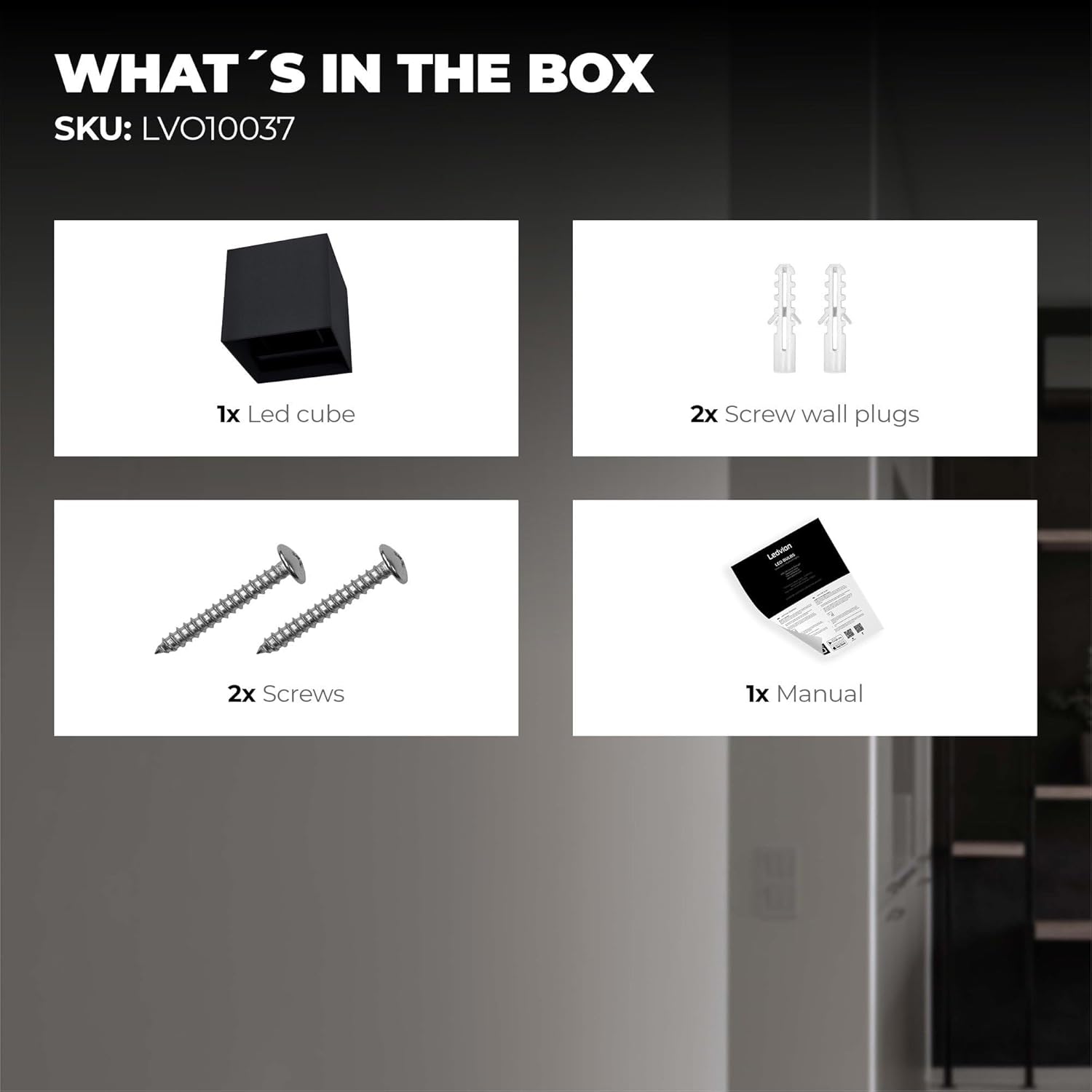
2x ploge miray vis

2x Vis

1x manyèl
3. Espesifikasyon
| Karakteristik | Detay |
|---|---|
| Mak | Ledvion |
| Nimewo Modèl | LVO10037 |
| Dimansyon pwodwi | 10 x 10 x 100cm; 400g |
| Style | Smart Wall Lamp |
| Koulè | Nwa |
| Materyèl | Aliminyòm |
| Koulè limyè | 2700K-6500K + RGB |
| Flux lumineux | 900 lumèn |
| Wattage | 65 wat |
| Voltage | 230 Volts |
| Klas pwoteksyon | IP54 (Prèv pousyè ak Splash) |
| Karakteristik espesyal | Energy-saving, color-changing, adjustable light angle (5 to 120 degrees) |
| Sous pouvwa | Fil elektrik |
| Chanje style | Kontwòl Remote |
| Kalite enstalasyon | Mi mòn |
| Evalyasyon efikasite enèji | F |
| Lyen EPREL | https://eprel.ec.europa.eu/qr/748911 |
4. Gid Enstalasyon
Follow these steps for proper installation of your Ledvion Nevada Smart LED Wall Lamp.
4.1. Preparasyon pou Enstalasyon
- Depale Lamp: Carefully remove all components from the packaging and check against the "What's in the Box" section.
- Dekonekte pouvwa: Anvan ou kòmanse nenpòt travay elektrik, asire w ke ekipman pou kouran prensipal nan zòn enstalasyon an koupe nan disjonktè a.
- Make pwen perçage yo: Sèvi ak lamp's mounting plate as a template to mark the drilling points on the wall. Ensure the marks are level.
4.2. Monte Lamp
- Fè twou: Fè twou nan pwen ki make yo avèk yon mèch ki apwopriye pou kalite miray ou a.
- Mete ploge miray yo: Mete ploge miray yo bay yo nan twou yo komanse fouye.
- Tache Plak Montaj: Sekirize lamp's mounting plate to the wall using the provided screws. Ensure it is firmly attached.
- Koneksyon fil elektrik: Connect the electrical wires from your wall to the lamp's terminals. Typically, the brown wire is Live (L) and the blue wire is Neutral (N). Ensure connections are secure.
- Sekirize Lamp Kò: Tache kò prensipal l laamp to the mounting plate, ensuring all wires are tucked away safely and the lamp se byen tache.
Videyo: Installation guide for a similar wall lamp. This video demonstrates the general steps for mounting and wiring a wall lamp. Please refer to the specific instructions in this manual for your Ledvion Nevada lamp.
5. Operasyon Enstriksyon
Your Ledvion Nevada Smart LED Wall Lamp offers multiple control options.
5.1. Pè kontwòl remote
Pou pè lamp with a remote control:
- Quickly switch the wall lamp ON and OFF five times. The lamp will flash to indicate it's in pairing mode.
- On the remote control, press and hold the "SETUP" button for 3-5 seconds.
- Miray la lamp will blink, confirming successful pairing.
- Repeat this process to pair additional wall lamps to the same remote control.
Videyo: Remote control pairing for a wall lamp. This video illustrates the steps to pair a wall lamp with its remote control.
5.2. App Control Pairing
To control your lamp via a smartphone app:
- Telechaje App a: Scan the QR code on the product packaging or manual, or search for "Smart Life App" or "Tuya Smart App" in your device's app store (App Store or Google Play).
- Aktive Bluetooth ak Wi-Fi: Ensure your mobile phone's Bluetooth is ON and it is connected to a 2.4GHz Wi-Fi network.
- Antre nan Mode Pè: Vire l laamp's power ON and OFF three times. The lamp will flash to indicate it's ready for pairing.
- Ajoute yon aparèy nan aplikasyon an: Open the "Smart Life" or "Tuya Smart" app. The app should automatically detect the new device. Tap "Add Device" or follow the on-screen prompts to connect.
- Connect to Wireless Network: Follow the app's instructions to connect the lamp to your home Wi-Fi network.
- Konfimasyon: L laamp will stop flashing and remain steadily lit, indicating successful pairing.
Videyo: App pairing for a wall lamp. This video demonstrates the process of connecting a wall lamp to a smartphone application for smart control.
5.3. Karakteristik App
- Ajisteman Tanperati Koulè: Ajiste limyè blan an soti nan cho (2700K) rive nan frèt (6500K).
- Kontwòl klète: Dim or brighten the light to your preference.
- Seleksyon koulè RGB: Choose from 16 million colors to create various ambiances.
- Mòd sèn: Select from 12 pre-set scenes for different moods or occasions.
- Musical Rhythms: Sync the light with music for dynamic effects.
- Fonksyon revèy: Set schedules for the lamp to turn on/off automatically.
Videyo: Smart bulb app control demonstration. This video showcases various features of the smart app, including color temperature, brightness, RGB color selection, scene modes, and timer functions.
5.4. Konpatibilite Asistan Vwa
This product is compatible with most voice assistants, including Google Home, Amazon Alexa, and Siri Shortcuts. Follow the instructions within your chosen voice assistant app to link your "Smart Life" or "Tuya Smart" account.

Image: The Ledvion Nevada Smart LED Wall Lamp is compatible with popular voice assistants like Google Home, Amazon Alexa, and Siri Shortcuts for convenient control.
6. Antretyen
To ensure the longevity and optimal performance of your Ledvion Nevada Smart LED Wall Lamp, swiv direktiv antretyen sa yo:
- Netwayaj: Disconnect power before cleaning. Use a soft, dry cloth to wipe the lamp. Do not use abrasive cleaners or solvents, as they may damage the finish.
- Enspeksyon: Tanzantan tcheke lamp for any signs of damage, loose connections, or wear. If any issues are found, consult a qualified electrician.
- Poul: LED entegre yo fèt pou dire lontan epi itilizatè a pa ka ranplase yo.
NAN. Depanaj
If you encounter issues with your Ledvion Nevada Smart LED Wall Lamp, gade pwoblèm ak solisyon komen sa yo:
| Pwoblèm | Kòz posib | Solisyon |
|---|---|---|
| Lamp pa limen. | No power supply, loose wiring, faulty switch. | Tcheke disjonktè a. Asire w tout koneksyon fil yo byen fèm. Teste switch la. |
| Lamp flickers oswa dim san atann. | Unstable power supply, loose connection, incompatible dimmer (if applicable). | Check power stability. Verify wiring. Ensure any dimmer used is compatible with LED smart lamps. |
| Pa ka konekte ak aplikasyon an. | Incorrect Wi-Fi (not 2.4GHz), Bluetooth off, incorrect pairing procedure, app issues. | Ensure phone is on 2.4GHz Wi-Fi and Bluetooth is on. Repeat the app pairing steps (Section 5.2). Restart the app and your phone. |
| Remote kontwòl pa travay. | Remote not paired, battery low, obstruction. | Repeat remote control pairing steps (Section 5.1). Replace remote battery. Ensure no obstructions between remote and lamp. |
| Light color or brightness not responding. | App/remote not connected, software glitch. | Verify app/remote connection. Restart the lamp by turning off and on the power supply. |
If the problem persists after trying these solutions, please contact Ledvion customer support.
8. Garanti ak sipò
Ledvion products are manufactured with high-quality materials and undergo strict quality control. This product comes with a standard manufacturer's warranty. For detailed warranty terms and conditions, please refer to the warranty card included in your product packaging or visit the official Ledvion websit.
For technical support, troubleshooting assistance, or warranty claims, please contact Ledvion customer service through their official channels. Have your model number (LVO10037) and purchase information ready.
Manifakti: Ledvion
Kontakte: Refer to your product packaging or the Ledvion websit la pou jwenn enfòmasyon kontak ki pi ajou yo.


