Entwodiksyon
Welcome to the user manual for the AGM M6 4G Rugged Phone. This device is designed for durability and ease of use, featuring a robust build, large buttons, and a powerful speaker, making it ideal for seniors and those requiring a simple, resilient mobile solution. This manual provides essential information for setting up, operating, maintaining, and troubleshooting your AGM M6 phone.

Image: The AGM M6 4G Rugged Phone, shown with its included charging dock. The phone features a classic bar phone design with a numeric keypad and a color display. The back of the phone highlights its large speaker with an RGB ring.
Karakteristik kle:
- 4G LTE Doub SIM: Compatible with T-Mobile carriers only. Supports two Micro SIM cards (one for 4G, one for 2G).
- Powerful Speaker: Equipped with a 35mm speaker reaching 109dB, ensuring no missed calls. Features an LED RGB ring around the speaker.
- Operasyon senplifye: No GPS, Wi-Fi, or app store access. Runs on a smart OS with basic features like a 0.3MP camera and FM radio.
- Konsepsyon itilizatè-zanmitay: 2.4-inch screen with big fonts and large, tactile buttons for easy dialing and typing.
- Durabilité rezistan: IP68 waterproof and MIL-STD-810H certified, capable of withstanding extreme temperatures (-20℃ to 60℃), drops from up to 2m, and submersion in 1.5m of water for 30 minutes.
- Batri ki dire lontan: 2500mAh battery providing extended standby and talk time.
- Chaje pratik: USB Type-C port and included charging dock for easy desktop charging.
- Flach entegre: A powerful LED torch accessible via a customizable side-key.
Gid Enstalasyon
1. Installing SIM Card(s) and Battery
The AGM M6 supports dual Micro SIM cards. To install, you will need to remove the back cover and the battery. Please note that due to the phone's rugged design and waterproofing, the back cover and battery may be tight and require careful removal. A credit card or similar thin, non-metallic tool can assist in prying the battery loose if needed.
- Carefully remove the back protective cover of the phone.
- Locate the inner protective cover and remove it.
- Remove the battery, which may have a protective tape on its contacts. Remove this tape before re-inserting.
- Insert your Micro SIM card(s) into the designated slots. Note that SIM 1 supports 4G, while SIM 2 supports 2G.
- Insert a MicroSD memory card (up to 128GB, sold separately) into its slot if you wish to expand storage for multimedia.
- Re-insert the battery, ensuring the contacts align.
- Replace the inner protective cover and then the back cover, ensuring it is securely sealed for water and dust resistance.
2. Premye Chajman
Before first use, fully charge your AGM M6 phone. The phone comes with a USB Type-C cable and a charging dock.
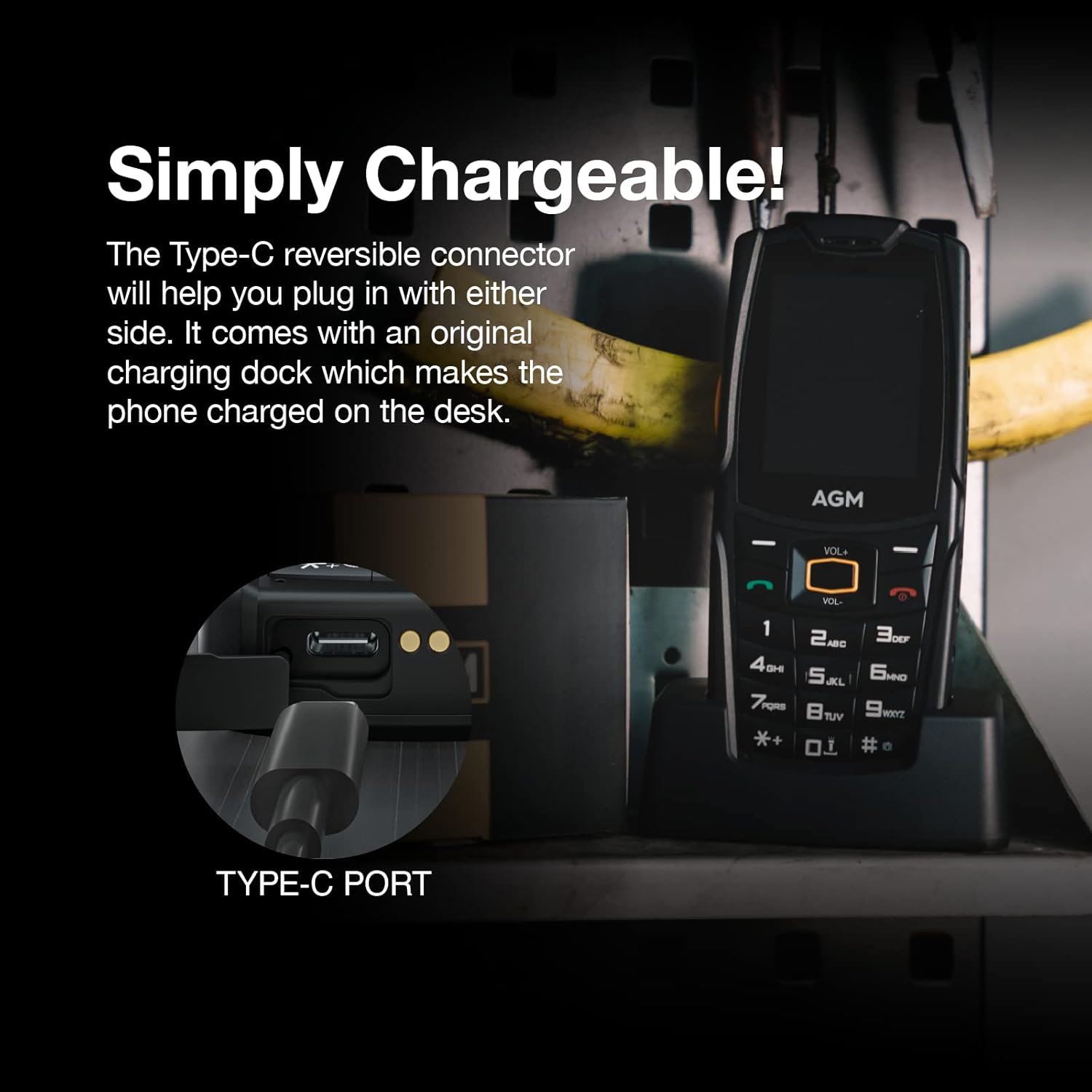
Imaj: Yon gwo plan view of the phone's Type-C charging port and the charging dock. The Type-C connector is reversible, allowing for easy connection.
- Connect the USB Type-C cable to the charging dock and then to a power adapter.
- Place the AGM M6 phone into the charging dock. Ensure it is seated correctly and the charging indicator appears on the screen.
- Alternatively, you can directly connect the USB Type-C cable to the phone's charging port.
- Kite telefòn nan chaje jiskaske endikatè batri a montre yon chaj konplè.
Enstriksyon Operasyon
1. Power On/Off
- Pou limen aparèy la, peze epi kenbe bouton Pouvwa/Fen Apèl la jiskaske ekran an limen.
- To power off, press and hold the Power/End Call button, then select 'Power off' from the options.
2. Fè ak resevwa apèl

Image: A person holding the AGM M6 phone, highlighting its large buttons and clear, big font on the 2.4-inch screen, designed for ease of use.
- Rele: Use the large numeric keypad to enter the phone number. Press the green Call button to initiate the call.
- Repons: When a call comes in, press the green Call button to answer.
- Fini apèl: Press the red End Call button to terminate a call.
- Ajisteman Volim: Use the dedicated volume buttons on the side of the phone to adjust call volume. The phone features a very loud speaker (109dB) for clear audio.
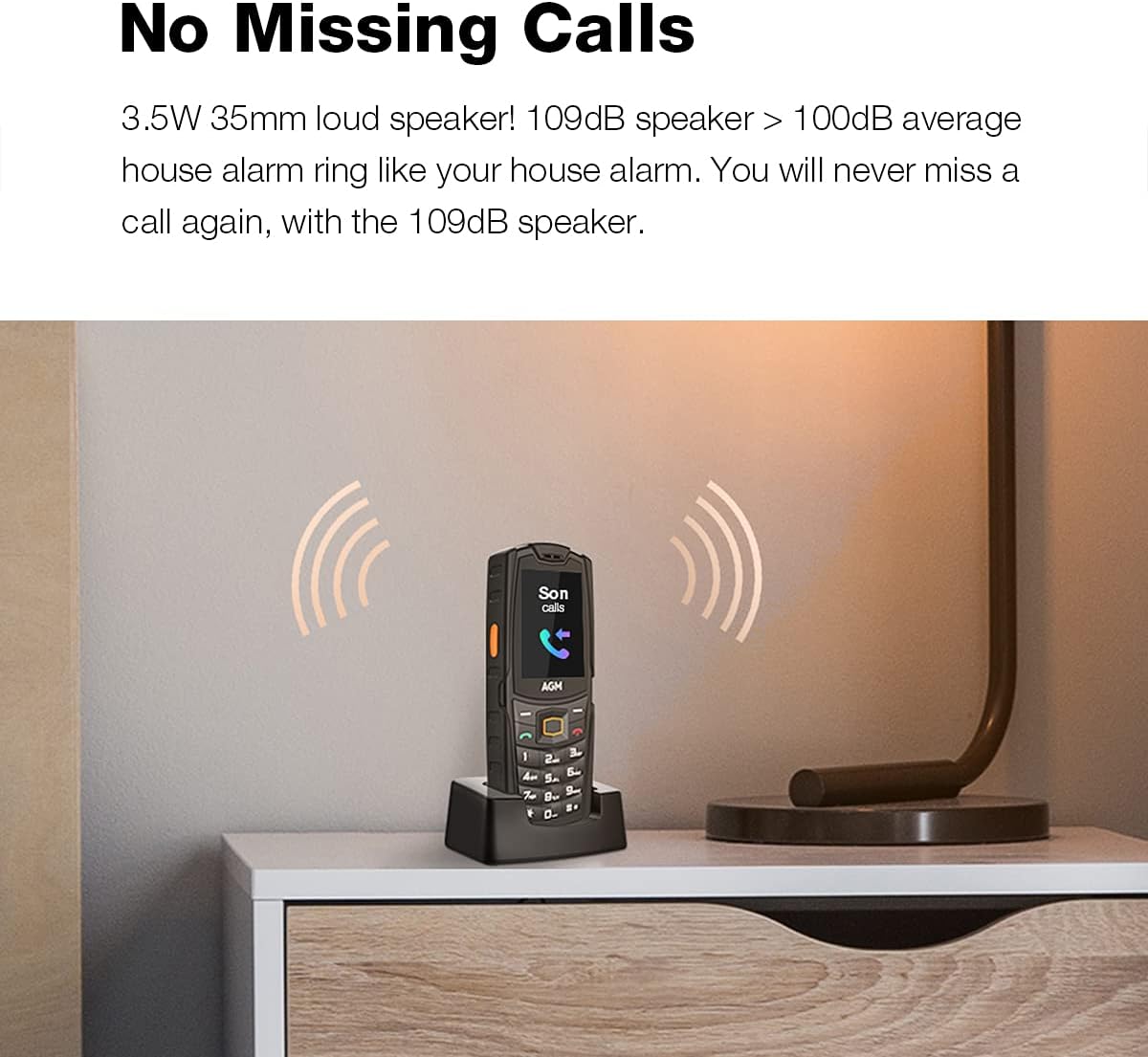
Image: The AGM M6 phone on a nightstand, emitting sound waves, illustrating its loud 109dB speaker designed to prevent missed calls.
3. Mesaj (SMS)
- Ale nan meni 'Mesaj' la.
- Select 'New Message' to compose a text.
- Use the keypad to type your message. The smart typing keyboard assists with text entry.
- Antre nimewo moun k ap resevwa a oubyen chwazi nan kontak yo, epi voye mesaj la.
4. FM Radyo
The AGM M6 has a built-in FM radio with an internal antenna, so no headphones are required for reception.

Image: A person holding the AGM M6 phone, indicating its FM radio functionality.
- Access the 'FM Radio' application from the main menu.
- Sèvi ak kle navigasyon yo pou chèche estasyon oubyen pou branche sou yon frekans manyèlman.
5. LED Torch (Flashlight)
The phone features a powerful LED flashlight for illumination.

Image: A person using the AGM M6 phone's built-in flashlight, demonstrating its utility in dark environments.
- The side-key can be customized for quick access to the flashlight. A long press typically activates it.
- Refer to the phone's settings for customizing the side-key function.
6. Lekti Miltimedya
The AGM M6 supports basic multimedia playback for audio (MP3) and video (MP4, AVI, 3GP) files stored on a MicroSD card.

Image: A user interacting with the multimedia menu on the AGM M6 phone, showing icons for various functions like camera, music, and video.
- Transfer compatible media files to a MicroSD card.
- Insert the MicroSD card into the phone.
- Access the 'Multimedia' or 'My Files' application from the main menu to browse and play your files.
- The phone does not have a 3.5mm audio jack but includes a USB Type-C to 3.5mm adapter for wired headphones. Bluetooth connectivity is also available for wireless audio devices.
Antretyen ak Swen
The AGM M6 is built to be rugged, but proper care will ensure its longevity.
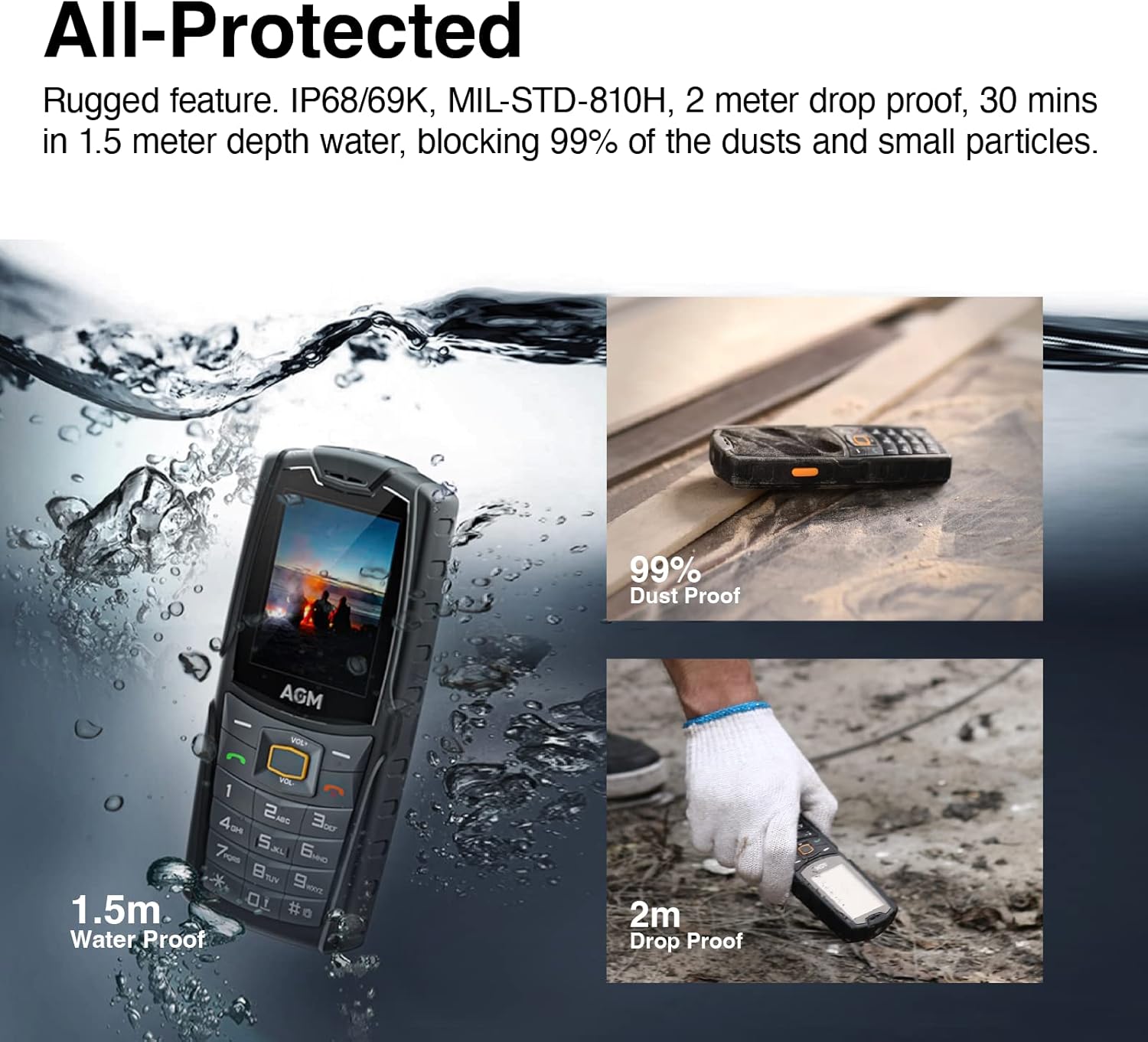
Image: A composite image demonstrating the AGM M6 phone's durability, showing it submerged in water, resistant to dust, and surviving a drop.
- Rezistans dlo ak pousyè (IP68): The phone is designed to be waterproof and dustproof. Ensure all port covers and the back cover are securely closed to maintain this protection. Avoid exposing the phone to high-pressure water jets or prolonged submersion beyond specified limits (1.5m for 30 minutes).
- Drop Resistance (MIL-STD-810H): The phone can withstand drops from up to 2 meters onto concrete. While durable, extreme impacts can still cause damage.
- Ranje Tanperati: Operate the phone within its specified temperature range of -20℃ to 60℃. Extreme temperatures outside this range can affect performance and battery life.
- Netwayaj: Sèvi ak yon mou, damp twal pou netwaye telefòn nan. Evite pwodui chimik ki agresif oswa materyèl abrazif.
- Swen batri: Pou pwolonje lavi batri a, evite dechaje batri a nèt souvan. Sere telefòn nan nan yon kote ki fre epi sèk lè w pa itilize li pou yon bon bout tan.
Depanaj
| Pwoblèm | Kòz posib | Solisyon |
|---|---|---|
| Telefòn nan pa limen. | Batri a fin itilize oswa li pa byen enstale. | Charge the phone for at least 30 minutes. Ensure the battery is correctly inserted and its protective tape is removed. |
| Pa ka fè oswa resevwa apèl. | No network signal; SIM card not installed correctly; incompatible carrier. | Check signal strength. Re-insert SIM card(s). Verify that your carrier is T-Mobile, as this phone is compatible with T-Mobile only. |
| Back cover is difficult to open. | Designed for tight seal for ruggedness. | Use a thin, non-metallic tool (e.g., credit card edge) to carefully pry open the cover. Apply even pressure. |
| Pocket dials 911 or emergency services. | SOS function or emergency key activated inadvertently. | Check phone settings for SOS or emergency call features and disable or reconfigure them if possible. Ensure keypad lock is active when not in use. |
| Cannot access internet or apps. | Phone is not designed for full internet browsing or app installation. | This phone has a basic OS with limited internet capabilities (basic text browsers only) and no app store. This is by design. |
| Poor call reception after some time. | Network issues; SIM card degradation; phone software issue. | Try restarting the phone. Re-insert the SIM card. If issues persist, contact your carrier or AGM support. |
Espesifikasyon teknik
| Karakteristik | Spesifikasyon |
|---|---|
| Non modèl | M6-DCD |
| Dimansyon pwodwi | 4.5 x 3 x 0.5 pous |
| Pwa atik | 13.4 ons |
| Sistèm operasyon | RTOS (Real-Time Operating System) |
| RAM | 48 MB |
| Kapasite Depo memwa | 128 MB (Internal) |
| Memwa dilatabl | Jiska 128GB atravè kat MicroSD (pa enkli) |
| Gwosè ekran | 2.4 pous |
| Teknoloji ekspozisyon | dirije |
| Kapasite batri | 2500 mAh Lityòm Ion |
| Tan pou pale nan telefòn | 10 èdtan |
| Tan sibstiti | Jiska 720 èdtan (30 jou) |
| Teknoloji selilè | 4G LTE |
| Konpatibilite Operatè San Fil | T-Mobile only |
| Koneksyon teknoloji | Cellular, Wi-Fi (limited functionality), Bluetooth |
| Antre Entèfas Imèn | Buttons, Keyboard |
| Kamera | 0.3MP (Front) |
| Audio Jack | Type C (requires adapter for 3.5mm) |
| Karakteristik espesyal | Basic Phone, Bluetooth Enabled, Camera, Dual SIM, Text/Messaging, FM Radio, LED Torch |
| Evalyasyon ki enpèmeyab | IP68 |
| Estanda Militè | MIL-STD-810H |
| Koulè | Nwa |
| Ki sa ki nan bwat la | USB Cable, Charging Dock |
Garanti ak sipò
For detailed warranty information, product registration, and technical support, please refer to the official AGM website or contact AGM customer service directly. Keep your purchase receipt as proof of purchase for warranty claims.
Resous sou entènèt: Visit the official AGM websit pou FAQ, mizajou lojisyèl, ak lòt materyèl sipò.
Sèvis Kliyan: Contact information for customer support can typically be found on the manufacturer's website or in the packaging materials included with your phone.


