Entwodiksyon
Thank you for choosing the HTC True Wireless Bluetooth Earbuds 2. This manual provides detailed instructions on how to set up, operate, and maintain your earbuds to ensure optimal performance and longevity. Please read this manual carefully before using the product.
Ki sa ki nan bwat la
- 1x chaje ka
- 1x USB tip-C kab
- 1x Quick Start Gid
- 2x True Wireless Earbuds (Left and Right)
- 2x pairs of rubber tips (large and small) - Note: A medium pair is likely pre-installed.
Pwodwi souview
Familiarize yourself with the components of your HTC True Wireless Bluetooth Earbuds 2 and their charging case.

Image: The HTC True Wireless Earbuds 2, with one earbud outside the open charging case, showing the charging contacts and indicator light.
The charging case features a USB-C port for charging and an LED indicator to show charging status. Each earbud has touch-sensitive surfaces for control and charging contacts at the bottom.
Enstalasyon
1. Chaje ekoutè yo ak bwat la
Anvan premye itilizasyon an, asire w ke tou de ekoutè yo ak bwat chaje a byen chaje.
- Place the earbuds into the charging case. Ensure they are correctly seated; the indicator lights on the earbuds should illuminate, indicating charging.
- Konekte kab USB Kalite-C a nan pò chaje ki sou bwat la epi lòt bout la nan yon sous kouran USB (pa egzanp, òdinatè, adaptè miray).
- The charging case's indicator light will show charging status. A full charge for the case provides up to 3 additional charges for the earbuds, extending total playtime to 32 hours.

Image: The HTC True Wireless Earbuds 2 in their charging case, illustrating the long battery life performance with up to 8 hours listening time per charge and 32 hours total with the 500mAh charging case.
2. Pairing ak yon Aparèy
The earbuds utilize Bluetooth 5.1 for fast and stable connections.
- Louvri bwat chaje a. Ekoutè yo ap antre otomatikman nan mòd koneksyon.
- Sou aparèy ou an (telefòn entelijan, tablèt, òdinatè pòtab), aktive Bluetooth.
- Chèche pou "HTC TWS3" or "HTC True Wireless Earbuds 2" in the list of available Bluetooth devices.
- Select the earbuds to connect. Once connected, you will hear a confirmation tone.

Image: The HTC True Wireless Earbuds 2 and their charging case positioned near a smartphone, demonstrating the quick and easy pairing process facilitated by the latest Bluetooth 5.1 chipset.
The earbuds can be used individually or together. For optimal stereo sound, use both earbuds. They maintain a stable connection up to 10 meters (32 feet) from your device.
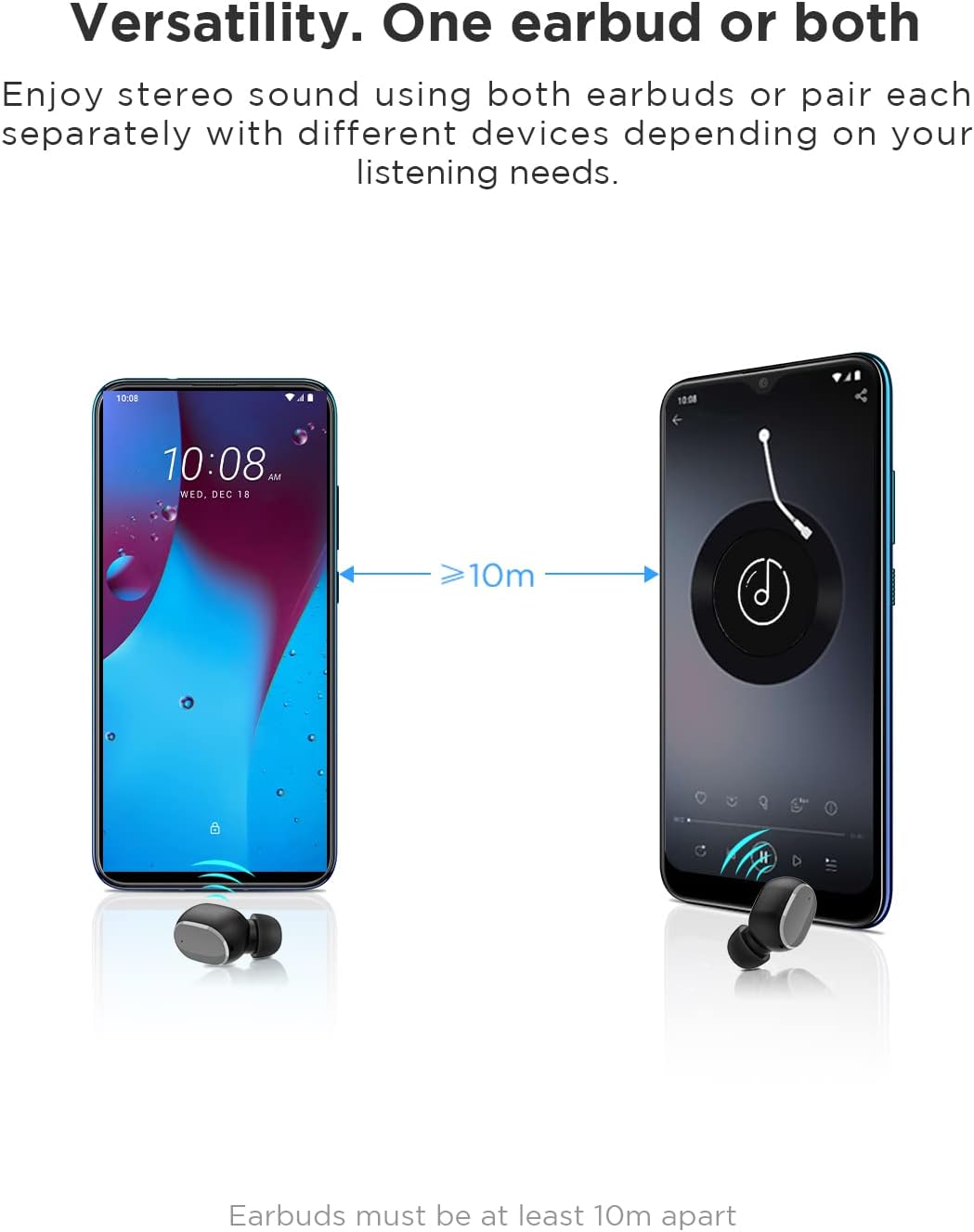
Image: An illustration showing two smartphones and earbuds, emphasizing the versatility of using one or both earbuds and the effective operating range of at least 10 meters.
Enstriksyon Operasyon
The HTC True Wireless Bluetooth Earbuds 2 feature intuitive touch controls for various functions.

Image: A detailed diagram illustrating the simple touch controls for the HTC True Wireless Earbuds 2, including commands for play/pause, track navigation, call management, voice assistant, and volume control.
| Aksyon | Fonksyon |
|---|---|
| Tape swa ekoutè yon fwa | Play / Pause music, Answer / End call |
| Tape ekoutè gòch la de fwa | Ogmante Volim |
| Tape ekoutè dwat la de fwa | Diminye Volim |
| Tape swa ekoutè twa fwa | Aktive Asistan Vwa |
| Tape epi kenbe ekoutè gòch la pou 2 segonn | Jwe chante anvan an |
| Tape epi kenbe ekoutè dwat la pou 2 segonn | Jwe Next Song |
| Tap and hold either earbud for 2 seconds (during incoming call) | Refize Rele |
| Tap either earbud 5 times | Clear pairing / Restore factory settings |
The earbuds are designed for comfortable, long-term wear, weighing only 4.4g per earbud. They come with three different sizes of ear tips to ensure a secure and comfortable fit.

Image: A person comfortably wearing an HTC earbud, accompanied by illustrations highlighting the ergonomic design, skin-friendly material, and the inclusion of three different earplug sizes for optimal fit and comfort.
Antretyen
Netwayaj
Netwayaj regilye ede kenbe kalite son ak ijyèn.
- Sèvi ak yon twal mou, sèk, ki pa gen pousyè pou siye ekoutè yo ak bwat chaje a.
- For earwax or debris in the ear tips or speaker mesh, use a small, soft brush or cotton swab. Do not use sharp objects.
- Evite itilize pwodui netwayaj abrazif, alkòl, oswa solvan chimik.
Depo
Lè w pa ap itilize ekoutè yo, sere yo nan bwat chaje yo pou pwoteje yo epi kenbe yo chaje.
- Sere nan yon kote ki fre epi sèk, lwen tanperati ekstrèm ak limyè solèy dirèk.
- Evite estoke nan anviwònman ki gen pousyè oswa sal.
Rezistans dlo (IPX5)
The HTC True Wireless Bluetooth Earbuds 2 are rated IPX5 water-resistant, meaning they can withstand a sustained, low-pressure water jet spray. This makes them suitable for workouts and light rain.
- Pa plonje ekoutè yo nan dlo.
- Bwat chaje a pa reziste dlo. Kenbe l sèk.
- Asire w ke ekoutè yo sèch anvan ou mete yo tounen nan bwat chaje a pou evite yo domaje.
Depanaj
Si ou rankontre pwoblèm ak ekoutè ou yo, gade solisyon komen sa yo:
| Pwoblèm | Solisyon |
|---|---|
| Ekoutè pa asosye ak aparèy |
|
| Se yon sèl ekoutè ki gen son |
|
| Ekoutè pa chaje |
|
| Move kalite son oswa dekoneksyon |
|
Espesifikasyon
Detailed technical specifications for the HTC True Wireless Bluetooth Earbuds 2.
| Karakteristik | Detay |
|---|---|
| Non modèl | TWS 2 (HTC TWS3) |
| Koneksyon Teknoloji | San fil (Bluetooth 5.1) |
| Ekoutè Jack | USB (pou bwat chaje) |
| Kalite kontwòl | Touche, Kontwòl Volim |
| Nivo rezistans dlo | IPX5 (koutè) |
| Fòma mikwofòn | Entegre, Stereo |
| Tan pou jwe (koutè) | Jiska 8 èdtan (yon sèl chaj) |
| Talk Time (Earbuds) | Jiska 6 èdtan (yon sèl chaj) |
| Tan total pou jwe ak bwat chaje a | Jiska 32 èdtan |
| Chaje Ka Batri Kapasite | 500mAh |
| Earbud Weight (Single) | 4.4g |
| Distans Fonksyònman maksimòm | 32 pye (apeprè 10 mèt) |
| Aparèy konpatib | Android, Laptops, iPhone |
| Materyèl | Plastik |
| Dimansyon pwodwi | 4.34 x 4.34 x 3.45 cm; 160 g (overall package) |
Enfòmasyon sou Sekirite
Please observe the following safety guidelines for safe and effective use:
- Pa demonte, repare, oswa modifye pwodwi a. Sa ka lakòz dife, chòk elektrik, oswa domaje pwodwi a nèt.
- Kenbe pwodwi a lwen tanperati ekstrèm, limyè solèy dirèk, ak imidite ki wo.
- Evite jete oswa soumèt pwodwi a nan gwo enpak.
- Pa sèvi ak ekoutè yo nan yon volim twò wo pandan yon peryòd pwolonje, paske sa ka lakòz domaj nan tande.
- Kenbe lwen timoun ak bèt kay.
- Jete pwodwi a ak pil li yo yon fason responsab dapre règleman lokal yo.
Sipò pou Kliyan
For further assistance or inquiries, please contact HTC customer support through their official channels. Refer to the product packaging or the official HTC websit pou enfòmasyon kontak.
Note: Specific warranty details are not provided in this manual. Please refer to your purchase documentation or the manufacturer's websit pou enfòmasyon garanti.


