1. Entwodiksyon
This manual provides comprehensive instructions for the setup, operation, and maintenance of your TECLAST M40 Pro Android Tablet. The TECLAST M40 Pro is a high-performance tablet featuring a 10-inch FHD display, Android 11 operating system, 6GB RAM, 128GB internal storage (expandable up to 512GB), an Octa-Core processor, dual cameras, dual-band Wi-Fi, Bluetooth, and GPS capabilities. It is designed for a wide range of uses, from study and entertainment to productivity.

Imaj: Devan ak dèyè view of the TECLAST M40 Pro tablet, highlighting its sleek design and the Android 11 interface on the screen.
2. Ki sa ki nan bwat la
Upon opening the package, please verify that all the following items are present:
- TECLAST M40 Pro Android Tablet
- USB Kalite-C Chaje Kab
- Adaptè kouran (ka varye selon rejyon an)
- 128GB Micro SD Card (as specified in product details)
- Manyèl Itilizatè (dokiman sa a)
- SIM Ejector Tool (if applicable for SIM card slot)
3. Pwodwi souview
Familiarize yourself with the physical components and ports of your TECLAST M40 Pro tablet.

Image: Detailed diagram of the TECLAST M40 Pro tablet, indicating the location of the headphone jack, Micro SD/SIM card slot, front camera, rear camera, power button, volume rocker, reset button, and Type-C port, along with speaker locations.
- Bouton pouvwa: Press and hold to power on/off or restart. Short press to turn the screen on/off.
- Volim baskil: Ajiste volim odyo a.
- Kalite-C Port: Used for charging the tablet and connecting to a computer for data transfer.
- Kas ekoutè Jack: Konekte kas ekoutè 3.5mm.
- Micro SD/SIM Card Slot: Insert a Micro SD card for expandable storage (up to 512GB) or a SIM card for cellular data (if supported by your model).
- Kamera devan: 5MP camera for video calls and selfies.
- Kamera dèyè: 8MP camera for photos and videos.
- Oratè: Kat oratè pou yon eksperyans odyo amelyore.
- Reyajiste: A small pinhole for factory reset in case of system unresponsiveness. Use a thin pin to press.
4. Enstalasyon
4.1 Premye chaj
Before first use, it is recommended to fully charge your tablet. Connect the provided USB Type-C cable to the tablet's Type-C port and the other end to the power adapter. Plug the adapter into a wall outlet. The charging indicator on the screen will show the charging status. It is suggested to charge for at least 30 minutes before turning it on for the first time.
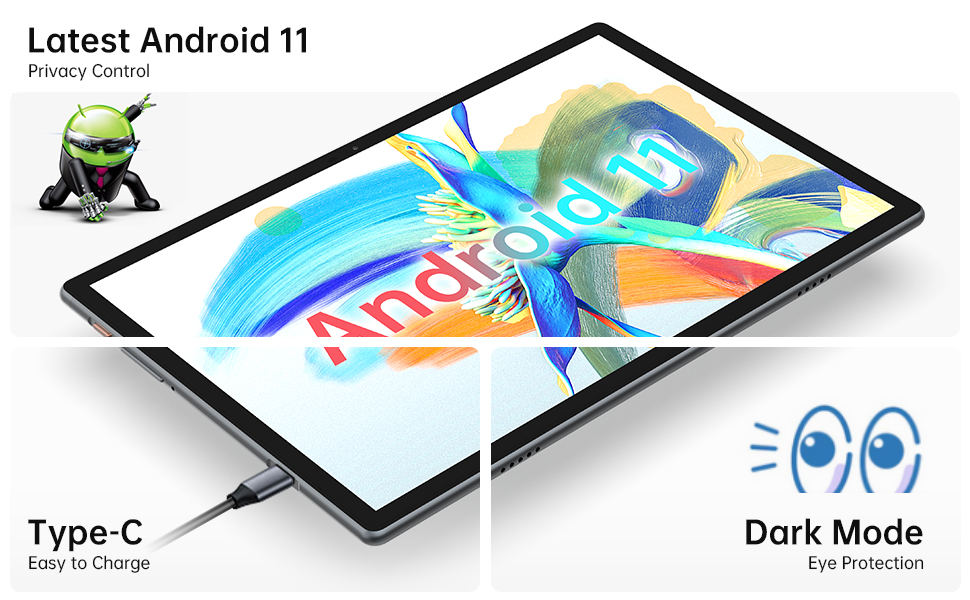
Image: Close-up of the tablet showing the Type-C charging port with a cable connected, illustrating the ease of charging.
4.2 Limen/Etenyen
- Pou limen: Press and hold the Power Button until the TECLAST logo appears on the screen.
- Pou etenn: Press and hold the Power Button until a power menu appears. Select "Power off" from the options.
- Pou rekòmanse: From the power menu, select "Restart".
4.3 Asistan Enstalasyon Inisyal
Premye fwa ou limen tablèt la, w ap resevwa yon asistan konfigirasyon inisyal. Swiv enstriksyon ki parèt sou ekran an pou:
- Chwazi lang ou.
- Konekte nan yon rezo Wi-Fi.
- Konekte avèk kont Google ou a oubyen kreye yon nouvo.
- Set up screen lock (PIN, pattern, password, or face recognition).
- Review epi aksepte tèm ak kondisyon yo.
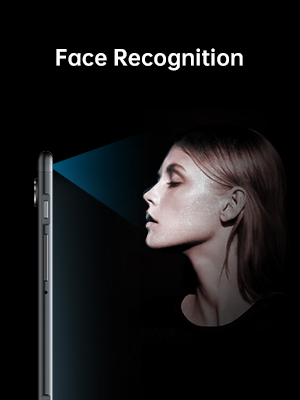
Image: Illustration of the tablet's face recognition feature in use, showing a user unlocking the device with their face.
5. Itilizasyon Tablèt ou a
5.1 Karakteristik Android 11
Your TECLAST M40 Pro runs on Android 11, offering enhanced privacy controls, improved notification management, chat bubbles, and a system-wide dark mode for eye protection.
Image: The tablet screen prominently displaying the "Android 11" text, indicating the operating system version.
5.2 Koneksyon
- Wi-Fi: Go to Settings > Network & internet > Wi-Fi. Turn on Wi-Fi and select your desired network. Enter the password if required. The tablet supports 2.4G and 5G dual-band Wi-Fi for stable and fast connections.
- Bluetooth: Go to Settings > Connected devices > Connection preferences > Bluetooth. Turn on Bluetooth and pair with compatible devices like headphones or keyboards. The tablet features efficient Bluetooth 5.0.
- GPS: The tablet includes GPS functionality for navigation and location-based services. Ensure location services are enabled in Settings > Location.

Image: A visual representation of the tablet's connectivity features, showing icons for Dual Band WiFi (2.4G+5G), Bluetooth 5.0, and Android 11, emphasizing its ability to stay connected.
5.3 Depo ak Pèfòmans
The M40 Pro comes with 6GB RAM and 128GB ROM, providing smooth operation and ample space for apps, media, and documents. Storage can be expanded up to 512GB using a Micro SD card.

Image: A graphic comparing the TECLAST M40 Pro's 6GB RAM and 128GB ROM (expandable to 512GB) with other tablets, illustrating its superior storage and performance for video, music, photos, and apps.
The 2.0GHz Octa-Core processor ensures high performance and low power consumption, preventing crashes and overheating during intensive use.

Image: The tablet displaying a racing game, with text overlays highlighting its Octa Core Processor and 2.0 GHz Frequency, indicating high performance and low power consumption.
5.4 Ekspozisyon ak Odyo
The 10.1-inch FHD IPS display with 1920x1200 resolution provides a wide-angle viewing experience and exceptional color rendition. Coupled with quad speakers, it offers an immersive visual and audio experience.

Image: The tablet screen displaying vibrant colors, emphasizing its 1920x1200 FHD IPS resolution and 10.1-inch display size, along with dual camera specifications.
6. Antretyen
- Netwayaj: Sèvi ak yon twal mou ki pa gen pousyè pou netwaye ekran an ak kò tablèt la. Pou tach ki difisil pou retire, siye yon ti kras.ampLave twal la avèk dlo oswa yon pwodui netwayaj ekran. Evite itilize pwodui chimik ki agresif oswa materyèl abrazif.
- Depo: Sere grenn nan nan yon kote ki fre epi sèk, lwen limyè solèy dirèk ak tanperati ekstrèm.
- Swen batri: To prolong battery life, avoid fully discharging the tablet frequently. Charge it regularly and avoid leaving it plugged in for extended periods after it's fully charged.
- Mizajou lojisyèl: Tcheke regilyèman pou mizajou sistèm nan nan Anviwònman > Sistèm > Mizajou sistèm pou asire pèfòmans ak sekirite optimal.
NAN. Depanaj
| Pwoblèm | Solisyon posib |
|---|---|
| Tablèt la pa limen. | Ensure the tablet is sufficiently charged. Connect it to the charger for at least 30 minutes, then try powering on again. If unresponsive, press the RESET pinhole with a thin pin. |
| Pwoblèm koneksyon Wi-Fi. | Tcheke si Wi-Fi a aktive nan paramèt yo. Rekòmanse routeur Wi-Fi ou a. Bliye rezo a epi rekonekte. Asire w ke ou nan zòn siyal Wi-Fi a. |
| Pèfòmans ralanti oswa aplikasyon yo ap plante. | Close unused apps. Clear cache for problematic apps (Settings > Apps > [App Name] > Storage & cache > Clear cache). Restart the tablet. Ensure sufficient free storage space. |
| Ekran an pa reponn. | Restart the tablet by holding the power button. If unresponsive, use the RESET pinhole. |
| Batri vide byen vit. | Reduce screen brightness. Disable unused features like Bluetooth, GPS, or Wi-Fi when not in use. Close background apps. Check battery usage in Settings > Battery to identify power-hungry apps. |
8. Espesifikasyon
| Karakteristik | Detay |
|---|---|
| Mak | TECLAST |
| Non modèl | Touch (M40PRO Android Tablet) |
| Sistèm operasyon | Android 11 |
| Gwosè ekran | 10 pous |
| Rezolisyon ekran | 1920 x 1200 piksèl (FHD IPS) |
| Processeur | 2.0 GHz Octa Core |
| RAM | 6 GB |
| Depo Entèn (ROM) | 128 GB |
| Depo dilatabl | Up to 512GB (Micro SD/TF Card) |
| Dèyè WebCam Rezolisyon | 8 MP |
| Devan WebCam Rezolisyon | 5 MP |
| Koneksyon | 2.4G+5G WiFi, Bluetooth 5.0, GPS |
| Kapasite batri | 7000mAh (Approx. 8 Hours Average Battery Life) |
| Port chaje | Kalite-C |
| Pwa atik | 2.14 liv |
| Dimansyon pwodwi | 9 x 6 x 1 pous |
9. Garanti ak sipò
9.1 Enfòmasyon sou Garanti
TECLAST provides a 1-ane garanti for tablets, valid immediately after purchase. Please retain your proof of purchase for warranty claims.
9.2 Sipò pou Kliyan
For any questions, technical assistance, or warranty inquiries, please contact TECLAST customer service. We aim to provide professional service and answer any questions within 1 working day.
You can visit the official TECLAST store on Amazon for more information and support resources: TECLAST Amazon Store


