1. Plis paseview
The TECLAST Mini PC N10 is a compact and portable desktop computer designed for various applications, including office work, home theater, and educational use. It features an Intel Celeron N4000 processor, 6GB DDR4 RAM, and a 128GB M.2 SSD, offering efficient performance for daily tasks. Its small form factor and comprehensive connectivity options make it a versatile solution for users seeking a powerful yet space-saving computing device.

Image 1.1: The TECLAST Mini PC N10, showcasing its compact design and various ports, including the VGA port on the side.
2. Pwodwi Features
2.1 Pèfòmans
The N10 Mini PC is equipped with an Intel Celeron N4000 processor (up to 2.6GHz), 6GB of LPDDR4 memory, and a 128GB M.2 SSD. This configuration provides efficient multitasking capabilities and quick access to files, suitable for light office work, web Navigasyon, ak lèktur medya.
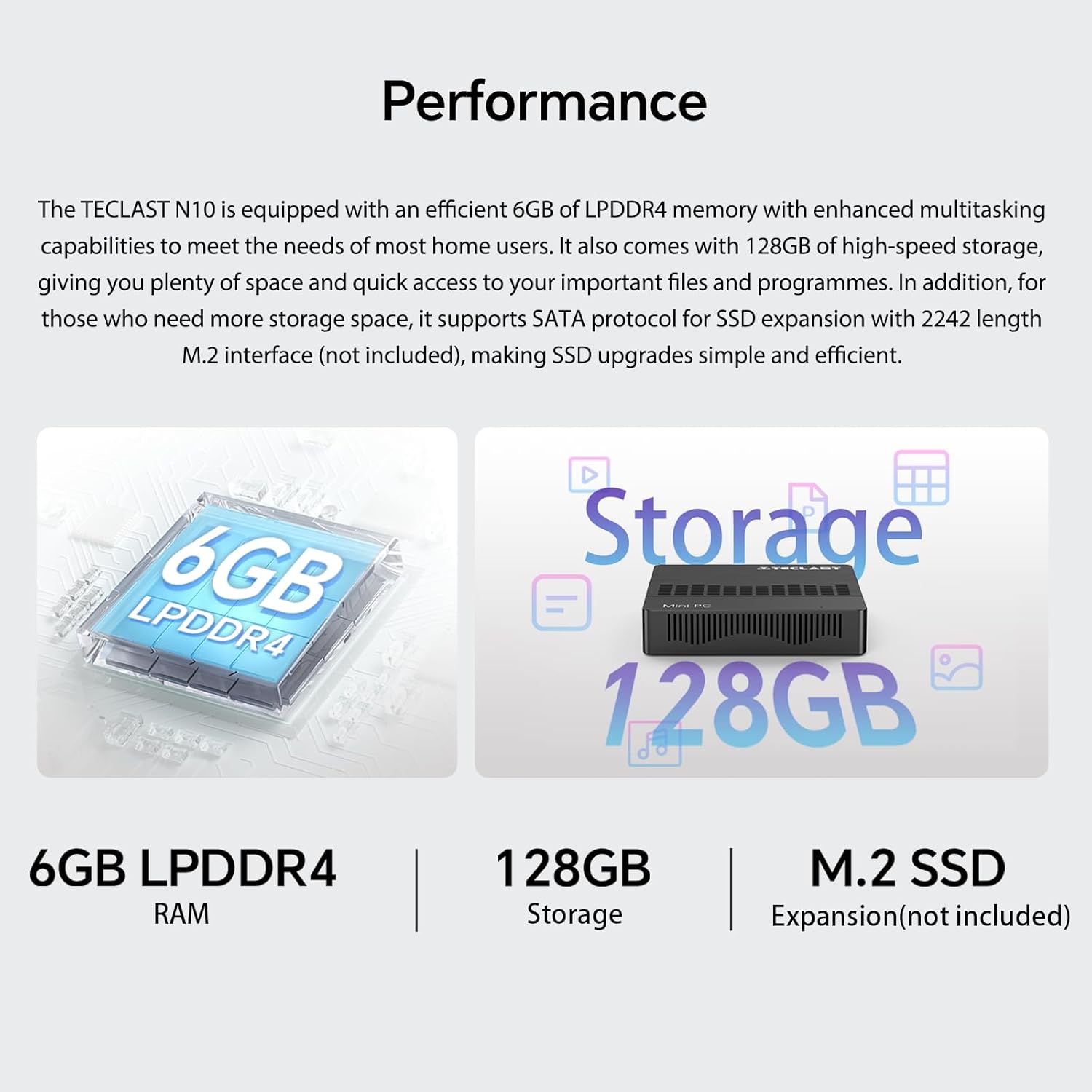
Image 2.1: Visual representation of the TECLAST N10's performance specifications, highlighting 6GB LPDDR4 RAM, 128GB internal storage, and support for M.2 SSD expansion.
2.2 Koneksyon
The device offers a wide range of integrated ports and wireless options for versatile connectivity:
- Sòti videyo: HDMI x 1, VGA x 1, supporting dual display output and 4K@60Hz resolution via HDMI.
- Pò USB: 3 x USB 3.2 GEN1 (5Gbps) for high-speed data transfer.
- Rezo: 1 x 1000Mbps RJ45 Ethernet port for stable wired internet.
- San fil: Dual-band WiFi (2.4G/5G) for fast wireless internet and Bluetooth 5.0 for peripheral connections.
- Odyo: Sòti ekoutè 3.5mm.
- Ekspansyon Depo: TF (MicroSD) port for memory cards.

Imaj 2.2: Plis paseview of the TECLAST N10's connectivity features, including wireless standards and wired ports.

Image 2.3: Illustration of the TECLAST N10's dual display capability using both HDMI and VGA ports simultaneously.
2.3 Konsepsyon kontra enfòmèl ant
Measuring 11.9 x 0.24 x 11.9 cm and weighing 641 g, the N10 is highly portable. Its compact size allows for easy placement in various environments, and it supports VESA mounting for a clean desktop setup.
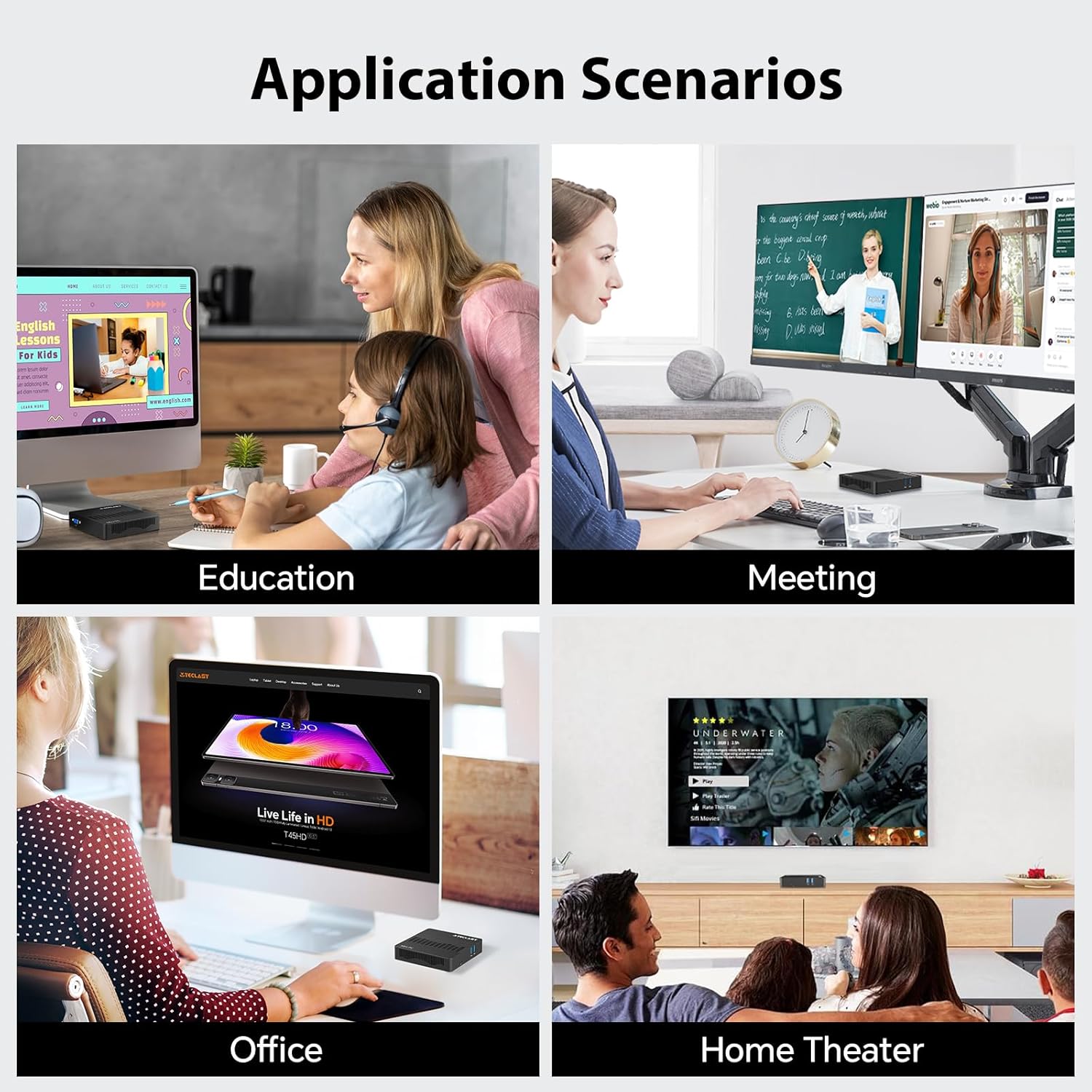
Image 2.4: Visual representation of the TECLAST N10's compact dimensions and lightweight design.
2.4 Effortless Expansion
The N10 includes a TF (MicroSD) expansion port for convenient access to photos and videos, eliminating the need for an external card reader. It also supports SSD replacement for increased storage capacity.
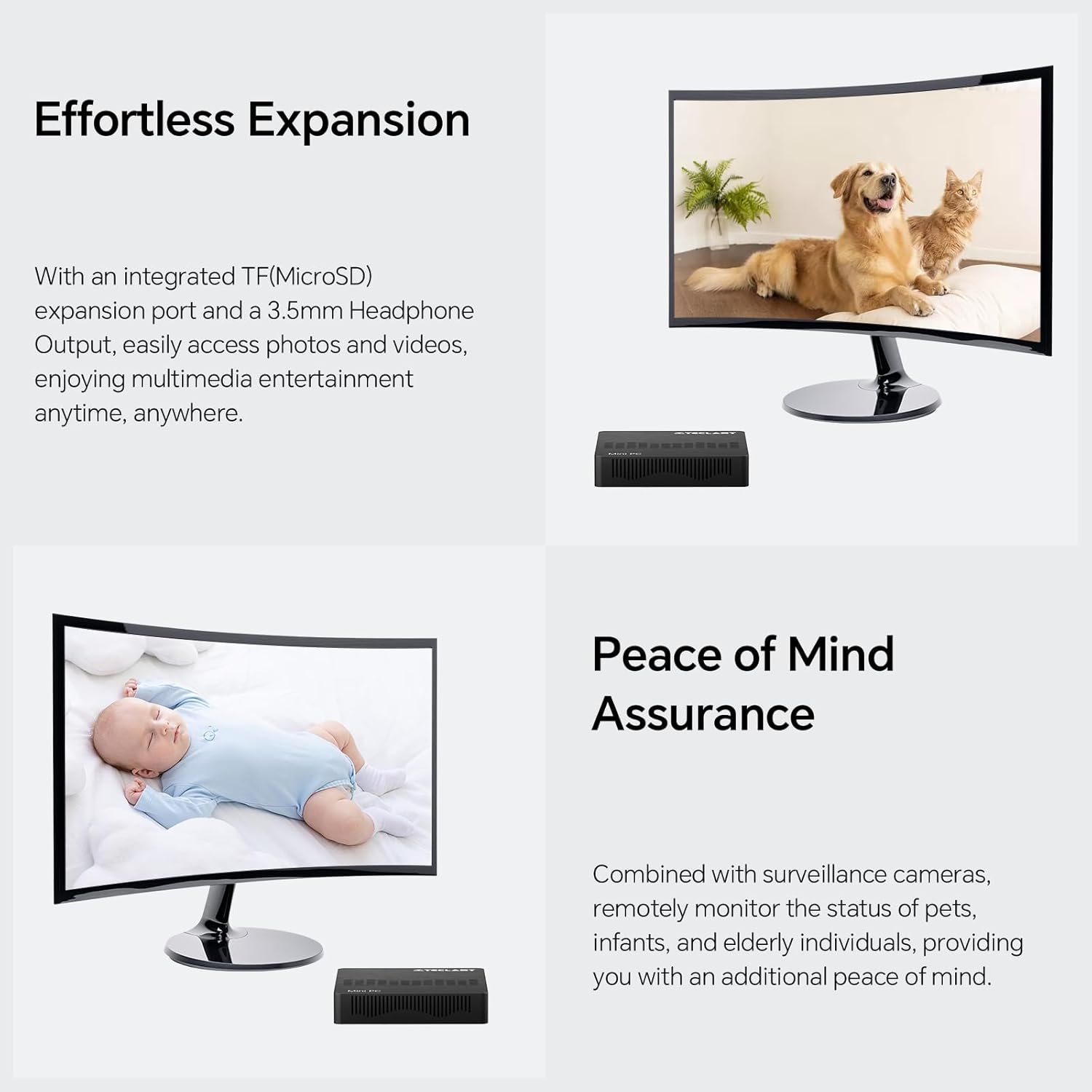
Image 2.5: The TECLAST N10 Mini PC demonstrating its expansion capabilities, including the TF(MicroSD) slot and headphone output.
3. Gid Enstalasyon
3.1 Debake
- Retire Mini PC a ak tout akseswa yo nan anbalaj la avèk anpil atansyon.
- Verify that all components are present: TECLAST N10 Mini PC, Power Adapter, User Manual.
3.2 Konekte periferik
Anvan ou limen l, konekte periferik esansyèl ou yo:
- Siveye: Connect your monitor to the Mini PC using either the HDMI or VGA port. For dual display, connect two monitors to both ports.
- Klavye ak sourit: Connect your USB keyboard and mouse to the available USB 3.2 ports.
- Rezo (Si ou vle): For a wired internet connection, connect an Ethernet cable from your router/modem to the RJ45 LAN port on the Mini PC.
- Odyo (Si ou vle): Connect headphones or speakers to the 3.5mm audio output jack.
Image 3.1: The TECLAST N10 Mini PC's top and side views, illustrating the location of USB ports, power button, VGA port, and other connections.
3.3 Limen
- Konekte adaptè kouran an nan pò DC-in ki sou Mini PC a.
- Ploge adaptè pouvwa a nan yon priz miray.
- Press the power button located on the top right side of the Mini PC. The power indicator light will illuminate.
- The system will boot up, and you will see the operating system (Windows 11 Pro) loading on your connected display.
4. Operasyon Enstriksyon
4.1 Sistèm operasyon
The TECLAST N10 Mini PC comes pre-installed with Windows 11 Pro. Follow the on-screen instructions for initial setup, including language selection, network connection, and user account creation.
4.2 Dual Display Configuration
To utilize the dual display feature:
- Connect your primary monitor to the HDMI port and your secondary monitor to the VGA port.
- Once both monitors are connected and powered on, Windows should automatically detect them.
- To configure display settings (extend, duplicate, or show only on one display), right-click on the desktop, select "Display settings," and adjust as needed.
Image 4.1: Diagram illustrating how to connect two monitors to the TECLAST N10 using HDMI and VGA for a dual display setup.
4.3 Jesyon Depo
The Mini PC includes a 128GB M.2 SSD for primary storage. For additional storage, you can:
- Insert a TF (MicroSD) card into the dedicated slot.
- Connect external USB storage devices to the USB 3.2 ports.
- The M.2 interface supports SSD replacement for creating more storage space. Refer to the official TECLAST support for detailed upgrade instructions.
4.4 Wireless and Wired Network Setup
San fil (Wi-Fi):
- Klike sou ikòn Wi-Fi a nan plato sistèm lan (kwen anba dwat ekran an).
- Chwazi rezo Wi-Fi ou vle a nan lis la.
- Enter the network password and click "Connect."
Filaire (Etènèt):
- Connect an Ethernet cable from your router/modem to the RJ45 LAN port on the Mini PC.
- The system will automatically detect the wired connection and establish internet access.
Bluetooth:
- Ale nan Anviwònman Windows > Bluetooth ak aparèy.
- Asire Bluetooth aktive.
- Click "Add device" and select "Bluetooth" to pair with your Bluetooth peripherals.
Image 4.2: The TECLAST N10 Mini PC demonstrating its support for 2.4G+5G AC wireless, 1000Mbps RJ45 Ethernet, and Bluetooth 4.2 for various connectivity needs.
5. Antretyen
5.1 Netwayaj
- Regularly clean the exterior of the Mini PC with a soft, dry, lint-free cloth.
- Pa sèvi ak pwodui netwayaj likid oswa espre ayewosòl dirèkteman sou aparèy la.
- Use compressed air to gently clear dust from ventilation openings.
5.2 Vantilasyon
- Asire w ke Mini PC a mete nan yon zòn ki byen ayere.
- Pa bloke twou vantilasyon yo sou aparèy la.
- Avoid placing the Mini PC on soft surfaces like carpets or blankets that can obstruct airflow.
5.3 Mizajou lojisyèl
- Tcheke epi enstale mizajou Windows regilyèman pou asire estabilite ak sekirite sistèm nan.
- Keep device drivers updated for optimal performance.
NAN. Depanaj
| Pwoblèm | Kòz posib | Solisyon |
|---|---|---|
| Pa gen ekspozisyon sou monitè a. | Monitor not connected or powered on; incorrect input source; faulty cable. | Ensure monitor is connected and powered. Check monitor's input source. Try a different HDMI/VGA cable. |
| Mini PC a pa limen. | Power adapter not connected; power outlet issue. | Ensure power adapter is securely connected to the Mini PC and a working power outlet. |
| Pa gen koneksyon Wi-Fi. | Wi-Fi disabled; incorrect password; router issue. | Check Wi-Fi settings in Windows. Re-enter password. Restart your router. |
| Pèfòmans ralanti. | Too many applications running; insufficient storage; outdated drivers. | Fèmen aplikasyon ki pa nesesè yo. Libere espas sou disk la. Mete Windows ak chofè yo ajou. |
| Aparèy Bluetooth la pa konekte. | Bluetooth disabled; device out of range; device not in pairing mode. | Ensure Bluetooth is enabled on Mini PC. Move device closer. Put device in pairing mode. |
7. Espesifikasyon teknik
| Karakteristik | Spesifikasyon |
|---|---|
| Mak | TECLAST |
| Nimewo Modèl | N10 |
| Dimansyon pwodwi | 11.9 x 0.24 x 11.9 cm |
| Pwa atik | 641 g |
| Mak processeur | Intel |
| Kalite processeur | Celeron N4000 |
| Vitès processeur | 2.6 GHz (Max Turbo Frequency) |
| Konte processeur | 1 |
| Gwosè RAM | 6 GB |
| Teknoloji memwa | DDR4 |
| Maksimòm memwa sipòte | 6 GB |
| Deskripsyon Hard Disk | SSD |
| Kapasite Depo memwa | 128 GB |
| Entèfas Disk Disk | PCIE x 4 (M.2) |
| Koprosesè grafik | Grafik entegre |
| Grafik Chipset Mak | Intel |
| Deskripsyon kat grafik | Entegre |
| Kalite RAM grafik | GDDR4 |
| Gwosè RAM Kat grafik | 6 GB (Shared) |
| Rezolisyon ekran | 3840 x 2160 (4K) |
| Kalite san fil | Bluetooth, Wi-Fi (2.4G/5G) |
| Kantite USB 3.0 pò | 3 (USB 3.2 GEN1) |
| Kantite pò HDMI | 1 |
| VGA Port | 1 |
| Ethernet Port | 1 (1000Mbps RJ45) |
| TF (MicroSD) Port | 1 |
| Sòti ekoutè | 1 (3.5mm) |
| Sistèm operasyon | Windows 11 Pro |
| Faktè fòm | Stick / Mini PC |
| Itilizasyon espesifik pou pwodwi | Business, Home Theater, Office, Education |
8. Enfòmasyon sou Garanti
TECLAST products typically come with a standard manufacturer's warranty. Please refer to the warranty card included with your product or visit the official TECLAST websit la pou wè kondisyon garanti detaye espesifik pou rejyon ou an. Kenbe prèv acha ou pou reklamasyon garanti.
9. Sipò pou Kliyan
For technical assistance, product inquiries, or support, please visit the official TECLAST support website or contact their customer service. You may find FAQs, driver downloads, and contact information on their official channels.
Note: Specific contact details and support channels may vary by region.


