Entwodiksyon
Thank you for choosing Senso Orbits Wireless Earbuds. These earbuds are designed to provide a high-quality audio experience with features like Environmental Noise Cancellation (ENC), deep bass, and a compact charging case. This manual will guide you through the setup, operation, and maintenance of your new earbuds.
Ki sa ki nan bwat la
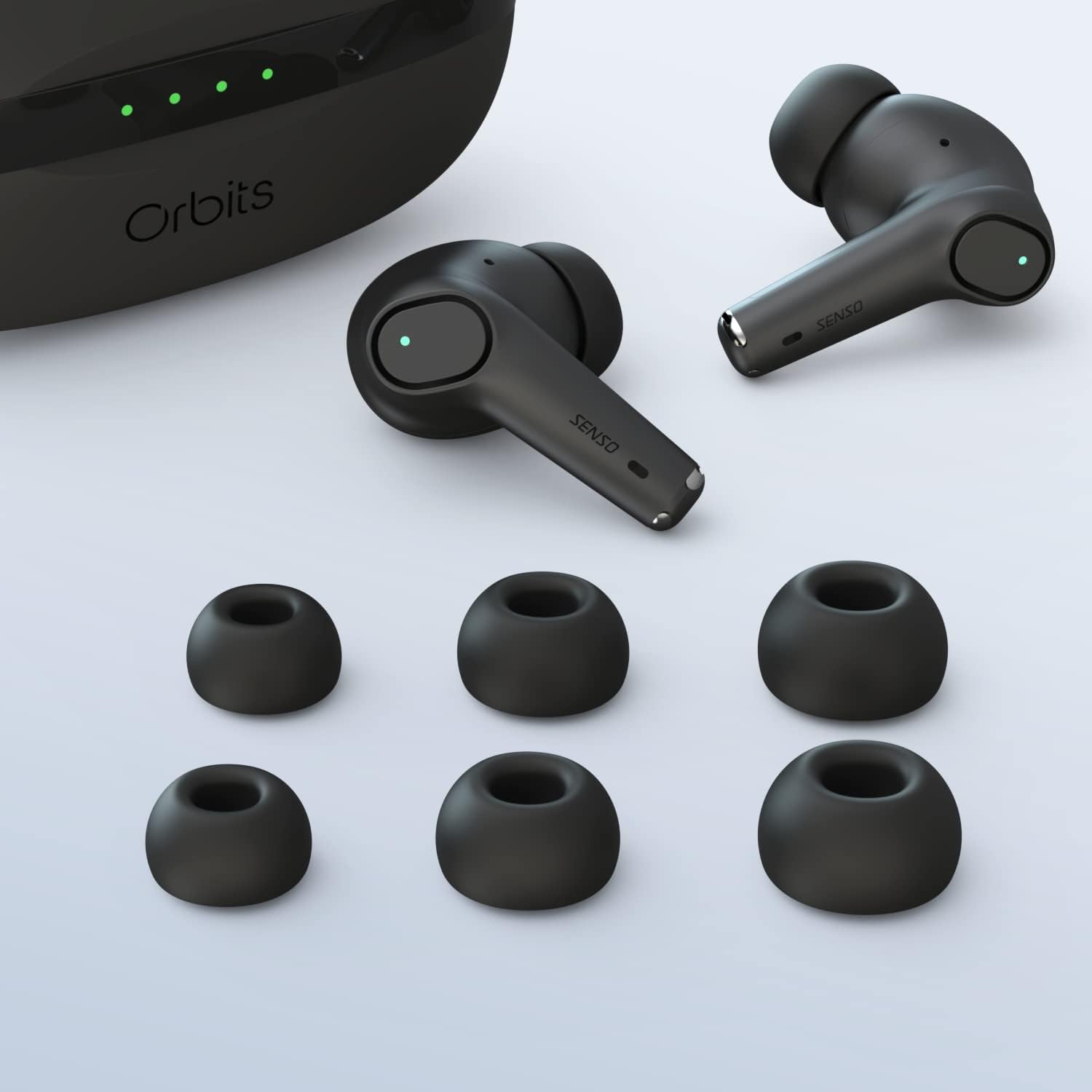
- Senso Orbits Wireless Earbuds
- Compact USB-C Charging Case
- Plizyè gwosè nan pwent zòrèy
- USB-C Chaje Kab
- Manyèl Enstriksyon
Enstalasyon
Inisyal chaje
Before first use, fully charge the earbuds and the charging case. Connect the USB-C cable to the charging port on the case and to a power source. The LED indicators on the case will show the charging status.
Pè ak aparèy ou an
The Senso Orbits earbuds feature a responsive one-step instant connection. Simply open the charging case, and the earbuds will automatically enter pairing mode. Then, follow these steps:
- Louvri ka chaje a.
- Sou aparèy ou an (telefòn entelijan, tablèt, elatriye), ale nan paramèt Bluetooth yo.
- Select "Orbits" or "Orbits ENC70" from the list of available devices.
- Yon fwa konekte, w ap tande yon envit odyo, epi ekoutè yo pare pou itilize.

Enstriksyon Operasyon
Kontwòl manyen
The Senso Orbits earbuds are equipped with multi-function touch controls. Simply tap on the earbuds to access various functions:
- Volim +/-: Double tap the Left (L) earbud to decrease volume, or the Right (R) earbud to increase volume.
- Jwe/Poz: Single tap either L or R earbud.
- Track Previous/Next: Triple tap the L earbud for the previous track, or the R earbud for the next track.
- Answer/Reject Phone Call: Press and hold either L or R earbud for 2 seconds to answer or reject a call.
- Activate Voice Assistant (SIRI): Press and hold either L or R earbud for 2 seconds.

Chaje ekoutè yo ak ka
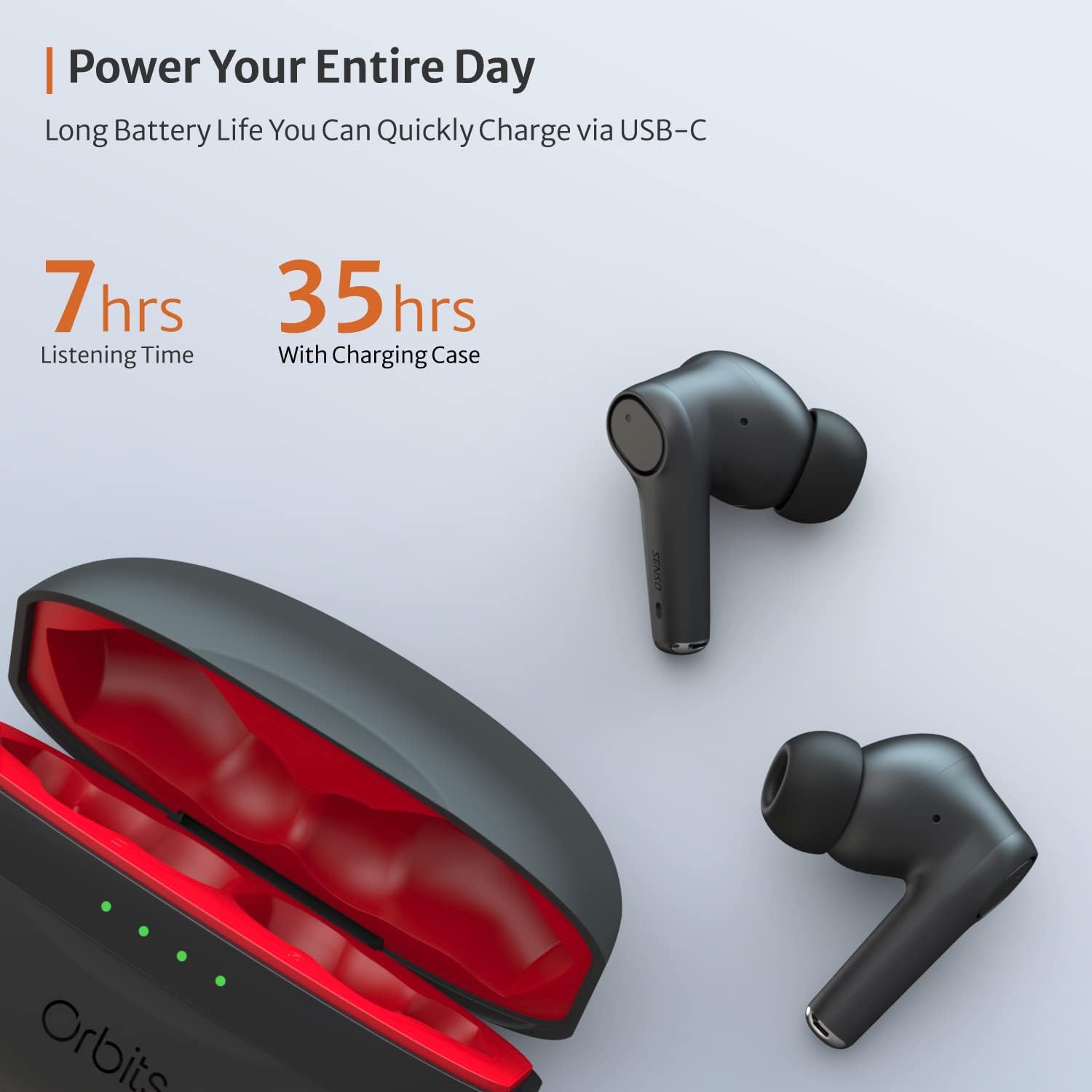
The charging case provides extended battery life for your earbuds. The earbuds will charge automatically when placed inside the case and the lid is closed. The case itself can be charged via a USB-C cable. The LED indicators on the case show the remaining battery level.
Environmental Noise Cancellation (ENC) for Calls
The Senso Orbits earbuds feature a QUAD-microphone array with ENC technology to effectively suppress environmental noise and enhance voice clarity during calls. This reduces ambient noise by up to 35dB, ensuring clear communication.
Antretyen
Netwayaj
Regularly clean your earbuds and charging case to ensure optimal performance and hygiene. Use a soft, dry, lint-free cloth. For ear tips, you may gently wipe them with a damp twal ak savon dou, asire w ke yo byen sèk anvan ou tache yo ankò.
Rezistans dlo
The Senso Orbits earbuds are IPX rated, providing protection against light rain, accidental splashes, and sweat. They are suitable for sports and exercise. However, they are not designed for submersion in water. Avoid exposing them to excessive moisture or harsh chemicals.

Depo
Lè w pa ap itilize yo, sere ekoutè yo nan bwat chaje yo pou pwoteje yo epi kenbe yo chaje. Sere bwat la nan yon kote ki fre epi sèk, lwen limyè solèy dirèk ak tanperati ekstrèm.
Depanaj
- Ekoutè yo pa konekte: Ensure both earbuds are in the charging case, then open the lid. Check your device's Bluetooth settings to ensure it's discoverable and select "Orbits". If issues persist, try resetting the earbuds (refer to specific reset instructions if provided in a separate quick start guide).
- Pa gen son ki soti nan youn nan ekoutè yo: Place both earbuds back in the charging case, close the lid, and then reopen it. Re-pair with your device.
- Pwoblèm chaj: Ensure the USB-C cable is securely connected to both the case and the power source. Check if the charging port is clean and free of debris.
- Move kalite apèl: Asire w ke ekoutè yo byen chita nan zòrèy ou. Tcheke pou wè si pa gen okenn obstak ozalantou mikwofòn yo.
Espesifikasyon
| Karakteristik | Detay |
|---|---|
| Non modèl | .Bit yo |
| Koneksyon Teknoloji | Bluetooth 5.0, San fil |
| Teknoloji kominikasyon san fil | Bluetooth |
| Konpozan ki enkli | Ka chaje |
| Materyèl | Plastik, Silicone |
| Itilizasyon espesifik pou pwodwi | Espò ak Egzèsis |
| Tan pou chaje | 2 èdtan |
| Nivo rezistans dlo | Waterproof (IPX rated) |
| Metòd kontwòl | Manyen |
| Bluetooth vèsyon | 5.0 |
| Karakteristik Kontwòl Bri | Active Noise Control (ENC) |
| Karakteristik espesyal | Lightweight, Microphone Included, Noise Cancellation, Water-resistant, Wireless |
| Pwa atik | 5 ons |
| Dire batri (ekoutè) | Jiska 7-8 èdtan |
| Tan total pou jwe (ak bwat chaje a) | Jiska 35 èdtan |
Garanti ak sipò
Garanti pwolonje
Senso offers an option to extend the warranty to two years for free. To convert to a Two Year Warranty, please visit www.sensoshop.com/warranty. This must be claimed within 7 days of receiving the product.
Sipò pou Kliyan
For any further assistance, technical support, or inquiries, please refer to the contact information provided with your product packaging or visit the official Senso websit.


