Entwodiksyon
This manual provides comprehensive instructions for the OWC 5 Port Thunderbolt Hub. It covers setup, operation, maintenance, and troubleshooting to ensure optimal performance and longevity of your device. The OWC Thunderbolt Hub expands the connectivity of your computer, offering multiple Thunderbolt 4 ports and a USB 3.2 Gen 2 Type-A port, along with power delivery capabilities.
Enfòmasyon sou Sekirite
- Pa ekspoze aparèy la nan imidite oswa tanperati ekstrèm.
- Use only the power adapter supplied with the hub.
- Evite bloke ouvèti vantilasyon pou anpeche surchof.
- Pa eseye demonte oswa repare aparèy la tèt ou. Konfye tout antretyen bay pèsonèl kalifye.
- Kenbe aparèy la lwen gwo chan mayetik.
Kontni pake
Verifye ke tout atik yo prezan nan pakè ou a:
- OWC 5 Port Thunderbolt Hub
- Adaptè pouvwa
- Thunderbolt 4 kab
- Gid demaraj rapid (pa enkli nan manyèl dijital sa a)
Pwodwi souview
The OWC 5 Port Thunderbolt Hub is designed to expand your computer's connectivity, providing additional Thunderbolt 4 and USB 3.2 Gen 2 Type-A ports. It features a compact design suitable for various setups.

Figi 1: Devan view of the OWC 5 Port Thunderbolt Hub, showing the OWC logo and the USB 3.2 10Gb/s port.
Port Layout
The hub features a variety of ports to connect your devices:
- Pò lame: One Thunderbolt 4 port (up to 40 Gb/s) for connecting to your computer.
- Pò aparèy: Three Thunderbolt 4 ports for connecting external drives, displays, and other Thunderbolt devices.
- USB-A pò: One USB 3.2 Gen 2 Type-A port (up to 10 Gb/s) for connecting USB peripherals. This port is backwards compatible with USB 2.0/3.0.
- Antre pouvwa: DC IN 20V 5.5A for connecting the power adapter.

Figi 2: Anlè ak anba views of the hub, illustrating the arrangement of the DC power input, host Thunderbolt port, three device Thunderbolt ports, and the USB 3.2 port.
Enstalasyon
- Konekte pouvwa: Plug the provided power adapter into the DC IN port on the OWC Thunderbolt Hub, then connect the adapter to a power outlet.
- Connect to Host Computer: Use the included Thunderbolt 4 cable to connect the host Thunderbolt 4 port on the hub to an available Thunderbolt 3 or Thunderbolt 4 port on your computer. For USB-C equipped devices, connect to a USB-C port.
- Enstale chofè yo (si sa nesesè): For most modern operating systems (macOS 11.1 Big Sur or later, Windows 10/11 with Thunderbolt 4), drivers are automatically installed. If prompted, follow on-screen instructions.
- Konekte periferik: Connect your Thunderbolt devices, USB devices, and displays to the available ports on the hub.

Figure 3: The hub in use, demonstrating multiple devices connected for full performance.
Enstriksyon Operasyon
Livrezon pouvwa
- The Thunderbolt 4 host port provides up to 60W of power to charge your connected host computer.
- Each Thunderbolt 4 device port provides 15W of power for external drives and other devices.
- The USB 3.2 Gen 2 Type-A port provides up to 1.5A of power for bus-powered drives and device charging.

Figure 4: The hub actively charging a laptop and providing power to connected peripherals.
Montre Sipò
The OWC Thunderbolt Hub supports various display configurations:
- Up to one 8K display at 60Hz.
- Up to one 4K display at 120Hz.
- Up to two 4K displays at 60Hz.
- Up to two 5K displays at 60Hz.
- Display support via Thunderbolt 4: Up to 8K @ 60Hz or 4K @ 120Hz via a native Thunderbolt 4 display or other display that supports USB-C connections and DisplayPort 1.4.
- Note: Actual display support may vary based on your computer's specifications. Intel-based Apple Mac models and Thunderbolt 4 PCs typically support two displays.
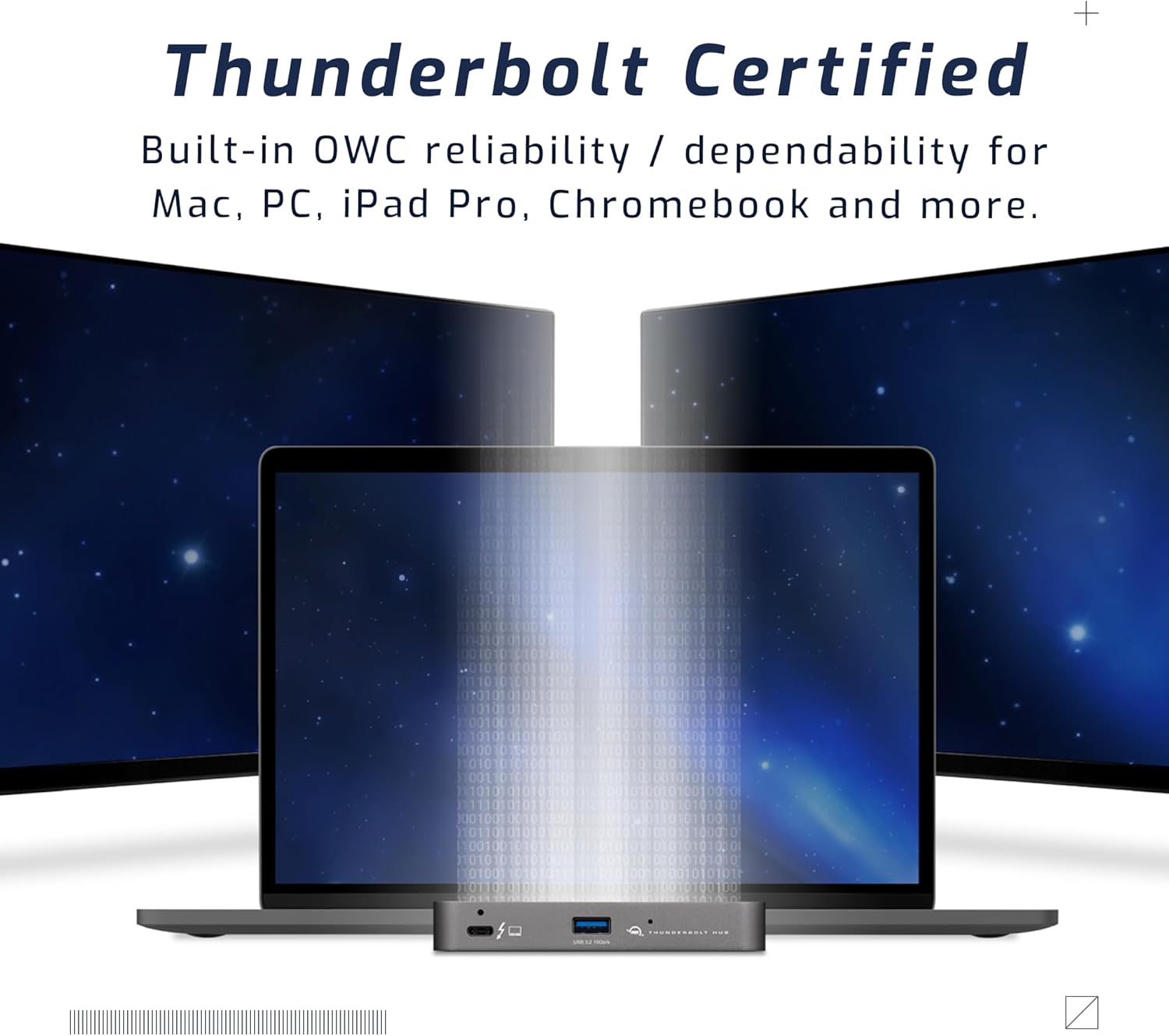
Figure 5: A setup demonstrating the hub's capability to connect a laptop to multiple external displays.
Konpatibilite
The hub is compatible with a wide range of devices:
- Macs with an available Thunderbolt 3 or later port running macOS 11.1 Big Sur or later.
- Windows PCs with an available Thunderbolt 4 port.
- Non-Thunderbolt USB-C machines like Chromebooks and iPads.
- USB-C equipped MacBooks, iPads, Chromebooks, and Android devices.
- Note: Thunderbolt/Thunderbolt 2 Mac models are supported via USB-A host connection, but Thunderbolt/Thunderbolt 2 host connection is not directly supported. USB connection may limit some functionality.
Antretyen
- Netwayaj: Use a soft, dry, lint-free cloth to clean the exterior of the hub. Do not use liquid cleaners or aerosols.
- Depo: When not in use for extended periods, store the hub in a cool, dry place away from direct sunlight.
- Jesyon kab: Ensure cables are not excessively bent or strained to prevent damage to the ports or cables.
Depanaj
Pwoblèm komen ak solisyon yo
- Pa gen kouran/Aparèy pa rekonèt:
- Ensure the power adapter is securely connected to the hub and a working power outlet.
- Verify the Thunderbolt cable is firmly connected to both the hub and your computer.
- Try a different Thunderbolt port on your computer, if available.
- Rekòmanse òdinatè w lan.
- Display Issues (No Signal, Flickering):
- Check all display cables (HDMI, DisplayPort, USB-C to display) are securely connected.
- Asire w ke ekran ou an configuré sou sous opinyon ki kòrèk la.
- Verify your computer's display settings (resolution, refresh rate) are compatible with the connected display and hub capabilities.
- Mete ajou chofè grafik òdinatè w la.
- Vitès transfè done ki ba:
- Ensure you are using high-quality Thunderbolt or USB 3.2 cables.
- Confirm the connected device supports the speeds advertised by the hub (e.g., a USB 2.0 device will not achieve USB 3.2 speeds).
- Avoid connecting too many high-bandwidth devices simultaneously if experiencing slowdowns.
Espesifikasyon
| Karakteristik | Detay |
|---|---|
| Nimewo Modèl | OWCTB4HUB5P |
| Mak | OWC |
| Dimansyon pwodwi | 19.69 x 19.69 x 11.02 pous |
| Pwa atik | 7 ons |
| Koulè | Also Black/Gray |
| Entèfas Materyèl | Loraj |
| Karakteristik espesyal | Powered |
| Port lame | 1x Thunderbolt 4 (up to 40 Gb/s) |
| Pò aparèy | 3x Thunderbolt 4, 1x USB 3.2 Gen 2 Type-A (10 Gb/s) |
| Host Power Delivery | Jiska 60W |
| Device Power Delivery | 15W per Thunderbolt 4 port, 1.5A for USB-A port |
| Montre Sipò | Up to 8K @ 60Hz or 4K @ 120Hz (single display); Up to two 4K @ 60Hz or two 5K @ 60Hz (dual displays) |
| Aparèy konpatib | Macs with Thunderbolt 3+, Windows PCs with Thunderbolt 4, USB-C equipped MacBooks, iPads, Chromebooks, Android devices |
Enfòmasyon sou Garanti
The OWC 5 Port Thunderbolt Hub comes with a 2 ane OWC garanti limite. For detailed terms and conditions, please refer to the official OWC websit oswa kontakte sipò kliyan.
Sipò
For further assistance, technical support, or warranty claims, please visit the official OWC support websit oswa kontakte depatman sèvis kliyan yo.
- Sipò OWC Websit: www.owcdigital.com/support
- Resous sou entènèt: FAQs, drivers, and additional documentation may be available online.


