1. Entwodiksyon
Thank you for choosing the Loluka Invisible Earbuds. This manual provides essential information for setting up, operating, and maintaining your new earbuds. Please read it carefully before use to ensure optimal performance and longevity of your device.
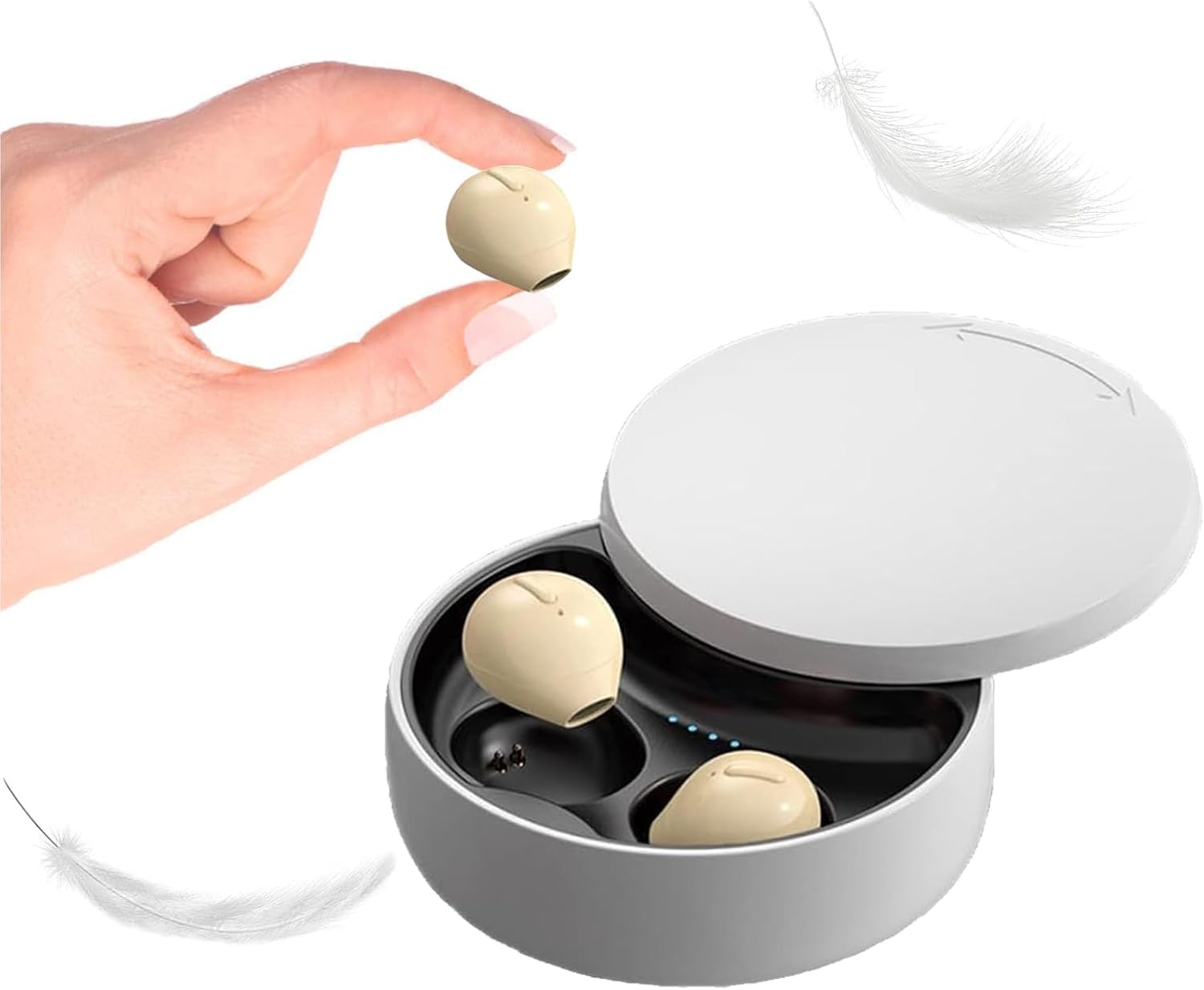
Image 1.1: Loluka Invisible Earbuds with their compact charging case. One earbud is shown held between fingers, highlighting its small size.
These earbuds are designed for discreet and comfortable listening, featuring a mini design, stable Bluetooth 5.1 connectivity, and a long battery life.
2. Pake kontni
Tanpri tcheke pake a pou atik sa yo:
- Loluka Invisible Earbuds (Left and Right)
- Ka chaje
- USB Chaje Kab
- Manyèl itilizatè (dokiman sa a)
3. Pwodwi Features
- Mini Konsepsyon: Extremely small and lightweight for comfortable, long-term wear.
- Lektur pwolonje: Up to 5 hours of single playtime, with the charging case providing an additional 30 hours for a total of 35 hours.
- Itilizasyon yon sèl ekoutè: Nenpòt ekoutè ka itilize poukont li.
- One-Key Control: Simple button for power, music playback, and call management.
- Koneksyon ki estab: Bluetooth 5.1 chip ensures a stable connection and low latency.
- Rezistans dlo: Evalyasyon ki enpèmeyab IPX5.

Image 3.1: Visual comparison of an earbud's size to a US quarter, demonstrating its compact and lightweight design (approximately 3.7g).

Image 3.2: A woman wearing an earbud, illustrating its discreet and hidden-in-ear design.
4. Enstalasyon
4.1 Premye chaj
Anvan premye itilizasyon an, chaje ekoutè yo ak bwat chaje a nèt.
- Mete tou de ekouteur nan ka chaje a.
- Konekte kab chaje USB a nan pò chaje ki sou bwat la epi nan yon sous kouran.
- Limyè endikatè yo sou bwat la ap montre eta chaj la. Yon chaj konplè pran apeprè 1.5 èdtan.
4.2 Pairing ak yon Aparèy
The earbuds support automatic pairing for convenience.

Image 4.1: Visual guide for connecting the earbuds via Bluetooth, showing a phone's Bluetooth settings and the charging case.
- Koneksyon premye fwa:
- Retire ekoutè yo nan ka chaje a. Yo pral otomatikman limen epi antre nan mòd appariement.
- Pèmèt Bluetooth sou aparèy mobil ou.
- Chèche pou "X21S" (or similar model name) in the list of available devices and select it to pair.
- Koneksyon ki vin apre:
- Once paired, the earbuds will automatically connect to your last-paired device when removed from the charging case and Bluetooth is enabled on your device.
5. Operasyon Enstriksyon
5.1 Power On/Off
- Pouvwa sou: Take the earbuds out of the charging case. They will power on automatically. Alternatively, long-press the touch area on each earbud.
- Pouvwa Off: Place the earbuds back into the charging case. They will power off automatically. Alternatively, long-press the touch area on each earbud until they power off.
5.2 Kontwòl Mizik
- Jwe/Poz: Single-click the touch area on either earbud.
- Pwochen chante: Double-click the touch area on the right earbud.
- Chante Previous: Double-click the touch area on the left earbud.
5.3 Kontwòl apèl
- Reponn/Fen Apèl: Single-click the touch area on either earbud.
- Rejte apèl: Long-press the touch area on either earbud.
5.4 Itilizasyon yon sèl ekoutè
You can use either the left or right earbud independently. Simply take one earbud out of the charging case, and it will automatically connect to your device if previously paired.

Imaj 5.1: Egzanpamples of discreet earbud usage in different environments, including work, sleep, and communication.
6. Antretyen
6.1 Netwayaj
- Netwaye ekoutè yo ak bwat chaje a regilyèman avèk yon twal mou, sèk, epi ki pa gen pousyè.
- Pa sèvi ak pwodui netwayaj abrazif, solvan, oswa espre ayewosòl.
- Ensure charging contacts are free of dust and debris.
6.2 Depo
- Sere ekoutè yo nan ka chaje yo lè yo pa itilize pou pwoteje yo epi kenbe yo chaje.
- Evite tanperati ekstrèm ak limyè solèy la dirèk.
NAN. Depanaj
- Ekoutè yo pa konekte: Ensure both earbuds are charged. Turn off and on your device's Bluetooth. Try resetting the earbuds (refer to manufacturer's websit la pou enstriksyon espesifik pou reyajiste si sa nesesè).
- Pa gen son: Tcheke nivo volim nan sou aparèy ou an epi asire w ke ekoutè yo byen konekte.
- Koneksyon tanzantan: Asire w ke ou nan yon distans 15 mèt Bluetooth la epi pa gen okenn obstak enpòtan ant ekoutè yo ak aparèy ou an.
- Ekoutè yo pa chaje: Verify the charging cable is securely connected and the charging contacts on both the earbuds and case are clean.
8. Espesifikasyon
| Karakteristik | Spesifikasyon |
|---|---|
| Nimewo Modèl | B09B75DZ89 |
| Mak | Loluka |
| Koneksyon Teknoloji | San fil (Bluetooth 5.1) |
| Gamme Bluetooth | 15 mèt |
| Dire lavi batri yon sèl ekoutè | Jiska 5 èdtan |
| Tan total pou lèktur (ak bwat) | Jiska 35 èdtan |
| Tan pou chaje | Apeprè 1.5 èdtan |
| Nivo rezistans dlo | IPX5 (enpèmeyab) |
| Kalite kontwòl | Touch / One-key Control |
| Plasman Zòrèy | Nan Zòrèy |
| Pwa atik | 3.52 ons |
| Dimansyon pwodwi | 3.1 x 1.6 x 4.3 pous |
9. Garanti ak sipò
Loluka products are designed for reliability and performance. For warranty information and customer support, please refer to the contact details provided with your purchase or visit the official Loluka websit la. Kenbe resi acha ou kòm prèv acha pou reklamasyon garanti.
For further assistance, please contact our customer support team.