1. Entwodiksyon
This manual provides detailed instructions for the installation, configuration, operation, and maintenance of your TP-Link EAP610 AX1800 Gigabit Dual-Band Wi-Fi 6 Access Point. Please read this manual thoroughly before using the device to ensure proper functionality and to avoid any potential issues.
2. Pwodwi souview
The TP-Link EAP610 is a high-performance Wi-Fi 6 access point designed for demanding network environments. It offers advanced features for enhanced wireless connectivity and efficient network management.
Karakteristik kle:
- Vitès Wi-Fi ultra rapid 6: Delivers combined speeds of up to 1775 Mbps (574 Mbps on 2.4 GHz and 1201 Mbps on 5 GHz) for smooth streaming and fast downloads.
- Koneksyon dansite segondè: Supports up to 4 times more connected devices simultaneously compared to Wi-Fi 5, ideal for environments with many users.
- Entegre avèk Omada SDN: Provides Zero-Touch Provisioning, Centralized Cloud Management, and Intelligent Monitoring for simplified network administration.
- Itinérance san pwoblèm: Ensures uninterrupted video and voice calls as users move between access points.
- Opsyon pouvwa fleksib: Supports both 802.3at Power over Ethernet (PoE) and DC power for versatile installation.
3. Pake kontni
Verifye ke pake ou a gen atik sa yo:
- 1 × EAP610 Access Point
- Mounting Kit (Ceiling/Wall Mount)
- Gid enstalasyon
If any item is missing or damaged, please contact your vendor.
4. Enstalasyon Materyèl
The EAP610 can be mounted on a wall or ceiling. Ensure the chosen location provides optimal Wi-Fi coverage and is near a power source (PoE switch/injector or DC outlet).
4.1 Aparèy souview
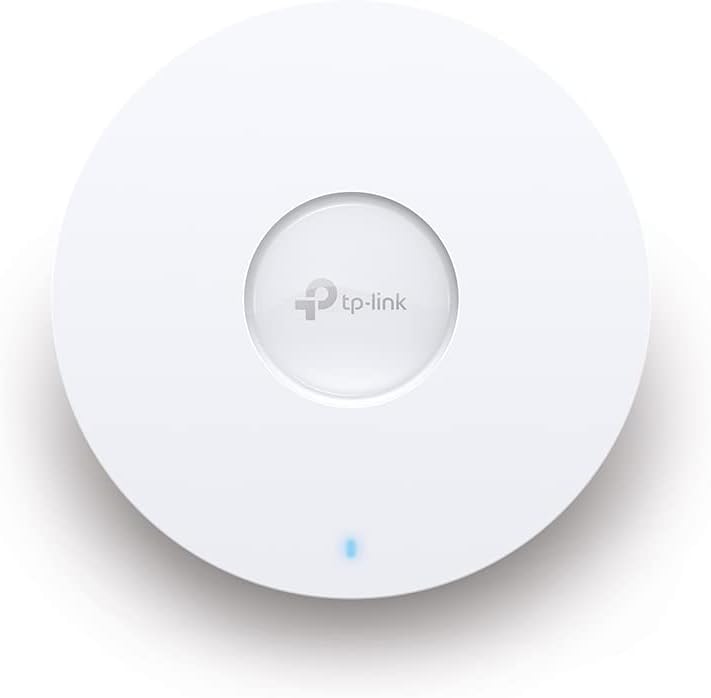
Figi 1: Devan view of the TP-Link EAP610 Access Point, showing the TP-Link logo and status LED.

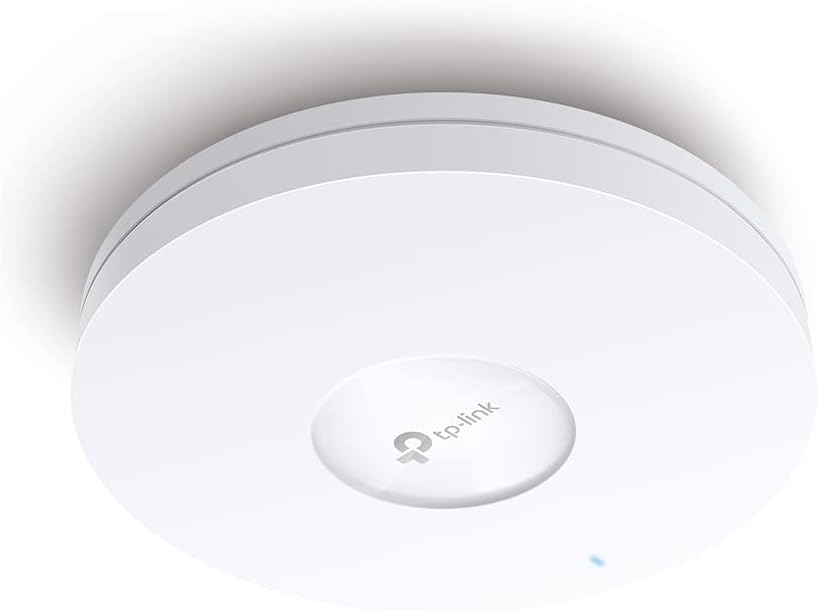
Figi 2: Side view of the TP-Link EAP610 Access Point, illustrating its slim profile.
Figi 3: Anba view of the TP-Link EAP610 Access Point, showing the Ethernet port and power input.
4.2 Enstalasyon Pwen Aksè a
Use the provided mounting kit to secure the EAP610 to a wall or ceiling. Ensure the mounting surface is stable and can support the device's weight.
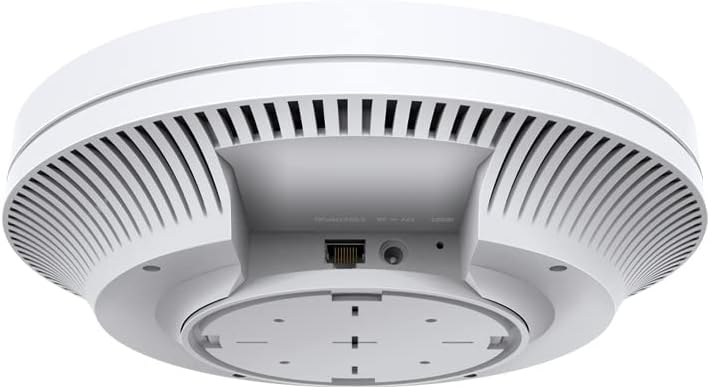
Figure 4: The EAP610 Access Point installed on a ceiling in an office environment.

Figure 5: The EAP610 Access Point installed on a wall in a commercial setting.
4.3 Alimente Aparèy la
The EAP610 supports two power methods:
- Pouvwa sou Ethernet (PoE): Connect an Ethernet cable from a PoE-enabled switch or PoE injector to the EAP610's Ethernet port. This provides both data and power.
- DC pouvwa: Connect a 12V DC power adapter (not included) to the DC power jack on the EAP610.
Ensure the power source meets the device's requirements to prevent damage.
5. Konfigirasyon lojisyèl
The EAP610 can be configured and managed using the TP-Link Omada SDN platform or the Omada app.
5.1 Omada SDN Controller
For centralized management of multiple Omada devices, use the Omada SDN Controller. This allows for zero-touch provisioning, cloud access, and intelligent network monitoring.
- Download the Omada SDN Controller software from the official TP-Link websit.
- Follow the on-screen instructions to install and set up the controller.
- Connect your EAP610 to the network where the Omada Controller is running. The controller will detect and allow you to adopt the EAP610.
5.2 Omada App
For convenient management via your mobile device, use the Omada app.
- Download the TP-Link Omada app from the App Store (iOS) or Google Play (Android).
- Launch the app and follow the instructions to add your EAP610.
For detailed configuration steps, refer to the official TP-Link Omada documentation available on their support websit.
6. Operasyon Enstriksyon
Once installed and configured, the EAP610 will broadcast Wi-Fi signals for client devices to connect.
6.1 Konekte ak Wi-Fi
- Sou aparèy san fil ou a (telefòn entelijan, òdinatè pòtab, tablèt), chèche rezo Wi-Fi ki disponib yo.
- Select the SSID (Wi-Fi network name) configured for your EAP610.
- Antre modpas Wi-Fi si yo mande w.
- Your device should now be connected to the EAP610's Wi-Fi network.
6.2 Itinérance san pwoblèm
When multiple EAP610 access points are deployed and managed by an Omada Controller, client devices can seamlessly roam between them without interruption. This ensures a consistent connection for applications like video calls and voice over IP (VoIP) as you move within the coverage area.
7. Antretyen
Regular maintenance helps ensure optimal performance and longevity of your EAP610 access point.
- Mizajou mikrolojisyèl: Tcheke TP-Link la regilyèman. website or your Omada Controller for new firmware versions. Updating firmware can improve performance, add new features, and fix security vulnerabilities.
- Netwayaj: Kenbe aparèy la pwòp epi san pousyè. Sèvi ak yon twal mou epi sèk pou siye deyò a. Pa sèvi ak pwodui netwayaj likid oswa ayewosòl.
- Plasman Optimal: Ensure the access point remains in an unobstructed location for best signal propagation. Avoid placing it near large metal objects or sources of electromagnetic interference.
- Rekòmanse: If you experience network issues, a simple restart of the access point can often resolve them.
NAN. Depanaj
This section addresses common issues you might encounter with your EAP610.
8.1 Pa gen pouvwa
- Ensure the Ethernet cable is securely connected to both the EAP610 and the PoE source (switch or injector).
- Verify that the PoE source is powered on and functioning correctly.
- If using a DC adapter, ensure it is properly connected and the power outlet is active.
8.2 Pa gen siyal Wi-Fi
- Check the status LED on the EAP610. Refer to the installation guide for LED indicator meanings.
- Verify that the EAP610 is properly configured via the Omada Controller or app.
- Ensure the Wi-Fi function is enabled and the SSIDs are broadcasting.
- Restart the EAP610.
8.3 Vitès Wi-Fi ki ba
- Tcheke pou wè si gen entèferans ki soti nan lòt aparèy elektwonik oswa rezo Wi-Fi ki toupre yo.
- Ensure your client device supports Wi-Fi 6 (802.11ax) to take full advantage nan kapasite EAP610 la.
- Verify the EAP610's channel settings and adjust if necessary to avoid congestion.
- Ensure the Ethernet connection to the EAP610 is gigabit-speed.
For more advanced troubleshooting, consult the comprehensive FAQ and support resources on the TP-Link websit.
9. Espesifikasyon
| Karakteristik | Detay |
|---|---|
| Mak | TP-Link |
| Non modèl | EAP610 |
| Nimewo Modèl Atik | EAP610 |
| Dimansyon pwodwi | 13.34 x 0.79 x 4.22 cm |
| Pwa atik | 600 gram |
| Koulè | Blan |
| Kalite san fil | 802.11ax (Wi-Fi 6) |
| Gwoup Gwoup Frekans | Doub-Band |
| Wireless Kominikasyon Creole | 802.11ax |
| Koneksyon Teknoloji | Ethernet |
| Sous pouvwa | DC, Power over Ethernet (PoE) |
| Voltage | 12 Volts |
| Sistèm operasyon | RouterOS (Note: This might be a generic entry, Omada SDN is the primary management platform) |
| Karakteristik espesyal | RJ-45, Wireless |
| Aparèy konpatib | Wi-Fi 6 enabled devices (smartphones, laptops, etc.) |
| Itilizasyon Rekòmande Pou Pwodwi | Company, Commercial |
| Konpozan ki enkli | 1 × EAP610 |
| Batri | Not known, requires batteries (Note: This device typically does not use batteries) |
| Batri enkli | Non |
10. Garanti ak sipò
Pou enfòmasyon sou garanti, sipò teknik, ak lòt resous, tanpri vizite sit ofisyèl TP-Link la. websit:
You can find FAQs, updated drivers and firmware, and contact information for technical assistance.


