1. Entwodiksyon
The Logitech MX Keys Mini is a minimalist wireless illuminated keyboard designed for a fluid, precise typing experience across multiple devices and operating systems. Its compact form factor enhances ergonomic comfort and portability, making it ideal for various work environments. This manual provides essential information for setting up, operating, maintaining, and troubleshooting your MX Keys Mini keyboard.

Image: The Logitech MX Keys Mini Wireless Illuminated Keyboard in Rose color, showcasing konsepsyon kontra enfòmèl ant li yo ak layout kle yo.
2. Ki sa ki nan bwat la
Upon unboxing your Logitech MX Keys Mini, you should find the following items:
- Logitech MX Keys Mini klavye
- USB-C Chaje Kab
- Dokiman Enfòmasyon Enpòtan

Image: The Logitech MX Keys Mini keyboard and its USB-C charging cable neatly packaged within the product box.
3. Enstalasyon
- Premye chaj: Connect the keyboard to a power source using the provided USB-C charging cable. The charging port is located on the top edge of the keyboard. A full charge can last up to 10 days with backlighting on, or up to 5 months with backlighting off.
- Limen/Etenyen: Jwenn bouton pouvwa a sou bò anwo dwat klavye a epi glise l nan pozisyon 'On'.
- Koneksyon:
- Bluetooth: Turn on Bluetooth on your computer or device. On the MX Keys Mini, press and hold one of the Easy-Switch keys (1, 2, or 3) until the LED light on the key starts blinking rapidly. Select 'MX Keys Mini' from your device's Bluetooth list to pair.
- Logi Bolt USB Reseptè: If your device supports it, you can use a Logi Bolt USB Receiver (not included) for a stable wireless connection. Insert the receiver into a USB port on your computer. The keyboard will automatically connect.
- Install Logi Options+ App: For full customization and advanced features, download and install the Logi Options+ app from the Logitech website. This app allows you to customize keys, adjust backlighting, and manage Smart Actions.
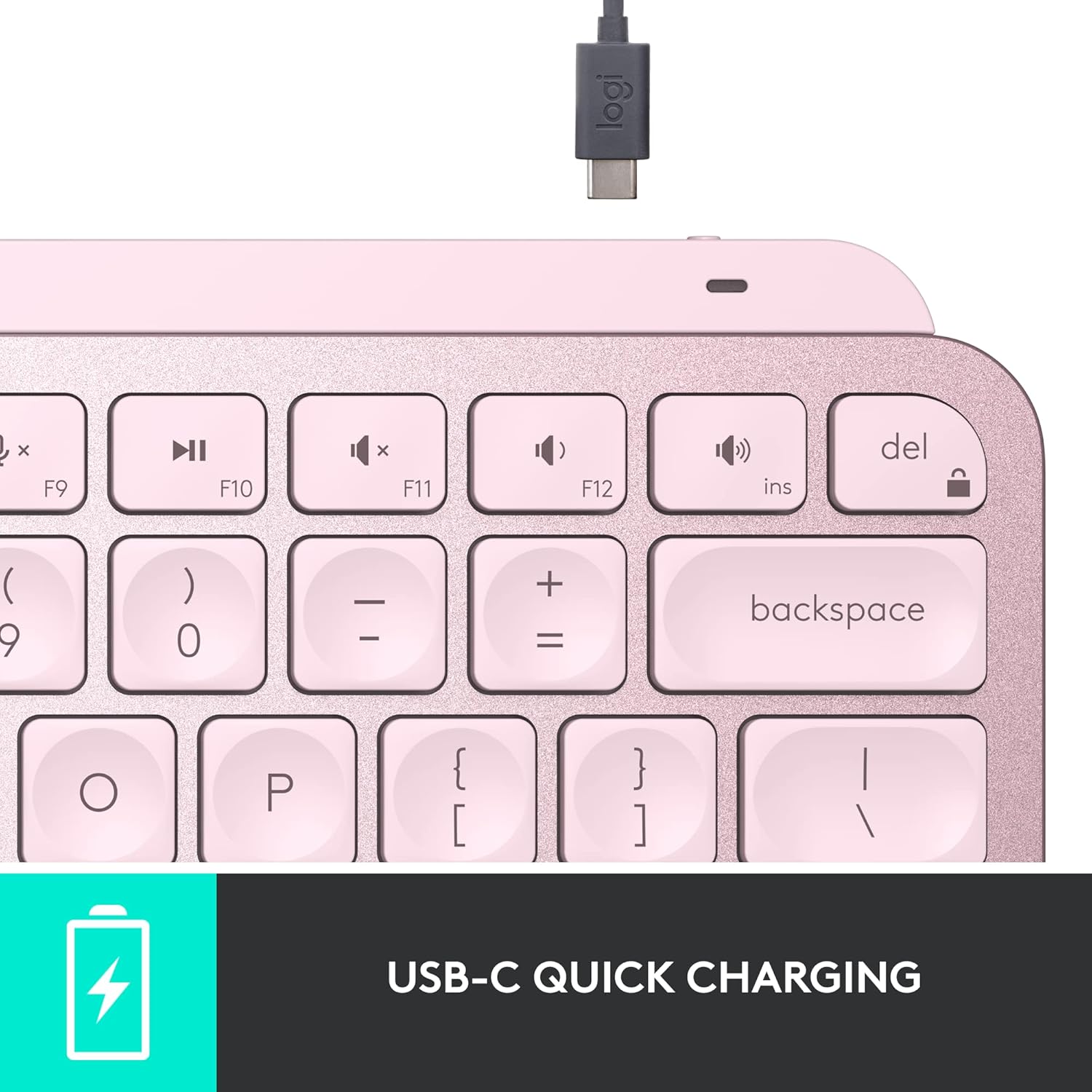
Imaj: Yon imaj detaye view of the USB-C charging port on the keyboard's top edge.
4. Opere
4.1. Eksperyans nan Dactylografi
The MX Keys Mini features Perfect Stroke keys with a minimalist form factor, designed for effortless precision. The keys are shaped for your fingertips, providing a fluid and responsive typing experience. Its compact size contributes to an ergonomic setup, reducing strain during extended use.

Imaj: Yon gwo plan view highlighting the concave design of the Perfect Stroke keys.

Image: A user actively typing on the MX Keys Mini, illustrating its comfortable and compact nature.
4.2. Ekleraj Entelijan
The keyboard's backlit keys automatically light up when your hands approach and adjust their brightness to suit changing lighting conditions. This smart illumination feature conserves battery life while ensuring visibility in various environments.

Image: The keyboard's keys are illuminated, demonstrating the smart backlighting feature in a low-light setting.
4.3. Smart Keys & Customization
The MX Keys Mini includes dedicated Smart Keys for functions like voice-to-text dictation, mic mute/unmute, and emoji access. Through the Logi Options+ app, you can customize these keys and create Smart Actions to automate repetitive tasks with a single keystroke, streamlining your workflow.
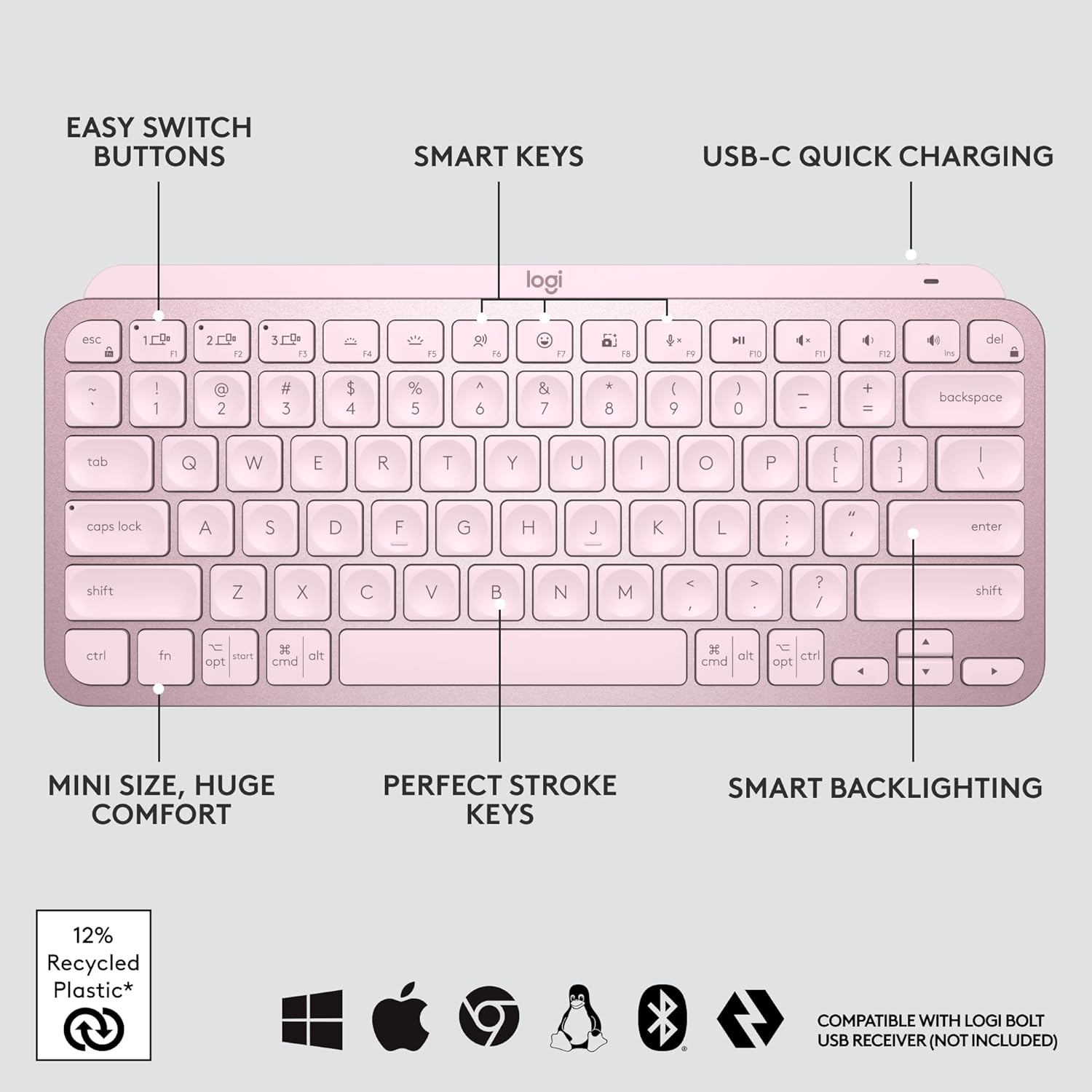
Imaj: Yon plis paseview of the keyboard's main features, including customizable Smart Keys and Easy Switch buttons.
4.4. Multi-Device, Multi-OS
Pair your MX Keys Mini with up to three devices using Bluetooth Low Energy and switch between them seamlessly with the Easy-Switch buttons. The keyboard is compatible with a wide range of operating systems, including Apple macOS, iOS, Windows, Linux, and Android. For enhanced productivity, you can use Logitech Flow to type across multiple computers or laptops in one fluid workflow when paired with compatible MX mice like the MX Master 3 or MX Anywhere 3.

Image: The keyboard connected to three different devices, highlighting its multi-device capability.
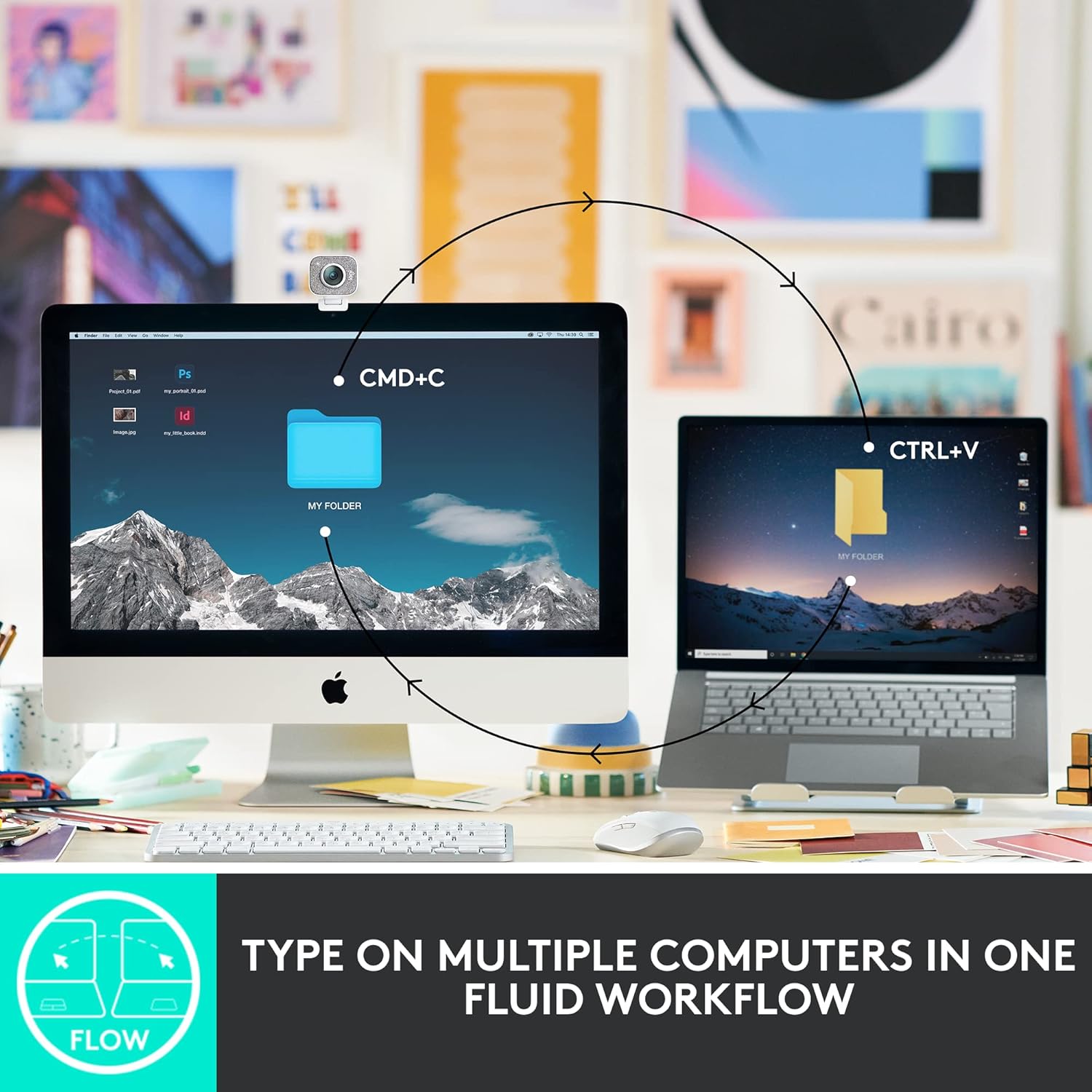
Image: A visual representation of the Flow feature, enabling cross-computer control.

Image: Icons indicating broad operating system compatibility for the keyboard.
5. Antretyen
To ensure the longevity and optimal performance of your Logitech MX Keys Mini keyboard, follow these maintenance guidelines:
- Netwayaj: Regularly clean the keycaps and keyboard surface with a soft, lint-free cloth. For deeper cleaning, use a slightly damp siye twal la ak savon dou, pou asire w pa gen likid ki antre nan klavye a.
- Swen batri: Recharge the keyboard using the provided USB-C cable when the battery indicator shows low power. Avoid fully draining the battery frequently to prolong its lifespan.
- Depo: Lè w pa itilize klavye a pou yon bon bout tan, etenn li pou konsève batri. Sere l nan yon kote ki fre epi sèk, lwen limyè solèy dirèk ak tanperati ekstrèm.
- Responsablite anviwònman an: The plastic parts in the MX Keys Mini include certified post-consumer recycled plastic (Rose: 12%). The product is designed with smart battery efficiency and responsible packaging.

Image: Visual representation of the keyboard's sustainable design aspects.
NAN. Depanaj
If you encounter issues with your MX Keys Mini, refer to the following common troubleshooting steps:
- Klavye a pa konekte:
- Asire w klavye a limen epi li chaje nèt.
- Verify Bluetooth is enabled on your device and the keyboard is in pairing mode (blinking LED on Easy-Switch key).
- Si w ap itilize macOS avèk FileVault enabled, you might need to use a Logi Bolt USB Receiver to enter your password at startup or reboot, as Bluetooth connectivity can be interrupted.
- Eseye konekte klavye a ankò ak aparèy ou an.
- Ekleraj dèyè a pa fonksyone:
- Check the battery level; backlighting may be disabled when the battery is low.
- Ensure the smart illumination feature is enabled in the Logi Options+ app.
- Kle yo pa reponn:
- Clean the affected keys to remove any debris.
- Ensure the keyboard is connected to the correct device via the Easy-Switch buttons.
- Pwoblèm ak Opsyon Logi+ Aplikasyon an:
- Asire w ke aplikasyon an mete ajou ak dènye vèsyon an.
- Rekòmanse òdinatè w la ak klavye a.
7. Espesifikasyon
| Karakteristik | Detay |
|---|---|
| Mak | Logitech |
| Seri | Kle Logitech MX Mini |
| Nimewo Modèl | 920-010474 |
| Platfòm pyès ki nan konpitè | Windows, macOS, Chrome OS, Linux, iOS, iPadOS, andwad |
| Sistèm operasyon konpatibilite | Windows 10, 11 or later; Linux; Chrome OS; macOS; iPadOS; Android |
| Pwa atik | 1.12 pounds (approx. 508 g) |
| Dimansyon pwodwi (LxWxH) | 11.65 x 5.19 x 0.82 pous (apeprè 29.6 x 13.2 x 2.1 cm) |
| Koulè | Rose |
| Sous pouvwa | Batri Powered |
| Batri | 1 batri ityòm Polymère (enkli) |
| Koneksyon Teknoloji | Bluetooth |
| Deskripsyon klavye | Manbràn |
| Karakteristik espesyal | Backlit, Rechargeable |
| Sipò pou koulè ekleraj klavye | Koulè sèl |
8. Garanti ak sipò
For detailed warranty information, please refer to the 'Important Information Document' included in your product packaging. You can also visit the official Logitech support website for additional assistance, FAQs, and software downloads.
Sipò Logitech Websit: www.logitech.com/support


