Entwodiksyon
Thank you for choosing the SZELAM LED and Mirror Digital Alarm Clock. This device combines a modern design with practical features, including a large LED display, mirror surface, dual USB charging ports, auto-dimming, and snooze mode. This manual provides detailed instructions to help you set up and operate your new alarm clock effectively.

Figure 1: SZELAM LED and Mirror Digital Alarm Clock (Rose Gold)
Kontni pake
Tanpri tcheke pake a pou atik sa yo:
- 1 x SZELAM Digital Alarm Clock
- 1 x CR2016 Battery (included for memory function)
- 1 x USB pouvwa Kab
- 1 x Manyèl Itilizatè (dokiman sa a)

Figi 2: Atik ki enkli nan pakè a.
Pwodwi souview ak Karakteristik
The SZELAM Alarm Clock is designed for versatility and user convenience. Key features include:
- Digital Alarm Clock Mirror Surface: Functions as both a time display and a high-definition makeup mirror. The surface is easy to clean.
- Quiet Sleeping Environment & Luminous Function: Operates silently, ensuring undisturbed sleep. The luminous display allows clear time viewing at night without needing additional light.
- 3-Level Brightness Settings: Features a highly sensitive photosensitive sensor for automatic brightness adjustment based on ambient light. Manual adjustment (Bright-Medium-Dim) is also available to protect your eyes.
- Memory Function & Dual USB Ports: Retains time and settings even when external power is off (via included CR2016 battery). Dual USB ports allow simultaneous charging of two devices.
- 5-60 Minutes Snooze: A large snooze button provides adjustable snooze time (default 2 minutes, up to 60 minutes) for heavy sleepers.

Figure 3: Product dimensions and control layout.
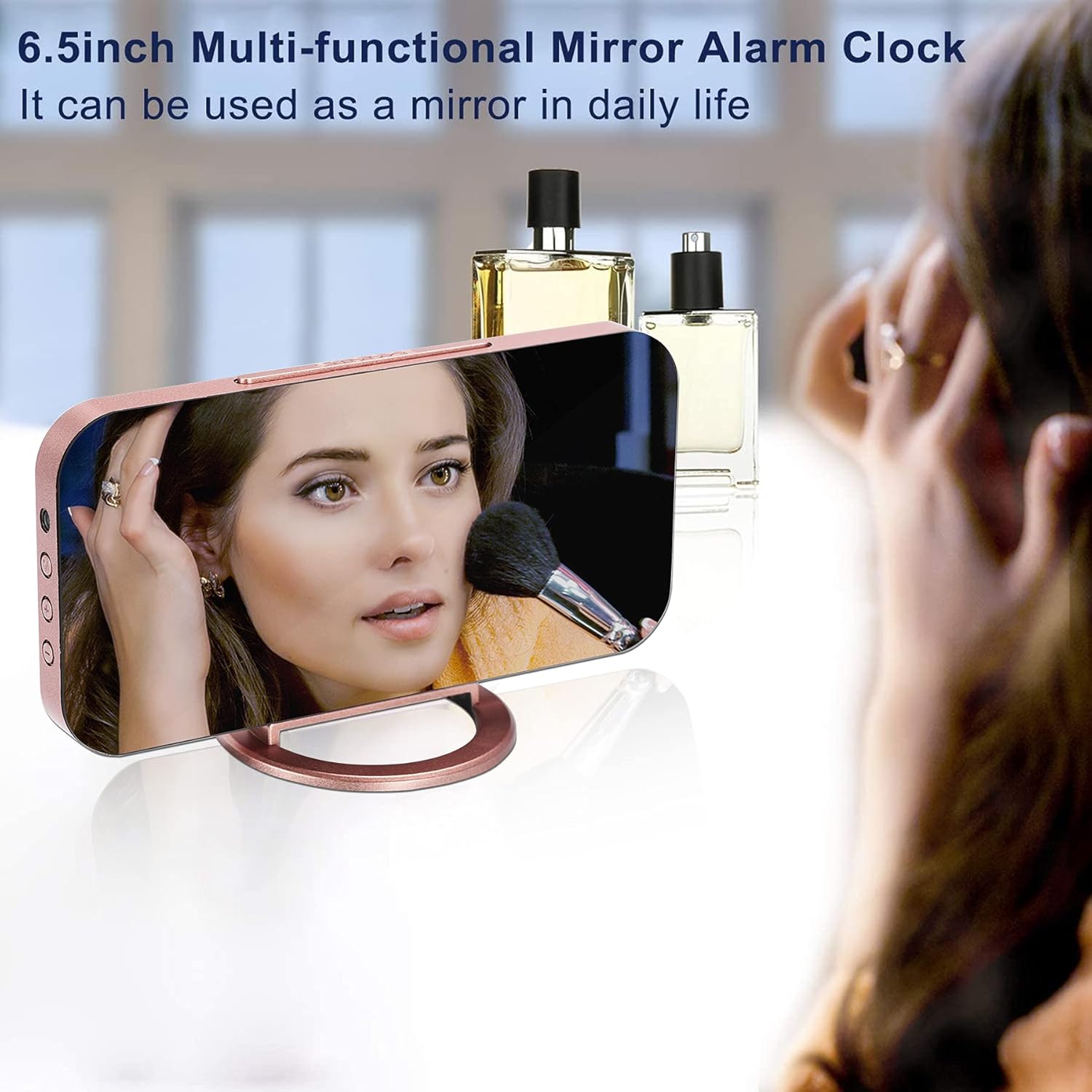
Figure 4: The clock's mirror surface can be used for daily grooming.

Figure 5: Three levels of brightness for day and night use.

Figure 6: Dual USB ports for convenient device charging.
Enstalasyon
- Debake: Ak anpil atansyon retire tout eleman nan anbalaj la.
- Fim pwoteksyon: Before use, gently peel off the protective film from the mirror surface to ensure clear visibility.
- Enstalasyon batri: The clock comes with a CR2016 memory battery pre-installed. Ensure the plastic pull tab is removed from the battery compartment at the back of the clock. This battery maintains time settings during power outages.
- Koneksyon pouvwa: Connect the provided USB power cable to the clock's input port and plug the other end into a standard USB power adapter (not included) or a powered USB port. The display will light up.
- Plasman: The clock can be placed upright using its detachable stand, laid flat, or hung on a wall using the integrated wall hook.


Figure 7: Important steps before first use: remove protective film and battery tab.
Enstriksyon Operasyon
Mete Tan ak Alam
Use the buttons located on the side of the clock (MODE, UP, DOWN) to adjust settings.
- Anviwònman tan: Press the "MODE" button to cycle through time and alarm settings. When the time digits start blinking, use the "UP" and "DOWN" buttons to adjust the hours and minutes. Press "MODE" again to confirm and move to the next setting.
- 12/24-Hour Mode: While setting the time, you can switch between 12-hour and 24-hour display formats.
- Anviwònman alam: After setting the time, continue pressing "MODE" until the alarm icon appears and the alarm time digits blink. Use "UP" and "DOWN" to set your desired alarm time.
- Aktive / Dezaktive Alam: Press the "ALARM" button (usually located on the side or top) to toggle the alarm on or off. An alarm icon will appear on the display when active.
Ajisteman klète
The clock features both automatic and manual brightness control.
- Otomatik gradyasyon: The built-in photosensitive sensor will automatically adjust the display brightness based on the ambient light conditions.
- Ajisteman manyèl: Press the "BRIGHTNESS" button (or "UP" button in time display mode, depending on model variation) to cycle through the 3 brightness levels (Bright, Medium, Dim).
Fonksyon Snooze
When the alarm sounds, press the large "SNOOZE" button on top of the clock to temporarily silence the alarm. The alarm will sound again after the set snooze interval (default 2 minutes, adjustable up to 60 minutes). To turn off the snooze mode completely, press any other button.

Figure 8: Easily activate snooze with the large top button.
USB chaje pò
The clock is equipped with dual USB output ports on the side. You can use these ports to charge your smartphones, tablets, or other USB-powered devices while the clock is connected to power.
Antretyen
- Netwayaj: Use a soft, dry cloth to wipe the mirror surface and body of the clock. Avoid abrasive cleaners or solvents that may damage the finish.
- Manyen: Handle the clock with care to prevent damage to the display or internal components.
- Pouvwa: Always use the provided USB cable for power. Ensure the power source is stable.
Depanaj
| Pwoblèm | Kòz posib | Solisyon |
|---|---|---|
| Ekspozisyon an vid. | Pa gen koneksyon kouran oswa kouran koupetage. | Ensure the USB power cable is securely connected and the power source is active. Check if the memory battery tab is removed. |
| Alam lan pa sonnen. | Alam lan pa aktive oswa li pa byen configuré. | Verify that the alarm is set and activated (alarm icon visible). Check the alarm volume settings. |
| Chaje USB a pa fonksyone. | Clock not powered or device cable issue. | Ensure the clock is powered on. Try a different USB cable or device to confirm. |
| Time is incorrect after power loss. | Memory battery not functioning or tab not removed. | Ensure the CR2016 memory battery's plastic tab is removed. If the issue persists, the battery may need replacement. |
Espesifikasyon
- Mak: SZELAM
- Nimewo Modèl: EN8813
- Koulè: Rose Gold (as per product variant)
- Kalite ekspozisyon: Dijital dirije
- Dimansyon pwodwi: 6.2" lajè x 3.1" wotè
- Sous pouvwa: Corded Electric (USB), Battery Powered (for memory)
- Materyèl: Akrilonitrile butadien stirèn (ABS)
- Karakteristik espesyal: Adjustable Brightness, Alarm, Auto Dimmable, Dual USB Charging Ports, Large Display, Night Mode, Snooze, Mirror Display, Illuminated, Detachable Base.
- Pwa atik: 4 ons
- Batri: 1 CR2016 battery required (included for memory function)
Garanti ak sipò
This SZELAM product comes with a Limited Warranty. For detailed warranty information or technical support, please refer to the official user guide PDF available online or contact SZELAM customer service.
You can find the official user guide isit la.

