1. Entwodiksyon
The ThinkScan SR6 is a professional OBD2 diagnostic scanner designed for comprehensive vehicle system analysis and maintenance. It supports diagnostics for six major vehicle systems: Anti-lock Braking System (ABS), Supplemental Restraint System (SRS), Body Control Module (BCM), Tire Pressure Monitoring System (TPMS), Engine Control Module (ECM), and Transmission Control Module (TCM). Additionally, it offers five essential reset functions: Electronic Parking Brake (EPB) Reset, Tire Pressure Monitoring System (TPMS) Reset, Oil Light Reset, Steering Angle Sensor (SAS) Reset, and Throttle Body Adjustment (TBA).
This manual provides detailed instructions on how to set up, operate, and maintain your ThinkScan SR6 device to ensure accurate and efficient vehicle diagnostics.
Ki sa ki nan bwat la
- ThinkScan SR6 Diagnostic Tool (with integrated OBD2 cable)
- USB Chaje / Done Kab
- Manyèl itilizatè
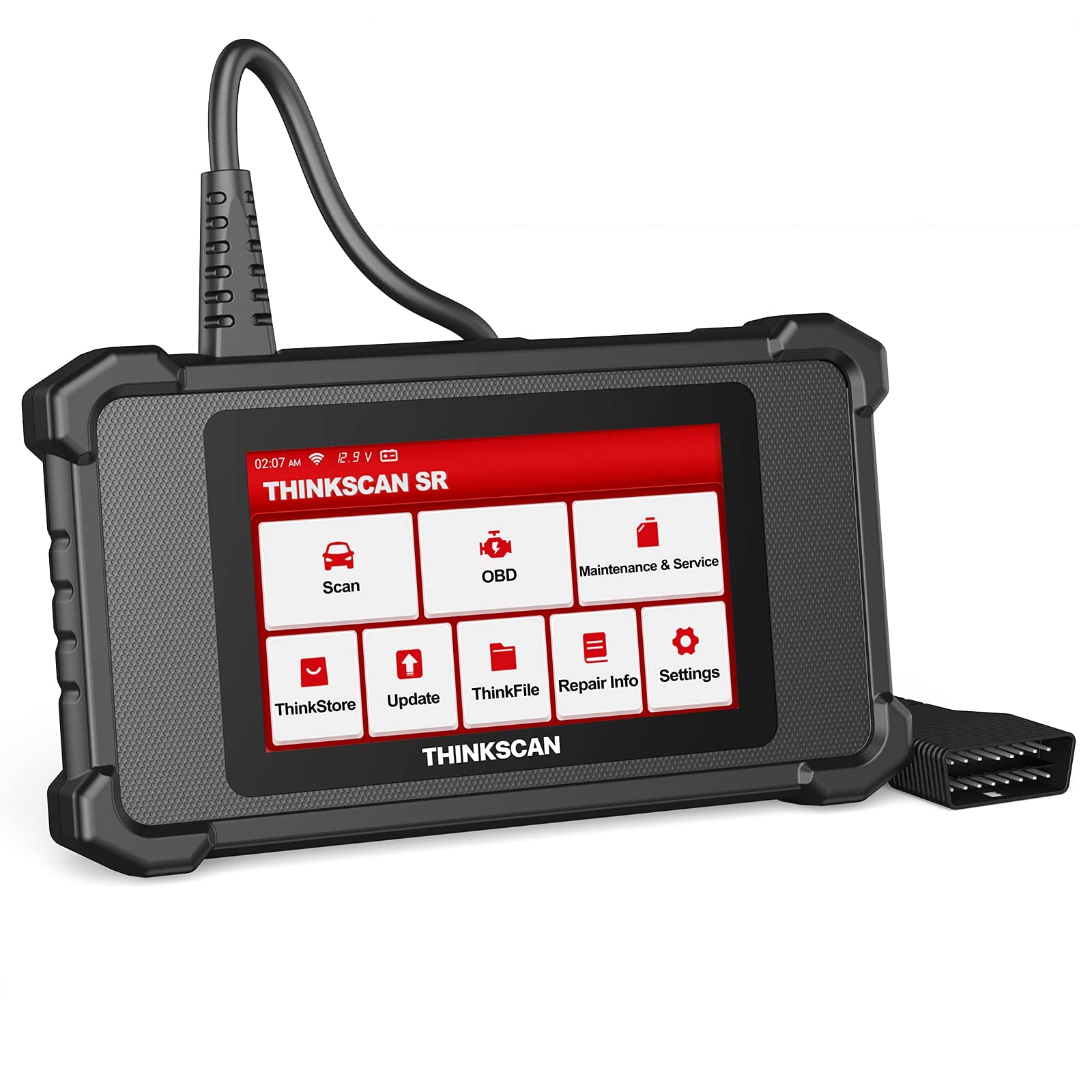
Image: ThinkScan SR6 OBD2 Scanner device and its packaging.
Videyo: Yon finiview of the ThinkScan SR6 Scan Tool, demonstrating its unboxing and initial features. This video highlights the device's physical components and basic interface.
2. Enstalasyon
2.1 Konekte ak machin ou an
- Jwenn Konektè Lyen Done 16-pin (DLC) machin nan. Anjeneral, ou jwenn li anba tablodbò a sou bò chofè a.
- Asire w ke switch ignisyon machin nan nan pozisyon OFF (Off).
- Plug the ThinkScan SR6's integrated OBD2 cable into the vehicle's DLC. Ensure a secure connection.
- Turn the vehicle's ignition to the ON position (engine can be off or running, depending on the diagnostic task). The device will power on automatically.
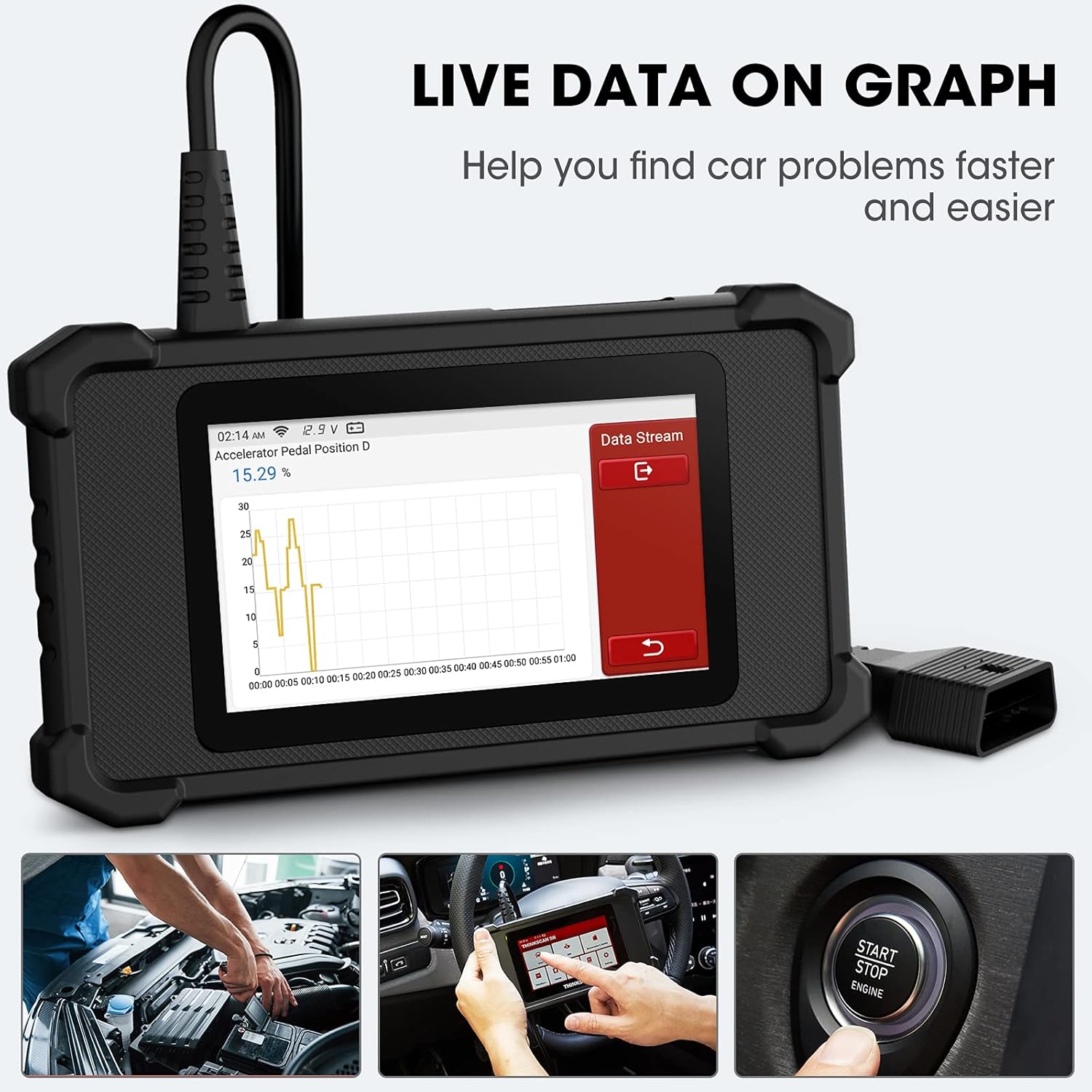
Image: The ThinkScan SR6 device connected to a vehicle's OBD2 port, ready for operation.
2.2 Konfigirasyon Inisyal Aparèy la
- Upon first use, the device may prompt you to select a language. Follow the on-screen instructions.
- Connect the device to a Wi-Fi network for software updates. Navigate to Anviwònman > Wi-Fi and select your network.
- Perform a software update to ensure you have the latest vehicle coverage and diagnostic functions. Go to Mizajou sou meni prensipal la.
3. Operasyon
3.1 Sistèm Dyagnostik
The ThinkScan SR6 supports comprehensive diagnostics for six key vehicle systems. From the main menu, select Eskane pou kòmanse.
- ABS System: Diagnoses issues related to the anti-lock braking system.
- SRS System: Checks the supplemental restraint system (airbags).
- BCM System: Analyzes the body control module for electrical and body-related faults.
- TPMS System: Monitors tire pressure and related sensor issues.
- ECM System: Diagnoses engine control module faults.
- TCM System: Checks the transmission control module for transmission-related problems.

Image: Visual representation of the six major vehicle systems supported for diagnostics by the ThinkScan SR6.
3.2 Fonksyon OBD2 konplè
Access standard OBD2 functions by selecting OBD from the main menu. These functions are crucial for emissions-related diagnostics and general engine health checks.
- Li Kòd: Rekipere Kòd Pwoblèm Dyagnostik (DTC) nan òdinatè machin nan.
- Kòd Klè: Efase DTC yo epi etenn limyè motè verifikasyon an (MIL).
- Glase ankadreman: Displays a snapshot of vehicle operating conditions at the time an emission-related fault occurred.
- Done vivan: Shows real-time data streams from various sensors and components.
- Preparasyon I/M: Tcheke si sistèm siveyans emisyon yo pare.
- Tès Capteur O2: Rekipere rezilta tès siveyans detèktè O2 a.
- Enfòmasyon sou machin: Displays vehicle identification information (VIN, CID, CVN).
- Tès Sistèm EVAP: Kòmanse yon tès sou Sistèm Kontwòl Emisyon Evaporatif la.
- Tès Monitè Abò: Retrieves results for on-board diagnostic monitoring tests.
- Tès eleman: Allows testing of specific vehicle components.
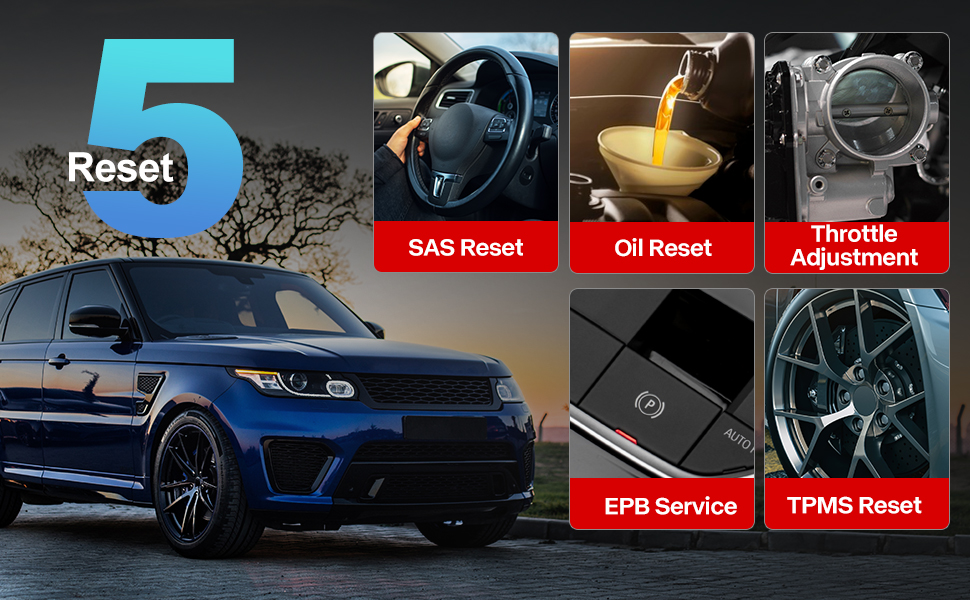
Image: A visual guide to the comprehensive OBD2 functions available on the ThinkScan SR6, including code reading, live data, and vehicle information retrieval.
3.3 DTC Lookup Function
When a Diagnostic Trouble Code (DTC) is retrieved, the ThinkScan SR6 can help you understand its meaning. Navigate to Enfòmasyon sou reparasyon > Bibliyotèk Kòd Fòt OBD to input the code and receive a detailed description.
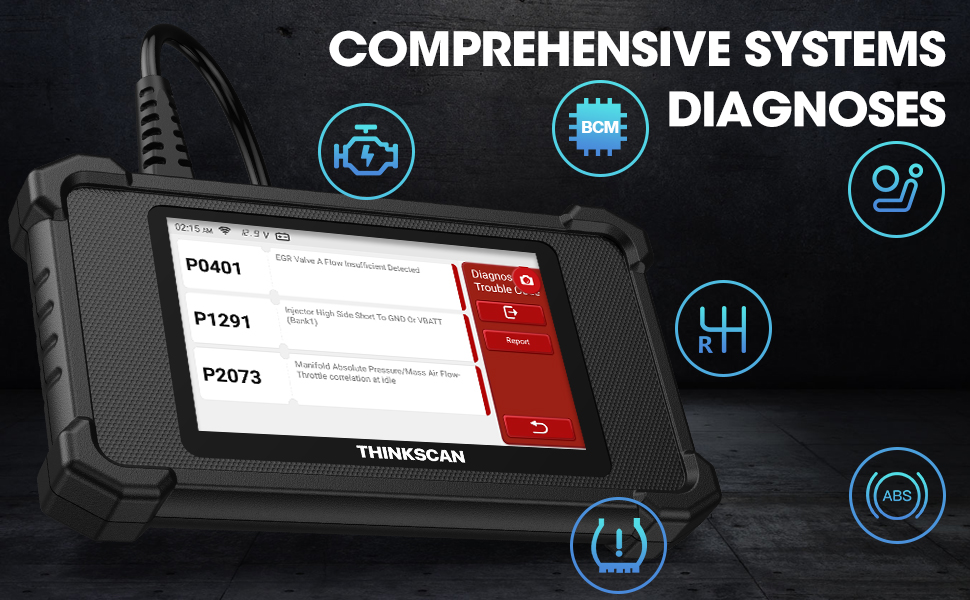
Image: The DTC Lookup function displaying fault codes and their corresponding meanings, aiding in quick diagnosis.
3.4 Live Data Graph
The Live Data function allows you to view real-time sensor data in a graphical format, making it easier to identify anomalies and diagnose intermittent problems. Select OBD > Done Live pou jwenn aksè a karakteristik sa a.
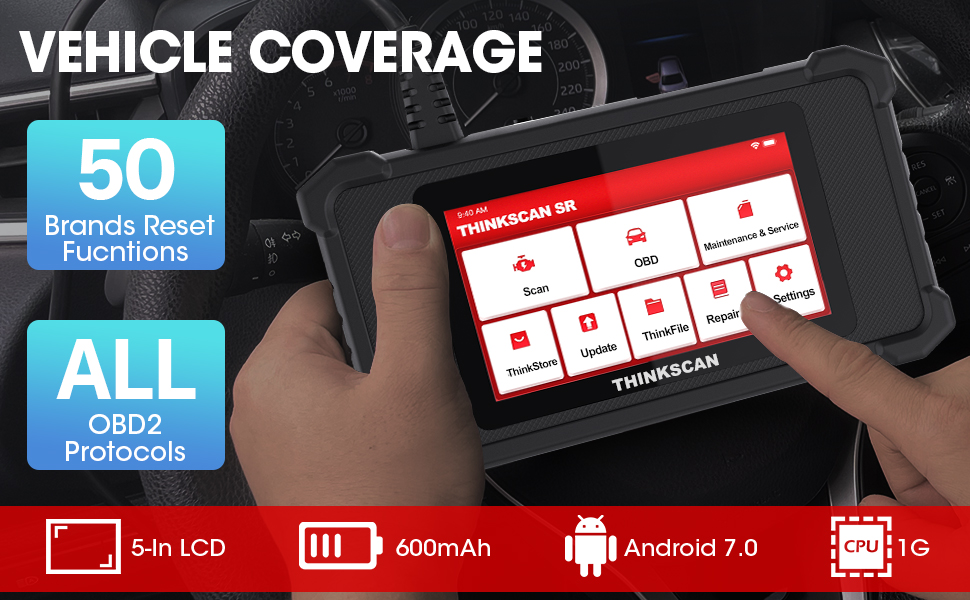
Image: The ThinkScan SR6 displaying live vehicle data in a graphical format, illustrating real-time sensor readings for diagnostic purposes.
4. Maintenance & Service Functions
The ThinkScan SR6 provides five commonly used reset functions to assist with vehicle maintenance. Access these by selecting Antretyen ak Sèvis soti nan meni prensipal la.
- Reyajiste limyè lwil la: Reyajiste limyè sèvis lwil la apre yon chanjman lwil.
- EPB Service: Reyajiste sistèm fren pakin elektwonik la apre ranplasman plaket fren an.
- Reyajisteman SAS: Kalibre detèktè ang volan an apre reparasyon sistèm volan an.
- TPMS Reyajiste: Resets the tire pressure monitoring system after tire rotation or sensor replacement.
- TBA (Throttle Body Adjustment): Reaprann pozisyon kò papyon an.

Image: An illustration of the five free reset functions offered by the ThinkScan SR6, including throttle adjustment and various system resets.
4.1 Mizajou lojisyèl
Regular software updates are essential to ensure your ThinkScan SR6 has the latest vehicle models, diagnostic functions, and bug fixes. The device supports Wi-Fi updates for convenience.
- Asire w ke aparèy la konekte ak yon rezo Wi-Fi ki estab.
- Nan meni prensipal la, chwazi Mizajou.
- Swiv enstriksyon yo sou ekran an pou telechaje epi enstale mizajou ki disponib yo.

Image: A comparison highlighting the ThinkScan SR6's features, including its 5-inch touch screen, Android 7.0 OS, and one-click Wi-Fi update capability.
NAN. Depanaj
If you encounter issues with your ThinkScan SR6, consider the following common solutions:
- Aparèy pa soumen: Ensure the OBD2 cable is securely connected to the vehicle's DLC and the vehicle's ignition is ON. Check the vehicle's battery voltage.
- Connection errors: Verify the OBD2 cable connection. Try connecting to a different vehicle (if available) to rule out vehicle-specific issues. Ensure Wi-Fi is stable for updates.
- Diagnostic function not working: Ensure the vehicle model and year are supported for the specific function. Perform a software update.
- Understanding fault codes: Sèvi ak la Bibliyotèk Kòd Fòt OBD anba Enfòmasyon sou reparasyon to look up DTC meanings.
For more detailed troubleshooting or specific repair information, the device includes a Enfòmasyon sou reparasyon section with a fault code library, coverage list, and video tutorials. You can also connect the device to Wi-Fi and use the Videyo option to search for relevant repair guides.
6. Espesifikasyon
| Karakteristik | Detay |
|---|---|
| Mak | panse machin |
| Nimewo Modèl | TKSR6 |
| Gwosè ekran | 5 pous |
| Sistèm operasyon | Android 7.0 |
| Sous pouvwa | Batri Powered |
| Pwa atik | 1 liv |
| Dimansyon pwodwi | 4.13 x 8.07 x 1.18 pous |
| Batri | 1 pil ityòm polymère obligatwa (enkli) |
| Kouvèti machin | US-based vehicles after 1996, EU-based vehicles after 2000, Asia-based vehicles after 2008 |
7. Garanti ak sipò
For technical assistance, warranty information, or any inquiries regarding your ThinkScan SR6 device, please contact thinkcar customer support. The manufacturer provides 7*24 hours support.
Imèl: jushi@thinkcar.com
Please refer to the official thinkcar website or the included warranty card for detailed warranty terms and conditions.


