1. Entwodiksyon
This manual provides detailed instructions for the installation, operation, and maintenance of your CP PLUS CP-V21 2MP Full HD Outdoor Wireless Security Camera. Please read this manual thoroughly before using the product to ensure proper functionality and safety.
The CP-V21 is an outdoor bullet-style security camera designed for reliable surveillance with 2MP Full HD resolution, Wi-Fi connectivity, and infrared night vision capabilities.
2. Pwodwi souview ak Konpozan
The CP-V21 camera system includes the main camera unit and essential accessories for installation.
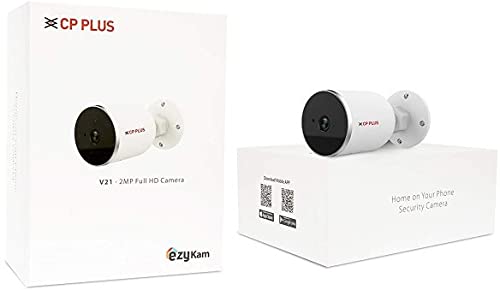
Figi 2.1: Anbalaj pwodwi a. This image displays the retail packaging for the CP PLUS CP-V21 camera, indicating the model number and "ezyKam" branding.
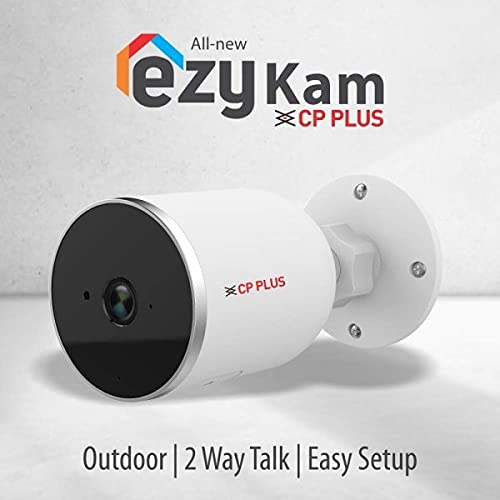
Figure 2.2: CP PLUS CP-V21 Camera Unit. Yon fèmen view of the white bullet-style outdoor camera, showing the lens, IR illuminators, and mounting base.
2.1 Karakteristik kle
- Rezolisyon: 2 Megapixel Full HD video output.
- Vizyon lannwit enfrawouj (IR): Up to 15 meters IR distance for clear monitoring in low-light conditions.
- Koneksyon: Supports Wi-Fi for wireless connection and Ethernet for wired connection.
- Konpresyon videyo: H.264 Segondè Profile for efficient storage and streaming.
- Lantiy: Fixed 3.6mm lens.
- Evalyasyon deyò: IP66 weather-resistant for outdoor installation.
- Pale nan de-fason: Enables communication through the camera.
- Deteksyon Mouvman: Alerts upon detecting movement in the monitored area.
- Konpatibilite: Compatible with HDCVI DVRs.
2.2 Konpozan ki enkli yo
- CP PLUS CP-V21 Camera Unit
- Montaj Vis
- Manyèl Itilizatè (dokiman sa a)
3. Enstalasyon ak Enstalasyon
3.1 Monte Kamera a
The CP-V21 camera is designed for wall-mounted, embedded installation. Choose a suitable outdoor location that provides the desired viewing angle and is within range of your Wi-Fi network or Ethernet connection point.
- Chwazi Kote: Identify a stable surface for mounting, such as a wall or eave.
- Make twou perçage: Use the camera's mounting base as a template to mark the positions for drilling.
- Fè twou: Fè twou pilòt nan pozisyon ki make yo.
- Baz sekirite: Attach the camera's mounting base to the surface using the provided screws.
- Ajiste ang: Once secured, adjust the camera's angle to cover the desired surveillance area.
3.2 Limen ak Koneksyon Rezo
The camera is powered by a battery (power source from specifications, typically DC adapter). Ensure the camera is connected to a power source before proceeding.
3.2.1 Koneksyon Wi-Fi
- Telechaje App: Download the "ezyKam" application from your smartphone's app store (iOS or Android).
- Kreye kont: Open the app and follow the on-screen instructions to create a new user account or log in.
- Ajoute Aparèy: Chwazi "Ajoute Aparèy" oswa yon opsyon ki sanble nan aplikasyon an.
- Fè eskanè kòd QR: Eskane kòd QR ki sou kamera a oswa sou anbalaj li.
- Konekte ak Wi-Fi: Follow the app's prompts to connect the camera to your local Wi-Fi network. Ensure your Wi-Fi network is 2.4GHz, as 5GHz networks may not be supported.
- Konfigirasyon: Complete the remaining setup steps as guided by the application.
3.2.2 Koneksyon Ethernet (Si ou vle)
For a stable wired connection, connect an Ethernet cable from your router or network switch to the camera's Ethernet port. The camera will automatically attempt to obtain an IP address via DHCP.
4. Itilizasyon Kamera a
Once the camera is set up and connected to the network, you can access and control it using the ezyKam mobile application.
4.1 Viv View ak Anrejistreman
Open the ezyKam app and select your CP-V21 camera from the device list to view the live feed. You can initiate manual recordings or capture screenshots directly from the app interface.
Figi 4.1: View and Talk Functionality. This image illustrates the "View n Talk" feature, showing a smartphone displaying the camera's live feed and enabling two-way audio communication.
4.2 Pale Bidireksyonèl
The camera supports two-way audio communication. Tap the microphone icon in the app to speak through the camera's speaker, and listen to audio from the camera's built-in microphone.
4.3 Deteksyon Mouvman
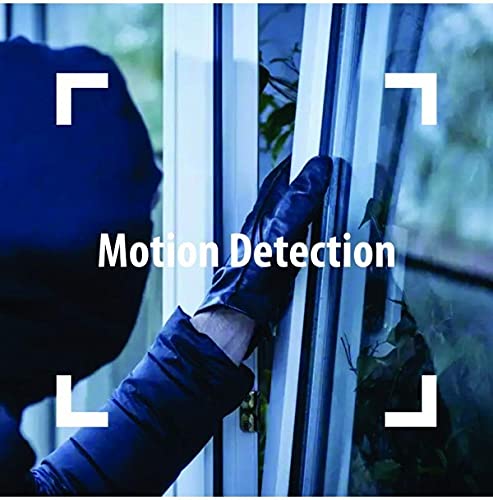
The CP-V21 features motion detection capabilities. When motion is detected, the camera can trigger alerts to your smartphone and initiate recording. You can configure motion detection sensitivity and alert settings within the ezyKam app.
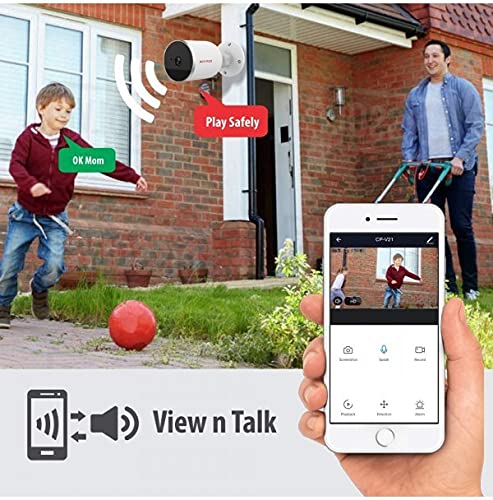
Figure 4.2: Motion Detection. This image highlights the motion detection feature, showing a person attempting to open a window, which would trigger an alert from the camera.
4.4 Vizyon lannwit
The camera automatically switches to infrared night vision mode in low-light conditions, providing clear black-and-white video up to 15 meters. Ensure no obstructions are blocking the IR illuminators for optimal night vision performance.
5. Antretyen
Regular maintenance ensures the longevity and optimal performance of your CP-V21 camera.
- Netwayaj lantiy: Periodically clean the camera lens with a soft, dry cloth to remove dust or smudges that may affect image clarity. Avoid abrasive cleaners.
- Netwayaj Lojman: Wipe the camera's exterior housing with a damp twal pou retire pousyè tè ak debri.
- Mizajou mikrolojisyèl: Check the ezyKam app regularly for available firmware updates. Keeping the firmware updated ensures the camera has the latest features and security patches.
- Tcheke Koneksyon: Periodically verify that the power and network connections are secure and free from damage.
NAN. Depanaj
If you encounter issues with your CP-V21 camera, refer to the following troubleshooting guide:
| Pwoblèm | Kòz posib | Solisyon |
|---|---|---|
| Kamera pa konekte ak Wi-Fi | Incorrect Wi-Fi password; camera too far from router; 5GHz Wi-Fi network selected; network interference. |
|
| Pa gen okenn videyo nan aplikasyon an | Camera is offline; network issue; app malfunction. |
|
| Move kalite vizyon lannwit | Obstruction blocking IR illuminators; dirty lens; insufficient ambient light for IR to activate properly. |
|
| Deteksyon mouvman pa travay | Sensitivity settings too low; detection zone not configured; app notifications disabled. |
|
7. Espesifikasyon
| Karakteristik | Detay |
|---|---|
| Non modèl | CP-V21 |
| Mak | CP PLUS |
| Rezolisyon | 2 MP Full HD |
| Distans IR | 15 mèt |
| Lantiy | 3.6mm |
| Konpresyon videyo | H.264 Segondè Profile |
| Koneksyon Teknoloji | Wireless (Wi-Fi), Ethernet |
| Itilizasyon Andedan kay la / Deyò | Deyò (IP66 Rated) |
| Sous pouvwa | Battery Powered (as per specifications, typically DC adapter) |
| Aparèy konpatib | Laptop, HDCVI DVRs |
| Kalite kontwolè | Android (via ezyKam app) |
| Dimansyon pwodwi (LxWxH) | 7.7 x 7.7 x 10.4 santimèt |
| Pwa atik | 500 g |
8. Enfòmasyon sou Garanti
The CP PLUS CP-V21 camera comes with a 1 ane garanti from the date of purchase. This warranty covers manufacturing defects and malfunctions under normal use. Please retain your proof of purchase for warranty claims. For detailed terms and conditions, refer to the warranty card included with your product or visit the official CP PLUS websit.
9. Sipò pou Kliyan
For further assistance, technical support, or warranty inquiries, please contact CP PLUS customer service. You can find contact information on the official CP PLUS website or through the ezyKam application.
Manifakti: CP PLUS
Vizite la CP PLUS Store on Amazon pou plis pwodwi ak enfòmasyon.


