1. Entwodiksyon
This manual provides detailed instructions for the proper use, setup, and maintenance of your cellularline Key In-Ear True Wireless Earbuds. Please read this manual thoroughly before using the product to ensure optimal performance and longevity.
2. Pake kontni
- cellularline Key In-Ear True Wireless Earbuds (Left and Right)
- Ka chaje ak ekspozisyon LED
- USB-C Chaje Kab
- Manyèl itilizatè
3. Pwodwi souview
The cellularline Key In-Ear True Wireless Earbuds offer a compact design with intuitive touch controls and a convenient LED display charging case.

Figi 3.1: The cellularline Key In-Ear True Wireless Earbuds resting in their charging case.

Figi 3.2: The charging case features an LED display that indicates the current battery level.

Figi 3.3: The compact and lightweight design of the charging case allows for easy portability.
4. Chaje ekoutè yo ak bwat la
Pou asire yon pèfòmans optimal, chaje ekoutè ou yo ak bwat chaje a nèt anvan premye itilizasyon an.
4.1. Chaje ekoutè yo
- Mete ekoutè yo nan fant respektif yo nan ka chaje a.
- Ensure the charging case has sufficient power. The earbuds will begin charging automatically.
4.2. Chaje ka a chaje
- Konekte kab chaje USB-C ki vini ak aparèy la nan pò chaje ki sou bwat la.
- Konekte lòt bout kab USB-C a ak yon sous kouran USB konpatib (pa egzanp, yon adaptè miray, yon pò USB òdinatè).
- The LED display on the case will show the current charge level. A full charge takes approximately 4 hours.
The earbuds provide up to 4 hours of continuous playback on a single charge, with an additional 12 hours of playtime available from the fully charged case, totaling 16 hours of battery life.
5. Enstalasyon ak Koneksyon
Follow these steps to pair your cellularline Key Earbuds with your device.
5.1. Inisyal Pairing
- Asire w ke ekoutè ou yo chaje.
- Louvri bwat chaje a. Ekoutè yo ap limen otomatikman epi antre nan mòd koneksyon.
- Sou telefòn entelijan ou oswa aparèy ki gen Bluetooth, ale nan paramèt Bluetooth yo.
- Chèche pou available devices and select "cellularline Key" from the list.
- Yon fwa konekte, w ap tande yon konfimasyon sonab, epi ekoutè yo ap pare pou itilize.
5.2. Automatic Reconnection
After initial pairing, the earbuds will automatically connect to the last paired device when removed from the charging case, provided Bluetooth is enabled on the device.

Figi 5.1: The earbuds are designed for seamless wireless connection with your smartphone for music and calls.
6. Operasyon Enstriksyon
The cellularline Key Earbuds feature intuitive touch controls for managing calls, music, and volume.
6.1. Touche Kontwòl
| Fonksyon | Aksyon |
|---|---|
| Jwe/Poz Mizik | Tape yon sèl sou chak ekoutè |
| Next Track | Tape de fwa sou ekoutè dwat la |
| Previous Track | Tape de fwa sou ekoutè gòch la |
| Reponn/Fen Apèl | Tape yon sèl sou chak ekoutè |
| Rejte apèl | Peze epi kenbe swa ekoutè pou 2 segonn |
| Aktive Asistan Vwa | Triple tap on either earbud (functionality may vary by device) |
6.2. Double Master Function
The earbuds support a double master function, allowing you to use either the left or right earbud independently for calls or music playback. This provides flexibility and convenience.
7. Antretyen ak Swen
Proper care will extend the life of your earbuds.
- Keep the earbuds and charging case clean and dry.
- Use a soft, dry cloth to wipe the surfaces. Avoid using abrasive cleaners or solvents.
- Sere ekoutè yo nan ka chaje yo lè yo pa itilize pou pwoteje yo epi kenbe yo chaje.
- Evite tanperati ekstrèm ak limyè solèy la dirèk.
- Do not attempt to disassemble the product, as this will void the warranty.
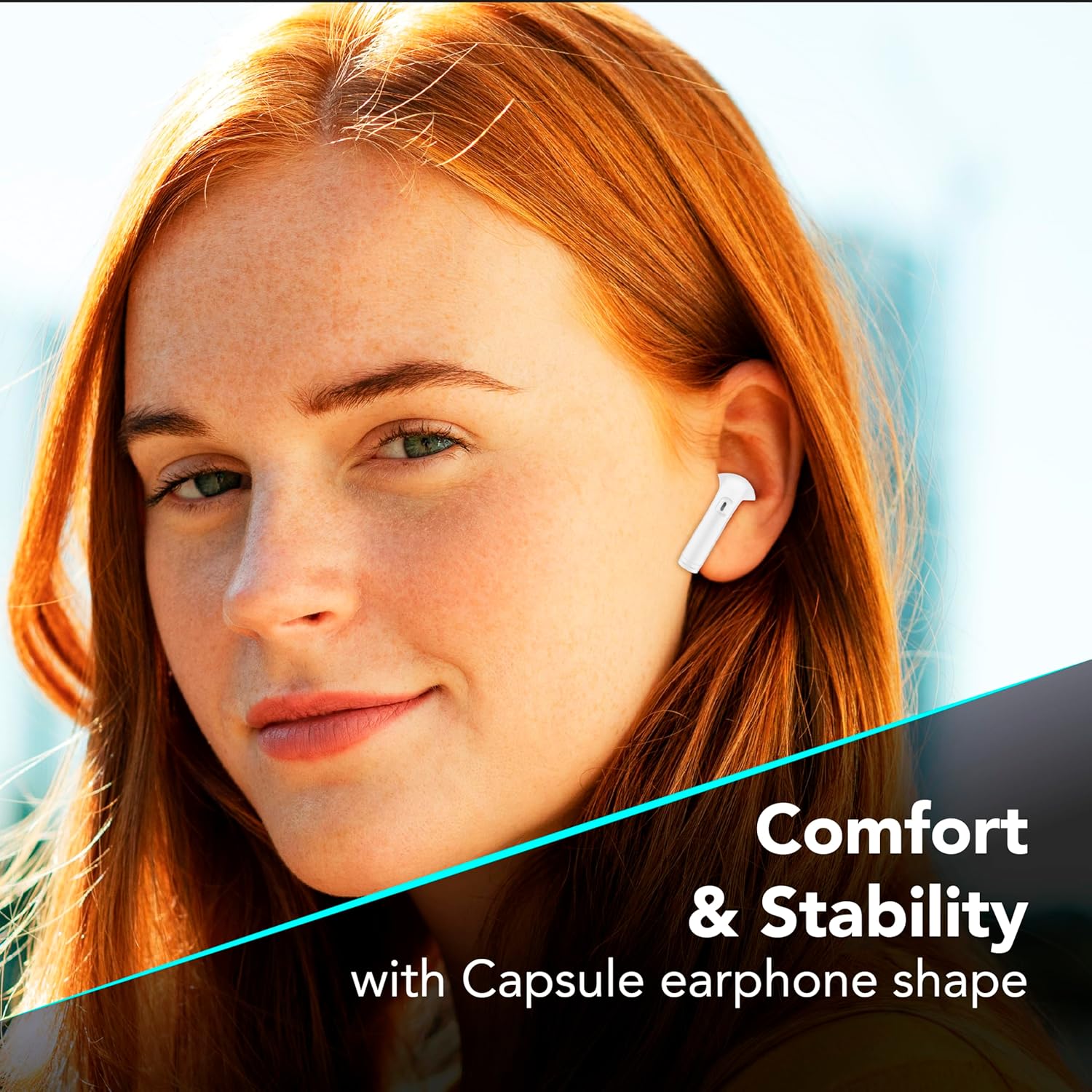
Figi 7.1: The in-ear design provides a comfortable and stable fit for extended wear.
NAN. Depanaj
Si ou rankontre pwoblèm ak ekoutè ou yo, gade solisyon komen sa yo.
| Pwoblèm | Solisyon posib |
|---|---|
| Ekoutè pa asosye |
|
| Pa gen son nan yon sèl ekoutè |
|
| Ka chaje pa chaje |
|
| Kontwòl manyen yo pa reponn |
|
9. Espesifikasyon
| Karakteristik | Detay |
|---|---|
| Nimewo Modèl | BTKEYTWSW |
| Koneksyon | Bluetooth 5 |
| Lavi batri ekoutè | Jiska 4 èdtan (yon sèl chaj) |
| Tan total pou jwe (ak bwat) | Jiska 16 èdtan |
| Tan chaje (Ka) | Apeprè 4 èdtan |
| Port chaje | USB-C |
| Materyèl | Plastik |
| Karakteristik espesyal | True Wireless, Touch Control, LED Display Charging Case, Double Master Function |
10. Garanti ak sipò
Your cellularline Key In-Ear True Wireless Earbuds are covered by a standard manufacturer's warranty. For specific warranty details, please refer to the warranty card included in your product packaging or visit the official cellularline websit.
For technical support, troubleshooting assistance beyond this manual, or warranty claims, please contact cellularline customer service through their official channels.


