1. Entwodiksyon
This manual provides comprehensive instructions for the installation, operation, and maintenance of your EVGA GeForce RTX 3080 Ti FTW3 ULTRA GAMING graphics card. This high-performance graphics card is designed to deliver exceptional visual fidelity and processing power for demanding applications and gaming.
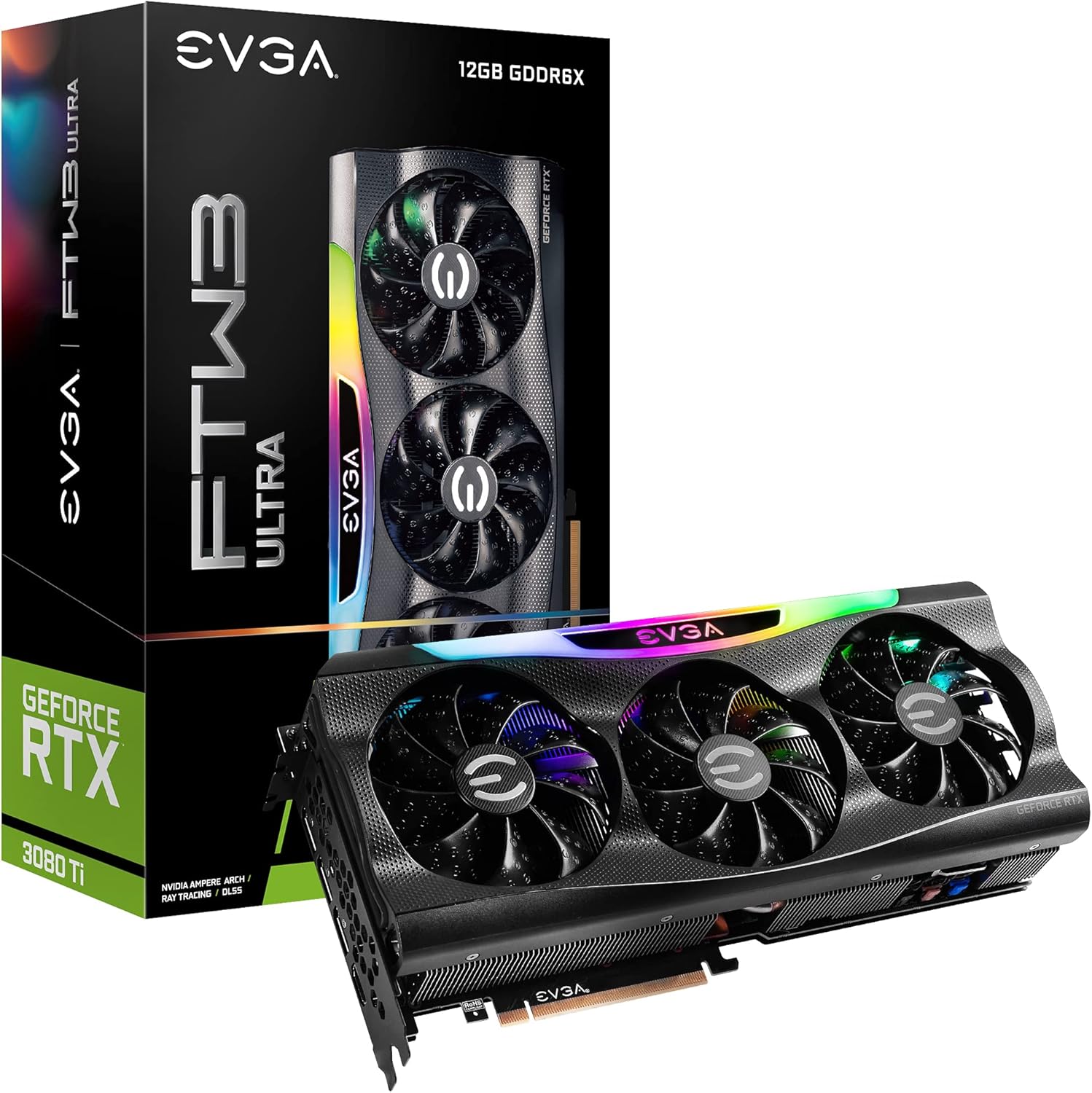
Figure 1.1: EVGA GeForce RTX 3080 Ti FTW3 ULTRA GAMING Graphics Card and Packaging.
2. Karakteristik kle
The EVGA GeForce RTX 3080 Ti FTW3 ULTRA GAMING graphics card incorporates advanced technologies to enhance performance and user experience. Key features include:
- Rezolisyon maksimòm dijital: Supports resolutions up to 7680 x 4320 for ultra-high definition displays.
- Vrè revèy ogmantasyon: Achieves a boost clock of 1800 MHz for enhanced performance.
- Detay memwa: Equipped with 12288 MB GDDR6X memory for high-bandwidth data transfer.
- TRASAJ RAYON AN TAN REYÈL: Delivers cutting-edge, hyper-realistic graphics in supported games.
- Teknoloji iCX3: Advanced cooling solution for optimal thermal performance.
- LED ARGB: Ekleraj RGB personnalisable pou pèsonalizasyon estetik.
- Plak metalik dèyè: Bay rijidite estriktirèl epi li ede nan disipasyon chalè.
- NVIDIA DLSS: AI acceleration for maximum FPS and uncompromised image quality.
- PCI Express Gen 4: High-speed interface for data transfer.

Figure 2.1: Memory and Architecture Overview.

Figure 2.2: iCX3 Interactive Cooling System.
3. Pake kontni
Verifye ke tout atik yo prezan nan pake a anvan ou kontinye ak enstalasyon an:
- EVGA GeForce RTX 3080 Ti FTW3 ULTRA GAMING Graphics Card
- Quick Start Guide / User Manual (Digital or Printed)
- Accessory Kit (may include power adapters, support bracket, screws)
Note: Contents may vary slightly based on region or specific bundle.
4. Enstalasyon ak Enstalasyon
Proper installation is crucial for optimal performance and longevity of your graphics card. Ensure your system meets the minimum requirements before installation.
4.1 Kondisyon Sistèm
- PCI Express-compliant motherboard with one x16 graphics slot.
- Minimum 750W or greater system power supply with three 8-pin PCIe power connectors.
- Sistèm operasyon Microsoft Windows 10 64-bit oubyen Linux 64-bit.
- 1.5GB of available hard-disk space.
- 8GB memwa sistèm (16GB rekòmande).
4.2 Enstalasyon Materyèl
- Prepare Sistèm ou an: Etenn òdinatè w la epi dekonekte tout kab yo. Louvri bwat òdinatè a.
- Jwenn plas PCIe a: Identify an available PCI Express x16 slot on your motherboard. This card typically requires a 2.75 slot width.
- Retire kouvèti fant yo: Remove the necessary expansion slot covers from your computer case.
- Enstale kat grafik: Carefully align the graphics card with the PCIe slot and press down firmly until it is securely seated. Ensure the retention clip on the motherboard engages.
- Kat Sekirite: Secure the graphics card to the case using the screws from the expansion slots.
- Konekte pouvwa: Connect three 8-pin PCIe power cables from your power supply to the corresponding power connectors on the graphics card. Ensure a secure connection.
- Fèmen Ka a: Fèmen ka òdinatè w lan epi rekonekte tout câbles yo.

Figure 4.1: Graphics Card Output Ports (DisplayPort and HDMI).

Figure 4.2: Optional Support Bracket Installation.
4.3 Enstalasyon lojisyèl
- Pouvwa sou: Turn on your computer. The system may boot into a lower resolution.
- Enstale chofè yo: Download the latest NVIDIA GeForce drivers from the official NVIDIA websit (www.nvidia.com/drivers). Select your product series (GeForce RTX 30 Series), product (GeForce RTX 3080 Ti), and operating system.
- Enstale EVGA Precision X1 la: For advanced monitoring, overclocking, and ARGB LED control, download and install EVGA Precision X1 software from the official EVGA websit (www.evga.com/precisionx1/).
- Rekòmanse: Restart your computer after driver and software installation to apply changes.
5. Kijan pou w itilize kat grafik ou a
Once installed, your EVGA GeForce RTX 3080 Ti is ready for use. Here are some operational considerations:
5.1 Koneksyon ekspozisyon
Connect your display(s) to the DisplayPort or HDMI outputs on the graphics card. This card supports multiple displays simultaneously.
5.2 Optimizasyon Pèfòmans
- Mizajou chofè: Regularly check for and install the latest NVIDIA drivers for optimal performance and compatibility with new games and applications.
- EVGA Precision X1: Utilize EVGA Precision X1 for fine-tuning. This software allows you to:
- Monitor GPU temperature, clock speeds, and fan speeds.
- Adjust fan curves for customized cooling performance.
- Overclock the GPU and memory for increased performance (use with caution).
- Control the ARGB LED lighting effects.
- Sistèm refwadisman: Ensure adequate airflow within your computer case to prevent thermal throttling and maintain stable performance.

Figure 5.1: ARGB LED Illumination (LED ON).

Figure 5.2: Advanced Features in Action.
6. Antretyen
Antretyen regilye ede asire lonjevite ak pèfòmans optimal kat grafik ou a.
- Retire pousyè: Periodically clean dust from the heatsink fins and fan blades using compressed air. Ensure the fans are not spinning during cleaning to prevent damage.
- Kondisyon anviwònman: Operate the graphics card in a well-ventilated environment with stable temperature and humidity. Avoid extreme temperatures.
- Jesyon kab: Ensure internal cables do not obstruct airflow around the graphics card.
NAN. Depanaj
Seksyon sa a adrese pwoblèm komen ou ka rankontre.
| Pwoblèm | Kòz posib | Solisyon |
|---|---|---|
| Pa gen pwodiksyon ekspozisyon. |
|
|
| System crashes or freezes during gaming. |
|
|
| Fans are excessively loud. |
|
|
Pou plis asistans, gade sipò EVGA a. websit la oubyen kontakte sipò teknik la.
8. Espesifikasyon teknik
Detailed specifications for the EVGA GeForce RTX 3080 Ti FTW3 ULTRA GAMING graphics card:
| Kategori | Spesifikasyon |
|---|---|
| Koprosesè grafik | NVIDIA GeForce RTX 3080 Ti |
| Ranfòse revèy | 1800 MHz |
| Revèy memwa | 19000 MHz Effective |
| Memory Detail | 12288 MB GDDR6X |
| Memory Bit Width | 384 Bit |
| Bandwidth memwa | 912 GB/s |
| CUDA Cores | 10240 |
| Kalite otobis | PCIe 4.0 |
| Max Digital Resolution | 7680 x 4320 |
| Entèfas Sorti Videyo | DisplayPort (3x), HDMI (1x) |
| Dimansyon (wotè) | 5.38 pous - 136.75 mm |
| Dimansyon (Longè) | 11.81 pous - 300 mm |
| Dimansyon (Lajè) | 2.75 Fant |
| Pwa atik | 3.96 liv |
| Voltage | 12 Volts |

Figure 8.1: Summary of Features and Specifications.
9. Garanti ak sipò
9.1 Enfòmasyon sou Garanti
EVGA products are covered by a limited warranty. The specific warranty period and terms may vary by product and region. Please register your product on the official EVGA website to ensure warranty coverage and access to support services.
For detailed warranty terms and conditions, visit the EVGA websit:
9.2 Sipò teknik
If you encounter issues that cannot be resolved using the troubleshooting guide, or require further assistance, please contact EVGA Technical Support.
- Sipò EVGA Websit: www.evga.com/support/
- Baz Konesans: Access FAQs, drivers, and software downloads.
- Opsyon Kontak: Phone, email, or live chat support may be available depending on your region.
Lè w ap kontakte sipò a, tanpri gen nimewo modèl pwodwi w la (12G-P5-3967-KR) ak nimewo seri a pare.


