1. Entwodiksyon
This manual provides detailed instructions for the safe and effective operation of your Teslong Rigid Rifle Borescope Model TSNTG500H. This device is designed for inspecting the interior of rifle barrels, aiding in cleaning regimen evaluation and firearm problem diagnosis. Please read this manual thoroughly before use and retain it for future reference.

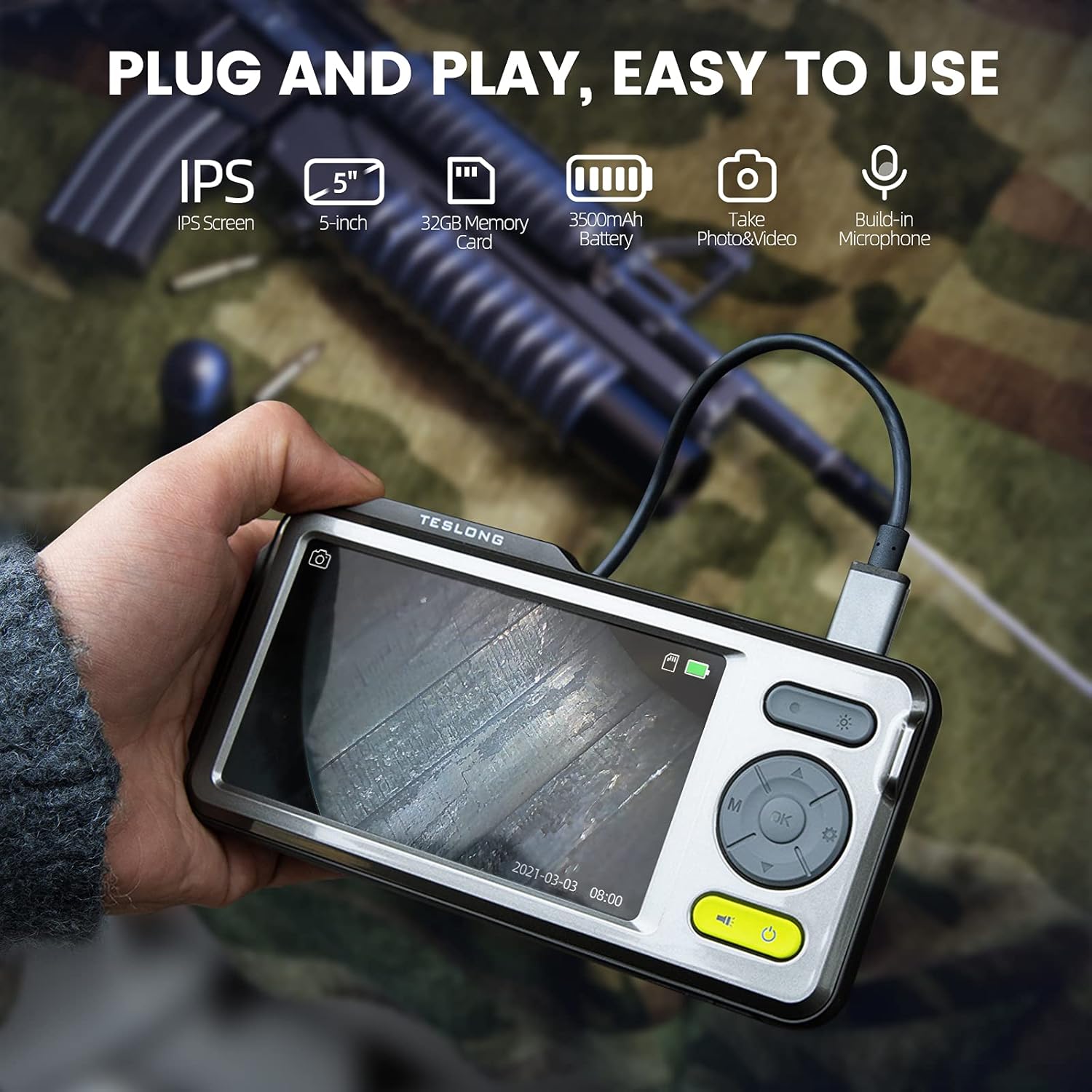
Image: The Teslong Rigid Rifle Borescope in use, showing the monitor displaying the bore's interior.
2. Pake kontni
Verifye ke tout atik ki nan lis anba a yo prezan nan pakè ou a:
- Teslong NTG500H Rifle Borescope with 5-inch IPS Screen
- Rigid Camera Probe (26-inch long, 0.2-inch diameter)
- Aviation to USB-C Cable
- Aviation to USB-A Cable
- USB-A to USB-C Cable (for charging and data transfer)
- Siveye kanpe
- Set of 5 Side-View Mirrors (5mm, 6mm, 7mm, 8.5mm, 10mm)
- 32GB Micro SD Card (pre-installed)
- Manyèl Itilizatè (dokiman sa a)
Imaj: Plis paseview of the Teslong Borescope components and accessories.
3. Pwodwi souview
3.1. Monitor Features
The 5-inch HD color IPS LCD screen provides a clear view of the inspection area. It features intuitive controls for operation.
- Bouton pouvwa: Limen/éteint aparèy la.
- Bouton mòd (M): Chanje ant mòd Foto, Videyo, ak Lekti.
- Bouton OK/Antre: Konfime seleksyon yo.
- Bouton Anviwònman (Ikòn Angrenaj): Accesses device settings.
- Lights Button (Sun Icon): Adjusts LED brightness (3 levels) or turns lights off.
- Flèch anwo/desann: Navigates menus and adjusts settings.
- USB-C pò: Pou chaje epi konekte ak yon òdinatè.
- Mikwo SD kat plas: For storing images and videos (32GB card included).
- Probe Lock: Secures the camera probe connection.
- Oratè: Pou lekti odyo.
- Kanpe mòn: For attaching the monitor stand.
- Bouton Reyajiste: Reyajiste aparèy la.

Image: The Teslong Borescope monitor highlighting its various buttons and ports.
3.2. Camera Probe Features
The rigid probe is specifically designed for rifle barrel inspection.
- Rigid Tube: 26-inch long for stable insertion.
- Small Diameter: 0.2-inch diameter fits .20 caliber and larger barrels.
- Dirije bag limyè: Six adjustable LED lights illuminate dark inspection areas.
- bò-View glas: Detachable 90° mirror for inspecting barrel walls. Includes various sizes for different calibers.
- Inch Scale: Laser-marked scale on the probe for depth measurement.

Image: The rigid probe of the borescope, illustrating its length and diameter.
4. Enstalasyon
- Chaje monitè a: If the battery indicator is low, connect the monitor to a power source using the USB-A to USB-C cable.
- Mete Micro SD Kat: Ensure the 32GB Micro SD card is properly inserted into the slot on the bottom of the monitor.
- Konekte Sond:
- Thread the Aviation to USB-C cable onto the camera probe.
- Plug the other end of the cable into the probe port on top of the monitor.
- Secure the connection using the probe lock.
- Remove Protective Tip: Carefully remove the black protective tip from the end of the probe.
- Attach Side-View Mirror (Optional): If side-view inspection is required, select the appropriate caliber mirror and carefully screw it onto the threaded end of the probe. Use the lock ring to secure it in place once focus is achieved.
Video: A detailed instruction video on setting up and using the Teslong Rigid Rifle Borescope.
5. Operasyon Enstriksyon
5.1. Power On/Off
Peze epi kenbe la Bouton pouvwa (green button) for a few seconds to turn the monitor on or off. The Teslong logo will appear, and the probe's ring light will illuminate.
5.2. Chanje mòd
Peze a Bouton mòd (M) pou sikile nan mòd sa yo:
- Foto mòd: For capturing still images.
- Mòd videyo: For recording video footage.
- Lektur mòd: Pou reviewing captured photos and videos.
5.3. Ajisteman Limyè
Peze a Lights Button (Sun Icon) to adjust the brightness of the LED ring light on the probe. There are three brightness levels, and you can also turn the lights off.
5.4. Kaptire Imaj ak Videyo
- Ensure the probe is inserted into the barrel and positioned correctly.
- Chanje a Foto Mode or Mòd videyo lè l sèvi avèk la Bouton mòd (M).
- Peze a OK/Enter Button to capture a photo or start/stop video recording. A timecode will appear on the screen when recording video.

Image: The borescope monitor showing a detailed view of a rifle barrel's interior.
5.5. Mirror Installation and Adjustment
The borescope comes with various side-view mirrors to inspect barrel walls. The probe has a fixed focal distance of approximately 10mm for direct viewing. When using a mirror, the focus is adjusted by how far the mirror is threaded onto the probe.
- For smaller caliber barrels (e.g., .22 caliber), position the mirror farther away from the lens.
- For larger caliber barrels (e.g., .30 caliber), move the mirror closer to the lens to achieve sharp focus.
- Use the small lock ring on the threads to secure the mirror in place once the desired focus is achieved.

Image: A selection of removable side-view mirrors for various caliber rifles.
Video: A demonstration of how to attach and adjust the side-view mirrors for optimal focus.
6. Transfè Done
There are two primary methods to transfer photos and videos from your borescope to a computer:
- Koneksyon dirèk:
- Connect the monitor to your computer using the provided USB-A to USB-C cable.
- Turn on the monitor. Your computer should recognize the device as a removable drive.
- Navigate to the "DCIM" folder to access your stored photos and videos. You can then drag and drop them to your computer.
- Lektè kat mikwo SD:
- Carefully remove the Micro SD card from the monitor's slot.
- Mete kat Micro SD a nan yon lektè kat konpatib ki konekte ak òdinatè w la.
- Access the "DCIM" folder on the card to transfer your files.
7. Antretyen
Proper maintenance ensures the longevity and optimal performance of your borescope:
- Cleaning the Lens and Mirrors: Always clean the camera lens and any attached mirrors before and after each use. Use a soft microfiber cloth and a cotton swab. For stubborn stains, warm water or rubbing alcohol can be used. Do not use stronger solvents as they may damage the lens or mirror coatings.
- Netwayaj Monitè a: Wipe the monitor screen and case with a microfiber cloth and a few drops of warm water or rubbing alcohol to remove dust and fingerprints.
- Depo: Store the borescope and its accessories in the provided protective case in a cool, dry place when not in use.
NAN. Depanaj
- Aparèy pa Limen: Ensure the monitor is fully charged. If the battery indicator is low, connect it to a power source.
- Pa gen imaj sou ekran an: Verify that the camera probe is securely connected to the monitor and the probe lock is engaged. Check if the LED lights are on.
- Imaj flou: If using a side-view mirror, adjust its position by threading it closer or farther from the lens until a clear image is achieved. Ensure the lens and mirror are clean.
- Pa ka transfere Files to Computer: Ensure the monitor is turned on when connected to the computer. If it's off, it will only charge. Try using a different USB port or a Micro SD card reader.
- Aparèy pa reponn: Use a small pin to press the Bouton Reyajiste ki sitiye sou do a nan monitè a.
9. Espesifikasyon
| Karakteristik | Spesifikasyon |
|---|---|
| Modèl | TSNTG500H |
| Gwosè ekran | 5-pous IPS Display |
| Kalite sonde | Rijid |
| Longè sonde | 26 pous |
| Dyamèt sonde | 0.2 inches (fits .20 caliber & larger) |
| Rezolisyon Capture Videyo | 1080p |
| Depo | 32GB Mikwo SD Kat (enkli) |
| Batri | 1 Yon batri obligatwa (enkli) |
| Ranje Konsantrasyon Makro | 1-10 cm |
| Koulè | Nwa |
| Pwa atik | 2.29 liv |
| Dimansyon pake | 30.75 x 4.25 x 2 pous |
10. Garanti ak sipò
Teslong products are designed for reliability and performance. For warranty information, technical support, or service inquiries, please refer to the official Teslong websit la oubyen kontakte sèvis kliyan yo dirèkteman. Kenbe resi acha w la kòm prèv acha pou reklamasyon garanti.
Pou plis resous ak enfòmasyon sou pwodwi yo, vizite Magazen Teslong sou Amazon.


