1. Entwodiksyon
Pwodwi souview
The CALEX Smart Aroma Diffuser is a versatile device designed to enhance your home environment. It functions as an aroma diffuser, humidifier, air purifier, and ambient light source. With WiFi connectivity, you can control its features, including fragrance diffusion, humidification, and RGB lighting, directly from the free Calex application on your smartphone. This manual provides comprehensive instructions for safe and effective use of your device.
Karakteristik kle:
- Smart App Control (Calex App)
- Koneksyon WiFi
- Aroma Diffusion
- Imidite
- Pirifikasyon lè
- Customizable RGB Ambient Lighting (100+ options)
- Programmable Timers and Scenarios
2. Avètisman Sekirite
Tanpri li tout avètisman sekirite yo ak anpil atansyon anvan ou itilize aparèy la.
- Evite kontak dirèk ak po a avèk lwil esansyèl ki pa dilye.
- Kenbe aparèy la ak lwil esansyèl yo lwen timoun ak bèt kay.
- Asire ke gen ase vantilasyon nan zòn kote w ap itilize difizè a.
- Unplug the device from the power outlet when not in use or during maintenance.
- Pa depase liy maksimòm pou ranpli dlo a.
- Sèvi ak dlo tiyo pwòp oswa dlo distile sèlman.
- Do not tilt or move the device when it is operating or contains water.
- Pa plonje aparèy la nan dlo oswa nan nenpòt lòt likid.
- Pa bloke priz vapè dlo a.
3. Pwodwi souview
Familiarize yourself with the components of your CALEX Smart Aroma Diffuser.

Imaj 3.1: Devan view of the CALEX Smart Aroma Diffuser, showing the wood-grain base, translucent top, and control buttons (ON/OFF, +, -, LIGHT).

Image 3.2: The CALEX Smart Aroma Diffuser in operation, emitting a fine mist, placed on a stack of magazines next to a vase of flowers.
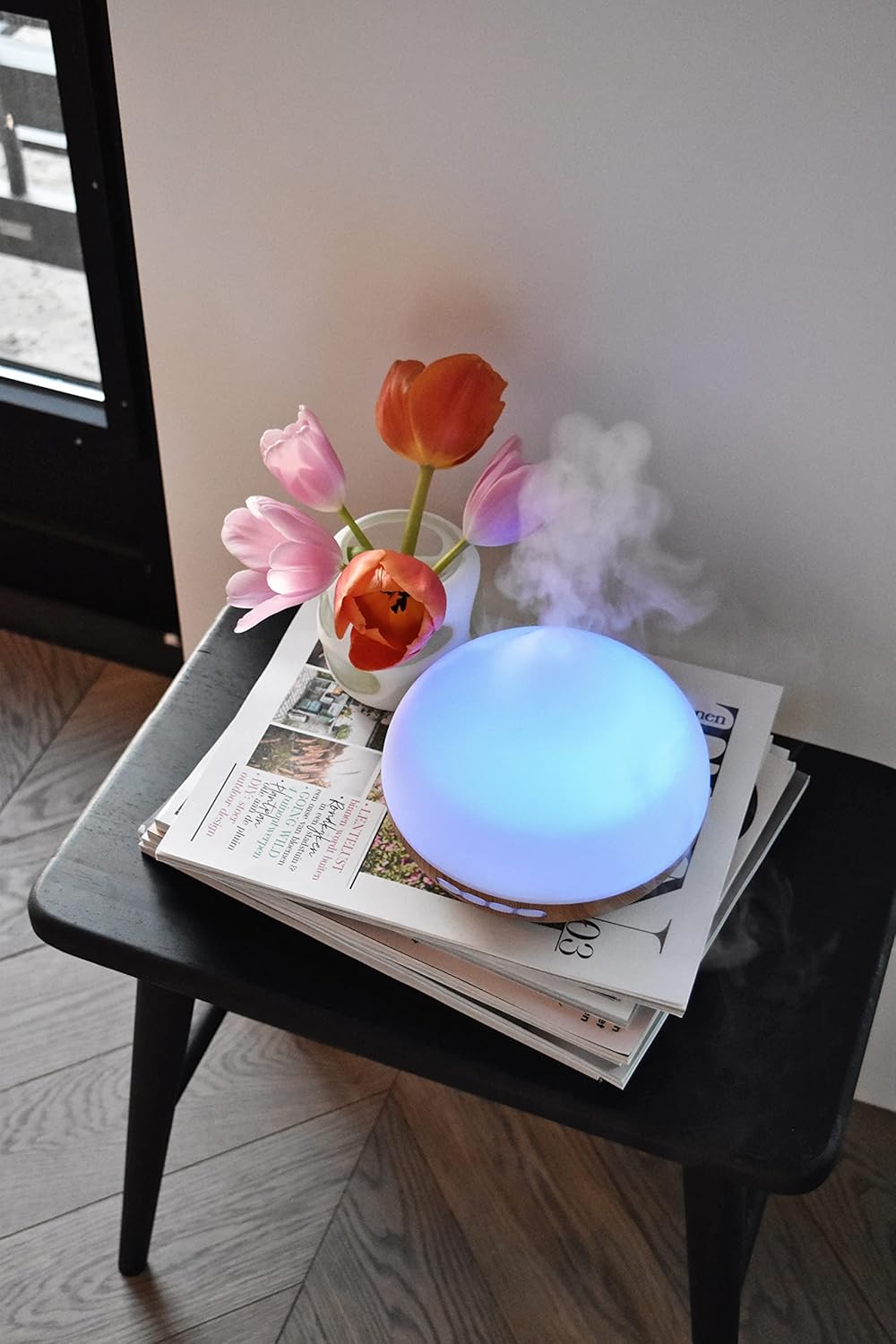
Image 3.3: The CALEX Smart Aroma Diffuser displaying a blue ambient light, placed on a table with flowers and magazines.

Image 3.4: The CALEX Smart Aroma Diffuser displaying a warm yellow ambient light, emitting mist, placed on a table with flowers and magazines.
4. Enstriksyon Enstalasyon
- Depakete difizè a: Ak anpil atansyon retire tout eleman nan anbalaj la.
- Place the Diffuser: Position the diffuser on a flat, stable, and water-resistant surface.
- Konekte pouvwa: Plug the power adapter into the diffuser's power input, then plug the adapter into a standard electrical outlet.
- Ranpli ak dlo: Remove the top cover. Fill the water tank with clean tap water or distilled water up to the indicated maximum fill line (300 ml capacity). Do not overfill.
- Add Essential Oil (Optional): Add a few drops of your preferred essential oil or fragrance to the water.
- Ranplase kouvèti: Securely place the top cover back onto the diffuser.
- Download Calex App: Download the free Calex app from your smartphone's app store (available for iOS and Android).
- Konekte ak WiFi: Follow the in-app instructions to connect your diffuser to your home WiFi network. This typically involves putting the diffuser into pairing mode (refer to app for specific steps) and selecting your WiFi network.
5. Opere Diffuser la
5.1 Operasyon debaz
- Limen/Etenyen: Press the "ON/OFF" button on the diffuser or use the Calex app to turn the device on or off.
- Kontwòl bwouya: Use the "+" and "-" buttons on the diffuser to adjust the mist intensity (if applicable) or control via the app.
- Kontwòl limyè: Press the "LIGHT" button on the diffuser to cycle through light colors or turn the light off. For full RGB control and advanced options, use the Calex app.
5.2 Kontwòl Aplikasyon Entelijan
The Calex app provides extensive control over your smart aroma diffuser:
- Kontwòl Remote: Operate the diffuser from anywhere with an internet connection.
- Anviwònman bwouya: Adjust mist output levels and set continuous or intermittent diffusion modes.
- Ekleraj RGB: Choose from over 100 color options, adjust brightness, and select dynamic lighting effects to match your mood or decor.
- Minutè ak Orè: Set specific times for the diffuser to turn on/off, change light settings, or adjust mist output. Create personalized scenarios for different routines (e.g., "Wake Up," "Relax," "Sleep").
- Kontwòl vwa: Integrate with smart home assistants like Amazon Alexa or Google Assistant for hands-free control (e.g., "Alexa, turn on the diffuser light").

Image 5.1: Screenshot of the Calex app displaying color and brightness controls for the smart diffuser's RGB lighting.

Image 5.2: Screenshot of the Calex app's main screen, showing the "My Home" section where connected smart devices are managed.
6. Antretyen ak Swen
Regular cleaning ensures optimal performance and extends the lifespan of your diffuser.
- Antretyen chak jou:
- Vide tout dlo ki rete nan tank la.
- Siye anndan tank dlo a ak yon twal pwòp e mou.
- Ranpli ak dlo fre anvan chak itilizasyon.
- Netwayaj chak semèn:
- Deploge difize a soti nan priz kouran an.
- Remove the top cover and empty the water tank.
- Add a small amount of white vinegar (about 10 ml) to the water tank and let it sit for 10-15 minutes to loosen mineral buildup.
- Gently wipe the inside of the tank and the ultrasonic disc with a soft brush or cotton swab. Avoid scrubbing forcefully.
- Rense tank la byen avèk dlo pwòp, asire w pa gen okenn rezidi vinèg ki rete.
- Wipe the exterior of the diffuser with a soft, damp twal.
- Kite tout pyès yo seche nèt nan lè a anvan ou rasanble yo oswa sere yo.
- Depo: If storing the diffuser for an extended period, ensure it is clean and completely dry. Store it in a cool, dry place away from direct sunlight.
NAN. Depanaj
If you encounter issues with your CALEX Smart Aroma Diffuser, refer to the following common problems and solutions:
| Pwoblèm | Kòz posib | Solisyon |
|---|---|---|
| Pa gen bwouya oswa pwodiksyon bwouya ki ba | Low water level; Water tank dirty; Ultrasonic disc blocked; Diffuser tilted. | Add water to the tank; Clean the water tank and ultrasonic disc; Ensure diffuser is on a flat surface. |
| Aparèy pa limen | Not plugged in; Power adapter faulty; No power from outlet. | Check power connection; Try a different outlet; Contact support if adapter is faulty. |
| Pwoblèm koneksyon aplikasyon an | Incorrect WiFi password; Diffuser too far from router; Router issues; App not updated. | Verify WiFi password; Move diffuser closer to router; Restart router; Update Calex app. |
| Light not working correctly | App settings; Internal fault. | Check light settings in the Calex app; Restart the diffuser. |
8. Spécifications pwodwi
| Karakteristik | Spesifikasyon |
|---|---|
| Mak | CALEX |
| Nimewo Modèl | 429262 |
| Koulè | White/Wood look |
| Dimansyon pwodwi (L x W x H) | 14 x 16.8 x 14 cm |
| Pwa atik | 305 gram |
| Kapasite | 300 mililit |
| Pouvwa | 10 Watts |
| Voltage | 240 Volts |
| Materyèl | Reeds (wood-look base) |
| Fonksyon fèmen otomatik | Wi |
| Karakteristik espesyal | Aroma Diffuser, Humidifier, Timer |
| Zòn Kouvèti | Approximately 10 square meters |
9. Garanti ak sipò
For warranty information and customer support, please refer to the documentation included with your purchase or visit the official CALEX websit la. Kenbe prèv acha ou a pou nenpòt reklamasyon garanti.
Resous sou entènèt:


