Entwodiksyon
This manual provides detailed instructions for the safe and efficient operation, maintenance, and troubleshooting of your BE COOL Air Cooler, Model BCP5AC2101F. Please read this manual thoroughly before using the appliance and keep it for future reference.
Enstriksyon Sekirite Enpòtan
- Toujou asire w ke aparèy la mete sou yon sifas ki estab e ki plat.
- Pa plonje aparèy la, kòd, oswa ploge nan dlo oswa lòt likid.
- Debranche aparèy la nan priz kouran an anvan ou netwaye li, ranpli li, oswa fè nenpòt antretyen.
- Kenbe aparèy la lwen timoun ak bèt kay.
- Pa bloke antre oswa sòti lè yo. Asire w ke gen ase vantilasyon toutotou aparèy la.
- Sèvi ak dlo tiyo pwòp sèlman nan tank dlo a. Pa ajoute okenn pwodui chimik oswa aditif.
- Si kòd elektrik la domaje, li dwe ranplase pa manifakti a, ajan sèvis li yo, oswa moun ki kalifye menm jan an pou evite yon danje.
- Aparèy sa a se pou itilize andedan kay la sèlman.
Pwodwi souview
Familiarize yourself with the components of your BE COOL Air Cooler.

Figi 1: Devan view of the BE COOL Air Cooler, showing the main fan grille, water level indicator, and "BE COOL" logo.

Figure 2: Top control panel with buttons for Timer, Cool, Speed, and On/Off, along with indicator lights.

Figure 3: Diagram illustrating key features: integrated dust filter, timer function, and remote control operation.
Enstalasyon
1. Debake
Carefully remove the air cooler from its packaging. Retain the packaging for future storage or transport.
2. Mete wou yo an plas
The appliance comes with 4 castor wheels for easy mobility. Insert each wheel into the designated slots at the bottom of the unit until they click securely into place.
3. Konble tank dlo a
The BE COOL Air Cooler features a 5-liter water tank. For cooling and humidifying functions, the tank must be filled with water.
- Asire w ke aparèy la debranche nan priz kouran an.
- Locate the water tank opening, typically at the bottom rear or side of the unit.
- Carefully pour clean tap water into the tank. Do not exceed the "MAX" fill line indicated on the water level indicator.
- For enhanced cooling, you may add ice packs (not included) to the water tank if available.
- Close the water tank opening securely.
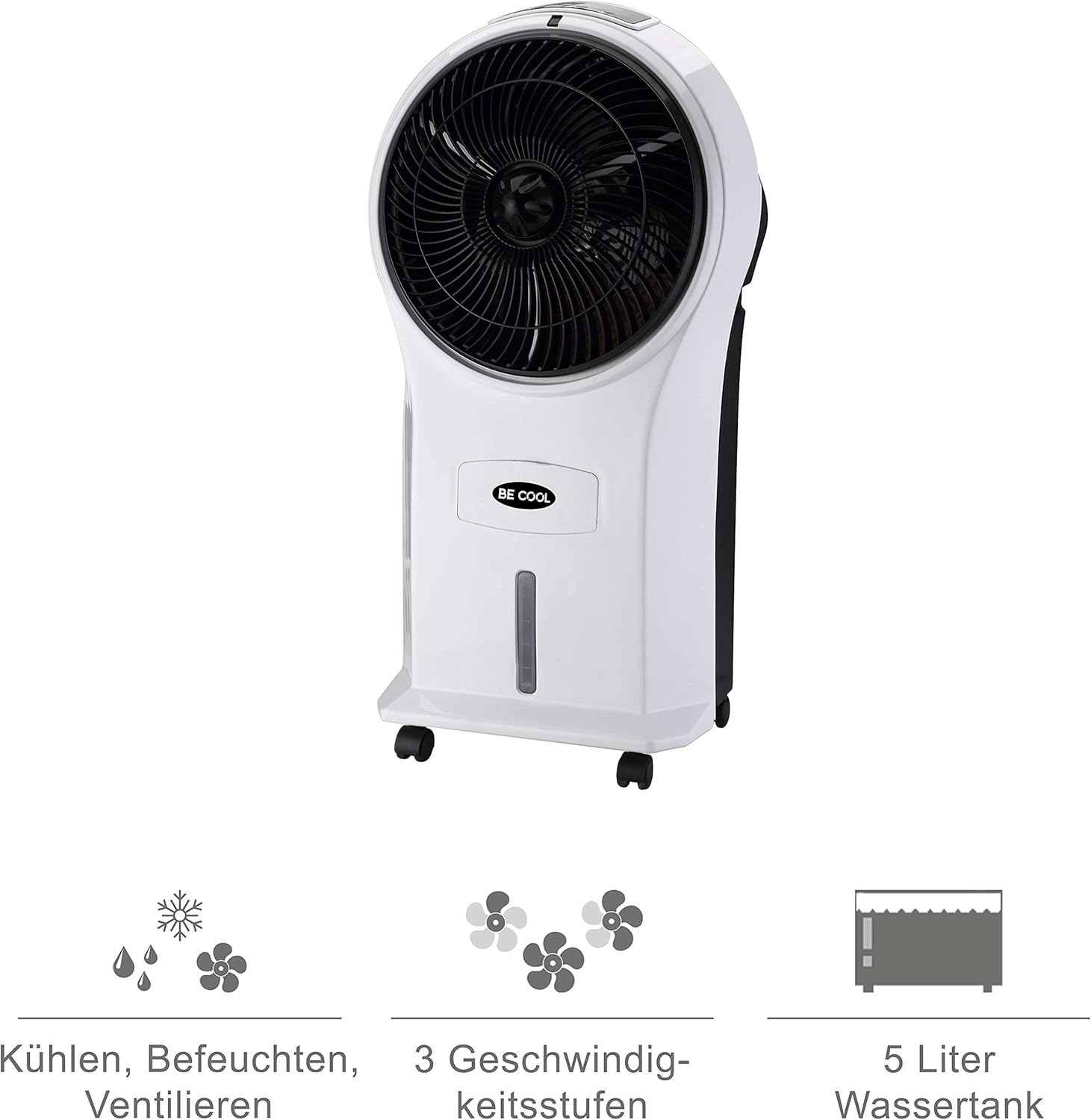
Figure 4: Visual representation of the 3-in-1 functions (cooling, humidifying, ventilating), 3 speed levels, and the 5-liter water tank capacity.
Enstriksyon Operasyon
1. Power On/Off
Branche kòd kouran an nan yon priz elektrik ki apwopriye. Peze bouton an Sou / Off bouton ki sou panèl kontwòl la oswa sou kontwòl remote la pou limen oswa etenn aparèy la.
2. Ajiste vitès vantilatè a
Peze a Vitès button repeatedly to cycle through the three available fan speeds: Low, Medium, and High. The corresponding indicator light will illuminate.
3. Cooling and Humidifying Function
To activate the cooling and humidifying function, ensure the water tank is filled. Press the Cool button. The unit will begin to draw water from the tank to cool and humidify the air. This function can reduce room temperature by up to 8°C.
4. Fonksyon revèy
The air cooler features a 7-hour timer. Press the Revèy button repeatedly to set the desired operating time in increments (e.g., 1 hour, 2 hours, 4 hours, up to 7 hours). The unit will automatically turn off once the set time has elapsed.
5. Itilizasyon kontwòl remote
The included remote control allows for convenient operation from a distance. Ensure the remote control has batteries installed (batteries not included). Point the remote control towards the front of the air cooler when operating.
6. Air Purification
The integrated filter helps to purify the air by trapping dust, pollen, mites, bacteria, and unpleasant odors, contributing to a cleaner indoor environment.

Figure 5: The BE COOL Air Cooler positioned in a bedroom, demonstrating its compact size and portability.

Figure 6: The BE COOL Air Cooler in an office environment, highlighting its suitability for various indoor spaces.
Antretyen
Antretyen regilye asire pèfòmans optimal ak lonjevite refwadisè lè ou la.
1. Netwaye filtè lè a
Ou dwe netwaye filtè lè a regilyèman, sitou si w ap itilize aparèy la souvan oswa nan yon anviwònman ki gen pousyè.
- Deploge aparèy la nan priz kouran an.
- Locate and remove the air filter, usually found at the back of the unit.
- Gently clean the filter with a soft brush or vacuum cleaner to remove dust. For deeper cleaning, rinse with lukewarm water and mild detergent.
- Kite filtè a seche nèt nan lè a anvan ou mete l tounen nan aparèy la.
2. Netwaye tank dlo a
To prevent mold and mildew growth, clean the water tank weekly or as needed.
- Unplug the appliance and empty any remaining water from the tank.
- Siye anndan tank la ak yon twal mou dampfini ak yon solisyon detèjan modere.
- Rinse the tank thoroughly with clean water to remove any detergent residue.
- Kite tank la seche nèt nan lè a anvan ou ranpli l oswa sere aparèy la.
3. Netwayaj ekstèn
Siye eksteryè inite a ak yon mou, damp twal. Pa sèvi ak pwodui netwayaj abrazif oswa solvang.
4. Depo
If storing the air cooler for an extended period, ensure the water tank is empty and clean, and the unit is dry. Store it in a cool, dry place, preferably in its original packaging.
Depanaj
Gade seksyon sa a pou pwoblèm komen ak solisyon yo.
| Pwoblèm | Kòz posib | Solisyon |
|---|---|---|
| Inite pa limen. | Pa gen kouran; Bouton pouvwa a pa peze. | Check if the power cord is securely plugged in. Press the On/Off button. |
| Pa gen efè refwadisman. | Water tank empty; Cool function not activated. | Fill the water tank. Press the Cool button. |
| Flux lè fèb. | Air filter clogged; Fan speed set too low. | Clean the air filter. Increase the fan speed. |
| Dezagreyab odè. | Stagnant water in tank; Dirty filter. | Empty and clean the water tank. Clean or replace the air filter. |
| Remote kontwòl pa travay. | Pil yo mouri oswa yo mal mete; Gen obstak ant kontwòl remote la ak aparèy la. | Replace batteries. Ensure no obstructions and point directly at the unit. |
Espesifikasyon
- Modèl: BCP5AC2101F
- Kalite: 3-in-1 Evaporative Air Cooler (Cooler, Humidifier, Fan)
- Konsomasyon pouvwa: 45 Watts
- Kapasite Airflow: 17.5 cubic meters per minute (1050 m³/h)
- Kapasite tank dlo: 5 lit
- Vitès fanatik: 3 (Ba, Mwayen, Segondè)
- Revèy: Jiska 7 èdtan
- Kalite kontwòl: Kontwòl remote, bouton manyèl
- Dimansyon (L x W x H): 31.5 x 27 x 61 cm (12.4 x 10.6 x 24 pous)
- Pwa: 2.9 kilogram (6.4 liv)
- Koulè: Blan/Nwa
- Eleman ki enkli: Main unit, Remote control, 4 Castor wheels
Garanti ak sipò
For warranty information or technical support, please refer to the warranty card included with your purchase or contact Be Cool customer service. Keep your proof of purchase for warranty claims.
For further assistance, you may visit the official Be Cool store on Amazon: Be Cool Store


