1. Entwodiksyon
The Fanvil PA3 is designed for internal installations, particularly for public broadcasting. It offers HD audio and rich interfaces, enabling real-time and fixed-time MP3 broadcasting, and one-touch intercom functionality when connected to external devices. The PA3 is suitable for integrated broadcasting solutions in various environments such as campuses, shopping malls, railway stations, and buildings.
2. Enfòmasyon sou Sekirite
- Li tout enstriksyon yo ak anpil atansyon anvan ou opere aparèy la.
- Pa ekspoze aparèy la ak dlo oswa imidite.
- Use only the specified power supply adapter (12-24V/2Amp, not included).
- Pa eseye ouvri oswa repare aparèy la tèt ou. Konfye tout antretyen bay pèsonèl kalifye.
- Kenbe aparèy la lwen sous chalè ak limyè solèy la dirèk.
3. Pake kontni
Verifye ke tout atik yo prezan nan pakè ou a:
- Fanvil PA3 SIP Paging Gateway Unit
- Audio in/out cables
- Programmable keys with indicator light (likely integrated or included as accessories)
4. Pwodwi souview
The Fanvil PA3 features a compact design with various interfaces for connectivity and control. Key features include SIP lines, speaker and microphone interfaces, USB/TF card support, audio input/output, and programmable keys.

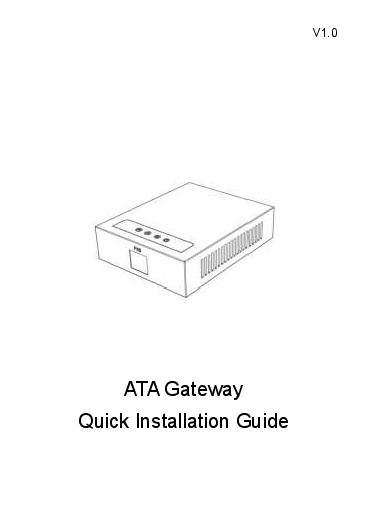
Image: Fanvil PA3 SIP Paging Gateway, front view.
Karakteristik kle:
- 2 Liy SIP
- 1 Speaker Interface and 1 Microphone Interface
- Support for USB or TF card Connectivity (Max 32GB)
- 1 Audio in and 1 Audio out Interface
- 2 Interfaces of Programmable Keys with Indicator Light
5. Enstalasyon
5.1 Enstalasyon Fizik
- The Fanvil PA3 supports multiple mounting types. Choose a suitable location for installation, considering network and power access.
- The device is constructed from metal and plastic, suitable for indoor use.
5.2 Koneksyon pouvwa
- Connect a compatible 12-24V/2Amp DC power supply adapter (not included) to the power input port on the PA3.
- Ensure the power source is stable and meets the device's requirements.
5.3 Rezo Koneksyon
- Connect an Ethernet cable from your network switch or router to the LAN port on the PA3.
- The device will obtain an IP address via DHCP by default.
5.4 Koneksyon Audio
- Connect external speakers to the speaker interface.
- Connect a microphone to the microphone interface for two-way communication.
- Utilize the audio in/out interfaces for connecting other audio sources or destinations as required by your broadcasting setup.
6. Operasyon Enstriksyon
6.1 SIP Line Configuration
- The Fanvil PA3 supports 2 SIP lines. Access the device's web interface to configure SIP accounts, server addresses, and authentication details.
- Refer to your SIP server documentation for specific configuration parameters.
6.2 Public Broadcasting
- The PA3 can be used for real-time and fixed-time MP3 broadcasting. Configure broadcasting schedules and audio sources through the device's management interface.
- Ensure audio input sources are correctly connected and configured.
6.3 One-Touch Intercom
- Connect external devices or configure SIP extensions to enable one-touch intercom functionality.
- The programmable keys can be assigned for quick intercom calls.
6.4 kle pwogramasyon
- The PA3 features 2 programmable keys with indicator lights. These keys can be customized via the web interface to perform various functions, such as initiating broadcasts, intercom calls, or controlling external devices.
6.5 USB/TF Card Usage
- Insert a USB drive or TF card (up to 32GB) into the designated slot for media storage or playback. This can be used for pre-recorded announcements or background music.
7. Antretyen
7.1 Netwayaj
- Siye deyò aparèy la avèk yon twal mou epi sèk.
- Pa sèvi ak pwodui netwayaj likid, ayewosòl, oswa solvan, paske yo ka domaje aparèy la.
7.2 Mizajou Firmware
- Periodically check the official Fanvil website for the latest firmware updates for the PA3.
- Firmware updates can improve performance, add new features, and resolve potential issues. Follow the instructions provided by Fanvil for the update process.
NAN. Depanaj
8.1 Aparèy la pa limen
- Asire w adaptè kouran an byen konekte ak aparèy la ak yon priz kouran ki fonksyone.
- Verify that the power adapter meets the specified voltage and current requirements (12-24V/2Amp DC).
8.2 Pa gen Sòti Odyo
- Check all speaker connections to ensure they are secure and correctly wired.
- Verify the volume settings on the PA3 and any connected audio equipment.
- Confirm that the audio source is active and properly configured.
8.3 Pwoblèm koneksyon rezo
- Ensure the Ethernet cable is securely connected to the LAN port on the PA3 and your network device.
- Check your network settings (IP address, subnet mask, gateway) via the device's web koòdone.
- Verify that the SIP accounts are registered successfully.
8.4 Intercom Not Working
- Check the connections to external intercom devices.
- Verify the configuration of intercom extensions or programmable keys.
8.5 Pwoblèm Pèfòmans Jeneral
- Consider performing a firmware update as described in the Maintenance section.
- If issues persist, contact Fanvil support for further assistance.
9. Espesifikasyon
| Karakteristik | Deskripsyon |
|---|---|
| Non modèl | PA3 |
| Mak | Fanvil |
| Kalite aliye | Multiple mounting types |
| Materyèl | Metal, Plastik |
| Karakteristik espesyal | Programmable Keys with Indicator Light |
| Itilizasyon Rekòmande | For Public Broadcasting, Integrated Broadcasting Solutions, and One-touch Intercom |
| Aparèy konpatib | Desktop |
| Konfigirasyon chanèl son antoure | 2.0 (Audio output capability) |
| Koulè | Nwa |
| Konpozan ki enkli | Audio in/out cables, Programmable keys with indicator light |
| Nivo rezistans dlo | Pa reziste dlo |
| Metòd kontwòl | Manyen |
| Teknoloji kominikasyon san fil | Bluetooth (for auxiliary functions) |
| Sous pouvwa | 12-24V/2Amp Power Supply adapter (Not Included) |
| Antre Voltage | 12 Vòlt (DC) |
| Koneksyon Teknoloji | USB |
| Audio Sòti Mode | Stereo |
| Pwa atik | 11.7 ons |
| Dimansyon pake | 8.39 x 5.04 x 2.8 pous |
| Itilizasyon Andedan kay la / Deyò | Andedan kay la |
| UPC | 889837001608 |
10. Enfòmasyon sou Garanti
For warranty details, please refer to the documentation provided with your purchase or contact Fanvil customer support directly. Keep your proof of purchase for warranty claims.
11. Sipò
For technical assistance, product inquiries, or further support, please visit the official Fanvil website or contact their customer service department. You can typically find contact information and FAQs on their websit.