1. Entwodiksyon
Thank you for choosing the SBS PowerBank 20K SLIM. This portable charger is designed to provide reliable and fast power to your mobile devices, including smartphones, tablets, and other USB-powered gadgets. With its 20,000mAh capacity and intelligent charging features, you can keep your devices powered throughout the day.
This manual provides important information on how to set up, operate, and maintain your power bank. Please read it carefully before use and keep it for future reference.
2. Enfòmasyon sou Sekirite
Pou asire yon operasyon an sekirite epi pou anpeche domaj, tanpri obsève prekosyon sekirite sa yo:
- Do not expose the power bank to extreme temperatures (above 45°C or below 0°C), direct sunlight, or high humidity.
- Do not disassemble, modify, or attempt to repair the device yourself. This will void the warranty.
- Kenbe bank pouvwa a lwen dlo ak lòt likid.
- Pa lage l, pa pike l, oswa pa aplike twòp fòs sou bank pouvwa a.
- Use only certified cables and chargers for recharging the power bank and charging your devices.
- Kenbe soti nan atenn timoun yo.
- If the power bank swells, emits an odor, or becomes excessively hot, discontinue use immediately.
3. Pake kontni
Tanpri tcheke pake a pou atik sa yo:
- 1 x SBS PowerBank 20K SLIM (Model: TTBB20000FASTK)
- 1 x Micro-USB Chargement Kab
- 1 x Manyèl Itilizatè (dokiman sa a)
Note: A USB-C charging cable for the power bank is not included and must be purchased separately if you wish to use the USB-C input for recharging.
4. Pwodwi souview
Familiarize yourself with the different parts of your SBS PowerBank.

Figi 4.1: Devan view of the SBS PowerBank 20K SLIM, showing the SBS logo and sleek black design.

Figure 4.2: Close-up of the charging ports. Features include one USB-A 1A output, one USB-C input/output, and one USB-A 2.1A Intelligent Charge output.

Figi 4.3: Side view showing the power button and four LED indicators for battery status.
4.1. Pò ak Endikatè
- USB 1A Output: Standard USB-A port for charging devices (5W).
- USB 2.1A Intelligent Charge (IC) Output: Faster USB-A port for charging devices (10W), automatically detects optimal charging speed.
- USB-C Antre / Sòti: Versatile port for both charging the power bank (10W input) and charging devices (10W output).
- Antre mikwo-USB: Dedicated port for recharging the power bank using the included Micro-USB cable.
- Bouton pouvwa: Press to check battery status or initiate charging.
- Endikatè Estati ki ap dirije: Four LEDs indicate the remaining battery charge level. Each LED represents approximately 25% of the battery capacity.
5. Enstalasyon
5.1. Premye Chajman Bank Ekstèn lan
Before first use, it is recommended to fully charge your SBS PowerBank.
- Connect the included Micro-USB cable to the Micro-USB input port on the power bank.
- Connect the other end of the Micro-USB cable to a USB wall charger (not included) or a computer's USB port.
- The LED indicators will light up, showing the charging progress. All four LEDs will be solid when the power bank is fully charged.
Alternatively, you can use a USB-C cable (not included) to charge the power bank via its USB-C input port.

Figure 5.1: The power bank being recharged via its Micro-USB port using the included cable, connected to a laptop.
6. Operasyon Enstriksyon
6.1. Chaje Aparèy ou yo
The SBS PowerBank allows you to charge up to three devices simultaneously using its USB-A and USB-C output ports.
- Connect your device's charging cable to one of the power bank's output ports (USB 1A, USB 2.1A IC, or USB-C).
- Konekte lòt bout kab la sou aparèy ou an.
- The power bank will automatically begin charging your device. If not, press the power button once to activate charging.
- Endikatè LED yo ap montre kantite chaj ki rete nan batri ekstèn lan pandan pwosesis chaje a.

Figure 6.1: The power bank simultaneously charging a smartphone, a tablet, and wireless earbuds.

Figure 6.2: Illustration showing the power bank's capability to charge smartphones, tablets, earbuds, smartwatches, and e-readers.
The 20,000mAh capacity allows for multiple recharges of your devices. For example, it can recharge a typical smartphone up to 8 times, depending on the phone's battery capacity.
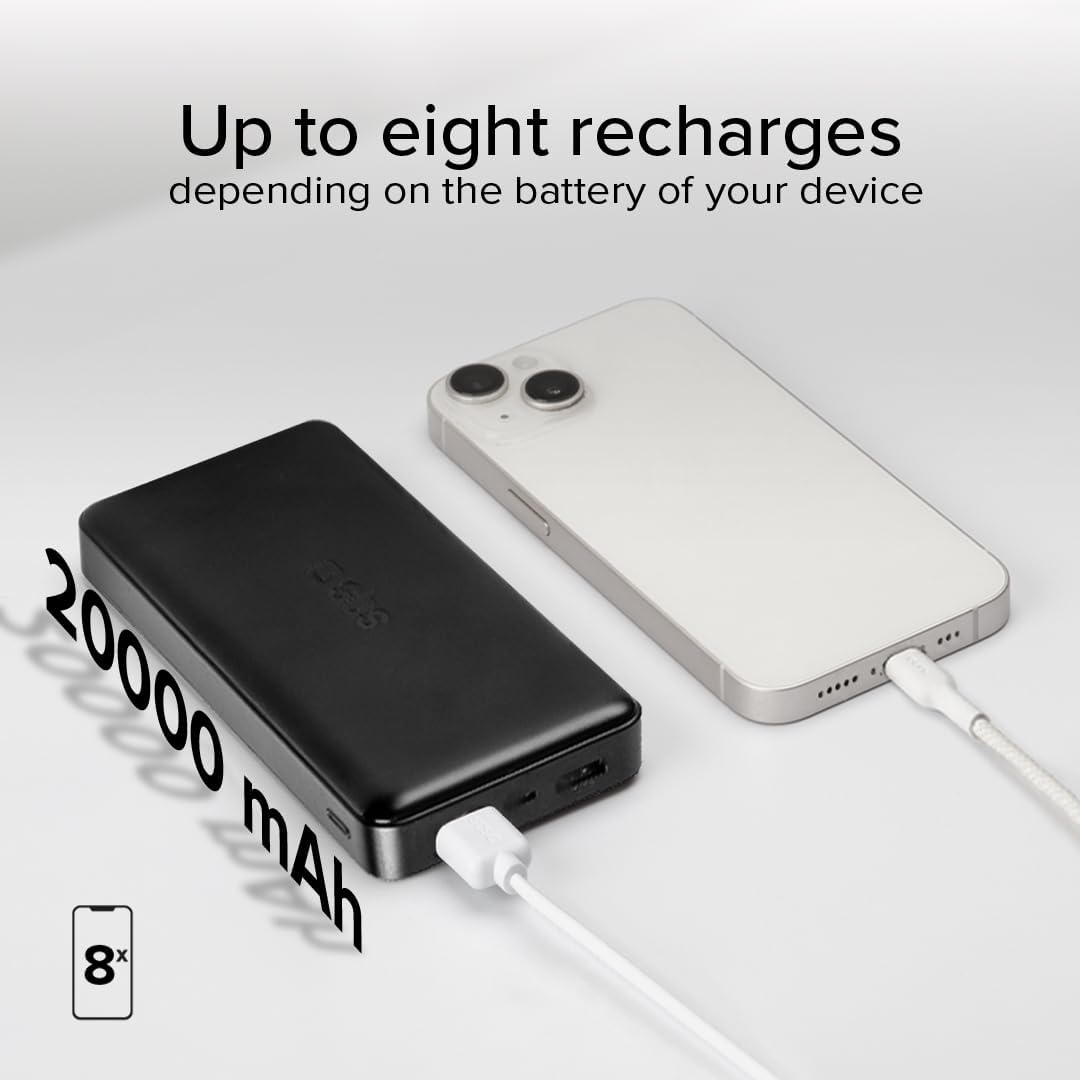
Figure 6.3: Visual representation of the 20,000mAh capacity, indicating up to 8 recharges for a typical smartphone.
6.2. Tcheke Eta Batri a
To check the remaining battery level of the power bank, simply press the power button once. The LED indicators will light up to show the current charge:
- 4 LED fiks: 75% - 100% chaje
- 3 LED fiks: 50% - 75% chaje
- 2 LED fiks: 25% - 50% chaje
- 1 LED fiks: 0% - 25% chaje (rechaje byento)
7. Antretyen
- Netwaye bank pouvwa a avèk yon twal mou epi sèk. Pa sèvi ak pwodui netwayaj abrazif oswa solvan.
- Sere bank pouvwa a nan yon kote ki fre, sèk lè li pa itilize.
- For optimal battery life, recharge the power bank at least once every three months if it's not used regularly.
NAN. Depanaj
| Pwoblèm | Kòz posib | Solisyon |
|---|---|---|
| Bank pouvwa pa chaje | Cable not connected properly; faulty cable/charger; power bank fully charged. | Ensure cables are securely connected. Try a different cable or wall adapter. Check LED indicators to confirm if it's already full. |
| Aparèy pa chaje nan bank pouvwa | Power bank battery empty; faulty cable; device not compatible; power bank in standby. | Recharge the power bank. Try a different charging cable. Press the power button to activate output. Ensure your device is compatible with USB charging. |
| Chaje dousman | Using a low-power port (e.g., USB 1A for a tablet); cable quality; device's charging limit. | Use the USB 2.1A IC or USB-C port for faster charging. Ensure your cable supports fast charging. Some devices have charging limits. |
| LED yo pa limen | Batri pouvwa a konplètman dechaje; yon pann entèn. | Try charging the power bank for an extended period. If still unresponsive, contact customer support. |
9. Espesifikasyon

Figure 9.1: Diagram illustrating the power bank's ports and dimensions.
| Karakteristik | Detay |
|---|---|
| Nimewo Modèl | TTBB20000FASTK |
| Kalite batri | Lityòm Polymère |
| Kapasite | 20,000 mAh (3.7V 74Wh) |
| USB NAN Sòti | 5V D.C., 1A (5W) |
| USB 2 Output (IC) | 5V D.C., 2.1A (10W) |
| USB-C Antre / Sòti | 5V D.C., 2.1A (10W) |
| Mikwo-USB Antre | 5V D.C., 2.1A (10W) |
| Sòti total | 10W max |
| Dimansyon | 138 mm x 68 mm x 28 mm |
| Pwa | 250 g |
| Karakteristik espesyal | Short Circuit Protection, Fast Charging (IC) |
| Peyi orijin | Lachin |
10. Garanti ak sipò
SBS products are designed and manufactured to the highest quality standards. This product is covered by a standard manufacturer's warranty against defects in materials and workmanship from the date of purchase.
For warranty claims, technical support, or any questions regarding your SBS PowerBank, please contact SBS customer service through their official website or the retailer where you purchased the product. Please have your proof of purchase and product model number ready.
For more information, visit the official SBS websit: www.sbsmobile.com


