1. Entwodiksyon
The CYCPLUS C3 is a versatile speed and cadence sensor designed to provide accurate data for your cycling activities. It supports both ANT+ and Bluetooth 5.0 connectivity, making it compatible with a wide range of cycling computers and smartphone applications. This manual will guide you through the installation, operation, and maintenance of your C3 sensor.

Image 1.1: The CYCPLUS C3 Speed and Cadence Sensor.
2. Ki sa ki nan bwat la
Upon opening your CYCPLUS C3 package, please ensure all the following items are present:
- CYCPLUS C3 Sensor Unit
- Curved Rubber Mat (for cadence installation)
- Flat Rubber Mat (for speed installation)
- Rubber Bands (for mounting)
- Pil CR2032 (pre-enstale oswa enkli)
- Manyèl Itilizatè (dokiman sa a)
3. Pwodwi Features
- Fonksyonalite Doub Mode: Easily switch between speed and cadence modes by rotating the sensor.
- Inivèsèl konpatibilite: Supports both Bluetooth 5.0 and ANT+ protocols for seamless connection with various devices.
- Konsepsyon ki enpèmeyab: IP67 rated, providing protection against water splashes and rain.
- Long lavi batri: Optimized power consumption for extended usage.
- Kontra enfòmèl ant ak lejè: Small form factor for discreet installation.

Image 3.1: The CYCPLUS C3 sensor is IP67 waterproof, suitable for various weather conditions.
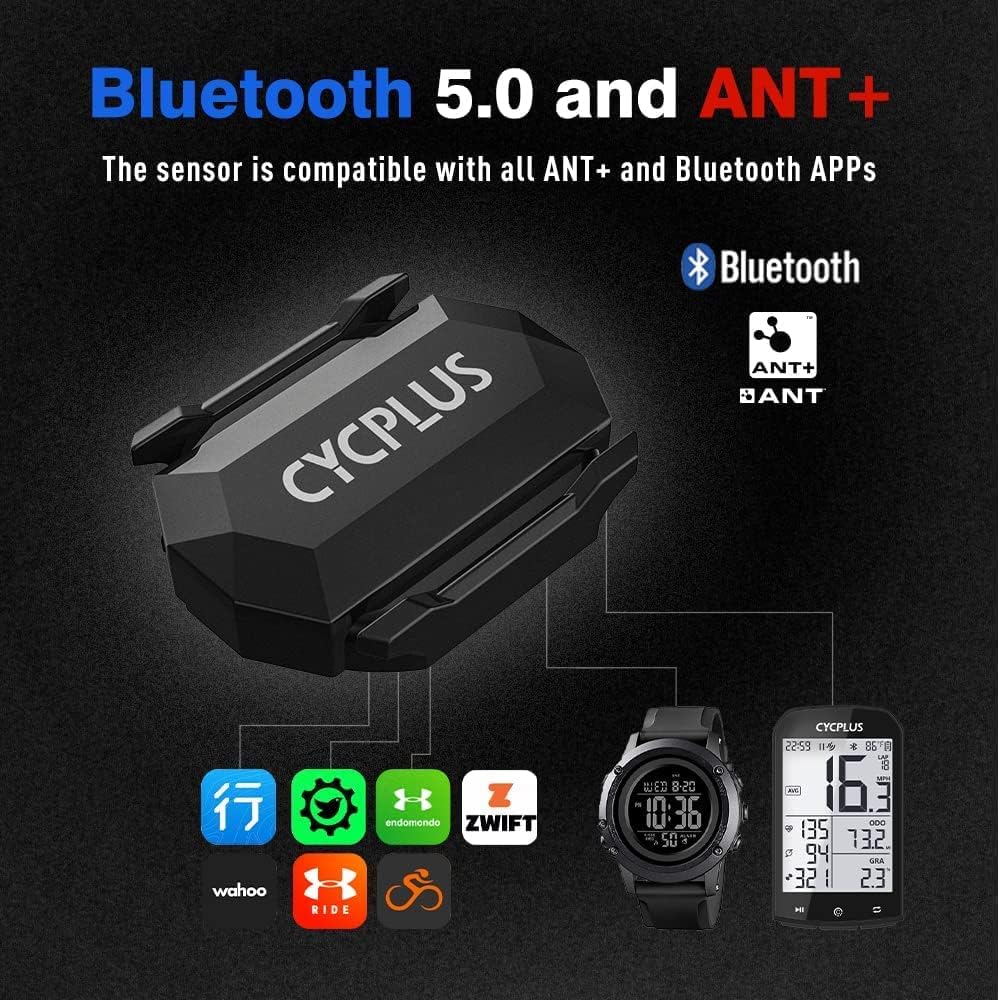
Image 3.2: The CYCPLUS C3 supports both Bluetooth 5.0 and ANT+ for broad compatibility.
4. Enstalasyon ak Enstalasyon
4.1. Seleksyon mòd
The CYCPLUS C3 sensor can operate in two modes: Speed or Cadence. To switch between modes, simply rotate the battery cover 90 degrees. The indicator light will show the current mode:
- Limyè vèt: Kadans mòd
- Limyè ble: Mòd vitès
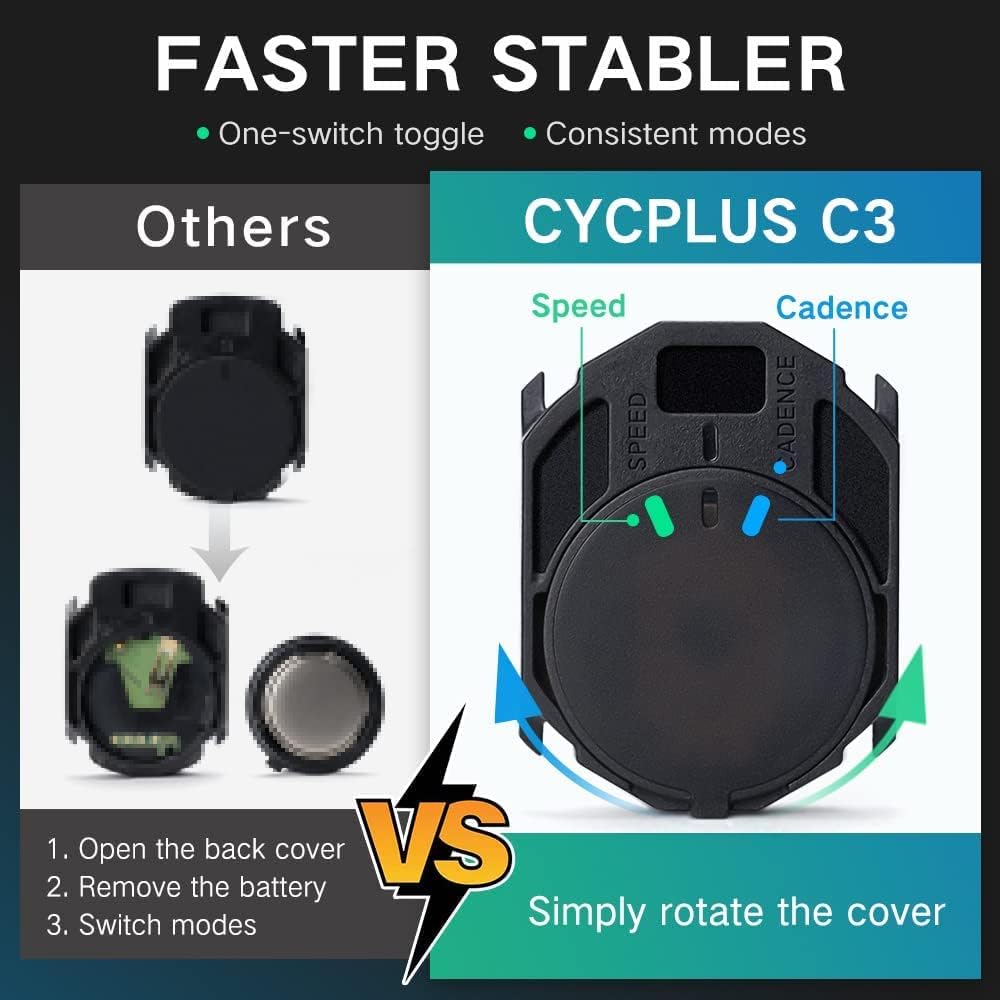
Image 4.1: Rotate the sensor cover to switch between Speed (blue light) and Cadence (green light) modes.
4.2. Cadence Sensor Installation
To use the C3 as a cadence sensor:
- Ensure the sensor is in Cadence Mode (green light).
- Attach the curved rubber mat to the back of the sensor.
- Securely mount the sensor to the inside of your bicycle's crank arm using the provided rubber bands. Ensure it is firm and does not interfere with pedaling.
4.3. Speed Sensor Installation
To use the C3 as a speed sensor:
- Ensure the sensor is in Speed Mode (blue light).
- Attach the flat rubber mat to the back of the sensor.
- Securely mount the sensor to the hub of your bicycle's front or rear wheel using the provided rubber bands. Ensure it is firm and does not interfere with wheel rotation.

Image 4.2: Detailed installation steps for both Cadence and Speed modes.
5. Operasyon Enstriksyon
5.1. Pairing with a Cycling Computer (ANT+)
To pair your C3 sensor with an ANT+ compatible cycling computer:
- Ensure the C3 sensor is in the desired mode (Speed or Cadence).
- Activate the sensor by spinning the wheel (for speed) or crank arm (for cadence) a few times. The indicator light will flash.
- Sou òdinatè siklis ou a, ale nan meni koneksyon detèktè a.
- Chwazi pou ajoute yon nouvo detèktè vitès oswa kadans.
- The computer should detect the C3 sensor. Select it to pair.
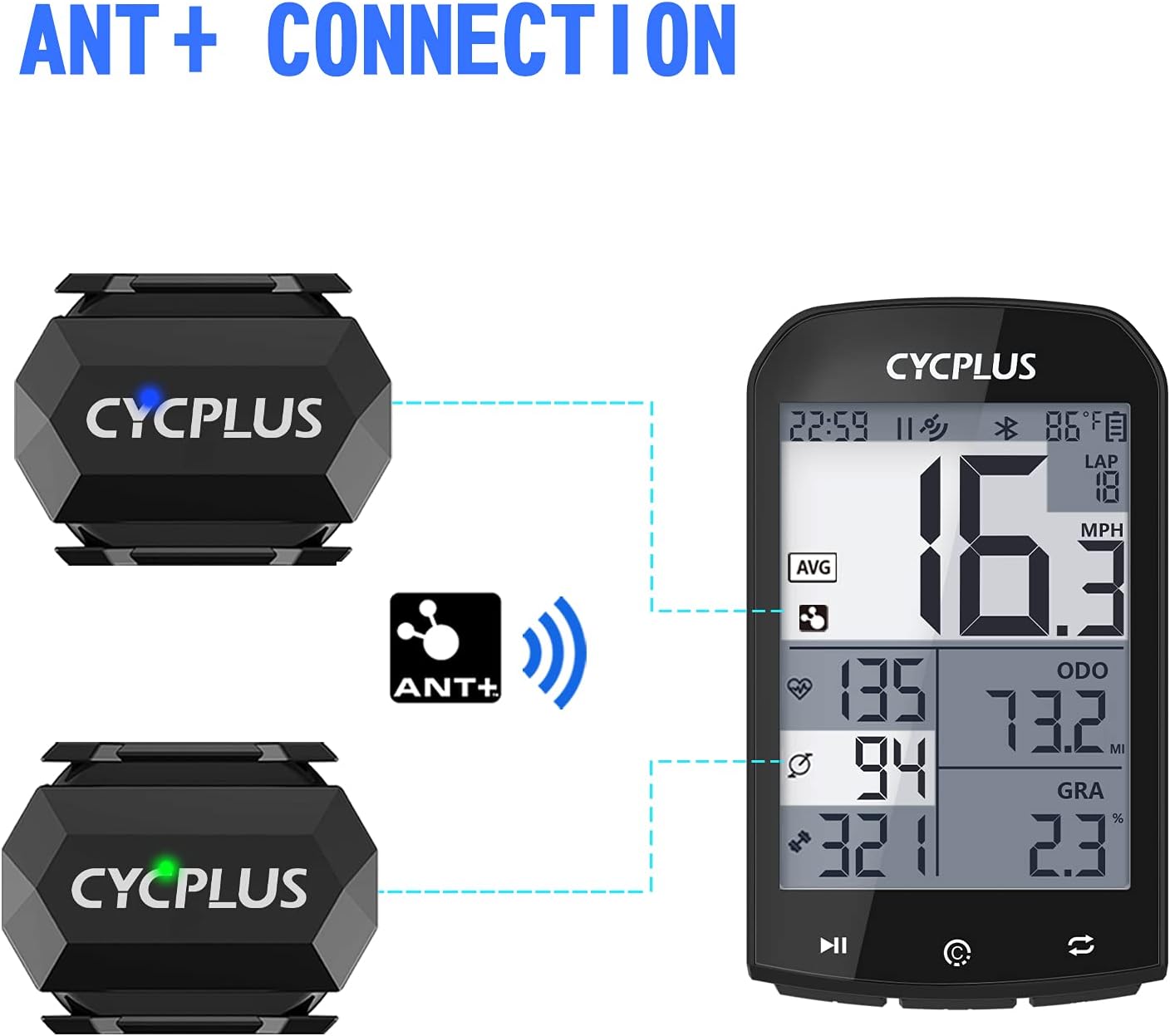
Image 5.1: Connecting the CYCPLUS C3 sensor to a cycling computer via ANT+.
5.2. Pairing with a Smartphone App (Bluetooth)
To pair your C3 sensor with a Bluetooth-enabled smartphone app (e.g., Zwift, Wahoo Fitness, Endomondo):
- Asire w ke Bluetooth aktive sou smartphone ou.
- Ensure the C3 sensor is in the desired mode (Speed or Cadence).
- Activate the sensor by spinning the wheel or crank arm a few times. The indicator light will flash.
- Open your preferred cycling app and navigate to the sensor pairing section.
- The app should detect the C3 sensor. Select it to pair.
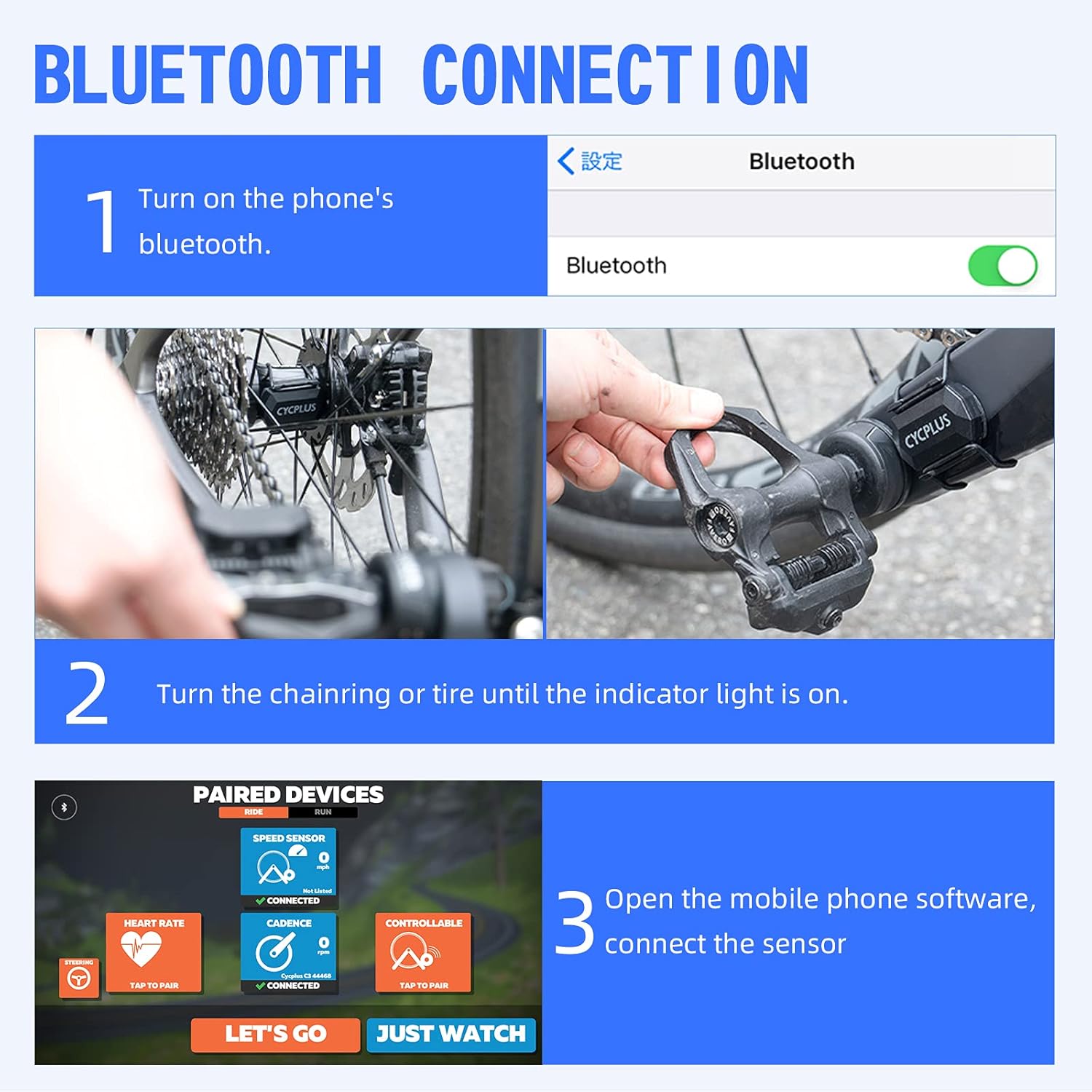
Image 5.2: Steps for connecting the CYCPLUS C3 sensor to a smartphone app via Bluetooth.
6. Espesifikasyon
| Karakteristik | Spesifikasyon |
|---|---|
| Nimewo Modèl | C3 |
| Dimansyon | 38L x 29W x 9H mm (approx. 3.78 x 2.95 x 0.94 cm) |
| Pwa | 9.07 gram |
| Koneksyon | Bluetooth 5.0, ANT+ |
| Evalyasyon ki enpèmeyab | IP67 |
| Kalite batri | 1 x CR2032 (enkli) |
| Battery Life (Cadence Mode) | Apeprè. 600 èdtan |
| Battery Life (Speed Mode) | Apeprè. 400 èdtan |
| Tan sibstiti | Approx. 300 jou |
| Materyèl | Plastik |

Image 6.1: Battery life and type for the CYCPLUS C3 sensor.
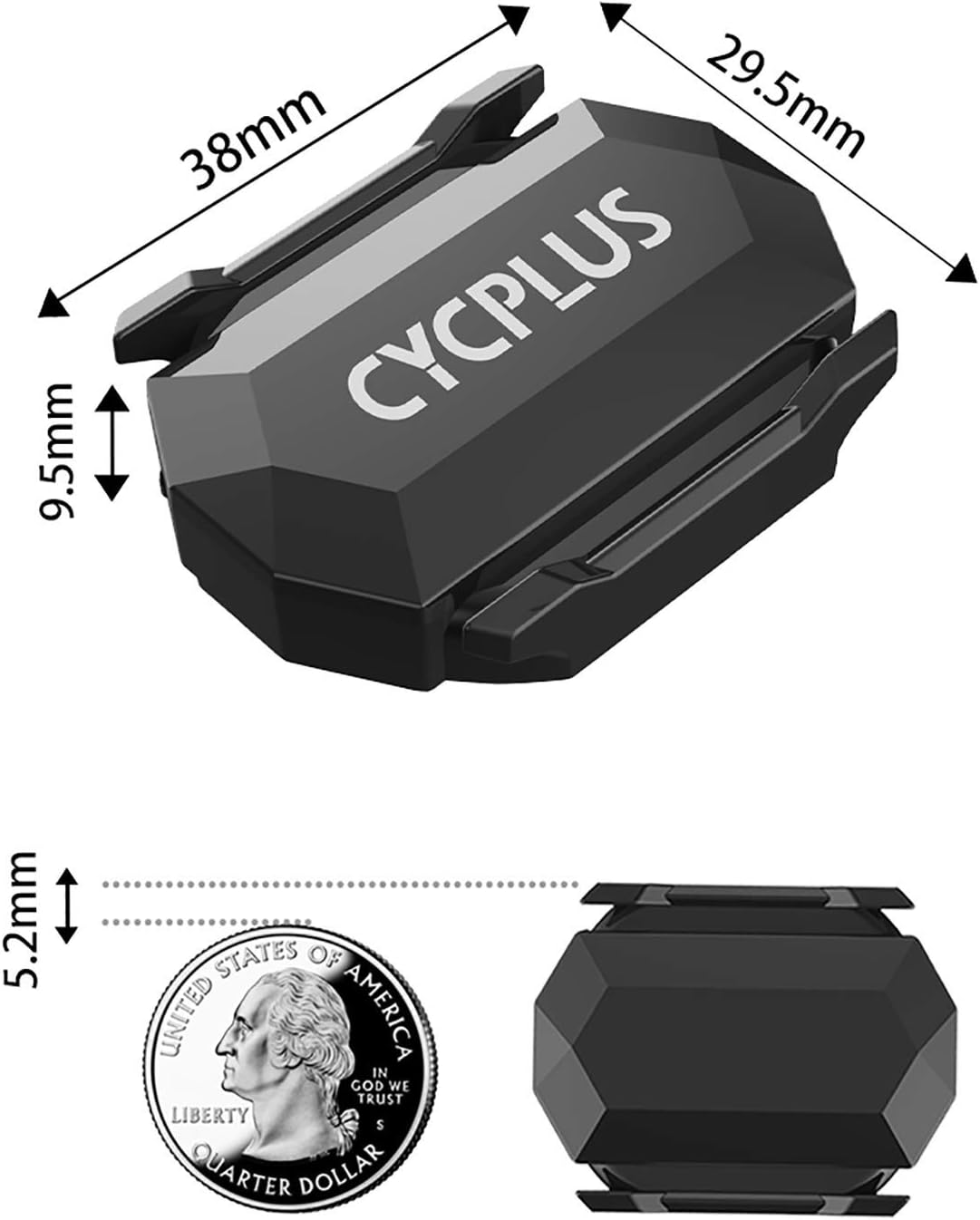
Image 6.2: Physical dimensions of the CYCPLUS C3 sensor.
7. Antretyen
To ensure the longevity and optimal performance of your CYCPLUS C3 sensor, follow these maintenance guidelines:
- Netwayaj: Wipe the sensor clean with a soft, damp cloth after use, especially if it has been exposed to dirt, sweat, or rain. Avoid using harsh chemicals or abrasive materials.
- Ranplasman batri: When the battery is low, the indicator light may not flash or the sensor may disconnect frequently. To replace the CR2032 battery, carefully open the battery cover, remove the old battery, and insert a new one with the positive (+) side facing up. Ensure the cover is securely closed to maintain waterproofing.
- Depo: Store the sensor in a cool, dry place when not in use. If storing for an extended period, consider removing the battery to prevent leakage.
NAN. Depanaj
If you encounter issues with your CYCPLUS C3 sensor, refer to the following common problems and solutions:
- Capteur pa detekte:
- Ensure the sensor is active by spinning the wheel or crank arm.
- Tcheke nivo batri a; ranplase si sa nesesè.
- Verify that Bluetooth or ANT+ is enabled on your receiving device.
- Ensure the sensor is in the correct mode (Speed or Cadence) for the data you are trying to receive.
- Move the sensor closer to your receiving device during pairing.
- Lekti ki pa kòrèk:
- Confirm the sensor is securely mounted and not shifting during use.
- For speed mode, ensure your wheel circumference setting in your cycling computer or app is correct.
- Check for any physical obstructions or interference near the sensor.
- Dekoneksyon souvan:
- Ranplase batri a.
- Asire w pa gen okenn sous entèferans elektwomayetik fò tou pre.
- Keep the sensor within close proximity to the receiving device.
9. Garanti ak sipò
The CYCPLUS C3 Speed and Cadence Sensor comes with a standard manufacturer's warranty. For specific warranty details, return policies, or technical support, please refer to the documentation provided with your purchase or visit the official CYCPLUS websit la. Ou kapab kontakte vandè a dirèkteman tou pou jwenn asistans.


