1. Entwodiksyon
Mèsi pou acha aasing the Monarch Specialties I 2747 60-Inch TV Stand. This manual provides essential information for the safe assembly, operation, and maintenance of your new furniture. Please read these instructions carefully before beginning assembly and retain them for future reference.
Enfòmasyon sou sekirite: Always follow all safety warnings and instructions provided in this manual. Ensure all parts are present and undamaged before assembly. Do not use power tools for assembly unless specifically instructed, as this may damage the product. Keep small parts away from children.
2. Pwodwi souview
The Monarch Specialties I 2747 TV Stand is a 60-inch media console designed to accommodate most televisions when centered on its top panel. It features a durable grey wood-look laminate finish and includes two barn-style sliding doors with a traditional framed X design and black metal hardware. The stand offers ample storage with two shelves and two storage compartments. One shelf is adjustable to three different positions, and the lower shelf includes a cable management hole for organizing wires.

Figi 2.1: Devan view of the Monarch Specialties I 2747 TV Stand, showcasing its grey wood-look finish and barn-style sliding doors.
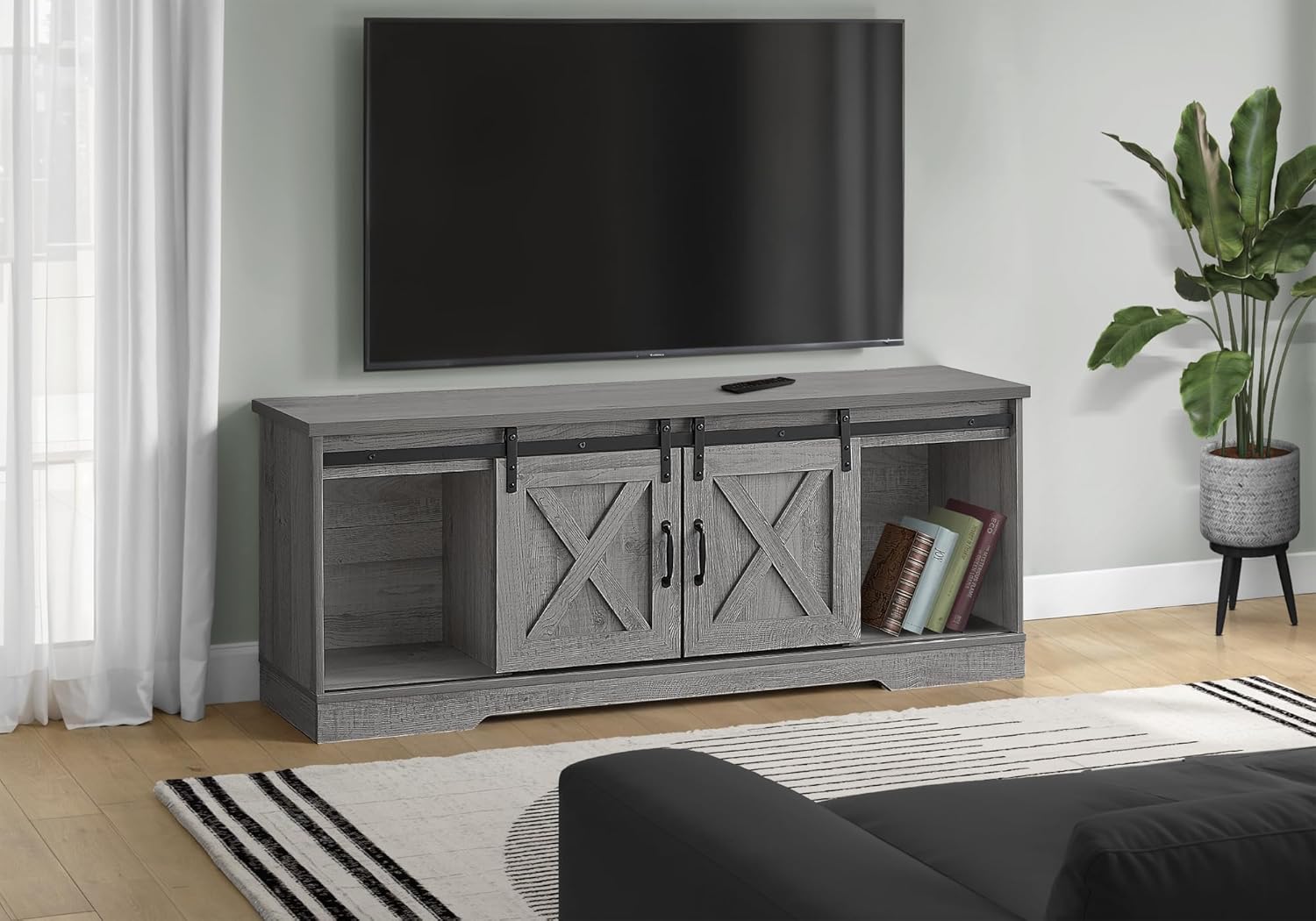
Figure 2.2: The Monarch Specialties I 2747 TV Stand integrated into a living room environment, demonstrating its functional and aesthetic appeal.
3. Enstalasyon ak Asanble
Assembly of the Monarch Specialties I 2747 TV Stand is required. Please ensure you have sufficient space and a clean, flat surface for assembly. It is recommended to have two people for assembly to prevent damage and ensure safety.
3.1 Debake
- Louvri anbalaj la avèk prekosyon epi retire tout konpozan yo.
- Verify that all parts listed in the included hardware and parts list are present. If any parts are missing or damaged, do not proceed with assembly. Contact customer support for assistance.
- Kenbe materyèl anbalaj yo jiskaske asanblaj la fini pou asire ke pa gen okenn ti pyès ki jete.
3.2 Etap Asanble
Detailed assembly instructions with diagrams are typically included in the product packaging. Follow these instructions step-by-step. General steps usually include:
- Tache baz la ak panno bò yo.
- Enstale etajè ak divizyon anndan yo.
- Assemble and attach the sliding door hardware (track, hangers).
- Mount the sliding doors and handles.
- Place the top panel.
- Ensure all fasteners are securely tightened, but do not overtighten.

Figure 3.1: Dimensional diagram illustrating the overall dimensions and internal compartment measurements of the TV stand.
4. Operasyon Enstriksyon
4.1 Pòt Glisman
The TV stand features two barn-style sliding doors. To open or close a compartment, gently slide the door along its track using the handles. Ensure the track is clear of obstructions for smooth operation.
4.2 etajè reglabl
One of the internal shelves is adjustable. To change its position, carefully remove any items from the shelf, lift the shelf, and reposition the shelf supports into the desired holes. Ensure the shelf is level and securely seated before placing items on it.
4.3 Jesyon kab
The lower shelf includes a pre-drilled hole for cable pass-through. Use this opening to route power cords and audio/video cables from your electronic devices, helping to keep them organized and out of sight.
5. Antretyen
5.1 Netwayaj
- Siye sifas yo ak yon mou, damp twal.
- Evite itilize pwodui chimik ki fò, pwodui netwayaj abrazif, oswa pwodui poli ki ka domaje fini laminé a.
- Promptly clean up spills to prevent staining or damage.
5.2 Swen Jeneral
- Evite mete objè cho dirèkteman sou sifas la; sèvi ak sous-vè oswa kousen pwoteksyon.
- Do not expose the furniture to direct sunlight or extreme temperature changes, as this can cause fading or warping.
- Tcheke tout eleman fikse yo detanzantan epi sere yo si sa nesesè pou kenbe estabilite yo.
NAN. Depanaj
6.1 Doors Not Sliding Smoothly
- Check the sliding track for any debris or obstructions.
- Ensure the door hangers are properly seated on the track.
- Verify that all assembly screws for the track and hangers are securely tightened.
6.2 Enstabilite oswa tranbleman
- Ensure the TV stand is placed on a flat, level surface.
- Check all assembly fasteners and tighten any that are loose. Do not overtighten.
- Verify that all components are correctly assembled according to the provided instructions.
7. Espesifikasyon
| Karakteristik | Detay |
|---|---|
| Mak | Espesyalite Monak |
| Nimewo Modèl | mwen 2747 |
| Koulè | Grey Wood-look |
| Dimansyon pwodwi (L x W x H) | 59"L x 15.5"W x 23.5"H (60"D x 15.5"W x 23.5"H) |
| Materyèl | Wood (Laminate finish) |
| Pwa atik | 74 liv |
| Kantite etajè | 4 (including adjustable shelf) |
| Style Pòt | Sliding (Barn-style) |
| Asanble obligatwa | Wi |
| Konpozan ki enkli | 1 Televizyon kanpe |
| UPC | 680796044336 |
8. Garanti ak sipò
8.1 Enfòmasyon sou Garanti
Specific warranty details for the Monarch Specialties I 2747 TV Stand are not provided in this manual. Please refer to the warranty card included with your product or contact Monarch Specialties directly for information regarding warranty coverage and terms.
8.2 Sipò pou Kliyan
For assistance with assembly, missing parts, or any other product-related inquiries, please contact Monarch Specialties customer support. Contact information can typically be found on the product packaging, the manufacturer's websit entènèt la, oubyen atravè revandè ou a.


