1. Entwodiksyon
Thank you for choosing the Lenco SCD-720 Boombox. This versatile audio system offers a wide range of playback options, including DAB+ and FM radio, Bluetooth 5.0 connectivity, a CD/MP3 player, a cassette player, and a USB port for digital audio files. It features 2 x 6W RMS audio output with Bass Reflex for enhanced sound and comes with a remote control for convenient operation. This manual provides essential information for setting up, operating, and maintaining your device.
2. Enfòmasyon enpòtan sou sekirite
- Li tout enstriksyon yo ak anpil atansyon anvan ou sèvi ak aparèy la.
- Kenbe manyèl sa a pou referans nan lavni.
- Pa ekspoze aparèy la anba lapli oswa imidite pou evite dife oswa chòk elektrik.
- Asire bon vantilasyon. Pa bloke okenn ouvèti vantilasyon.
- Pa mete aparèy la toupre sous chalè tankou radyatè, recho, recho, oswa lòt aparèy (ki gen ladan amplifiers) ki pwodui chalè.
- Pwoteje kòd elektrik la pou yo pa mache oswa kwense, sitou nan priz, resipyan konvenyans, ak pwen kote yo sòti nan aparèy la.
- Itilize sèlman atachman/akseswa manifakti a espesifye.
- Debranche aparèy sa a pandan tanpèt zèklè oswa lè li pa itilize pou yon peryòd tan.
- Refere tout sèvis yo bay pèsonèl sèvis kalifye. Reparasyon nesesè lè aparèy la domaje nenpòt fason, tankou kòd kouran oswa ploge domaje, likid koule oswa objè tonbe nan aparèy la, aparèy la te ekspoze a lapli oswa imidite, li pa fonksyone nòmalman. , oswa li te tonbe.
3. Pwodwi souview
Familiarize yourself with the main components and controls of your Lenco SCD-720 Boombox.
Devan View ak pò USB

This image shows the front of the Lenco SCD-720 Boombox, highlighting the main control panel, speakers, and a USB stick inserted into the USB port on the top left.
Devan View with CD Compartment Open

This image displays the Lenco SCD-720 Boombox from the front, with the top-loading CD compartment lid open, ready for CD insertion.
Dèyè View
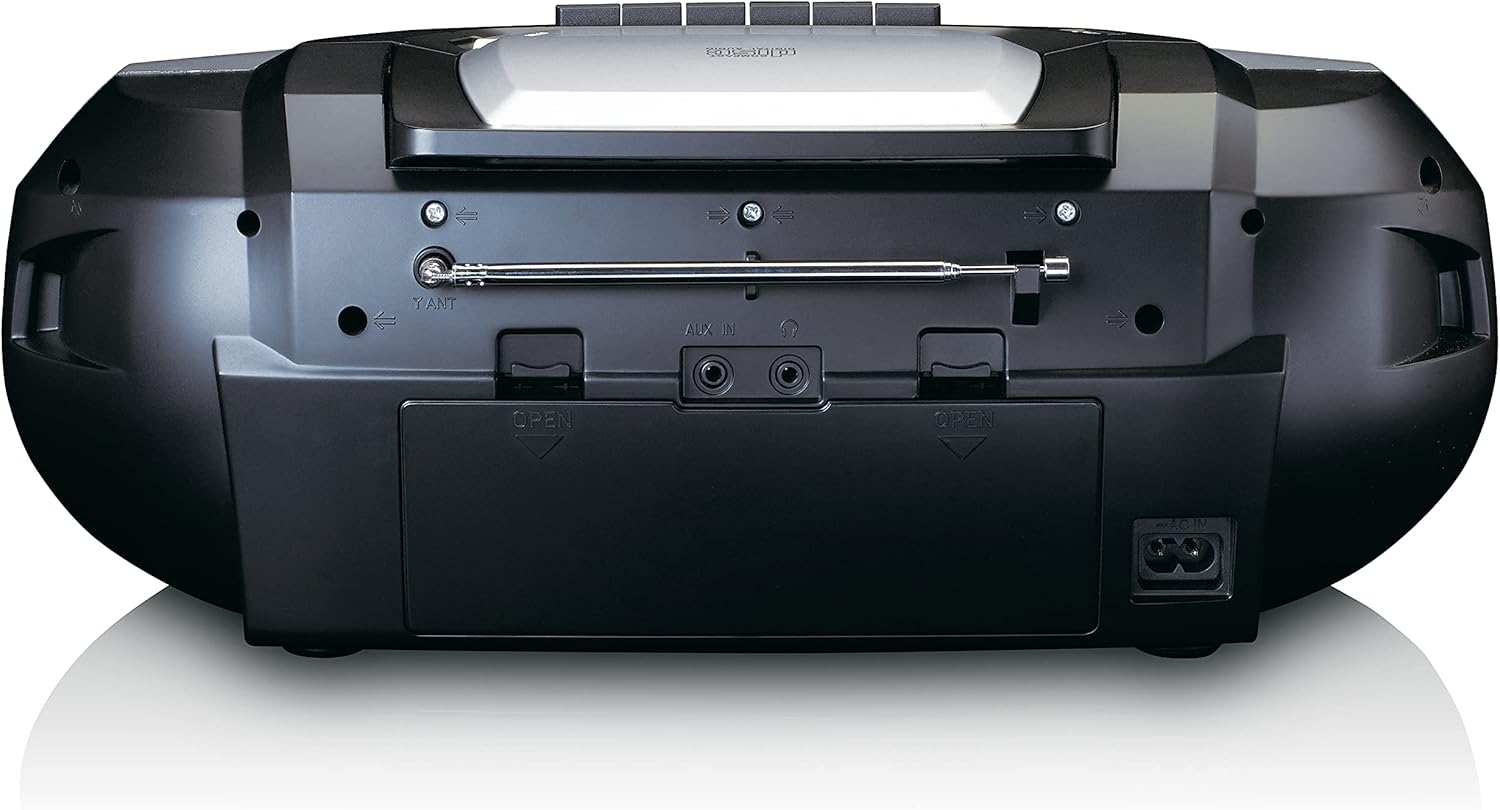
This image shows the back of the Lenco SCD-720 Boombox, featuring the telescopic antenna, AUX input, headphone jack, and the AC power input socket.
Control Panel Close-up

Yon detaye view of the Lenco SCD-720 Boombox's central control panel, including the digital display, source selection buttons, tuning/navigation buttons, and the illuminated volume knob.
Boombox with Remote Control
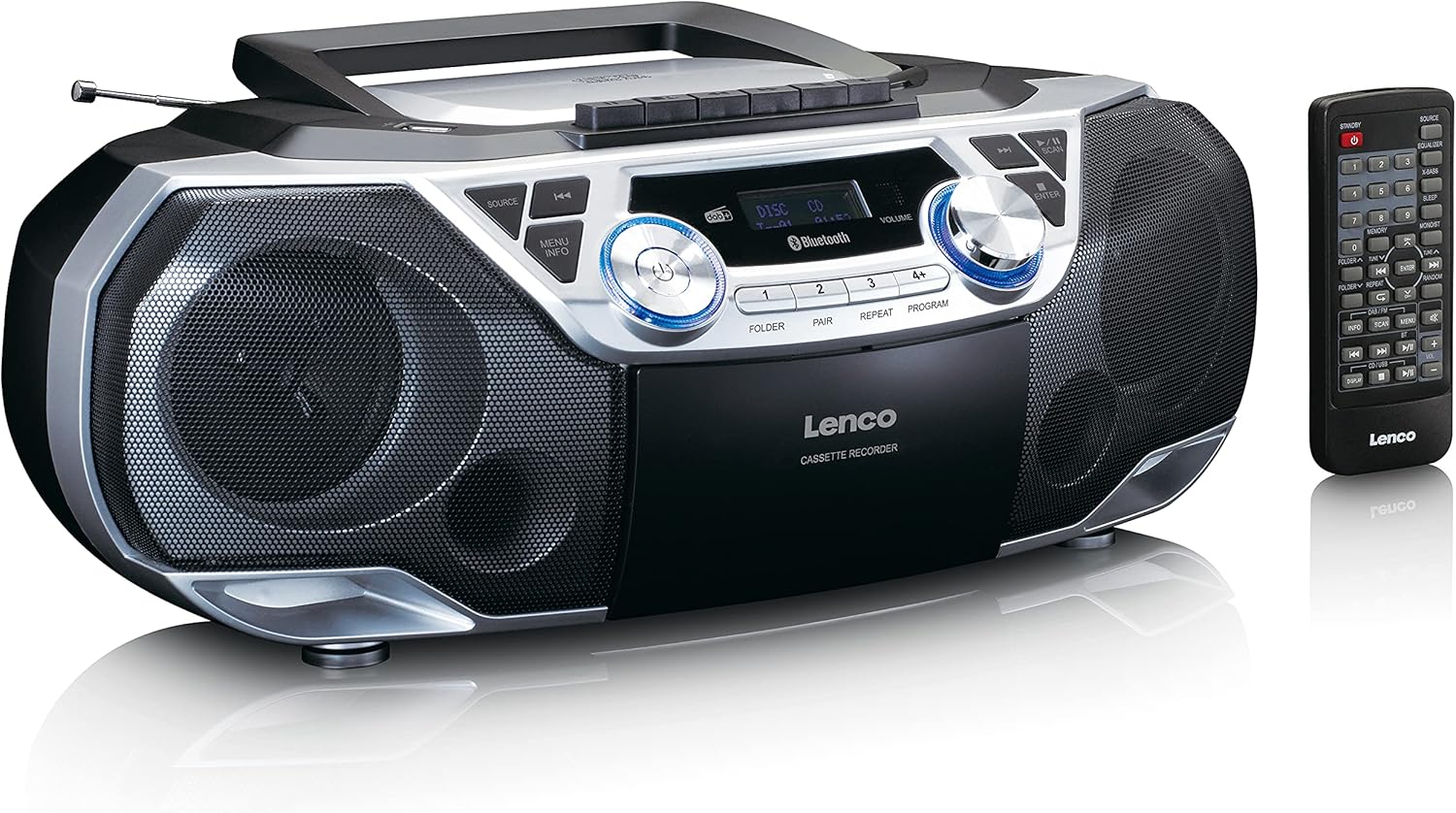
The Lenco SCD-720 Boombox is displayed next to its included remote control, illustrating the complete package.
Layout kontwòl Remote

A close-up image of the remote control for the Lenco SCD-720 Boombox, showing all buttons for power, source selection, playback, tuning, and other functions.
4. Enstalasyon
4.1 Koneksyon pouvwa
The Lenco SCD-720 Boombox can be powered by AC mains or batteries.
- AC pouvwa: Connect the supplied AC power cord to the AC IN socket on the rear of the unit and then to a standard wall outlet.
- Operasyon batri: For portable use, open the battery compartment on the rear of the unit and insert 8 x 'C' type batteries (not included), ensuring correct polarity. Close the compartment securely.
4.2 Ajisteman Antèn
For optimal radio reception, extend the telescopic antenna fully. Adjust its position and angle to achieve the best signal quality for both DAB+ and FM broadcasts.
4.3 Premye pouvwa sou
Peze a POUVWA button on the unit or remote control to turn on the boombox. The display will light up, and the unit will typically start in the last used mode.
5. Operasyon Enstriksyon
5.1 Kontwòl Jeneral
- Limen/Etenyen: Peze a POUVWA bouton.
- Kontwòl Volim: Vire a VOLIM knob on the unit or use the VOL + / - bouton sou kontwòl remote la.
- Seleksyon sous: Peze a SOUS button on the unit or the dedicated source buttons (DAB/FM, CD/USB, BT) on the remote to switch between modes (DAB+, FM, CD, USB, Bluetooth, AUX).
5.2 Operasyon Radyo (DAB+/FM)
- Chwazi mòd: Peze a SOUS button until DAB+ or FM mode is selected.
- Oto Scan: In DAB+ or FM mode, press the ESKANYE button to automatically search for and store available stations.
- Manyèl akor: Sèvi ak la TUNE < / > bouton pou ajiste frekans lan manyèlman.
- Estasyon Prereglaj: The unit allows you to save your favorite stations. Press and hold one of the numbered preset buttons (1-4) to store the current station. Briefly press a preset button to recall a stored station.
- DAB+ Information: Nan mòd DAB +, peze la ENFO button to cycle through various information such as program type, signal strength, time, and date.
5.3 Lekti CD/MP3
- Load CD: Open the CD compartment lid by pressing the Louvri button. Place a CD or MP3 CD with the label side facing up. Close the lid securely.
- Lektur: The CD will start playing automatically. If not, press the JWE/POZ bouton.
- Kontwòl: Sèvi ak SKIP << / >> buttons to skip tracks. Press and hold to fast forward/rewind.
- Repete: Peze REPETE to repeat the current track or all tracks.
- Pwogram: Peze PWOGRAM to create a custom playback order for tracks.
5.4 Lekti ak Anrejistreman Kasèt
- Load Cassette: Open the cassette compartment. Insert a cassette tape.
- Lektur: Peze a JWE bouton.
- Anrejistreman: To record from Radio, CD, USB, or AUX, select the desired source. Insert a blank cassette. Press the DOSYE button (usually red) along with the JWE bouton an menm tan.
- Kontwòl: Sèvi ak VIT VANSE epi RETIRE bouton. Peze STOP/EJECT to stop playback and open the compartment.
5.5 Bluetooth 5.0 Koneksyon
- Antre nan mòd Bluetooth: Peze a SOUS button until 'BT' or 'Bluetooth' appears on the display. The unit will enter pairing mode, indicated by a flashing Bluetooth icon.
- Peyaj: On your smartphone or tablet, enable Bluetooth and search for available devices. Select 'Lenco SCD-720' from the list. Once paired, the Bluetooth icon will stop flashing.
- Lektur: Start playing audio on your connected device. The sound will be streamed to the boombox.
5.6 Lekti USB
- Mete yon pò USB: Mete yon kondwi flash USB ki gen MP3 files nan pò USB a.
- Chwazi Mòd USB: Peze a SOUS button until 'USB' appears. The unit will automatically scan and begin playing MP3 files.
- Kontwòl: Sèvi ak bouton kontwòl lekti yo (PLAY/PAUSE, SKIP << / >>) pou jere mizik ou.
5.7 Antre AUX
Connect external audio devices (e.g., MP3 players, smartphones without Bluetooth) to the AUX IN jack on the rear of the unit using a 3.5mm audio cable (not included). Select AUX mode via the SOUS bouton.
5.8 Sòti ekoutè
Pou koute an prive, konekte kas ekoutè yo nan KAY KOTE jack on the rear of the unit. The main speakers will be muted automatically.
5.9 Kontwòl Remote
The included remote control provides full functionality for the boombox, allowing you to control power, source, volume, playback, tuning, and other settings from a distance. Ensure the remote has working batteries and is pointed towards the front of the boombox.
6. Antretyen
6.1 Netwaye inite a
Wipe the exterior of the boombox with a soft, dry cloth. Do not use abrasive cleaners, waxes, or solvents as they may damage the finish. For stubborn stains, a slightly damp Ou ka itilize yon twal, epi apre sa, yon twal sèk.
6.2 Antretyen Lantiy CD
If CD playback becomes erratic, the CD lens may need cleaning. Use a commercially available CD lens cleaner disc. Do not touch the lens directly.
6.3 Netwayaj Tèt Kasèt la
Netwaye tèt kasèt yo, woulo priz yo, ak kapstan yo regilyèman avèk yon koton ki yon ti jan mouye ak alkòl izopropilik pou asire yon bon jan kalite son optimal epi pou anpeche domaj sou kasèt la.
6.4 Ranplasman batri
If the unit is powered by batteries and performance degrades, replace all 8 'C' type batteries with new ones, ensuring correct polarity. Do not mix old and new batteries or different types of batteries.
NAN. Depanaj
| Pwoblèm | Kòz posib | Solisyon |
|---|---|---|
| Pa gen pouvwa | Kòd kouran an pa konekte; Pil yo fin itilize oswa yo pa byen mete. | Tcheke koneksyon kòd kouran altènatif la; Ranplase pil yo, asire polarite ki kòrèk la. |
| Pa gen son | Volim twò ba; Sous ki pa kòrèk la chwazi; Kas ekoutè konekte. | Increase volume; Select correct source; Disconnect headphones. |
| Resepsyon radyo pòv | Antèn nan pa byen lonje oswa byen pozisyone; Siyal la fèb. | Extend and adjust the telescopic antenna; Try moving the unit to a different location. |
| CD/USB a pa ap jwe | Disc dirty/scratched; USB format not supported; Incorrect mode. | Clean or replace disc; Ensure USB contains MP3 files; Select CD or USB mode. |
| Aparèy Bluetooth echwe | Boombox not in pairing mode; Device too far; Bluetooth off on device. | Ensure boombox is in BT pairing mode; Move device closer; Enable Bluetooth on your device. |
| Cassette recording issues | Incorrect source selected; Cassette write-protect tab engaged. | Select the desired recording source; Ensure the write-protect tab on the cassette is not broken off. |
8. Espesifikasyon
- Modèl: SCD-720SI
- Mak: Lenco
- Koneksyon: DAB+, FM Radio, Bluetooth 5.0, CD/MP3 Player, Cassette Player, USB Playback, AUX Input, Headphone Output
- Sòti odyo: 2 x 6W RMS
- Sous pouvwa: AC 230V ~ 50Hz or 8 x 'C' type batteries (DC 12V)
- Fòma odyo sipòte: CD, CD-R/RW, MP3 (from CD/USB)
- Karakteristik espesyal: Bass Reflex, Remote Control
- Dimansyon (L x W x H): Apeprè 38.5 cm x 23.5 cm x 14.5 cm
- Koulè: Ajan
- Manifakti: Lenco GmbH
- Peyi orijin: Lachin
9. Garanti ak sipò
Lenco products are covered by a warranty in accordance with European law. For specific warranty terms and conditions, please refer to the warranty card included with your product or visit the official Lenco website. For technical support, service, or spare parts information, please contact Lenco customer service or your local dealer. Please have your model number (SCD-720SI) and purchase details ready when contacting support.
Information regarding software updates and spare parts availability is not provided at this time.


