1. Entwodiksyon
Mèsi pou acha aasing the Dolphin BoxParty 1600 Portable Bluetooth Party Speaker. This manual provides essential information for the safe and efficient operation of your speaker. Please read it thoroughly before use and retain it for future reference.
2. Enstriksyon Sekirite
- Pa ekspoze aparèy la anba lapli oswa imidite pou evite dife oswa chòk elektrik.
- Pa ouvri bwat oratè a. Pa gen okenn pyès ki ka sèvi ak men itilizatè a. Konfye tout antretyen bay pèsonèl kalifye.
- Mete oratè a sou yon sifas ki plat e ki estab pou anpeche l tonbe.
- Kenbe oratè a lwen sous chalè tankou radyatè, recho, recho, oswa lòt aparèy (ki gen ladan amplifiers) ki pwodui chalè.
- Pwoteje kòd elektrik la pou yo pa mache oswa kwense, sitou nan priz, resipyan konvenyans, ak pwen kote yo sòti nan aparèy la.
- Unplug the speaker during lightning storms or when unused for long periods.
- Asire bon vantilasyon. Pa bloke okenn ouvèti vantilasyon.
3. Pake kontni
Carefully unpack your Dolphin BoxParty 1600 speaker and ensure all items are present:
- Dolphin BoxParty 1600 Speaker
- Mikwofòn branche
- Kontwòl Remote
- AC Charge Kab
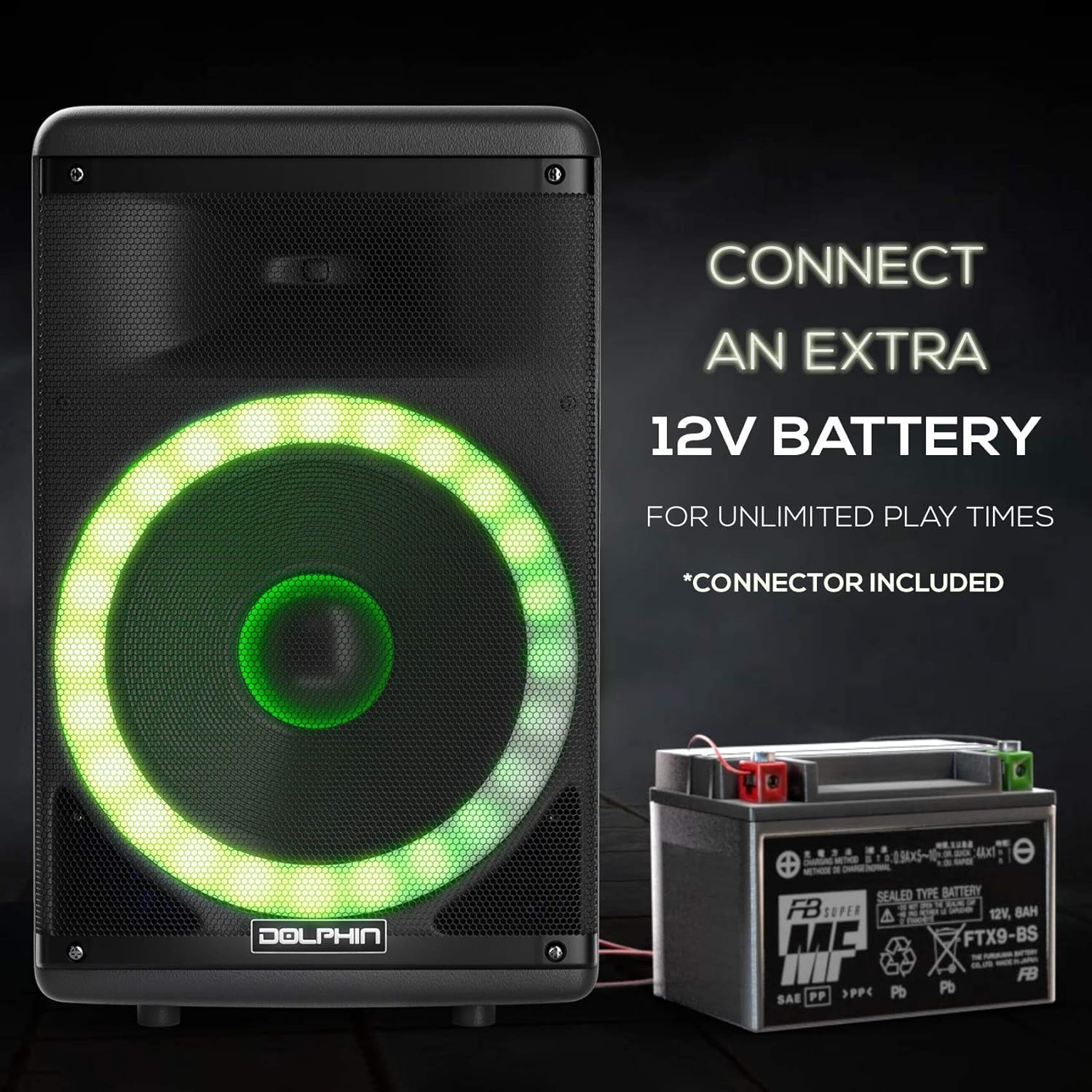
- External Battery Cable
- Kab oksilyè

4. Pwodwi souview
The Dolphin BoxParty 1600 is a versatile portable speaker designed for various audio needs. It features a 15-inch subwoofer, LED lights, multiple input options, and a built-in rechargeable battery.
4.1. Control Panel and Ports
Familyarize w avèk panèl kontwòl la ak divès pò antre/soti sou oratè w la.

- USB/SD/TF MP3 Port: For playing audio from USB drives, SD cards, or TF cards.
- Bluetooth: Difizyon odyo san fil.
- FM Radio & AUX: For radio reception and wired audio input.
- Mic Inputs (x2): Connect wired microphones.
- Antre gita: Konekte yon gita.
- Karaoke Controls: Adjust microphone volume, echo, bass, treble, and delay.
- Music Volume, Treble, Bass: Main audio adjustments.
- Pouvwa switch: Limen/etenn oratè a.
- Party Lights Switch: Kontwole limyè LED yo.
- Endikatè batri: Montre nivo batri aktyèl la.
- Antre 12V DC: For connecting an external 12V battery.
- Power Input (AC110V-240V): For charging and AC power.
5. Enstalasyon
5.1. Premye Chajman
Before first use, fully charge the speaker for approximately 6-8 hours. Connect the AC charge cable to the speaker's power input and a standard wall outlet. The battery indicator will show charging status.
5.2. Plasman
Place the speaker on a stable, flat surface. For optimal sound dispersion, position it in an open area. The speaker also features a tripod mount (1.5" diameter) for use with compatible speaker stands.
6. Operasyon Enstriksyon
6.1. Power On/Off
To power on the speaker, toggle the 'POWER' switch to the 'ON' position. To power off, toggle the switch to 'OFF'.
6.2. Pè Bluetooth
- Turn on the speaker. The display will indicate Bluetooth mode or you can select it using the mode button.
- Aktive Bluetooth sou aparèy mobil ou a (telefòn entelijan, tablèt, elatriye).
- Chèche pou available Bluetooth devices and select "Dolphin SP-1600RBT" from the list.
- Once paired, the speaker will emit a confirmation sound, and you can begin playing audio wirelessly.
6.3. AUX Antre
Connect the included auxiliary cable from your audio source's headphone jack or line-out port to the 'AUX IN' port on the speaker. Select AUX mode on the speaker.
6.4. USB/SD/TF Playback
Insert a USB drive, SD card, or TF card containing MP3 audio files into the corresponding port. The speaker will automatically switch to USB/SD/TF mode and begin playback. Use the control panel or remote to navigate tracks.
6.5. Antre Mikwofòn ak Gita
Connect your wired microphone(s) to the 'MIC' input jacks and your guitar to the 'GUITAR' input jack. Adjust the individual 'MIC VOLUME' and 'GUITAR VOLUME' knobs. Use the 'MIC ECHO', 'MIC TREBLE', and 'MIC BASS' controls for vocal effects.
6.6. Wavesync Function (Wireless Pairing)
The Wavesync function allows you to wirelessly pair two Dolphin BoxParty 1600 speakers for a stereo sound experience.
- Asire w ke tou de oratè yo limen epi yo an mòd Bluetooth.
- On one speaker (this will be the primary speaker), press and hold the 'WAVESYNC' button. The speaker will enter pairing mode.
- On the second speaker, press the 'WAVESYNC' button briefly. It will search for the primary speaker.
- Once connected, both speakers will play audio simultaneously from your Bluetooth device.

6.7. Limyè fèt LED
The speaker features sound-activated LED lights that change color and pattern with the music. To activate or deactivate the lights, use the 'PARTY LIGHTS' switch on the control panel.

6.8. Expandable Battery Option
For extended playtime, the speaker can connect to an external 12V battery. Use the included external battery cable to clamp onto a compatible 12V power source (e.g., car battery). Connect the other end to the '12V DC' input on the speaker.
7. Antretyen
- Netwayaj: Wipe the speaker's exterior with a soft, dry cloth. Do not use abrasive cleaners or solvents.
- Depo: When not in use, store the speaker in a cool, dry place, away from direct sunlight and extreme temperatures.
- Swen batri: For optimal battery life, avoid fully discharging the battery frequently. Recharge the speaker regularly, even if not in use, to maintain battery health.
NAN. Depanaj
| Pwoblèm | Kòz posib | Solisyon |
|---|---|---|
| Pa gen pouvwa | Battery drained, power cable disconnected. | Charge the speaker using the AC cable. Ensure the power cable is securely connected. |
| Pa gen son | Volume too low, incorrect input mode, device not paired (Bluetooth). | Increase volume. Select the correct input mode (Bluetooth, AUX, USB/SD). Re-pair Bluetooth device. |
| Bluetooth pa konekte | Speaker not in pairing mode, device too far, interference. | Ensure speaker is in Bluetooth mode. Move device closer to speaker. Turn off other Bluetooth devices. |
| Mikwofòn pa mache | Microphone not connected, mic volume low. | Ensure microphone is securely plugged in. Increase 'MIC VOLUME' knob. |
| Wavesync not pairing | Incorrect pairing procedure, speakers too far apart. | Follow Wavesync pairing steps carefully. Ensure speakers are within close range. |
9. Espesifikasyon
| Karakteristik | Spesifikasyon |
|---|---|
| Non modèl | SP-1600RBT |
| Kalite Oratè | Pòtab Bluetooth Pati Oratè |
| Subwoofer Dyamèt | 15 pous |
| Oratè maksimòm pwodiksyon pouvwa | 3600 Watts |
| Koneksyon Teknoloji | Bluetooth |
| Teknoloji kominikasyon san fil | Bluetooth |
| Sous pouvwa | Batri Powered |
| Antre Voltage | 12 Vòlt (DC) |
| Enpedans | 4 Ohm |
| Dimansyon pwodwi | 14"D x 18"W x 28"H |
| Pwa atik | 38.6 liv |
| Materyèl | Akrilonitrile butadien stirèn (ABS) |
| Karakteristik espesyal | Expandable Battery, Trolley Handle and Wheels, LED Lights, Wavesync |
| UPC | 850006218905 |
10. Enfòmasyon sou Garanti
This product is covered by a manufacturer's warranty. Please refer to the warranty card included with your purchase or contact Dolphin customer support for detailed information regarding warranty terms and conditions. The provided information indicates a warranty type for the battery; for full product warranty details, consult the manufacturer directly.
11. Sipò
For technical assistance, troubleshooting, or general inquiries, please contact Dolphin customer support. Refer to the official Dolphin websit entènèt la oswa anbalaj pwodwi ou a pou jwenn enfòmasyon kontak ki pi resan yo.


