1. Entwodiksyon
This document serves as a comprehensive user manual for the Sonicwall TZ370W Wireless Network Security Appliance. It provides essential information for the proper installation, configuration, operation, and maintenance of your device. The TZ370W is a next-generation firewall (NGFW) designed to deliver robust network security and wireless connectivity for various environments.
2. Pwodwi souview
The Sonicwall TZ370W is a desktop-form-factor network security appliance featuring 10 or 5 Gigabit Ethernet interfaces and integrated wireless capabilities. It is designed to provide advanced threat protection and network management.
2.1 Karakteristik kle
- Next-Generation Firewall (NGFW): Provides advanced security features for comprehensive threat protection.
- Koneksyon Wireless: Integrated 802.11ac Wave 2 wireless support for secure Wi-Fi networks.
- Multi-Gigabit Ethernet Interfaces: Equipped with 8x1GbE interfaces, 2 USB 3.0 ports, and 1 Console port for flexible connectivity.
- Threat Protection Service Suite (TPSS): Includes Capture Advanced Threat Protection, Gateway Anti-Virus, Anti-Spyware, Intrusion Prevention, Application Firewall Service, Content Filtering Services, and Comprehensive Anti-Spam.
- Jesyon senplifye: Supports easy onboarding via SonicExpress App and Zero-Touch Deployment, with management through Network Security Manager, CLI, SSH, Web UI, and REST APIs.
2.2 Panèl devan

Figure 2.2.1: Sonicwall TZ370W Front Panel. Imaj sa a montre devan an view of the Sonicwall TZ370W Wireless Network Security Appliance, showing the status LEDs, USB 3.0 SuperSpeed ports, and the Sonicwall logo.

Figure 2.2.2: Labeled Front Panel of TZ370W. Sa detaye view highlights the Power LED, Test LED, Security LED, Wireless W0 WLAN LED, Storage LED, U0 WWAN LEDs for USB 5G/LTE, WAN X1 and X2 Port LEDs, LAN/MGMT X0 Port LED, RJ45 Port LEDs, and USB 3.0 SuperSpeed ports.
2.3 Panèl dèyè

Figure 2.3.1: Sonicwall TZ370W Rear Panel. Imaj sa a montre dèyè a view of the Sonicwall TZ370W, displaying the various Ethernet ports, console port, power input, and antennas.

Figure 2.3.2: Labeled Rear Panel of TZ370W. Sa detaye view identifies the RJ45 Console Port, X3 RJ45 Port, X4/X5/X6/X7 RJ45 Ports, X2 WAN RJ45 Port, X1 WAN RJ45 Port, X0 LAN RJ45 Port, SafeMode Button, Power Input, and Grounding Screw.
3. Enstalasyon
This section outlines the basic steps for setting up your Sonicwall TZ370W appliance.
3.1 Plasman Inisyal ak Koneksyon
- Koneksyon pouvwa: Connect the provided power adapter to the '12V=' power input on the rear panel and then to a power outlet.
- Rezo Koneksyon:
- Connect your internet service provider's modem/router to the X1 WAN RJ45 Port.
- Connect your internal network switch or a computer directly to the X0 LAN RJ45 Port.
- Utilize other LAN/WAN ports (X2, X3, X4/X5/X6/X7) as required for additional network segments or WAN connections.
- Koneksyon Konsòl (Si ou vle): For command-line interface (CLI) access, connect a serial cable from your computer to the RJ45 Console Port.
- USB Devices (Optional): Connect compatible USB devices, such as 5G/LTE modems, to the USB 3.0 ports on the front panel.
3.2 Inisyal Konfigirasyon
The Sonicwall TZ370W supports simplified initial configuration:
- SonicExpress App: Download the SonicExpress mobile application for guided setup and Zero-Touch Deployment.
- Web UI: Aksè nan aparèy la web-based management interface by connecting a computer to the X0 LAN port and navigating to the default IP address (refer to the Quick Start Guide for the specific IP).
- Follow the on-screen prompts to complete the initial network configuration, security settings, and registration.
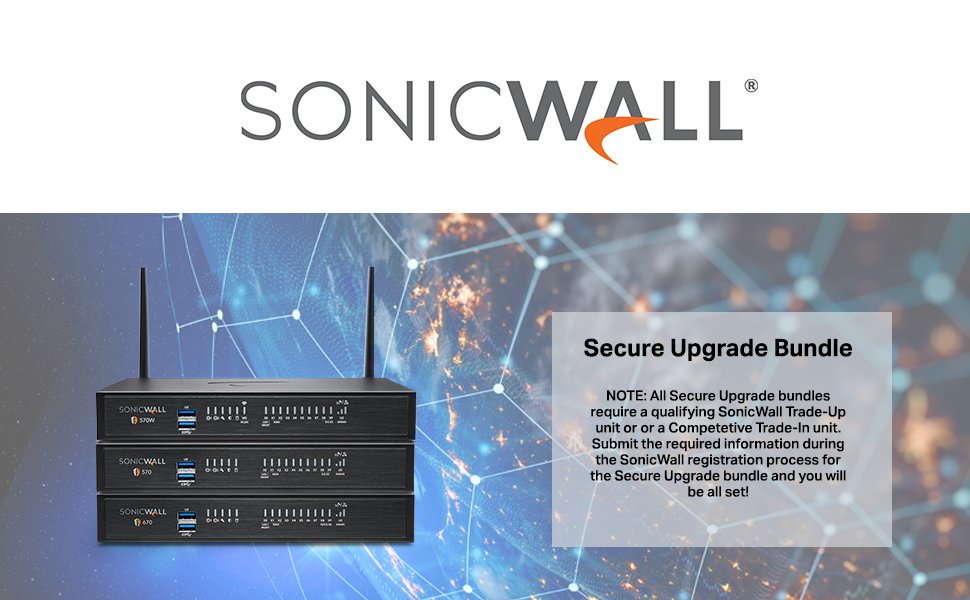
Figure 3.2.1: Secure Upgrade Bundle Information. This image provides important details regarding the Sonicwall Secure Upgrade Bundle, noting that a qualifying SonicWall Trade-Up unit or a Competitive Trade-In unit is required for registration. Users must submit the necessary information during the SonicWall registration process for the Secure Upgrade bundle.
4. Operasyon Enstriksyon
Once configured, the Sonicwall TZ370W operates as your primary network security gateway. This section covers general operational aspects.
4.1 Management Interfaces
The device can be managed through several interfaces:
- Network Security Manager (NSM): A cloud-based platform for centralized management of multiple Sonicwall devices.
- Web Entèfas itilizatè (Web UI): The primary graphical interface for local device configuration and monitoring.
- Entèfas Liy Kòmand (CLI): Accessible via SSH or the Console port for advanced configuration and troubleshooting.
4.2 Sèvis Sekirite
The Threat Protection Service Suite (TPSS) provides a range of security features:
- Capture Advanced Threat Protection (ATP): Cloud-based multi-engine sandbox for detecting and preventing unknown threats.
- Gateway Anti-Virus and Anti-Spyware: Real-time protection against malware, viruses, and spyware at the gateway.
- Sistèm Prevansyon Entrizyon (IPS): Protects against network-based attacks and exploits.
- Application Firewall Service: Controls and manages application usage on the network.
- Content Filtering Services (CFS): Blocks access to inappropriate or unproductive websit.
- Comprehensive Anti-Spam: Filters out spam and phishing emails.
5. Antretyen
Regular maintenance ensures optimal performance and security of your Sonicwall TZ370W.
- Mizajou mikrolojisyèl: Regularly check for and apply the latest firmware updates to ensure your device has the most current security patches and features. This can be done through the Web UI or Network Security Manager.
- Sovgad Konfigirasyon: Periodically back up your device configuration. This allows for quick restoration in case of unforeseen issues.
- Abònman Sèvis Sekirite: Ensure that your Threat Protection Service Suite (TPSS) and other security service subscriptions are active and up-to-date.
- Enspeksyon fizik: Ensure the device is in a well-ventilated area, free from dust and obstructions to airflow.
NAN. Depanaj
Seksyon sa a bay etap debaz pou depanaj pwoblèm komen yo.
6.1 Pwoblèm komen ak solisyon
- Pa gen pouvwa:
- Verify the power adapter is securely connected to the device and a working power outlet.
- Check the power LED on the front panel. If it's off, try a different power outlet or adapter.
- Pa gen koneksyon rezo:
- Check cable connections to WAN and LAN ports. Ensure link lights are active.
- Verify IP address settings on connected devices.
- Restart the Sonicwall appliance and connected network devices.
- Pèfòmans Ralanti:
- Check network utilization through the Web UI.
- Ensure firmware is up-to-date.
- Review security service logs for any unusual activity.
- Pa Ka Aksè Web UI:
- Ensure your computer's IP address is in the same subnet as the TZ370W's LAN interface.
- Try accessing via HTTPS.
- Vide kach navigatè a oubyen eseye yon lòt navigatè.
For more complex issues or persistent problems, refer to the official Sonicwall support documentation or contact technical support.
7. Espesifikasyon
Detailed technical specifications for the Sonicwall TZ370W.

Figure 7.1.1: Sonicwall TZ Series Quick Glance Specification Table. This table provides a quick comparison of key specifications across various Sonicwall TZ series models, including multi-gig interfaces, storage, firewall inspection, DPI performance, maximum connections, VPN tunnels, VLAN interfaces, WiFi technology, and SonicOS 7.0 support.

Figure 7.1.2: Sonicwall Gen 7 TZ Series System Specifications Table. A comprehensive table detailing system specifications for the Sonicwall Gen 7 TZ series, covering operating system, interfaces, wireless support, Power over Ethernet (PoE) support, storage expansion, management options, redundant power supply, Single Sign-On (SSO) users, VLAN interfaces, and maximum access points supported.
7.1 General Specifications (TZ370W)
| Karakteristik | Detay |
|---|---|
| Dimansyon pwodwi | 9.1 x 9.1 x 3 pous |
| Pwa atik | 3.15 liv |
| Sistèm operasyon | SonicOS 7.0 |
| Entèfas | 8x1GbE, 2 USB 3.0, 1 Console |
| VLAN Interfaces | 128 |
| Access Points Supported (Max) | 16 |
| Wireless Creole | 802.11ac Wave 2 (TZ370W) |
| Firewall Inspection Throughput | 3 Gbps |
| Threat Prevention Throughput | 1.5 Gbps |
| DPI SSL Inspection Throughput | 500 Mbps |
| VPN Clients (Maximum) | 2 (100) |
| Jesyon | Network Security Manager, CLI, SSH, Web UI, GMS, REST APIs |
| Koulè | Nwa |
8. Garanti ak sipò
Sonicwall provides comprehensive support and warranty services for its products.
8.1 Sipò teknik
Your Sonicwall TZ370W includes 24x7 support with firmware updates as part of the Threat Protection Service Suite. For technical assistance, please contact Sonicwall support through their official websit oswa enfòmasyon kontak yo bay ak acha w la.
8.2 Pwodwi Garanti
Sonicwall products are covered by a limited hardware warranty. Specific warranty terms and conditions may vary based on region and purchase agreement. Please refer to the warranty documentation included with your product or visit the official Sonicwall websit pou enfòmasyon detaye.


