Entwodiksyon
Thank you for choosing the AUNA Microstar Sing Vertical Karaoke Micro System. This manual provides essential information for the safe and efficient operation of your device. Please read it thoroughly before use and retain it for future reference.
Enstriksyon Sekirite
- Li tout enstriksyon yo ak anpil atansyon anvan ou itilize aparèy la.
- Kenbe aparèy la lwen dlo, imidite, ak limyè solèy dirèk.
- Pa bloke ouvèti vantilasyon yo. Asire w ke gen ase espas ozalantou aparèy la pou yon bon sikilasyon lè.
- Sèvi ak adaptè pouvwa a sèlman ak inite a.
- Pa eseye repare oswa modifye aparèy la tèt ou. Konfye tout antretyen bay pèsonèl kalifye.
- Clean the unit only with a dry, soft cloth. Do not use liquid cleaners or aerosols.
- Kenbe ti pyès ak materyèl anbalaj yo lwen timoun yo.
Kontni pake
Tanpri tcheke pake a pou atik sa yo:
- AUNA Microstar Sing Main Unit
- Oratè Stereo (2 inite)
- Mikwofòn branche
- Adaptè pouvwa
- Manyèl Itilizatè (dokiman sa a)
Pwodwi souview
The AUNA Microstar Sing is a versatile micro system designed for karaoke and audio playback. It features a compact design, multiple input options, and integrated LED lighting.

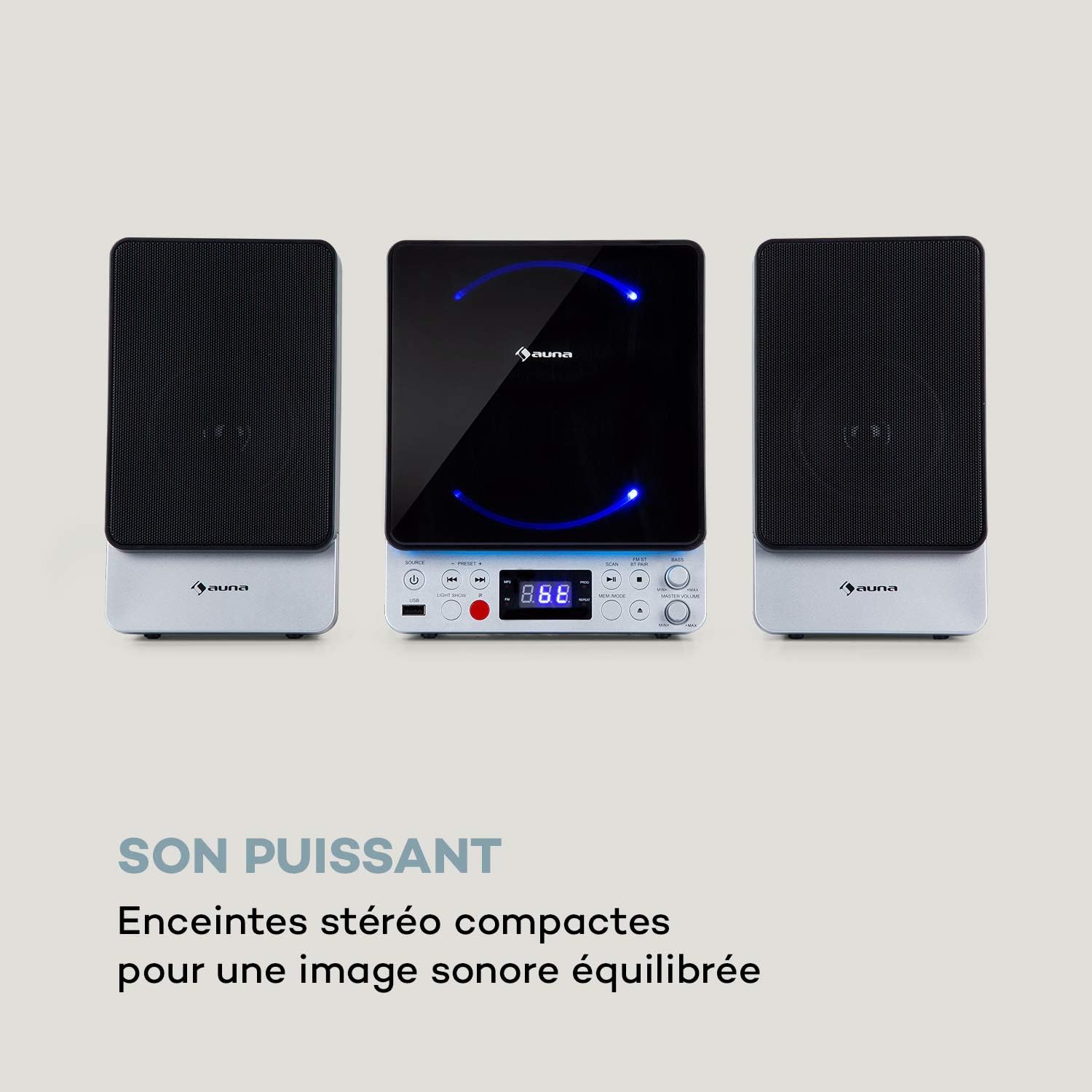

Karakteristik kle:
- Space-saving vertical design
- CD player compatible with standard audio CDs, CD-R, CD-RW, MP3 CDs, and CD-G (Karaoke CDs with graphics)
- Video output (composite PAL) for displaying CD-G lyrics on an external screen
- Bluetooth interface for wireless audio streaming
- USB port for MP3 playback from USB storage devices
- FM radio tuner with 30 preset stations
- Two microphone inputs for duets
- Integrated LED lighting for ambiance
- AUX-In for connecting external audio sources
Enstalasyon
1. Debalaj ak plasman:
Carefully remove all components from the packaging. Place the main unit and speakers on a stable, flat surface. Ensure there is adequate ventilation around the unit.
2. Konekte Oratè yo:
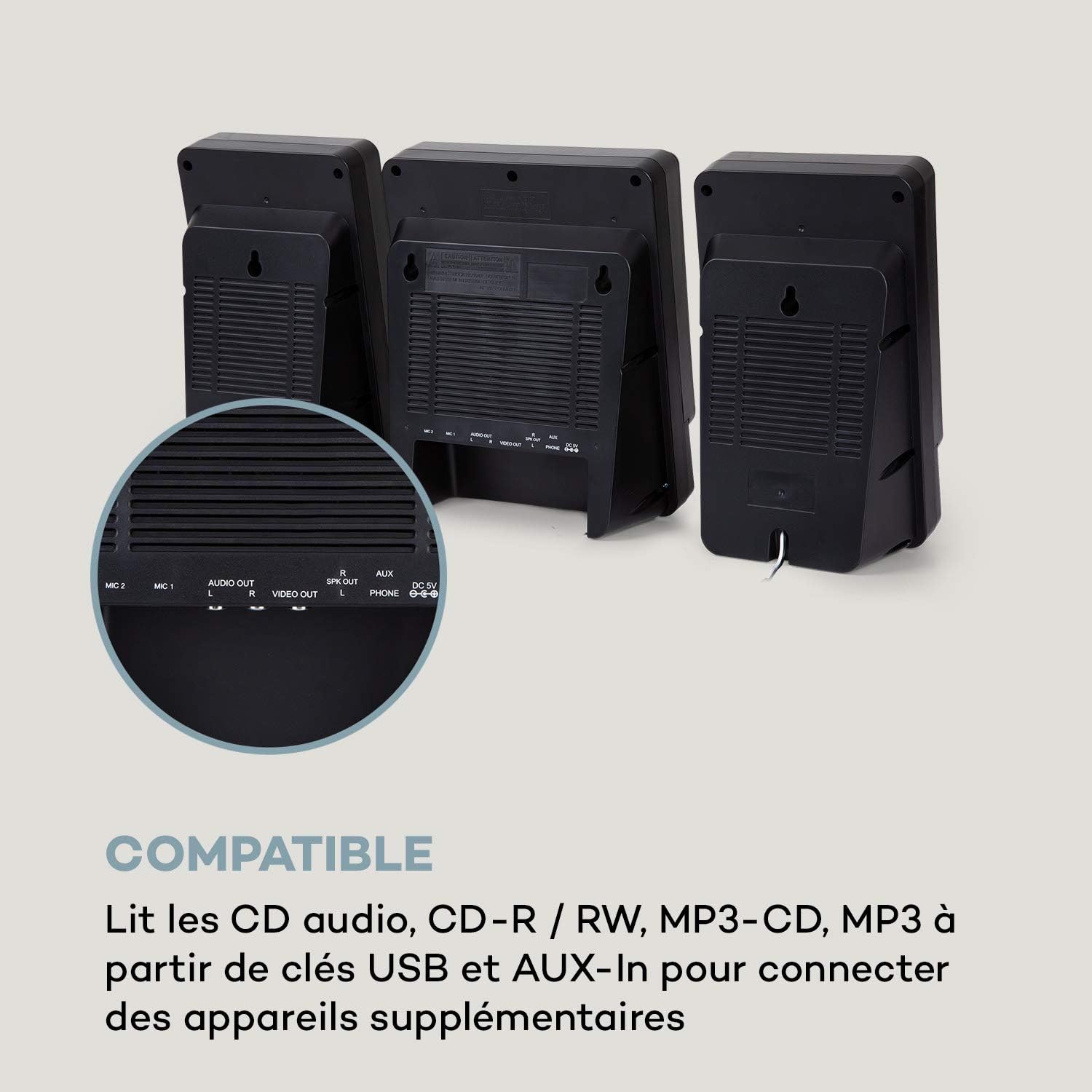
Connect the two stereo speakers to the speaker output ports on the main unit. Ensure a secure connection for optimal sound quality.
3. Koneksyon pouvwa:
Connect the supplied power adapter to the DC 5V input on the main unit, then plug the adapter into a wall outlet.
4. Microphone Connection:
Plug the wired microphone into one of the MIC input jacks (MIC 1 or MIC 2) on the main unit.
5. Video Output (for CD-G):
If using CD-G discs, connect a composite video cable (not included) from the VIDEO OUT port on the main unit to the video input of your TV or monitor.
Enstriksyon Operasyon
1. Power On/Off:
Peze a POUVWA bouton pou limen oswa etenn inite a.
2. Seleksyon sous:
Peze a SOUS button repeatedly to cycle through available modes: CD, Bluetooth (BT), USB, FM, AUX.
3. Lektur CD:
- Chwazi mòd CD a avèk bouton an SOUS bouton.
- Louvri lòj CD la.
- Place a CD (audio CD, CD-R, CD-RW, MP3 CD, or CD-G) onto the spindle with the label side facing up.
- Close the CD compartment. The disc will begin playing automatically or after pressing JWE/POZ.
- Sèvi ak ANVAN epi PWOCHÈ bouton pou sote tras.

4. Pè Bluetooth:
- Select BT mode using the SOUS button. The display will show "BT" and flash, indicating pairing mode.
- Aktive Bluetooth sou aparèy mobil ou a (telefòn entelijan, tablèt, elatriye).
- Chèche pou "AUNA Microstar Sing" in your device's Bluetooth settings and select it to pair.
- Once paired, you can stream audio wirelessly from your device to the Microstar Sing.

5. Lektur USB:
- Mete yon kle USB ki gen odyo MP3 ladan l files nan pò USB a.
- Chwazi mòd USB a avèk la SOUS bouton.
- Aparèy la ap detekte epi kòmanse jwe MP3 otomatikman. files.
- Sèvi ak ANVAN epi PWOCHÈ bouton pou navige sou tras.
6. FM Radyo:
- Chwazi mòd FM lan avèk bouton an SOUS bouton.
- Peze a ESKANYE bouton an pou eskane epi sove estasyon FM ki disponib yo otomatikman.
- Sèvi ak la PRESET + epi PREREGISTRMAN - bouton pou chanje estasyon ki anrejistre yo.
7. Karaoke Function:
With a CD-G disc playing and connected to a TV, or any audio source playing, adjust the microphone volume using the dedicated VOLIM MIC knob. Sing along with the music. The LED lighting will enhance the karaoke experience.
8. Kontwòl Volim:
Ajiste volim jeneral la avèk la MÈT VOLIM bouton. La BASS knob allows for bass level adjustment.
9. LED Light Show:
Peze a SHOW LIMYE button to activate or deactivate the integrated LED lighting effects.
Antretyen
Netwayaj:
Wipe the unit with a soft, dry cloth. Do not use abrasive cleaners, waxes, or solvents as they may damage the finish. Ensure the unit is unplugged before cleaning.
Depo:
If not in use for an extended period, unplug the unit and store it in a cool, dry place, away from direct sunlight and extreme temperatures.
Depanaj
| Pwoblèm | Kòz posib | Solisyon |
|---|---|---|
| Pa gen pouvwa | Adaptè kouran an pa konekte oswa priz la gen pwoblèm. | Asire w adaptè kouran an byen konekte ak aparèy la epi li nan yon priz kouran ki fonksyone. |
| Pa gen son | Volim twò ba; sous ki pa kòrèk la chwazi; oratè yo pa konekte. | Increase master volume. Select the correct input source. Check speaker connections. |
| CD a pa ap jwe | CD inserted incorrectly; disc scratched/dirty; incorrect mode. | Ensure CD is inserted correctly. Clean or replace the disc. Select CD mode. |
| Bluetooth pa konekte | Unit not in pairing mode; device too far; Bluetooth off on source device. | Ensure unit is in BT mode and flashing. Move device closer. Enable Bluetooth on your device. |
| Mikwofòn pa mache | Microphone not connected; MIC volume too low. | Ensure microphone is securely plugged in. Increase MIC volume. |
| Move resepsyon radyo FM | Siyal fèb; antèn nan pa byen plase. | Adjust the position of the unit or external antenna (if applicable) for better reception. |
Espesifikasyon
| Karakteristik | Spesifikasyon |
|---|---|
| Mak | AUNA |
| Nimewo Modèl | MG3-9200-hghg |
| Koulè | Ajan |
| Koneksyon Teknoloji | Bluetooth, USB |
| Koneksyon | USB, AUX-In, Microphone (2), Video Out (Composite) |
| Total pò USB | 1 |
| Kalite Medya | CD-RW, USB, MP3 CD, CD-G |
| Kantite moun kap pale | 2 (Estereo) |
| Eleman enkli | Mikwofòn |
| Itilizasyon Rekòmande | Lakay |
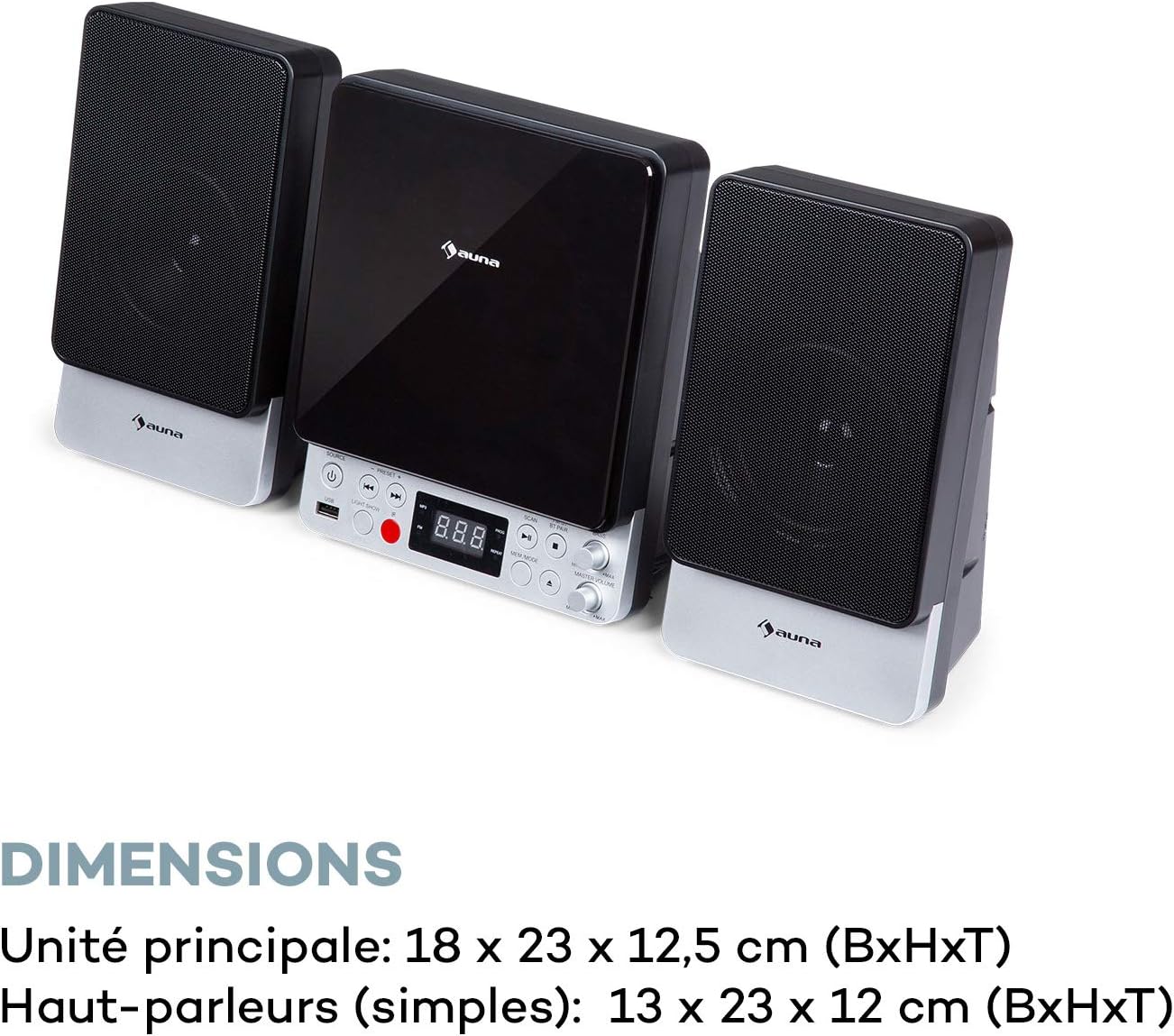
| Dimansyon Inite Prensipal la (LxHxP) | 18 x 23 x 12.5 cm |
| Speaker Dimensions (WxHxD, each) | 13 x 23 x 12 cm |
Garanti ak sipò
For warranty information and technical support, please refer to the warranty card included with your product or contact AUNA customer service directly. Keep your proof of purchase for any warranty claims.
For further assistance, please visit the official AUNA websit la oubyen kontakte chanèl sipò yo.


