1. Entwodiksyon
Thank you for choosing the Anlapus 8-Channel H.265+ 1080P DVR Video Recorder. This manual provides detailed instructions for setting up, operating, and maintaining your DVR system. Please read this manual thoroughly before use to ensure proper installation and functionality.
2. Ki sa ki nan bwat la
Lè w ap ouvri pake a, tanpri verifye si tout bagay sa yo ladan l:
- 1 x Anlapus 8-Channel 2MP DVR
- 1 x 12VDC 2A pouvwa adaptè
- 1 x USB sourit
- 1 x Manyèl Itilizatè (dokiman sa a)

Image: Included components of the Anlapus DVR system.
3. Pwodwi souview
The Anlapus DVR is designed for reliable video surveillance recording. Familiarize yourself with the front and rear panels of the device.
3.1 Panno devan ak dèyè

Image: Front and rear panel layout of the Anlapus DVR.
3.2 Port Descriptions and Dimensions

Imaj: Detaye view of DVR ports and dimensions.
- Antre Videyo (1-8): BNC connectors for connecting analog cameras (TVI, AHD, CVI, CVBS).
- Antre/soti odyo: RCA connectors for audio input from cameras (if supported) and audio output to a speaker/monitor.
- VGA/HDMI: Video output ports for connecting to a monitor or TV.
- Rezo: RJ45 port for connecting to your local network/router for remote access.
- USB 2.0: Ports for connecting the included mouse or a USB flash drive for backup.
- DC 12V: Pò D 'pouvwa.
4. Enstalasyon
4.1 Enstalasyon Disk Di (Si ou vle)
The Anlapus DVR does not include a hard drive. A 2.5/3.5 inch SATA surveillance hard drive (up to 8TB) is required for video recording. PC hard drives are not recommended. Refer to the separate hard drive installation guide for detailed steps.
4.2 Konekte Kamera yo
The DVR supports 800-3000TVL, 720P-1080P AHD, CVI, and TVI cameras. Thanks to self-adaptive technology, connected cameras are automatically recognized.

Image: Camera compatibility and connection diagram.
- Connect your analog cameras to the BNC video input ports (1-8) on the rear panel of the DVR.
- Asire w kamera yo limen.
4.3 Connecting to a Monitor/TV
- Connect a monitor or TV to the DVR using either the VGA or HDMI port.
- Connect the included USB mouse to one of the USB ports on the DVR.
4.4 Rezo Koneksyon
Pou aleka viewing and network features, connect the DVR to your router using an Ethernet cable.
4.5 Limen
- Connect the 12VDC 2A power adapter to the DC 12V input port on the DVR.
- Plug the power adapter into a power outlet. The DVR will power on automatically.
5. Opere DVR la
5.1 Mòd Anrejistreman
The DVR supports various recording modes to suit your surveillance needs:
- Anrejistreman kontinyèl: Anrejistreman 24/7.
- Anrejistreman pwograme: Anrejistreman pandan peryòd tan espesifik.
- Mouvman Deteksyon Anrejistreman: Anrejistre sèlman lè yo detekte mouvman, sa ki ekonomize espas depo.
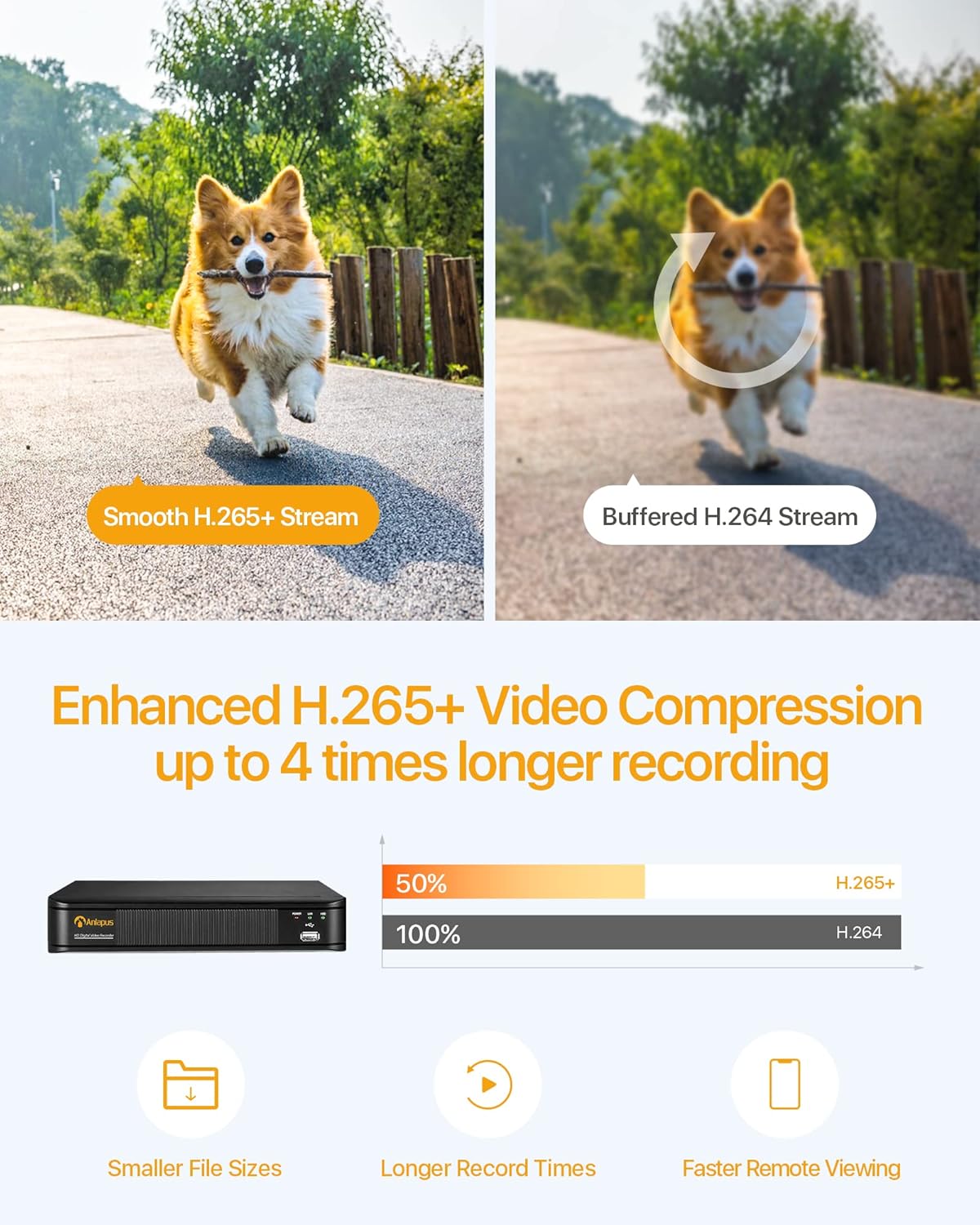
Image: Multiple recording modes supported by the DVR.
5.2 H.265+ Konpresyon Videyo
The DVR utilizes advanced H.265+ video compression technology, which efficiently encodes video streams. This results in smaller file sizes, longer recording times, and faster remote viewing, optimizing your storage and bandwidth usage.

Image: Benefits of H.265+ video compression.
5.3 Remote Viewing and Alerts
Access your DVR and view viv oswa anrejistre footage from anywhere using the free Anlapus Cloud App on your smartphone, tablet, laptop, or PC. The app also provides push notifications for motion-triggered events, keeping you informed.

Image: Customized motion detection and alerts via the app.

Image: Live view on multiple devices.
5.4 Lektur
Review anrejistre footage directly from the DVR or remotely via the mobile application. The intuitive interface allows for easy navigation through timelines and events.

Image: Playback and remote viewing koòdone.
6. Antretyen
- Netwayaj: Use a soft, dry cloth to clean the DVR's exterior. Do not use liquid or aerosol cleaners.
- Vantilasyon: Asire w ou mete DVR a nan yon zòn ki byen ayere pou anpeche l chofe twòp. Pa bloke ouvèti vantilasyon yo.
- Mizajou mikrolojisyèl: Periodically check the Anlapus official websit la pou nenpòt mizajou firmwèr ki disponib pou asire pèfòmans ak sekirite optimal.
- Sovgad done: Regularly back up important video footage to an external USB drive or cloud storage.
NAN. Depanaj
| Pwoblèm | Kòz posib | Solisyon |
|---|---|---|
| Pa gen pwodiksyon videyo sou monitè a | Loose cable connection; Incorrect input source on monitor; DVR not powered on. | Check VGA/HDMI cable connections; Select correct input source on monitor; Verify DVR power indicator is on. |
| Pa gen anrejistreman | No hard drive installed or detected; Hard drive full; Incorrect recording schedule. | Install a compatible hard drive; Format/delete old recordings; Check recording settings and schedule. |
| M pa ka jwenn aksè nan DVR a distans | No network connection; Incorrect network settings; Firewall blocking access. | Check Ethernet cable connection; Verify network settings (IP address, gateway); Configure router firewall/port forwarding if necessary. |
| Pòv bon jan kalite imaj | Camera resolution mismatch; Dirty camera lens; Poor lighting. | Ensure cameras are 1080P compatible; Clean camera lenses; Improve lighting conditions. |
8. Espesifikasyon
| Karakteristik | Spesifikasyon |
|---|---|
| Nimewo Modèl | 6973225210377 |
| Konpresyon videyo | H.265 + |
| Antre Videyo | 8 chanèl |
| Rezolisyon videyo | Up to 1080P (2.0MP) at 15fps |
| Kamera konpatib | 800-3000TVL, 720P-1080P AHD, CVI, TVI (Analog) |
| Sipò pou Disk Di | 1x SATA Port, up to 8TB (Hard drive not included) |
| Sòti videyo | VGA, HDMI |
| Odyo Antre / Sòti | Pò RCA |
| Entèfas rezo a | RJ45 Ethernet |
| Entèfas USB | 2 x USB 2.0 |
| Pwovizyon pou pouvwa | DC 12V |
| Dimansyon (L x W x H) | Apeprè. 230mm x 250mm x 43mm |
| Pwa | 1.35 Kilogram |
9. Garanti ak sipò
Anlapus products are designed for reliability and performance. For warranty information, technical support, or any inquiries, please refer to the contact details provided in your product packaging or visit the official Anlapus websit la. Tanpri konsève resi acha ou a pou reklamasyon garanti.


