Entwodiksyon
Thank you for choosing COBY True Wireless Sport Earbuds. These earbuds are designed to provide a seamless audio experience with advanced features like Bluetooth 5.3 connectivity, automatic pairing, and intuitive controls, perfect for active lifestyles. This manual will guide you through the setup, operation, maintenance, and troubleshooting of your new earbuds to ensure optimal performance and longevity.
1. Pake kontni
Anvan ou kòmanse, tanpri asire w ke tout bagay yo prezan nan pake a:
- COBY True Wireless Sport Earbuds
- Ka chaje
- Chaje kab
- 2 Extra Pairs of Ear Gels (S/M)
- Manyèl Itilizatè (dokiman sa a)
2. Gid Enstalasyon
2.1 Chaje ekoutè yo ak bwat la
For first-time use, fully charge the earbuds and the charging case. The charging case holds two extra charges, providing up to 15 hours of total battery life.
- Mete ekoutè yo nan plas respektif yo nan bwat chaje a. Asire w ke yo byen chita.
- Connect the charging cable to the charging port on the case and the other end to a USB power source (e.g., wall adapter, computer USB port).
- The LED indicators on the case and earbuds will show charging status. Once fully charged, the indicators will change or turn off.

Image: Earbuds securely placed within the charging case, ready for charging.

Image: The earbuds displayed alongside their open charging case, illustrating how they fit.
2.2 Initial Pairing (Auto-Pairing)
Your COBY earbuds feature auto-pairing for convenience.
- Asire ke ekoutè yo chaje.
- Louvri bwat chaje a. Ekoutè yo ap antre otomatikman nan mòd koneksyon.
- Sou aparèy ou an (telefòn entelijan, tablèt, elatriye), ale nan paramèt Bluetooth epi aktive Bluetooth.
- Chèche pou available devices and select "COBY CETW570WH" (or similar name) from the list.
- Yon fwa konekte, w ap tande yon son konfimasyon, epi ekoutè yo ap pare pou itilize.
- After the initial pairing, the earbuds will automatically connect to your last paired device when removed from the case.
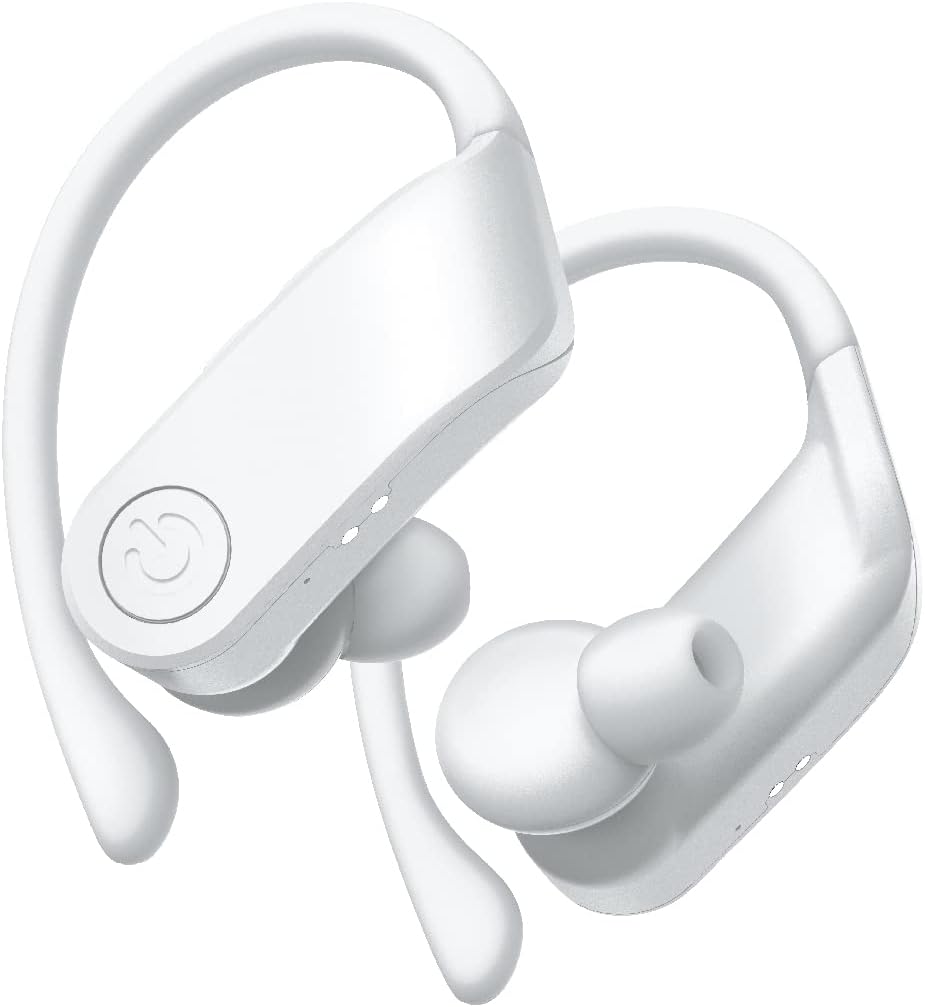
Imaj: Yon gwo plan view of the white COBY True Wireless Sport Earbuds, highlighting their design.
3. Operasyon Enstriksyon
3.1 Mete ekoutè yo
These earbuds are designed with rubberized ear hooks for a secure and comfortable fit, especially during sports and exercise.
- Idantifye ekoutè gòch (L) ak dwa (R).
- Dousman mete ekoutè a nan kanal zòrèy ou.
- Adjust the ear hook over the top of your ear until it feels snug and stable.
- Ensure a good seal in your ear canal for optimal sound quality and bass response.
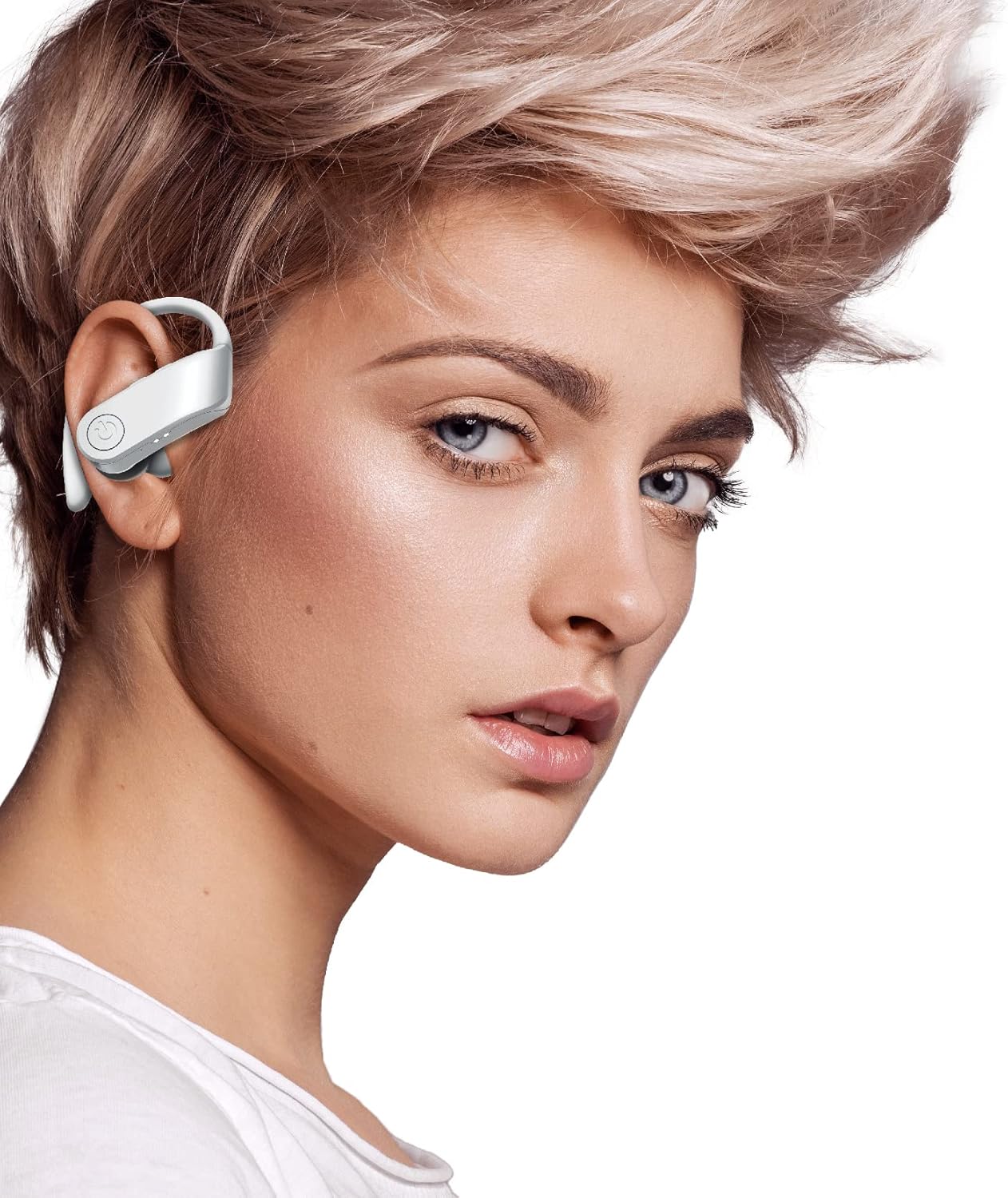
Image: A person wearing one of the COBY True Wireless Sport Earbuds, demonstrating the secure fit with the ear hook.
3.2 Playback and Call Controls
The earbuds feature intuitive button controls for managing your audio and calls:
| Aksyon | Kontwòl |
|---|---|
| Jwe/Poz Mizik | Single press on either earbud button |
| Next Track | Double press on the Right earbud button |
| Previous Track | Double press on the Left earbud button |
| Reponn/Fen Apèl | Single press on either earbud button |
| Rejte apèl | Press and hold either earbud button for 2 seconds |
| Aktive Asistan Vwa a (Siri/Asistan Google) | Triple press on either earbud button |
3.3 Automatic Disconnection
To disconnect the earbuds from your device and begin charging, simply place them back inside the charging case and close the lid. They will automatically power off and start charging.
4. Antretyen ak Swen
Proper care will extend the life of your earbuds and ensure consistent performance.
- Netwayaj: Use a soft, dry, lint-free cloth to clean the earbuds and charging case. Do not use abrasive cleaners, alcohol, or chemical solvents. Regularly clean the ear tips and charging contacts to prevent debris buildup.
- Depo: Lè w pa ap itilize ekoutè yo, toujou sere yo nan bwat chaje yo pou pwoteje yo kont pousyè, salte ak domaj.
- Swen batri: Pou konsève lavi batri a, evite dechaje ekoutè yo ak kouvèti a nèt souvan. Chaje yo regilyèman, menm si w pa itilize yo tout tan. Sere yo nan yon kote ki fre epi sèk, lwen tanperati ekstrèm.
- Rezistans dlo: While designed for sport, these earbuds are sweat-proof. Avoid submerging them in water or exposing them to heavy rain.
NAN. Depanaj
Si ou rankontre nenpòt pwoblèm ak ekoutè ou yo, tanpri al gade solisyon komen sa yo:
| Pwoblèm | Solisyon |
|---|---|
| Ekoutè pa asosye ak aparèy |
|
| Pa gen son ki soti nan youn oubyen toulede ekoutè yo |
|
| Ka chaje pa chaje ekoutè |
|
| Move kalite son oswa koneksyon ki pa ale souvan |
|
6. Espesifikasyon
| Karakteristik | Detay |
|---|---|
| Non modèl | CETW570WH |
| Koneksyon Teknoloji | San fil (Bluetooth) |
| Bluetooth vèsyon | 5.3 |
| Wireless Range | Jiska 33 pye (10 mèt) |
| Dire batri (ekoutè) | Jiska 5 èdtan pou chak chaj |
| Total Play Time (with Case) | Jiska 15 èdtan |
| Kalite kontwòl | Button Control, Siri, Google Assistant |
| Plasman Zòrèy | In Ear with Hook |
| Materyèl | Akrilonitrile butadien stirèn (ABS) |
| Dimansyon pwodwi | 5 x 2.24 x 6.46 pous |
| Pwa atik | 10 ons |
| UPC | 643620020470 |
7. Garanti ak sipò
COBY products are designed for reliability and performance. For information regarding warranty coverage, please refer to the warranty card included in your product packaging or visit the official COBY websit la. Kenbe prèv acha ou pou reklamasyon garanti.
For technical support, troubleshooting assistance, or to inquire about replacement parts, please contact COBY customer service through their official websit la oswa enfòmasyon kontak yo bay nan dokimantasyon pwodwi ou a.
Remak: Espesifikasyon yo ka chanje san avètisman.


