Entwodiksyon
This user manual provides comprehensive instructions for the setup, operation, maintenance, and troubleshooting of your Trust Ozaa Rechargeable Wireless Mouse. Please read this manual carefully before using the product to ensure optimal performance and longevity.

Image: The Trust Ozaa Rechargeable Wireless Mouse shown with its USB receiver and micro-USB charging cable. This image illustrates the main components included with the mouse.
Kontni pake
Verifye ke tout atik yo prezan nan pakè a:
- Trust Ozaa Rechargeable Wireless Mouse
- Reseptè USB
- Mikwo-USB Chaje Kab
- Enstriksyon pou itilize (manyèl sa a)

Image: The retail packaging for the Trust Ozaa Rechargeable Wireless Mouse, highlighting its key features such as 10m wireless range, comfortable design, and silent click buttons.
Enstalasyon
- Chaje sourit la: Before first use, connect the supplied micro-USB charging cable to the mouse's charging port and to a USB power source (e.g., computer USB port, USB wall adapter). The charging indicator light will illuminate. Allow the mouse to fully charge.
- Mete reseptè USB a: Locate the USB receiver, typically stored in a compartment on the underside of the mouse. Remove it and plug it into an available USB-A port on your computer (PC or Mac).
- Pouvwa sou: Turn on the mouse using the on/off switch located on the underside.
- Koneksyon otomatik: The mouse should automatically connect to your computer. No additional drivers are typically required for basic functionality (Plug and Play).

Image: A user operating the Trust Ozaa mouse wirelessly next to a laptop, demonstrating its plug-and-play functionality and 10-meter wireless range.
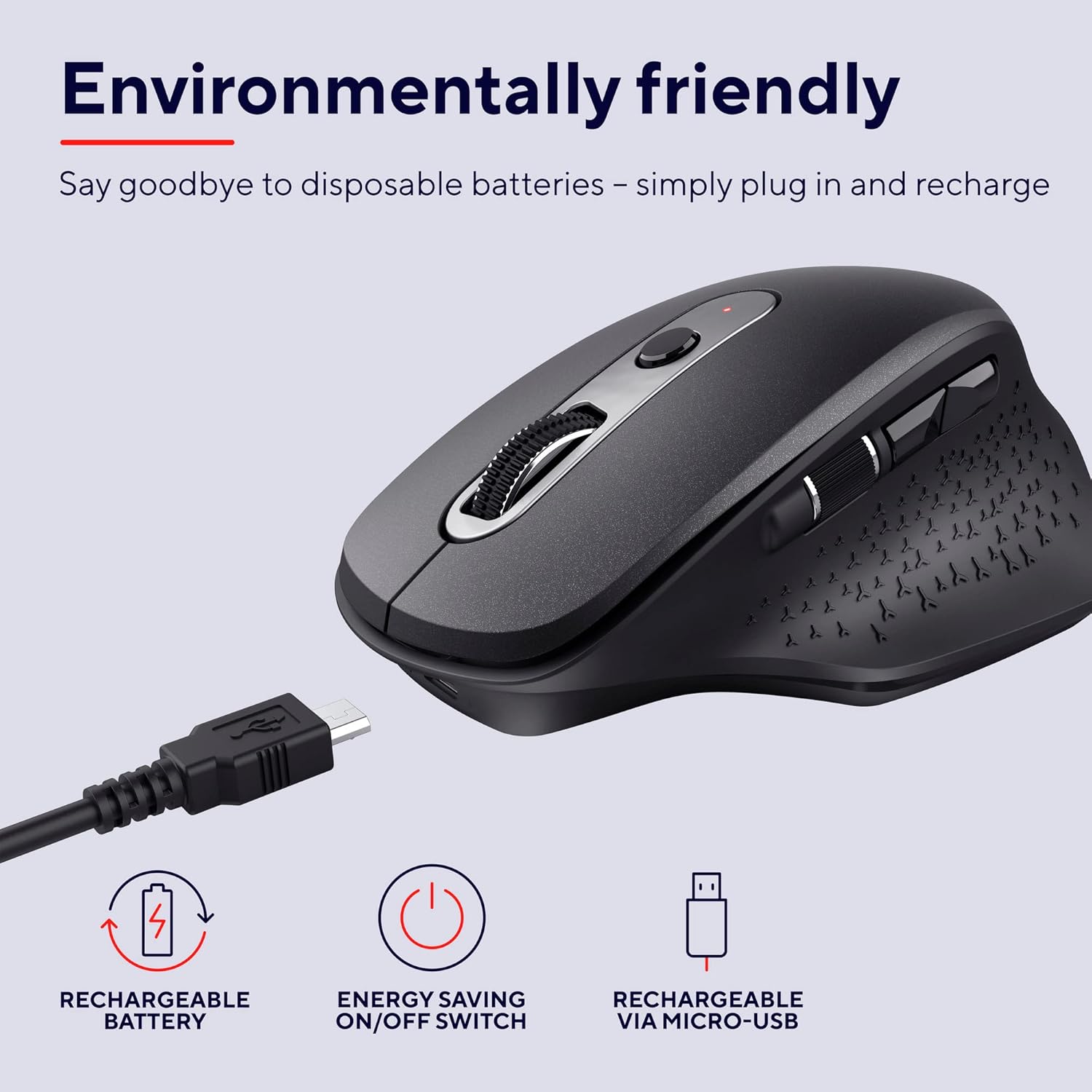
Image: The Trust Ozaa mouse being charged via its micro-USB cable, highlighting its rechargeable battery and energy-saving features.
Enstriksyon Operasyon
Fonksyon bouton
- Bouton Klike Goch: Standard primary click. Designed for silent operation.
- Bouton Klike Dwat: Standard secondary click. Designed for silent operation.
- Rou defile (bouton mitan): Scroll vertically through documents and web pages. Press down for middle-click functionality.
- Bouton Ajisteman DPI: Located behind the scroll wheel. Press to cycle through different cursor speeds (DPI settings: 800, 1200, 1600, 2400 DPI).
- Side Scroll Wheel: Located on the left side. Allows for horizontal scrolling.
- Bouton Avanse/Aryè: Located above the side scroll wheel. Used for navigating forward and backward in web navigatè oswa file eksploratè.

Imaj: Yon imaj anlè view of the Trust Ozaa mouse, visually indicating the DPI adjustment, silent buttons, and convenient side scroll wheel.
DPI Ajisteman
The mouse features an adjustable cursor speed (DPI) ranging from 800 to 2400 DPI. To change the DPI, press the dedicated DPI button located behind the main scroll wheel. Each press will cycle through the available settings, allowing you to select the sensitivity that best suits your task or preference.
Ekonomize enèji
To conserve battery life, the mouse is equipped with an on/off switch on its underside. It also features an automatic sleep mode that activates after a period of inactivity. To wake the mouse, simply move it or click any button.
Antretyen
- Netwayaj: Sèvi ak yon twal mou epi sèk pou netwaye sourit la. Pou pousyè tè ki difisil pou netwaye, yon ti kras mouye.amp Ou ka itilize yon twal, men asire w pa gen imidite ki antre nan konpozan entèn yo. Pa sèvi ak pwodui chimik ki agresif oswa pwodui netwayaj abrazif.
- Chaje: Recharge the mouse when the battery indicator light signals low power or when performance degrades. Use only the provided charging cable or a compatible micro-USB cable.
- Depo: When not in use for extended periods, turn off the mouse to preserve battery life. Store it in a cool, dry place.
Depanaj
| Pwoblèm | Kòz posib | Solisyon |
|---|---|---|
| Sourit la pa reponn. |
|
|
| Mouvman kurseur a pa regilye oswa li sote. |
|
|
| Buttons not working. |
|
|
Espesifikasyon
| Mak | Fè konfyans |
| Nimewo Modèl | 23812 |
| Koneksyon Teknoloji | Radio Frequency (Wireless) |
| Wireless Range | Jiska 10 mèt |
| Anviwònman DPI | 800, 1200, 1600, 2400 DPI (Reglabl) |
| Kantite bouton | 6 (Left, Right, Scroll Wheel Click, DPI, Forward, Backward) + Side Scroll Wheel |
| Bouton prensipal yo | Silent Left and Right Buttons |
| Sous pouvwa | Rechargeable Battery (1 AAA battery included, contained in equipment) |
| Port chaje | Mikwo-USB |
| Dimansyon pwodwi (L x W x H) | 7.7 x 11.8 x 4.6 cm |
| Pwa atik | 122 g |
| Konpatibilite Platfòm Materyèl | PC, Mac |
| Sistèm operasyon konpatibilite | Chrome OS, Windows, Mac OS |
| Karakteristik espesyal | Wireless, Rechargeable, Quiet, Ergonomic Design, Energy-saving On/Off Switch |
Garanti ak sipò
For warranty information and technical support, please refer to the official Trust websit la oubyen kontakte sèvis kliyan yo dirèkteman. Kenbe prèv acha ou pou reklamasyon garanti.
Trust Official Websit: www.trust.com
Pa gen okenn videyo pwodwi ofisyèl nan men vandè a ki te disponib pou enklizyon nan manyèl sa a.


