1. Entwodiksyon
This manual provides comprehensive instructions for the safe and efficient operation, setup, and maintenance of your OLYMPIA NC 455 Money Counting Machine. Please read this manual thoroughly before using the device to ensure proper functionality and to prevent damage.
2. Enstriksyon Sekirite
- Asire ke ekipman pou pouvwa a matche ak voltage specified on the device label.
- Pa opere machin nan ak men mouye oswa nan damp anviwònman.
- Kenbe aparèy la lwen limyè solèy dirèk, sous chalè, ak twòp pousyè.
- Pa eseye demonte oswa repare machin nan tèt ou. Kontakte pèsonèl sèvis kalifye.
- Keep loose clothing, hair, and jewelry away from moving parts during operation.
- Debranche aparèy la nan priz kouran an anvan ou netwaye li oswa lè w pa itilize li pou yon bon bout tan.
3. Pake kontni
Verifye ke tout atik yo prezan nan pakè a:
- OLYMPIA NC 455 Money Counting Machine
- Pouvwa kab
- External Customer Display (if included with your model)
- Netwayaj Bwòs
- Manyèl itilizatè
4. Pwodwi souview
Familiarize yourself with the main components of the OLYMPIA NC 455.

Figi 4.1: Devan view of the OLYMPIA NC 455 Money Counting Machine, showing the input hopper, output stacker, control panel, and LCD display. An external customer display is also visible on the right.
- Input Hopper: Area where banknotes are placed for counting.
- Output Stacker: Area where counted banknotes are collected.
- Kontwòl Panel: Buttons for various functions and settings.
- Ekspozisyon LCD: Shows counting results, modes, and error messages.
- External Customer Display Port: Connection for an optional external display.
- Pouvwa Inlet: Pou konekte kab pouvwa a.

Figi 4.2: Close-up of the blue LCD display and control panel. The display shows counting results and modes, while the buttons allow selection of functions like CF, MG, UV, IR, MT, DD, COUNT, RESET, BATCH, and ADD.
5. Enstalasyon
- Debake: Retire machin nan nan anbalaj li avèk prekosyon. Kenbe anbalaj la pou transpò oswa depo pita.
- Plasman: Place the machine on a stable, flat, and dry surface. Ensure adequate ventilation around the device.
- Koneksyon pouvwa: Connect the power cable to the power inlet on the machine and then to a suitable electrical outlet.
- Eksteryè Ekspozisyon (Opsyonèl): If using an external customer display, connect its cable to the designated port on the main unit.
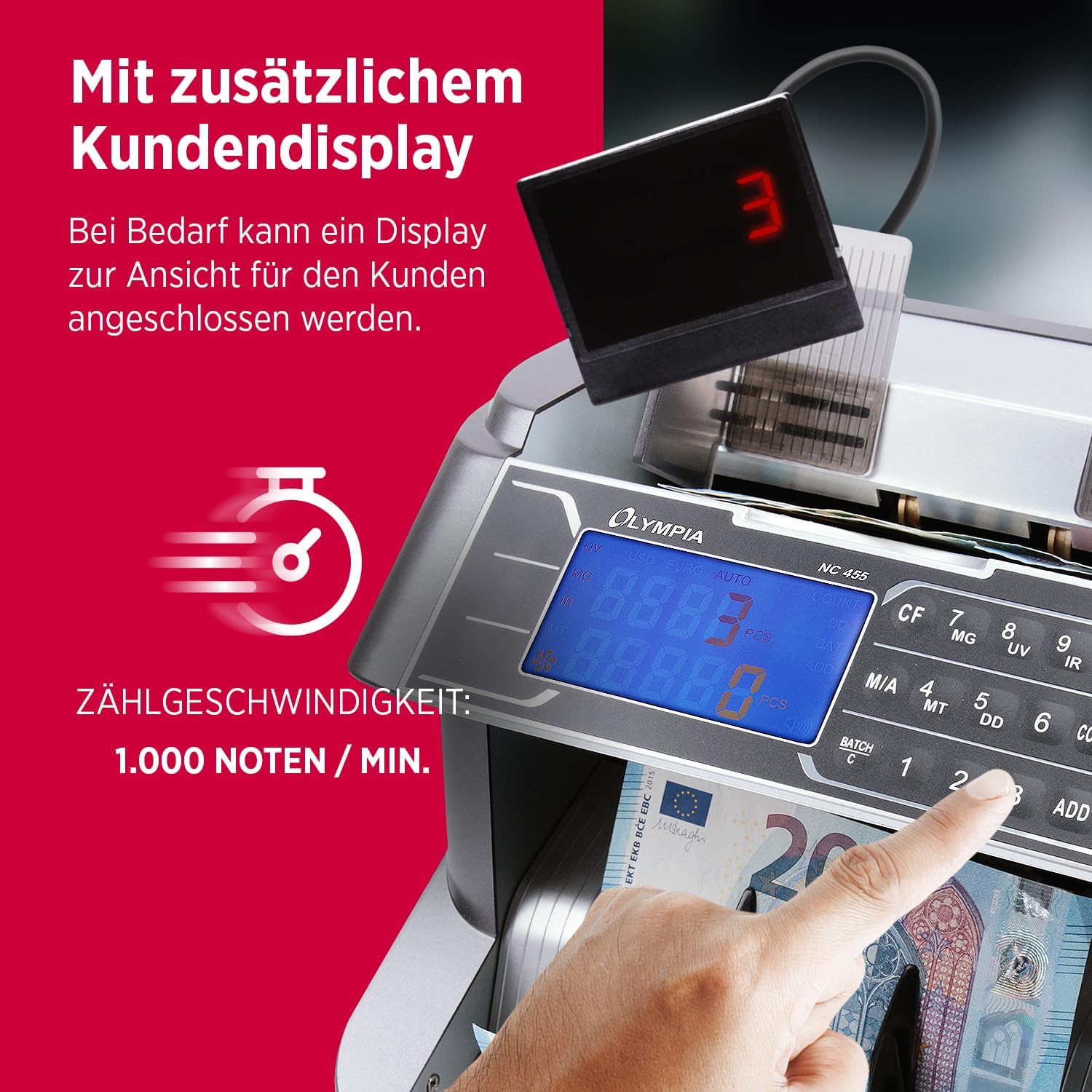
Figi 5.1: The OLYMPIA NC 455 connected to an external customer display, which provides a clear view of the count for customers. The image also highlights the counting speed of 1,000 notes per minute.
- Pouvwa sou: Flip the power switch (usually located at the back or side) to the 'ON' position. The machine will perform a self-test.
6. Operasyon Enstriksyon
The OLYMPIA NC 455 offers various counting and detection functions.
6.1. Basic Counting
- Ensure the machine is powered on and in the default counting mode (usually indicated by "COUNT" on the display).
- Straighten the banknotes and place them neatly into the input hopper. Ensure they are not folded or crumpled.
- The machine will automatically start counting. The count will be displayed on the LCD.
- Once counting is complete, remove the stack from the output stacker.
- Peze a RESET button to clear the count for a new batch.

Figi 6.1: The OLYMPIA NC 455 in operation, demonstrating its comprehensive functionality including free counting, batch counting (1-999), addition function, and automatic start.
6.2. Authenticity Detection
The NC 455 is equipped with multiple detection methods to identify counterfeit banknotes:
- Deteksyon UV (Iltravyolèt): Checks for UV security features on banknotes.
- Deteksyon MG (Mayetik): Detects magnetic ink present in genuine banknotes.
- Deteksyon IR (Enfrawouj): Verifies infrared security patterns.
- MT (Magnetic Thread) Detection: Checks for magnetic security threads.
- DD (Dimension Detection): Detects variations in banknote dimensions (width).
These functions are typically active by default. If a suspicious banknote is detected, the machine will stop, display an error code, and emit an alert sound. Remove the suspicious note and press RESET to continue counting.
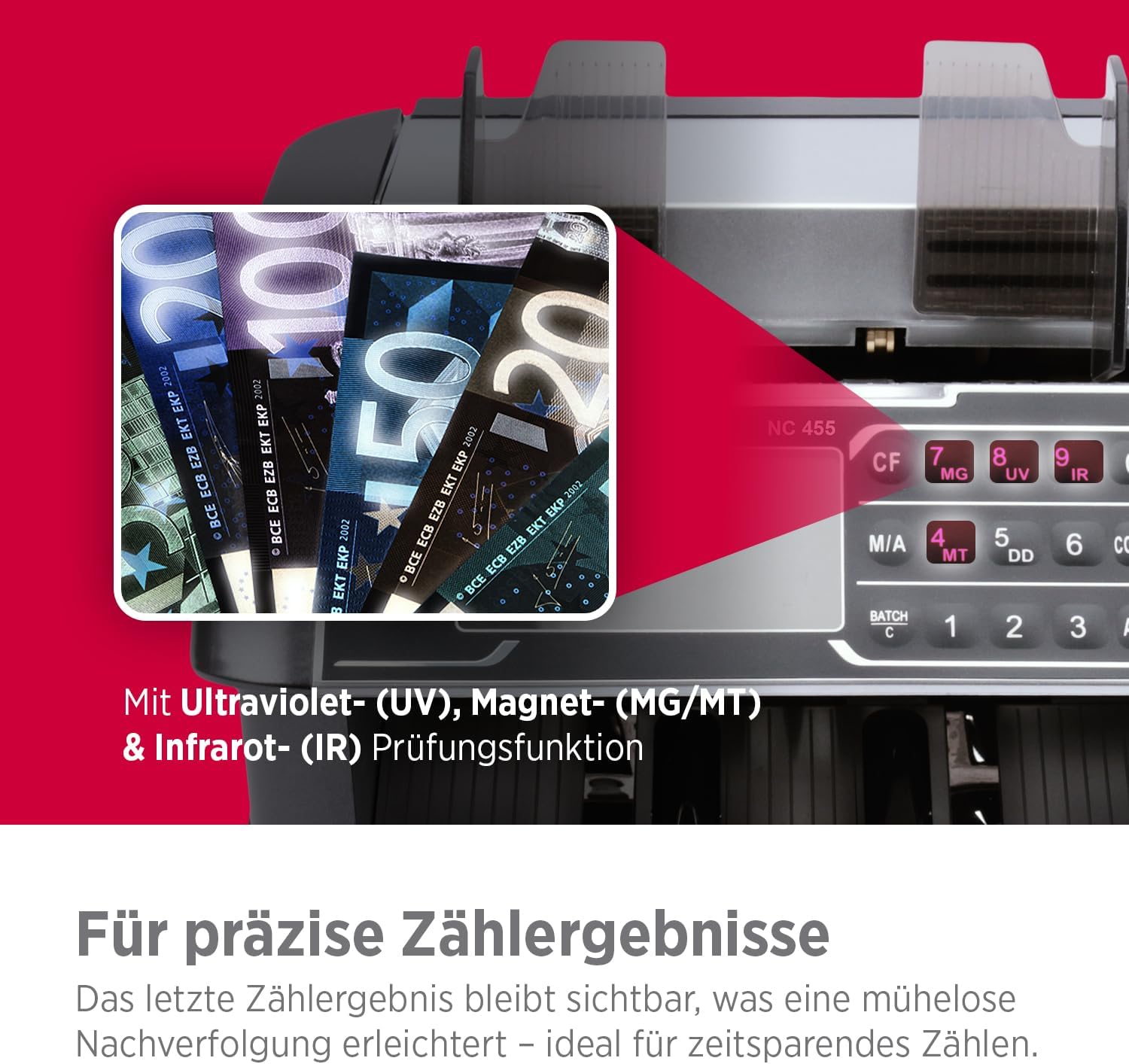
Figi 6.2: Illustration of the OLYMPIA NC 455's advanced detection capabilities, including Ultraviolet (UV), Magnetic (MG/MT), and Infrared (IR) examination functions for precise counting results.
6.3. Batch Function
To count banknotes in specific batches:
- Peze a BATCH bouton.
- Use the number keys (1, 2, 3) or other designated buttons to set the desired batch size (e.g., 10, 20, 50, 100).
- Place the banknotes in the input hopper. The machine will count until the set batch size is reached, then stop.
- Remove the batch and the machine will automatically resume counting for the next batch.
- Peze RESET to exit batch mode.
6.4. Add Function
To accumulate the total count of multiple batches:
- Peze a ADD button. The "ADD" indicator will light up on the display.
- Count your first stack of banknotes. The total will be displayed.
- Place subsequent stacks into the hopper. The machine will add each new count to the previous total.
- Peze RESET to clear the accumulated total and exit add mode.
7. Antretyen
7.1. Netwayaj
Netwayaj regilye asire pèfòmans optimal ak lonjevite machin ou an.
- Pouvwa Off: Toujou etenn epi debranche machin nan anvan ou netwaye li.
- Retire pousyè: Use the provided cleaning brush or a soft, dry cloth to remove dust and paper residue from the input hopper, output stacker, and internal sensors.
- Netwayaj eksteryè: Siye sifas ekstèn yo ak yon twal mou, yon ti kras damp twal. Pa sèvi ak pwodui netwayaj abrazif oswa solvang.
- Netwayaj Capteur: Gently clean the sensors (located inside the counting path) with a cotton swab lightly dampRanpli ak alkòl izopropilik. Kite l sèk nèt anvan ou itilize li.
7.2. Depo
When not in use for extended periods, store the machine in a cool, dry place, away from direct sunlight and extreme temperatures. It is recommended to cover the machine to prevent dust accumulation.
NAN. Depanaj
Gade tablo ki anba a pou pwoblèm komen ak solisyon yo.
| Pwoblèm | Kòz posib | Solisyon |
|---|---|---|
| Machin nan pa limen. | Power cable not connected; power switch off; power outlet fault. | Check power cable connection; ensure power switch is ON; test power outlet with another device. |
| Error message (e.g., "DD", "UV", "MG") or machine stops. | Counterfeit detection; double, half, or chained notes; dirty sensors. | Remove the suspicious note; re-stack notes neatly; clean sensors as per maintenance section. Press RESET klè. |
| Konte ki pa kòrèk. | Banknotes are not neatly stacked; worn or dirty rollers; incorrect mode selected. | Ensure notes are flat and aligned; clean rollers and sensors; verify correct counting mode. |
| Notes jam frequently. | Worn or damaged banknotes; improper feeding; dirty rollers. | Remove damaged notes; ensure notes are fed correctly; clean rollers. |
9. Espesifikasyon
| Karakteristik | Detay |
|---|---|
| Nimewo Modèl | NC 455 |
| Mak | OLYMPIA |
| Konte vitès | Up to 1,000 notes/minute |
| Metòd deteksyon | UV (Ultraviolet), MG (Magnetic), IR (Infrared), MT (Magnetic Thread), DD (Dimension) |
| Kapasite Hopper | Apeprè. 300 nòt |
| Kapasite anpileur | Apeprè. 200 nòt |
| Countable Note Size | 50 x 110 mm pou 85 x 180 mm |
| Ekspozisyon | Blue LCD Display |
| Pwa atik | 13.01 liv (apeprè 5.9 kg) |
| Dimansyon pwodwi (LxWxH) | 12.6 x 12.2 x 12.2 pous (apeprè 32 x 31 x 31 cm) |

Figi 9.1: Illustration detailing the countable note sizes (50 x 110 mm to 85 x 180 mm) and the machine's large capacity, holding 300 notes in the hopper and 200 in the stacker.
10. Garanti ak sipò
The OLYMPIA NC 455 Money Counting Machine comes with a standard manufacturer's warranty. Please refer to the warranty card included in your package for specific terms and conditions.
For technical support, service, or inquiries regarding your product, please contact OLYMPIA customer service through their official websit la oswa enfòmasyon kontak yo bay ak dokiman acha ou a.
Manifakti: GO Europe GmbH
UPC: 4030152950843


