Entwodiksyon
Welcome and thank you for choosing the Umax Webcam W5. This manual provides essential information for setting up, operating, maintaining, and troubleshooting your webcam. Please read it carefully before use to ensure proper functionality and longevity of your device.
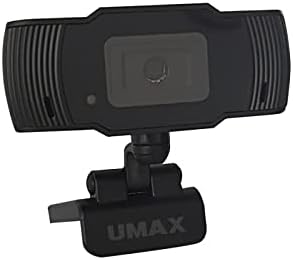
Imaj: Devan view of the Umax W5 Webcam. This image displays the main unit of the webcam, highlighting its lens and overall design.
1. Enstalasyon
1.1 Kontni pake a
- Umax W5 Webkam
- Iwa
1.2 Kondisyon Sistèm
Umax W5 la Webcam is compatible with most operating systems that support standard USB webcams, including Windows, macOS, and Linux distributions.
1.3 Konekte a Webkam
- Devlope la webcam's integrated clip/stand.
- Mete la webcam securely on top of your monitor, laptop screen, or a flat surface.
- Connect the USB cable from the webkamera a nan yon pò USB ki disponib sou òdinatè w la.
- La webcam should be automatically recognized by your operating system. No additional drivers are typically required for basic functionality.
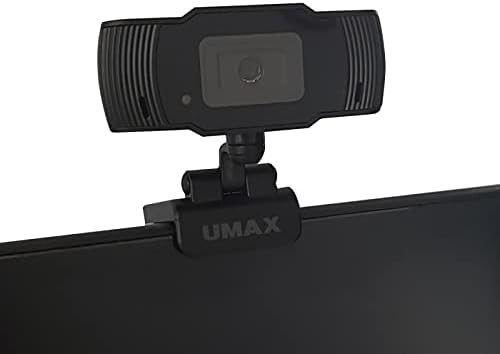
Image: Umax W5 Webcam mounted on top of a computer monitor. This image shows the webcam securely positioned on the upper edge of a computer monitor, demonstrating its typical mounting configuration.
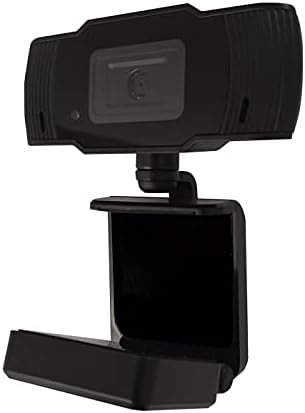
Image: Umax W5 Webcam with its adjustable clip/stand unfolded. This image displays the webcam with its integrated clip fully extended, illustrating how it can be adjusted to fit various monitor thicknesses or stand independently on a flat surface.
2. Opere a Webkam
2.1 Fonksyonalite debaz
Once connected, the Umax W5 Webcam is ready for use with various video conferencing applications, streaming software, and other programs that utilize a webCam.
2.2 Itilizasyon avèk Aplikasyon yo
- Open your desired application (e.g., Zoom, Skype, OBS Studio).
- Navigate to the application's settings or preferences menu.
- Select "Umax W5 Webcam" as your primary video input device.
- Adjust video settings such as resolution or frame rate within the application if these options are available.
2.3 Konsantrasyon Manyèl
Umax W5 la Webcam features manual focus. To adjust the focus, gently rotate the lens ring located around the camera lens until the image displayed on your screen appears clear and sharp.
3. Antretyen
3.1 Netwaye Lantiy la
To ensure optimal image quality, periodically clean the webCam lantiy.
- Sèvi ak yon twal mou ki pa gen pousyè, ki fèt espesyalman pou sifas optik.
- Avoid abrasive materials or harsh chemical cleaners, as these can damage the lens coating.
- Dousman siye lantiy la nan yon mouvman sikilè pou retire pousyè oswa tach.
3.2 Depo
Lè ou pa itilize, estoke webcam in a clean, dry place away from extreme temperatures, high humidity, and direct sunlight to prevent damage.
NAN. Depanaj
4.1 WebKamera pa detekte
- Asire w kab USB a byen konekte ak tou de webkamera ak yon pò USB aktif sou òdinatè w la.
- Eseye konekte a webkam nan yon lòt pò USB sou òdinatè w la.
- Rekòmanse òdinatè w lan.
- Check your operating system's Device Manager (Windows) or System Information (macOS) to see if the webKamera a nan lis la.
4.2 Kalite imaj pòv
- Adjust the manual focus ring on the webcam until the image is clear.
- Ensure adequate lighting in your environment. Poor lighting can significantly affect image quality.
- Netwaye a weblantiy kam lan jan sa dekri nan seksyon Antretyen an.
- Check the video settings within your application (e.g., resolution, frame rate) to ensure they are set appropriately.
5. Espesifikasyon
| Karakteristik | Detay |
|---|---|
| Mak | Umax |
| Non modèl | W5 |
| Nimewo Modèl Atik | W5 |
| Koulè | Nwa |
| Dimansyon pake | 6.18 x 3.43 x 1.89 pous |
| Pwa atik | 5.6 ons |
| Kalite lantiy | Zoom |
| Kalite Konsantre | Konsantre manyèl |
| Estabilizasyon Imaj | Non |
| Batri | 2 pil AA obligatwa. (enkli) |
| Konpozan ki enkli | Iwa |
| Dat Premye Disponib | 14 septanm 2020 |
| Manifakti | Umax |
6. Garanti ak sipò
For warranty information and technical support, please refer to the official Umax website or contact their customer service directly. It is recommended to keep your purchase receipt as proof of purchase for any warranty claims.
Manifakti: Umax
Dat premye disponib: 14 septanm 2020


