1. Entwodiksyon
The Alfatron ALF CAM100 is an HD web camera designed for video conferencing, streaming, and other video communication needs. It provides 1080p video resolution for clear and sharp images. This manual provides instructions for setting up, operating, and maintaining your ALF CAM100 web kamera.
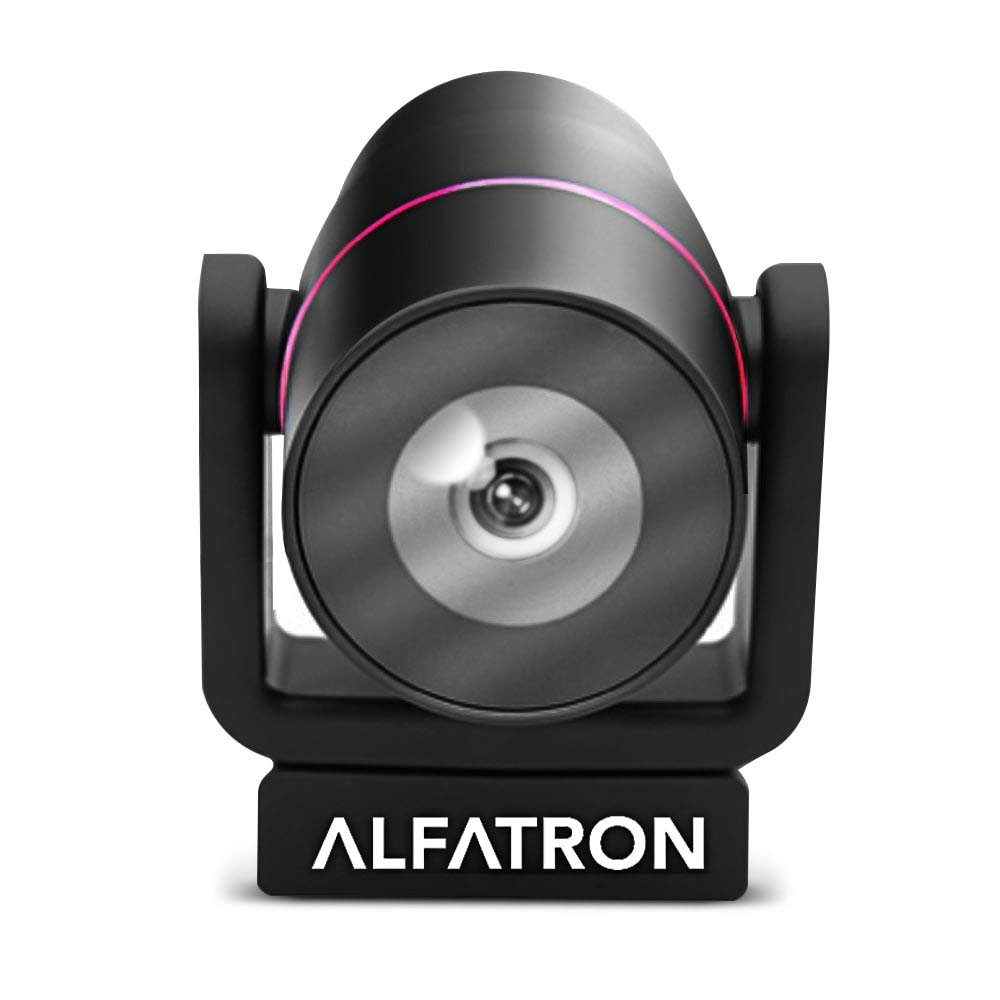
Image 1.1: The Alfatron ALF CAM100 HD Camera, highlighting its 1080p resolution, 120-degree wide shooting angle, and compatibility with video conferencing software like Skype and Zoom.
2. Ki sa ki nan bwat la
Verifye ke tout atik yo prezan nan pakè a:
- Alfatron ALF CAM100 HD Web Kamera
- USB kab
3. Enstriksyon Enstalasyon
The ALF CAM100 web camera is designed for plug-and-play operation, requiring no additional driver installation for most operating systems.
- Konekte kab USB a: Plug the provided USB cable into the USB port on the ALF CAM100 camera.
- Konekte ak òdinatè: Insert the other end of the USB cable into an available USB 2.0 port on your computer.
- Rekonesans Sistèm: Your operating system (Windows, macOS, Linux) should automatically detect and install the necessary drivers for the camera. This process may take a few moments.
- Pozisyon kamera a: Place the camera on a stable surface, monitor, or tripod. The adjustable lens allows for flexible positioning.
- Select Camera in Software: Open your preferred video conferencing or streaming application (e.g., Zoom, Skype, WeChat) and select "ALF CAM100" as your video input device in the application's settings.
4. Operasyon Enstriksyon
4.1 Operasyon debaz
Once connected and selected in your software, the ALF CAM100 will begin streaming video. Ensure adequate lighting for optimal video quality.
4.2 Smart Hanging Mode
The camera features an intelligent hanging mode. If the camera is mounted upside down, it will automatically detect the orientation and adjust the video image stream accordingly, ensuring the picture is always right-side up.

Image 4.1: The Alfatron ALF CAM100 camera mounted in a conference room setting, illustrating its use and the intelligent hanging mode feature that automatically adjusts image orientation.
4.3 Lantiy reglabl
The ALF CAM100 is equipped with a mechanically adjustable lens. This allows for precise framing and angle adjustments to achieve the desired view for your video calls or recordings.
5. Karakteristik souview
- Videyo Definisyon Segondè: Streams in 1080p for clear and sharp video quality.
- Wide Range Shooting Angle: Features a 120-degree wide-angle lens to capture more of the environment.
- Inivèsèl konpatibilite: Works with popular video meeting software including Zoom, Skype, and WeChat.
- Ploge epi jwe: Simple USB connection with no driver installation required for most systems.
- Smart Hanging Mode: Automatically adjusts video orientation if the camera is mounted upside down.
- Lantiy reglabl: Mechanically adjustable lens for flexible framing and angle adjustments.
- Pèfòmans limyè ki ba: Designed to perform well in low-light conditions.
6. Antretyen
Proper maintenance ensures the longevity and optimal performance of your ALF CAM100 web kamera.
- Netwaye lantiy la: Sèvi ak yon twal mou ki pa gen pousyè, espesyalman fèt pou lantiy optik, pou siye lantiy kamera a dousman. Evite materyèl abrazif oswa pwodui chimik ki agresif.
- Netwaye kò a: Wipe the camera body with a soft, dry cloth. If necessary, a slightly damp Ou ka itilize twal, men asire w pa gen imidite ki antre nan kamera a.
- Depo: When not in use for extended periods, store the camera in a clean, dry place away from direct sunlight and extreme temperatures.
- Swen kab: Evite pliye oswa tòde kab USB a twòp pou anpeche li domaje.
NAN. Depanaj
If you encounter issues with your ALF CAM100 web camera, refer to the following common solutions:
- Kamera pa detekte:
- Asire w kab USB a byen konekte ak kamera a ak òdinatè a.
- Try connecting the camera to a different USB port on your computer.
- Rekòmanse òdinatè w lan.
- Check your operating system's device manager (Windows) or system information (macOS) to see if the camera is listed.
- Pa gen Sorti Videyo:
- Verify that the ALF CAM100 is selected as the video input device in your video conferencing or streaming application's settings.
- Ensure no other application is currently using the camera, as some software may not allow simultaneous access.
- Check for any privacy settings on your operating system that might be blocking camera access for certain applications.
- Kalite videyo pòv:
- Ensure adequate lighting in your environment. The camera performs best with sufficient illumination.
- Clean the camera lens using a soft, lint-free cloth.
- Check your internet connection speed if streaming, as low bandwidth can affect video quality.
- Confirm that your video application is set to use 1080p resolution if available.
8. Espesifikasyon
| Karakteristik | Detay |
|---|---|
| Nimewo Modèl | ALFCAM100 |
| Dimansyon | 104mm x 139mm x 124mm / 7.48 x 6.1 x 5.12 inches |
| Pwa nèt | 500g / 1.93 liv |
| Koulè | Nwa |
| Entèfas | USB 2.0 |
| Lantiy | 1/2.8, fixed focus, 120-degree angle |
| Capteur | Full HD CMOS Sensor |
| Rezolisyon videyo | 1920 x 1080 (1080p) |
| Vitès transmisyon imaj | Jiska 30 FPS |
| Aperture Coefficient | F2.0 |
| Karakteristik espesyal | Pèfòmans nan limyè fèb |
Note: Dimensions and weight are provided in both metric and imperial units as found in product data.
9. Garanti ak sipò
The Alfatron ALF CAM100 comes with a limited 7-year warranty.
For technical support or warranty claims, please refer to the official Alfatron websit entènèt la oubyen kontakte depatman sèvis kliyan yo. Enfòmasyon pou kontakte yo anjeneral disponib sou anbalaj pwodwi a oubyen sou fich manifakti a. websit.


