Entwodiksyon
Thank you for choosing the HUO JI Wireless Multi-Device Keyboard. This keyboard offers versatile connectivity with both 2.4G wireless and Bluetooth 3.0 modes, allowing seamless switching between up to three devices. Its ergonomic design and scissor-switch keys provide a comfortable and efficient typing experience across various operating systems and devices.
Please read this manual thoroughly to ensure proper setup, operation, and maintenance of your new keyboard.
Enstalasyon
1. Enstalasyon batri
- Jwenn konpatiman batri a anba klavye a.
- Louvri kouvèti lòj batri a.
- Mete de pil AAA, asire w polarite a kòrèk (+/-).
- Fèmen kouvèti lòj batri a byen.
- Turn on the keyboard using the ON/OFF switch, usually located on the side or back.
2. Connecting via 2.4G Wireless (for devices without Bluetooth)
- Asire w ke klavye a limen.
- Peze a F1 key. The red indicator light will flash, indicating 2.4G pairing mode.
- Insert the 2.4G USB receiver (dongle) into an available USB port on your computer or device.
- The keyboard should automatically connect. The red indicator light will flash once and then turn off, confirming a successful connection.

Imaj: Anwo-anba view of the HUO JI Wireless Multi-Device Keyboard, highlighting the key layout and the integrated stand slot.
3. Connecting via Bluetooth (for up to two devices)
- Asire w ke klavye a limen.
- For Bluetooth 1: Peze a F2 key. The blue indicator light will flash, indicating Bluetooth pairing mode for the first channel.
- For Bluetooth 2: Peze a F3 key. The green indicator light will flash, indicating Bluetooth pairing mode for the second channel.
- Sou aparèy ou an (telefòn entelijan, tablèt, òdinatè), aktive Bluetooth epi chèche aparèy ki disponib yo.
- Select "HUO JI Keyboard" or a similar name from the list of found devices.
- If prompted, enter the pairing code displayed on your device using the keyboard and press Antre.
- The respective indicator light (blue for F2, green for F3) will flash once and then turn off, confirming a successful connection.
4. Chanje ant Aparèy Konekte yo
The keyboard supports quick switching between up to three connected devices (one 2.4G and two Bluetooth devices).
- To switch to the 2.4G connected device, press F1.
- To switch to the first Bluetooth connected device, press F2.
- To switch to the second Bluetooth connected device, press F3.
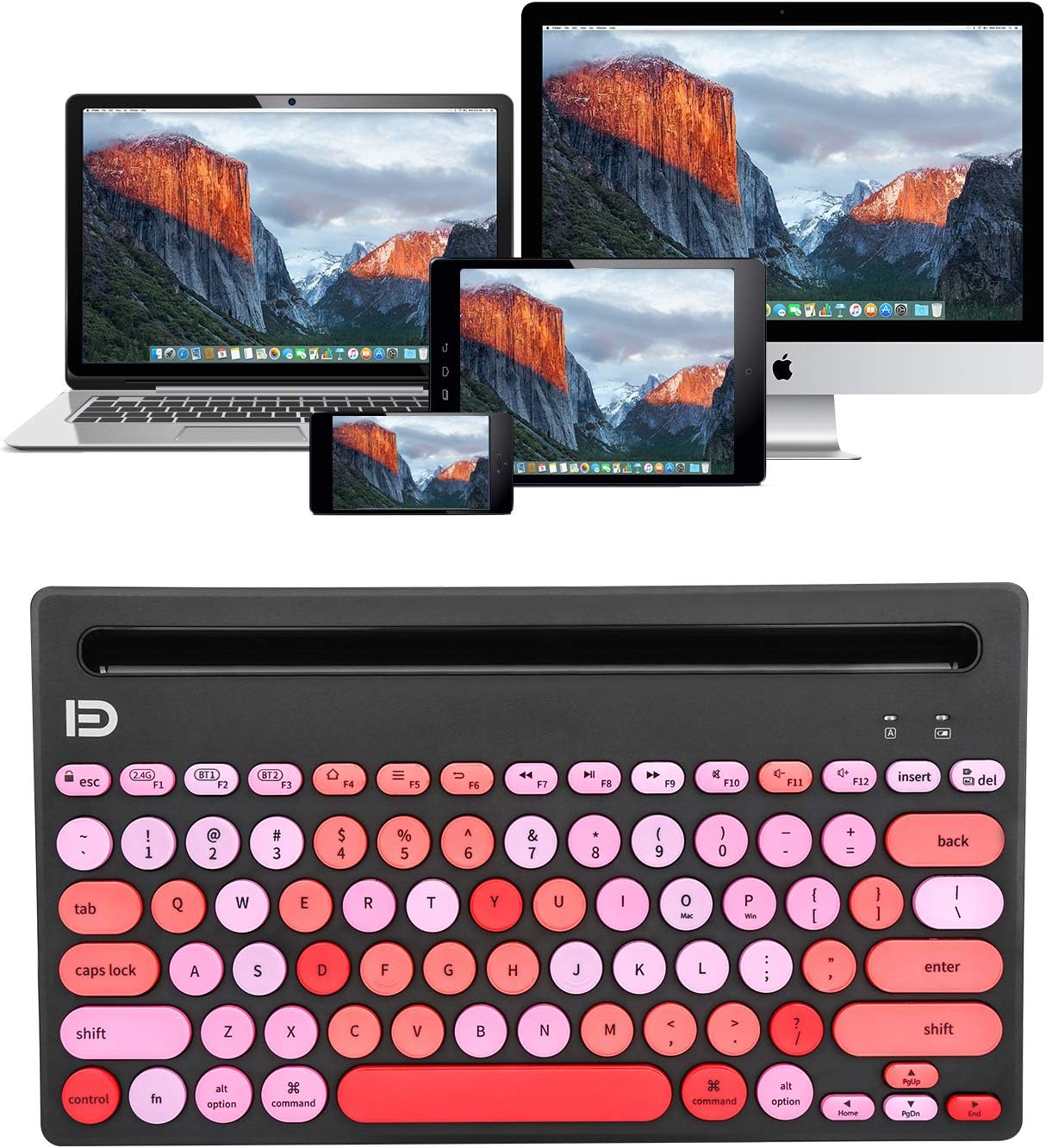
Image: The keyboard demonstrating its multi-device capability, connected to a laptop, tablet, and smartphone.
Enstriksyon Operasyon
1. Fonksyon kle
The keyboard features a standard QWERTY layout with scissor-switch keys for a comfortable typing experience. It includes dedicated function keys (F1-F12) and media control keys.
- F1, F2, F3: Device switching keys (2.4G, Bluetooth 1, Bluetooth 2).
- F4-F12: Media and shortcut keys (e.g., volume control, play/pause, search). Specific functions may vary slightly depending on the operating system.
- Kanpe entegre: The keyboard features an integrated slot at the top, designed to hold smartphones and tablets up to 10.5 inches securely, providing an optimal viewing and typing angle. The slot dimension is approximately 10.31 x 0.47 inches.
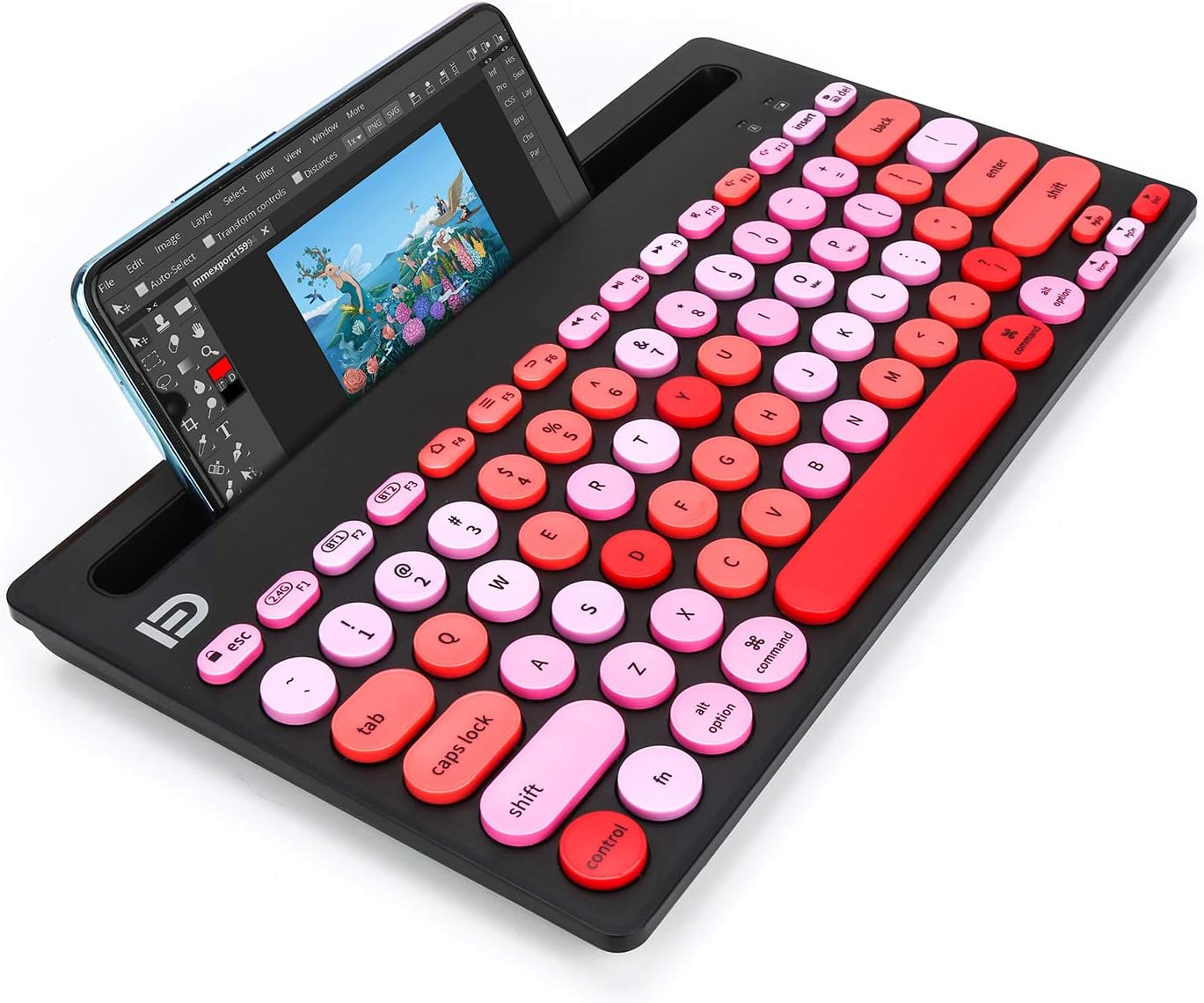
Image: A tablet positioned in the integrated stand of the HUO JI Wireless Multi-Device Keyboard, showcasing the ergonomic design.
2. Power Saving Features
To conserve battery life, the keyboard is equipped with an ON/OFF switch and a smart auto-sleep feature. If the keyboard is inactive for a period, it will automatically enter sleep mode. Press any key to wake it up.
Antretyen
1. Netwaye klavye a
- Etenn klavye a anvan ou netwaye li.
- Sèvi ak yon ti moso twal mou, ki san pèl dampfini ak dlo oswa yon solisyon netwayaj twò grav.
- Evite twòp imidite epi pa flite pwodui netwayaj dirèkteman sou klavye a.
- Pou debri ant kle yo, sèvi ak lè konprese.
2. Ranplasman batri
When the battery indicator light (often the red F1 light) flashes rapidly or the keyboard becomes unresponsive, it's time to replace the batteries. Follow the battery installation steps in the Setup section.
Depanaj
| Pwoblèm | Kòz posib | Solisyon |
|---|---|---|
| Keyboard not connecting via 2.4G (F1 light flashing red continuously) | 2.4G receiver not properly inserted or not recognized. |
|
| Keyboard not connecting via Bluetooth (F2/F3 light flashing blue/green continuously) | Bluetooth not enabled on device, keyboard not in pairing mode, or device out of range. |
|
| Kle yo pa reponn oswa yo pa byen tape | Low battery, connectivity issue, or keyboard in sleep mode. |
|
| Klavye a dekonekte souvan | Entèferans, batri fèb, oswa aparèy la twò lwen. |
|
Espesifikasyon
- Modèl: B08HMZLMWV
- Koneksyon Teknoloji: 2.4Ghz Wireless, Bluetooth 3.0
- Aparèy konpatib: Laptop, Smartphone, Tablet, iPad, iPhone (Android, Windows, iOS, Mac OS systems)
- Deskripsyon klavye: Membrane, QWERTY Layout
- Kalite kle: Scissor-Switch, Ergonomic Concave Round Keys
- Karakteristik espesyal: Hotkeys and Media Keys, Integrated Stand, Lightweight, Multi-Device Switching (up to 3 devices)
- Dimansyon pwodwi: 11.24" L x 5.86" lajè x 0.7" wotè (28.55 x 14.88 x 1.78 cm)
- Pwa atik: 1.17 liv (0.53 kg)
- Integrated Stand Slot Dimension: 10.31" x 0.47" (26.19 x 1.19 santimèt)
- Batri: 2 pil AAA (enkli)
- Distans opere: Jiska 10 mèt (33 pye)
- Koulè: Black Pink (as per current variant)
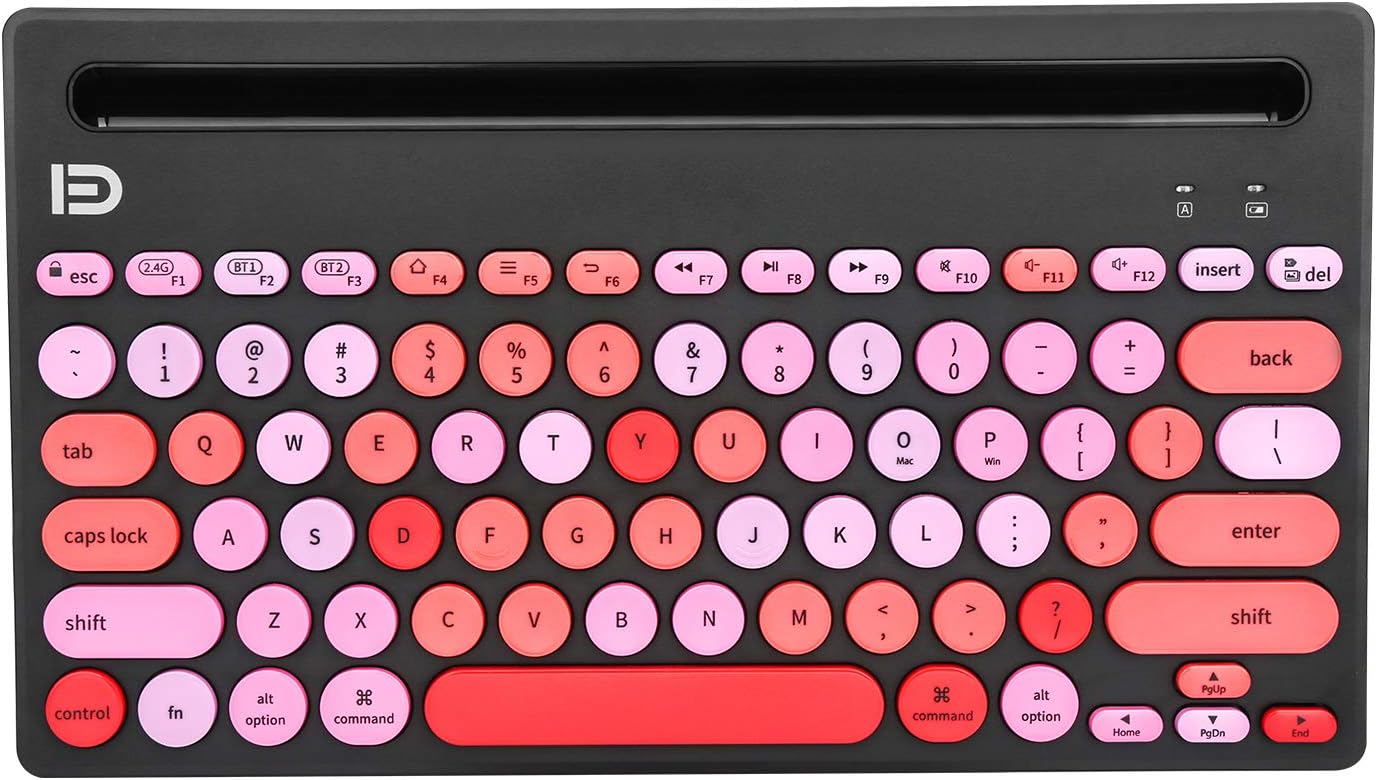
Image: Detailed dimensions of the HUO JI Wireless Multi-Device Keyboard.
Enfòmasyon sou Garanti
This product is covered by a manufacturer's warranty. For specific warranty terms, duration, and claim procedures, please refer to the documentation included with your purchase or contact HUO JI customer support directly. Keep your proof of purchase for warranty claims.
Sipò pou Kliyan
If you encounter any issues or have questions not covered in this manual, please contact HUO JI customer support. You can typically find contact information on the product packaging, the manufacturer's official websit entènèt la, oubyen atravè revandè ou a.
Pou resous sou entènèt, vizite HUO JI Store on Amazon.


