Entwodiksyon
Thank you for choosing the EVGA Supernova 1300 G+ Power Supply. This fully modular, 80 PLUS Gold certified power supply is designed to deliver stable and efficient power to your computer system. This manual provides essential information for proper installation, operation, and maintenance of your new power supply.
Enfòmasyon sou Sekirite
Please read and follow all safety instructions carefully before installing or operating the power supply. Failure to do so may result in damage to the unit, other components, or personal injury.
- Ensure the power supply is disconnected from the AC power outlet before installation or maintenance.
- Pa louvri fil kouran an casing. There are no user-serviceable parts inside, and opening it will void the warranty.
- Enstale ekipman pouvwa a nan yon zòn ki byen ayere, lwen sous chalè ak imidite.
- Use only the modular cables provided with your EVGA Supernova G+ power supply. Using incompatible cables may cause damage.
- Ensure all cables are securely connected before powering on the system.
Kontni pake
Verifye ke tout atik yo prezan nan pakè ou a:
- EVGA Supernova 1300 G+ Power Supply Unit
- Modular Cable Set (various types for motherboard, CPU, PCIe, SATA, Peripherals)
- AC pouvwa kòd
- Power On Self Tester
- Montaj Vis
- Lyen kab
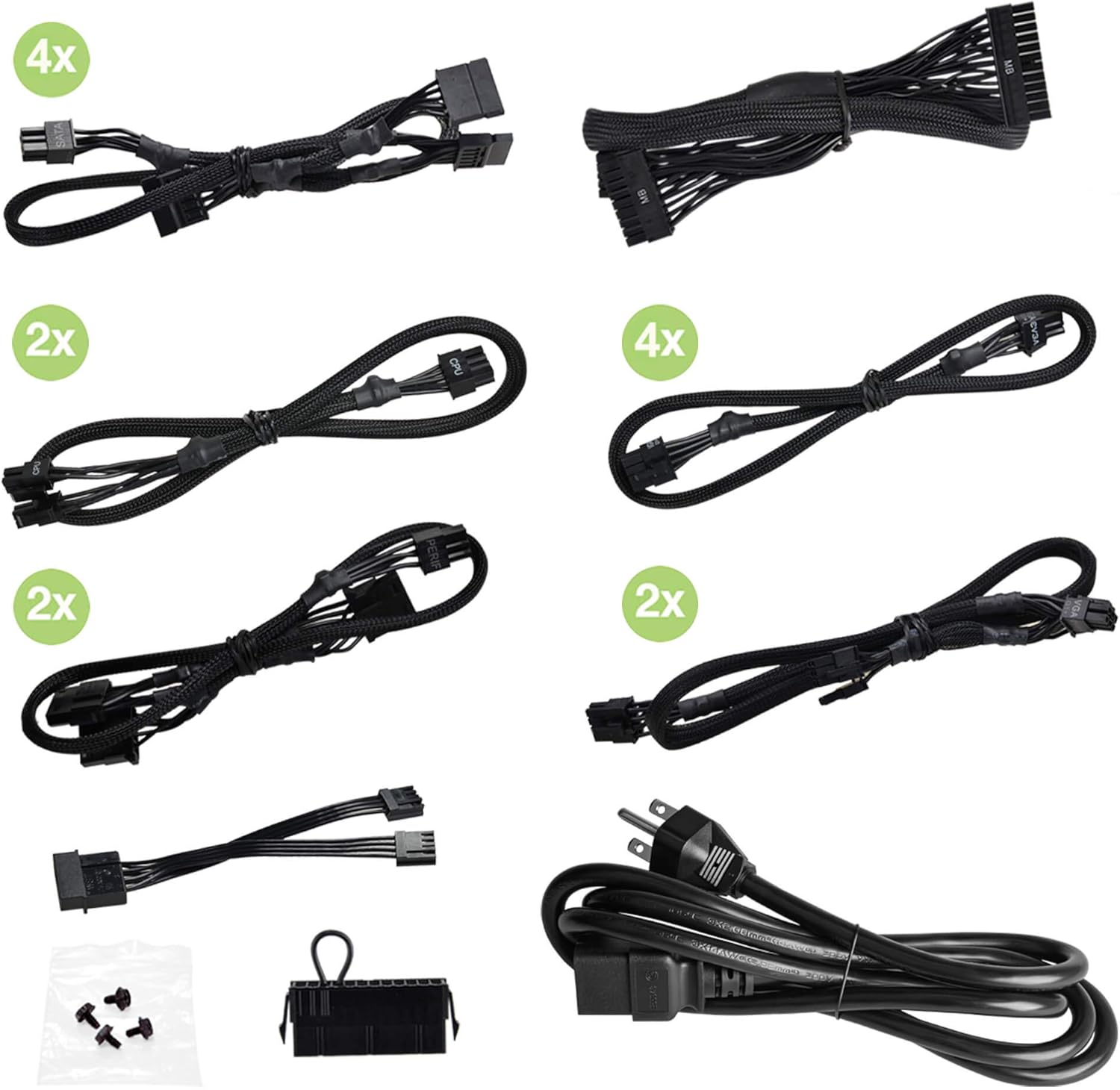
Image: Included modular cables, power cord, power on self tester, and mounting screws.
Pwodwi souview
Familiarize yourself with the key components and features of your EVGA Supernova 1300 G+ power supply.
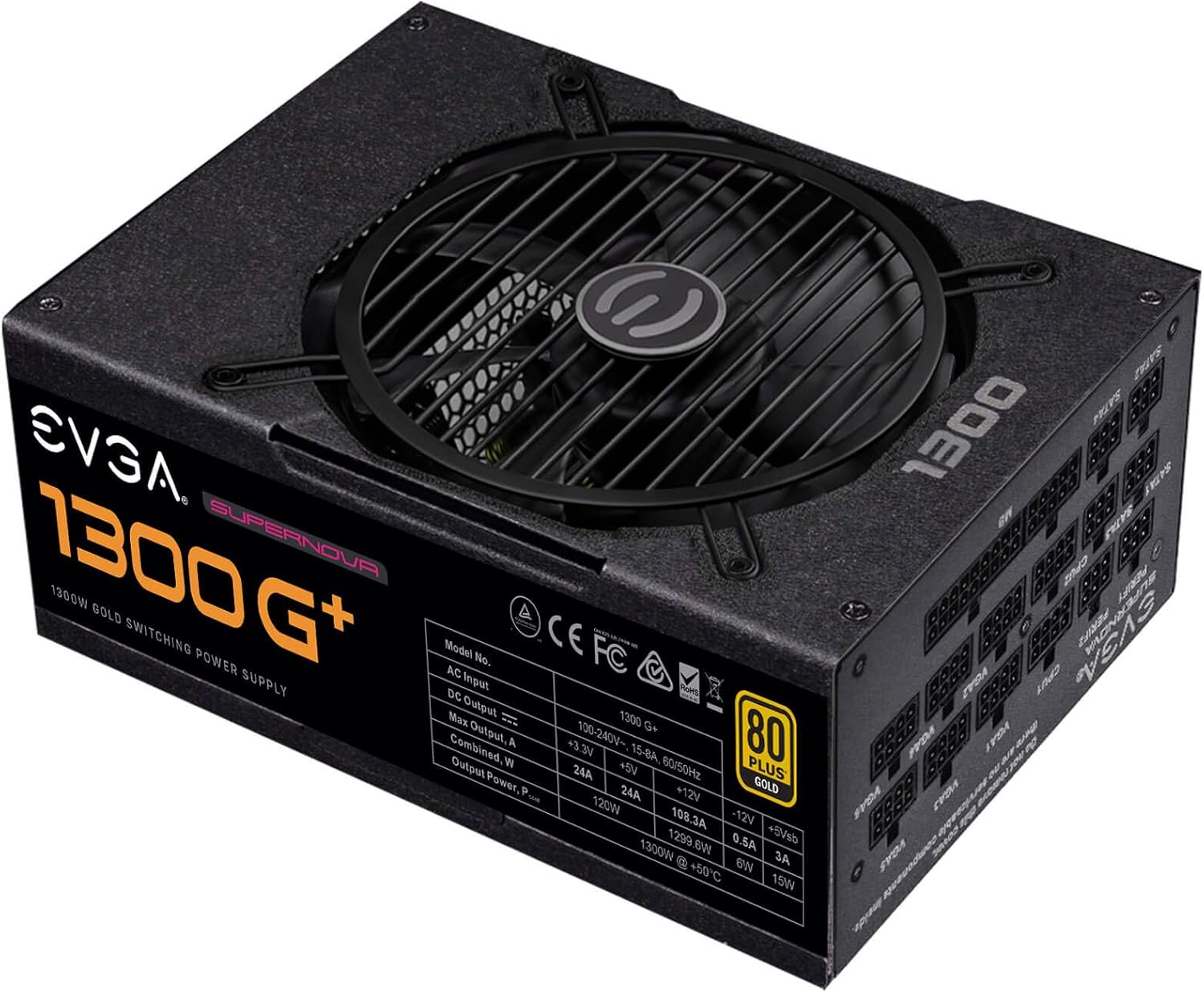
Imaj: Anlè view of the power supply unit, highlighting the cooling fan and the main product label.

Image: The fully modular cable connection panel, showing clearly labeled ports for various components like motherboard, CPU, VGA, and SATA.

Image: Rear panel of the power supply, featuring the AC power inlet, the main power switch, and the ECO mode toggle switch.
Enstalasyon ak Enstalasyon
Follow these steps to properly install your EVGA Supernova 1300 G+ power supply into your computer system.
- Prepare Sistèm ou an: Asire w òdinatè w la etenn nèt epi li debranche nan priz miray la. Louvri bwat òdinatè w la.
- Retire ansyen PSU a (si sa aplikab): Dekonekte tout kab ki soti nan ansyen ekipman pou pouvwa a epi retire li nan bwat la.
- Monte nouvo PSU a: Place the EVGA Supernova 1300 G+ into the power supply bay of your computer case. Secure it with the provided mounting screws.
- Konekte Kab Modilè yo:
- Konekte kab ATX 24-pin lan ak kat manman ou an.
- Connect the 4+4-pin or 8-pin EPS/CPU cables to your motherboard's CPU power connectors.
- Connect the 6+2-pin PCIe cables to your graphics cards.
- Konekte kab kouran SATA yo ak disk depo ou yo (HDD, SSD) ak disk optik ou yo.
- Connect peripheral (Molex) cables to any other components requiring them.
Note: Only connect the cables you need to reduce clutter and improve airflow.
- Jesyon kab: Chemen kab yo byen pou asire bon sikilasyon lè a epi pou konstriksyon an pwòp.
- Fèmen bwat la epi konekte kouran an: Close your computer case. Connect the AC power cord to the power supply and then to a wall outlet.
Enstriksyon Operasyon
Once installed, operating your EVGA Supernova 1300 G+ is straightforward.
- Pouvwa sou: Flip the main power switch on the back of the power supply to the 'I' (On) position. You can then power on your computer using its case power button.
- Mòd ECO: The EVGA Supernova G+ series features an ECO mode switch on the rear panel.
- When the ECO mode switch is in the 'ON' position, the power supply fan will remain off during low to moderate loads, providing silent operation. The fan will only spin up when the temperature or load exceeds a certain threshold.
- When the ECO mode switch is in the 'OFF' position, the fan will operate continuously, adjusting its speed based on temperature and load.
Note: ECO mode is designed to optimize noise levels and fan longevity. Both modes provide stable power delivery.
- Power On Self Tester: The included power on self tester can be used to verify the basic functionality of the power supply independently of the computer system. Connect the 24-pin ATX cable to the tester and plug in the AC power cord. If the power supply is functioning, the fan may briefly spin, and the indicator light on the tester will illuminate.
Antretyen
Proper maintenance helps ensure the longevity and optimal performance of your power supply.
- Retire pousyè: Periodically clean dust from the power supply's fan grill and vents using compressed air. Ensure the power supply is off and unplugged before cleaning.
- Enspeksyon kab: Occasionally check all modular cable connections to ensure they are secure.
- Anviwònman: Maintain a clean, dry, and well-ventilated environment for your computer system.
Depanaj
Si ou rankontre pwoblèm ak ekipman pou pouvwa ou a, gade pwoblèm ak solisyon komen sa yo:
| Pwoblèm | Kòz posib | Solisyon |
|---|---|---|
| Power supply does not turn on. |
|
|
| Sistèm nan limen men li fèmen imedyatman. |
|
|
| Fan is not spinning in ECO mode. |
|
|
If the problem persists after trying these solutions, please contact EVGA customer support.
Espesifikasyon
Detailed technical specifications for the EVGA Supernova 1300 G+ Power Supply.
| Karakteristik | Detay |
|---|---|
| Nimewo Modèl | 220-GP-1300-X1 |
| Wattage | 1300W |
| Sètifikasyon 80 PLUS | Lò |
| Efikasite | 90% or higher under typical loads |
| Faktè fòm | ATX |
| Modularite | Konplètman modilè |
| Kondansateur | 100% kondansateur Japonè |
| Kalite fanatik | Likid dinamik kote yo pote fanatik |
| ECO Mode | Yes, for ultra-quiet operation |
| Tanperati Fonksyònman | 0 ° a 50 ° C |
| Dimansyon (L x W x H) | 7.87 x 5.9 x 3.4 pous (200mm x 150mm x 86mm) |
| Pwa | 5 liv (apeprè 2.27 kg) |

Imaj: Bò kote view of the power supply, showing the detailed electrical specifications label.
Garanti ak sipò
EVGA stands behind the quality of its products.
- Garanti: The EVGA Supernova 1300 G+ Power Supply comes with a 10-ane garanti apati dat acha a. Tanpri konsève prèv acha ou pou reklamasyon garanti.
- Resous sou entènèt: For the most up-to-date information, FAQs, and driver downloads, please visit the official EVGA websit.
- Sipò Kliyan: If you require technical assistance or have warranty inquiries, please contact EVGA customer support through their official websit entènèt oswa chanèl kontak.
- Manyèl Itilizatè (PDF): A detailed PDF version of the user manual can be found isit la.


