1. Entwodiksyon
The ASTRO Gaming A20 Wireless Headset Gen 2 provides a high-quality audio experience for gaming across multiple platforms. This manual details the setup, operation, maintenance, and troubleshooting for your headset, ensuring optimal performance and longevity.

Image 1.1: The ASTRO Gaming A20 Wireless Headset Gen 2, featuring a white and green design.
2. Pake kontni
Verifye ke tout atik yo prezan nan anbalaj pwodwi ou a:
- ASTRO Gaming A20 Wireless Headset Gen 2
- USB Transmitter (Console Specific)
- USB-C USB-A chaje kab
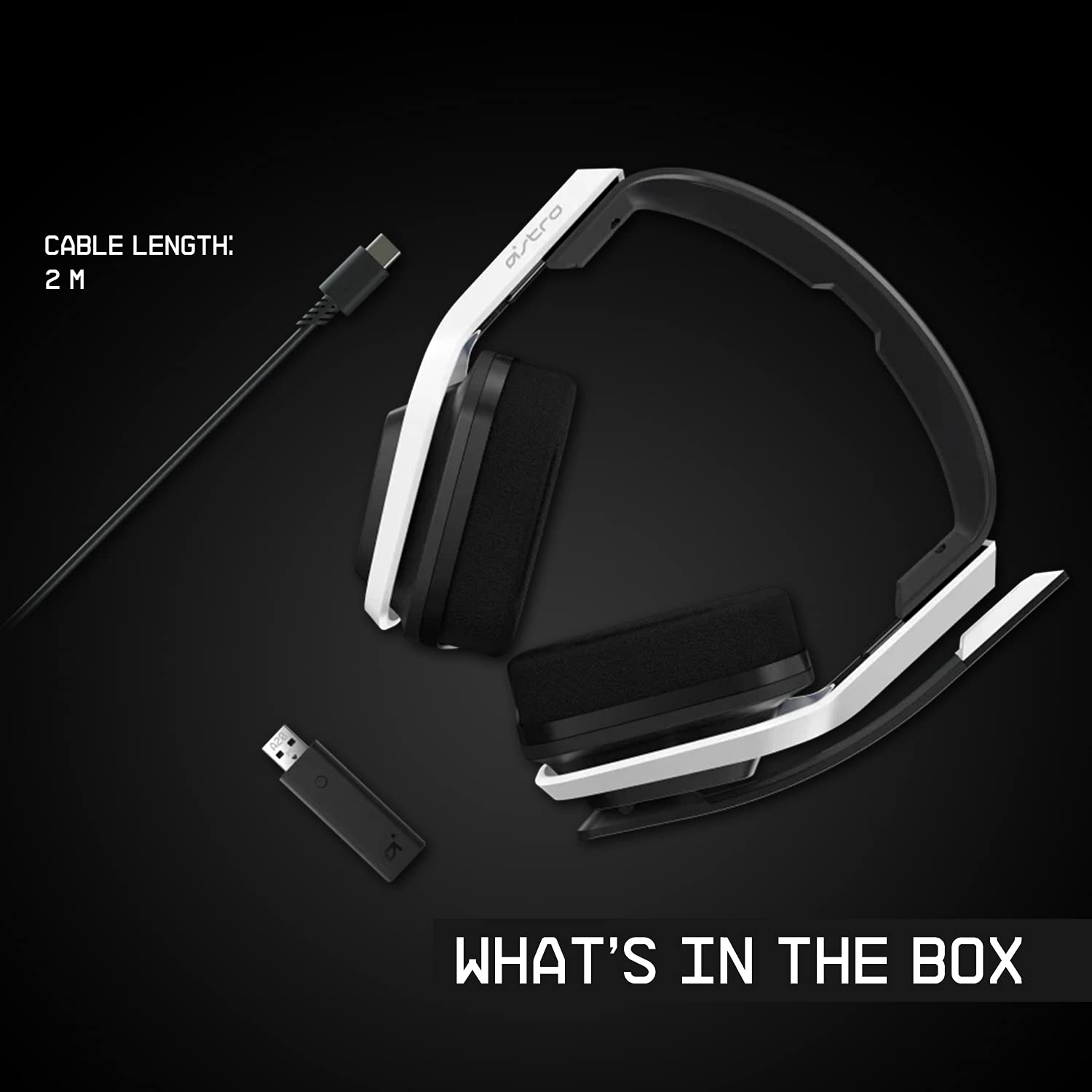
Image 2.1: Contents of the ASTRO Gaming A20 Wireless Headset Gen 2 package, including the headset, USB transmitter, and charging cable.
3. Enstalasyon
3.1 Premye chaj
Before first use, fully charge the headset. Connect the USB-C end of the charging cable to the headset's USB-C port and the USB-A end to a powered USB-A port on your console, PC, or a wall adapter. A full charge provides approximately 15 hours of battery life.
3.2 Connecting to Xbox (Series X|S, Xbox One)
- Plug the USB Transmitter into an available USB port on your Xbox console.
- Power on your ASTRO A20 Wireless Headset.
- The headset and transmitter should automatically pair. The LED indicator on both devices will show a solid light when connected.
- Ensure your Xbox audio output settings are configured to send audio to the headset.
3.3 Connecting to PC / Mac
- Plug the USB Transmitter into an available USB port on your PC or Mac.
- Power on your ASTRO A20 Wireless Headset.
- The headset and transmitter should automatically pair. The LED indicator on both devices will show a solid light when connected.
- Navigate to your operating system's sound settings and select the ASTRO A20 as the default playback and recording device.

Image 3.1: The ASTRO Gaming A20 Wireless Headset Gen 2 demonstrating cross-platform connectivity with an Xbox console.
4. Operasyon Enstriksyon
4.1 Kontwòl kas ekoutè
The ASTRO A20 Gen 2 features intuitive controls located on the headset for easy access during gameplay.
- Bouton pouvwa: Limen oswa etenn kask la.
- Volim wou: Adjusts the overall audio volume.
- Game/Voice Balance Buttons: Allows you to adjust the balance between game audio and voice chat audio. Press the 'Game' button to increase game volume relative to chat, or the 'Voice' button to increase chat volume relative to game.
- EQ Preset Button: Cycles through 3 different equalizer presets to optimize audio for various content types.
- Mikwofòn baskile pou fèmen: Flipping the microphone boom arm up mutes the microphone. Flipping it down unmutes it.

Image 4.1: The ASTRO Gaming A20 Wireless Headset Gen 2 demonstrating the flip-to-mute microphone feature.
4.2 Dire batri ak chaje
The headset provides over 15 hours of continuous use on a full charge. When the battery is low, you will hear an audible alert. Recharge the headset using the provided USB-C to USB-A cable as described in Section 3.1.

Image 4.2: The ASTRO Gaming A20 Wireless Headset Gen 2 highlighting its 15+ hours of battery life.
5. Antretyen
Bon swen asire lonjevite ak pèfòmans kas ekoutè ou a:
- Netwayaj: Sèvi ak yon twal mou epi sèk pou netwaye kas ekoutè a. Evite pwodui netwayaj abrazif oswa solvan.
- Depo: Sere kas ekoutè a nan yon kote ki fre epi sèk, lwen limyè solèy dirèk ak tanperati ekstrèm.
- Swen batri: For optimal battery health, avoid fully discharging the battery frequently. Recharge when the low battery indicator appears.
NAN. Depanaj
If you encounter issues with your ASTRO A20 Wireless Headset Gen 2, refer to the following common solutions:
| Pwoblèm | Solisyon posib |
|---|---|
| No audio / Headset not connecting |
|
| Microphone not working / Static in mic |
|
| Short battery life / Not charging |
|
| Audio cutting out / Wireless range issues |
|
7. Espesifikasyon
| Karakteristik | Detay |
|---|---|
| Non modèl | ASTRO A20 Wireless Headset Gen 2 |
| Nimewo Modèl Atik | 939-001882 |
| Koneksyon Teknoloji | San fil (RF 2.4 GHz) |
| Wireless Range | Jiska 15 mèt (50 pye) |
| Lavi batri | Apeprè 15 èdtan |
| Gwosè Chofè Audio | 40 mm Chofè dinamik |
| Gamme frekans | 20 Hz - 20 kHz |
| Mikwofòn | Flip-to-mute functionality |
| Kontwòl | Volume wheel, Game/Voice balance, EQ preset button |
| Port chaje | USB-C (for charging via USB-A source) |
| Pwa | 318 gram (11.2 ons) |
| Aparèy konpatib | Xbox Series X|S, Xbox One, PC, Mac |
8. Garanti ak sipò
For detailed warranty information, technical support, and additional resources, please visit the official Logitech G / ASTRO Gaming support website. You can also refer to the official User Guide PDF for further details:
- Gid Itilizatè Ofisyèl (PDF): Telechaje isit la
- Logitech G Support: Vizite Websit


