Entwodiksyon
Thank you for choosing BEBEN T9 Wireless Earbuds. These earbuds are designed to provide a high-quality audio experience with advanced features such as Bluetooth 5.3 connectivity, intelligent touch control, and a long-lasting battery. This manual will guide you through the setup, operation, and maintenance of your new earbuds to ensure optimal performance and longevity.
Ki sa ki nan bwat la
- BEBEN T9 Wireless Earbuds (Left and Right)
- Ka chaje
- Kab chaje USB (Kalite-C)
- Manyèl itilizatè
Pwodwi souview
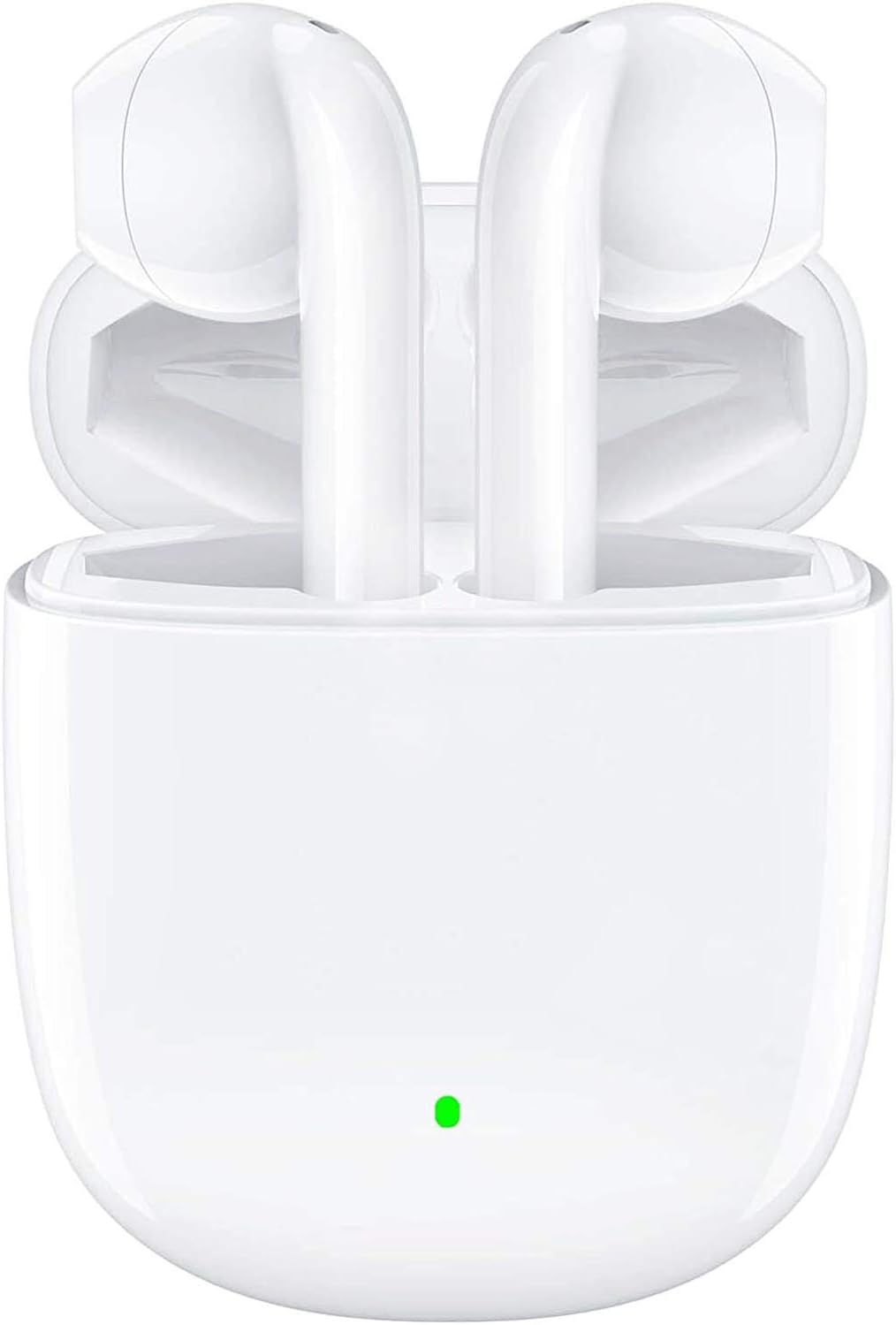
The BEBEN T9 Wireless Earbuds are housed in a compact charging case, designed for portability and convenience. The earbuds feature an ergonomic semi-in-ear design for comfortable wear.

Each earbud is equipped with a 14mm dynamic driver, engineered to deliver high-fidelity stereo sound with clear audio reproduction.

The charging case is designed to be pocket-sized, making it easy to carry your earbuds and charge them on the go. Its dimensions are approximately 2.2 inches by 1.85 inches by 0.86 inches.
Enstalasyon
1. Chaje ekoutè yo ak bwat la
Before first use, ensure both the earbuds and the charging case are fully charged. The charging case provides extended battery life for your earbuds.
- Mete ekoutè yo nan ka chaje a.
- Connect the provided USB Type-C charging cable to the charging port on the case and to a compatible USB power source (e.g., wall adapter, computer USB port, power bank).
- The indicator light on the charging case will show charging status. A full charge typically takes about 1.5 hours.
- Once fully charged, the earbuds offer 4 to 5 hours of continuous use, and the charging case provides multiple recharges for a total playtime of up to 35 hours.

The earbuds and case support Type-C fast charging, providing up to 35 hours of total playtime with the charging case's backup power.
2. Konekte ak Aparèy ou a (Konekte an yon sèl etap)
The BEBEN T9 earbuds feature a convenient one-step pairing process thanks to Bluetooth 5.3 technology.
- Asire w ke Bluetooth aktive sou telefòn entelijan ou, tablèt ou, oswa lòt aparèy ki konpatib ak Bluetooth.
- Louvri kouvèti a nan ka chaje a. Ekoutè yo pral otomatikman limen epi antre nan mòd appariement.
- On your device, search for Bluetooth devices and select "T9" from the list.
- Yon fwa konekte, w ap tande yon son konfimasyon, epi ekoutè yo ap pare pou itilize.
- After the initial pairing, the earbuds will automatically connect to the last paired device when you open the charging case.

The earbuds offer one-step pairing, automatically connecting to your device when the charging case is opened.
Enstriksyon Operasyon
Entelijan Kontwòl Touch
The T9 earbuds utilize intelligent touch controls for various functions. Gently tap the touch area on either earbud to perform the following actions:

The earbuds feature intelligent touch controls for easy management of music playback, calls, and voice assistant activation.
| Aksyon | Manyen Kòmandman |
|---|---|
| Jwe/Poz Mizik | Tape yon sèl sou chak ekoutè |
| Reponn/Fen Apèl | Tape yon sèl sou chak ekoutè |
| Rejte apèl | Press and hold for 2 seconds on either earbud |
| Next Song | Tape de fwa sou ekoutè dwat la |
| Previous Song | Tape de fwa sou ekoutè gòch la |
| Volim leve | Tape twa fwa sou ekoutè dwat la |
| Volim desann | Tape twa fwa sou ekoutè gòch la |
| Aktive Asistan Vwa a (Siri/Asistan Google) | Press and hold for 3 seconds on either earbud |
Single Earbud Mode vs. Binaural Mode
The T9 wireless earbuds allow flexible usage, supporting both single earbud (mono) and binaural (stereo) modes. You can switch between modes seamlessly.
- Single mòd ekouteur: You can use either the left or right earbud independently. Simply take one earbud out of the charging case, and it will connect to your device. This is useful for situations where you need to be aware of your surroundings.
- Mòd Binaural: To use both earbuds for stereo sound, take both earbuds out of the charging case. They will automatically connect to each other and then to your device.
- Chanje mòd: If you are using one earbud and wish to switch to binaural mode, simply take the other earbud out of the case. They will automatically connect. If you are using both and wish to switch to single mode, place one earbud back into the charging case; the other will continue to function.

The earbuds support flexible usage, allowing for single earbud use, binaural stereo sound, or even sharing one earbud with another person.
Antretyen
Netwayaj
Netwayaj regilye ede kenbe kalite son ak ijyèn.
- Sèvi ak yon twal mou, sèk, ki pa gen pousyè pou siye ekoutè yo ak bwat chaje a.
- Pou pousyè tè ki difisil pou retire, yon ti kras dampht twal la ak dlo oswa yon pwodui netwayaj dou, ki pa abrazif.
- Pa sèvi ak pwodui chimik ki agresif, alkòl, oswa materyèl abrazif.
- Asire w ke kontak chaje yo sou tou de ekoutè yo ak sou bwat la pwòp epi sèk.
Depo
Lè w pa ap itilize ekoutè yo, sere yo nan bwat chaje yo pou pwoteje yo epi kenbe yo chaje.
- Sere nan yon kote ki fre epi sèk, lwen tanperati ekstrèm ak limyè solèy dirèk.
- Evite estoke nan anviwònman ki gen pousyè oswa sal.
Rezistans dlo
The BEBEN T9 earbuds are designed with a waterproof exterior, making them suitable for sports and fitness activities where they may encounter sweat or light splashes. However, they are not designed for submersion in water. Avoid prolonged exposure to water or using them while swimming or showering.
Depanaj
| Pwoblèm | Solisyon posib |
|---|---|
| Ekoutè yo pa konekte/pa konekte | Ensure earbuds are charged. Turn off and on Bluetooth on your device. Forget "T9" in your device's Bluetooth settings and re-pair. Place earbuds back in case, close lid, then open again. |
| Se yon sèl ekoutè k ap travay | Ensure both earbuds are charged. Place both earbuds back in the charging case, close the lid for 5 seconds, then open it again. They should automatically re-sync. |
| Volim ki ba oswa kalite son ki pa bon | Adjust volume on both your device and using the earbud touch controls. Ensure earbuds are clean and free of debris. Check if the earbuds are properly seated in your ears. |
| Ekoutè pa chaje | Ensure the charging cable is securely connected to both the case and the power source. Check if the charging contacts on the earbuds and inside the case are clean. Try a different USB port or cable. |
| Kontwòl manyen yo pa reponn | Asire w dwèt ou yo pwòp epi sèk. Eseye rekòmanse ekoutè yo lè w mete yo nan bwat la epi retire yo ankò. |
Espesifikasyon
| Karakteristik | Detay |
|---|---|
| Non modèl | T9 |
| Koneksyon Teknoloji | San fil (Bluetooth) |
| Teknoloji kominikasyon san fil | Bluetooth 5.3 |
| Gamme Bluetooth | Jiska 10 mèt (33 pye) |
| Kalite chofè odyo | Chofè dinamik |
| Gwosè Chofè Audio | 13 Milimèt |
| Dire batri (ekoutè) | 4-5 èdtan (itilizasyon kontinyèl) |
| Tan total pou jwe (ak bwat chaje a) | Jiska 35 èdtan |
| Port chaje | USB Kalite-C |
| Metòd kontwòl | Kontwòl manyen |
| Nivo rezistans dlo | Waterproof (suitable for sweat/light splashes) |
| Plasman Zòrèy | In Ear (Semi-in-ear design) |
| Dimansyon pwodwi | 3.15 x 3.15 x 3.15 pous |
| Pwa atik | 3.2 ons |
Garanti ak sipò
BEBEN products are manufactured to high standards and undergo rigorous quality checks. For specific warranty information, please refer to the warranty card included with your product or visit the official BEBEN websit.
If you encounter any issues or have questions regarding your BEBEN T9 Wireless Earbuds, please contact BEBEN customer support through the retailer's platform or the contact information provided on the official BEBEN websit. Tanpri kenbe modèl pwodwi ou a ak detay acha ou yo pare lè w ap kontakte sipò a.


