Entwodiksyon
This manual provides detailed instructions for the setup, operation, and maintenance of your iHome Bluetooth Mac Mouse. Please read this guide thoroughly before using the device to ensure proper functionality and to prevent damage.
Kontni pake
- iHome Bluetooth Mac Mouse
- 2 x Pil AAA (pre-enstale oswa enkli separeman)
- Manyèl Enstriksyon
Pwodwi souview
The iHome Bluetooth Mac Mouse features a sleek, modern design optimized for comfort and functionality. It includes a scroll wheel and three buttons, offering precise control with adjustable DPI settings.

Imaj: Anlè view of the iHome Bluetooth Mac Mouse in white, showcasing its sleek design alongside a keyboard and smartphone.

Imaj: Anba view of the iHome Bluetooth Mac Mouse, highlighting the scroll wheel and the 800/1600 DPI high-performance laser sensor switch. Bluetooth 3.0 wireless technology is indicated.
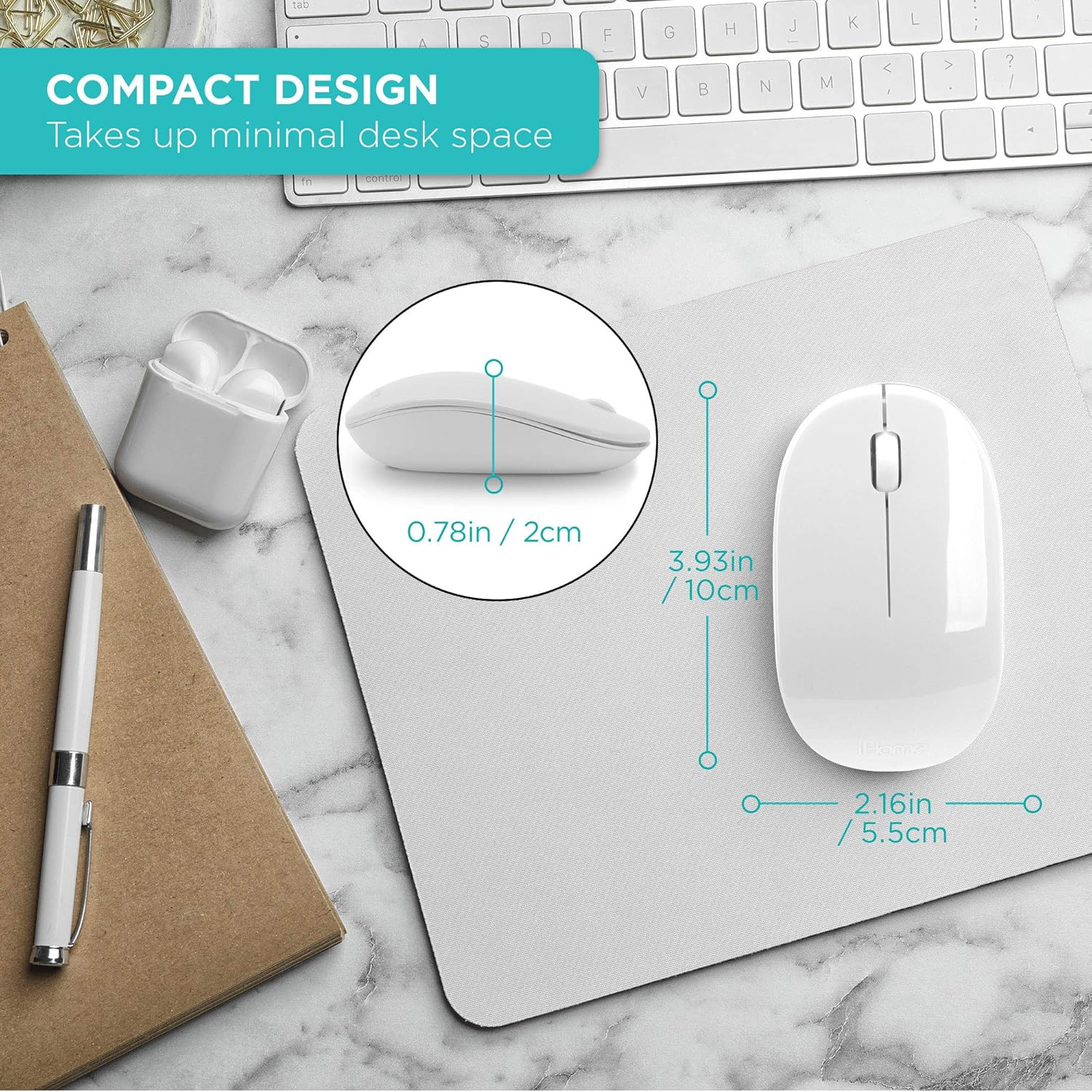
Image: The iHome Bluetooth Mac Mouse shown with its compact dimensions: 3.93 inches (10cm) length, 2.16 inches (5.5cm) width, and 0.78 inches (2cm) height.
Enstalasyon
1. Enstalasyon batri
- Jwenn lòj batri a sou anba sourit la.
- Dousman glise kouvèti batri a pou louvri.
- Mete de (2) pil AAA, asire w polarite a kòrèk (+/-).
- Fèmen kouvèti batri a byen.
2. Pè Bluetooth
- Asire w ke sourit la limen avèk switch ki anba a.
- Press and hold the Bluetooth pairing button on the bottom of the mouse until the indicator light begins to flash, indicating it is in pairing mode.
- On your Mac computer, navigate to Anviwònman sistèm (oswa Preferans sistèm sou ansyen vèsyon macOS yo).
- Chwazi Bluetooth.
- Asire Bluetooth aktive.
- Locate "iHome Mouse" or a similar name in the list of available devices.
- Klike sou Konekte or Pè.
- Once connected, the indicator light on the mouse will stop flashing and remain solid or turn off, depending on the model.
System Requirements: Bluetooth enabled computer, Mac: OS X 10.4 or later.
Enstriksyon Operasyon
Fonksyonalite debaz
- Klike Goch: Seleksyon prensipal ak aktivasyon.
- Klike sou dwa: Aksè nan meni kontèkstal yo.
- wou woulo liv: Scrolls content vertically. Can also be pressed for middle-click functionality in some applications.

Image: A hand comfortably using the iHome Bluetooth Mac Mouse, demonstrating its contoured shape suitable for both right and left-hand use.
DPI Ajisteman
The mouse features an adjustable DPI (Dots Per Inch) setting, allowing you to change cursor sensitivity. Locate the DPI switch on the bottom of the mouse. Press this button to cycle between 800 DPI and 1600 DPI. Select the sensitivity that best suits your preference and task.
Antretyen
- Netwayaj: Sèvi ak yon twal mou epi sèk pou netwaye sourit la. Evite itilize pwodui chimik ki agresif oswa materyèl abrazif.
- Ranplasman batri: Replace batteries when the mouse performance degrades or it fails to connect. Always use fresh AAA batteries.
- Depo: When not in use for extended periods, turn off the mouse to conserve battery life. Store in a cool, dry place.
Depanaj
| Pwoblèm | Solisyon |
|---|---|
| Sourit la pa limen. | Ensure batteries are correctly installed and are not depleted. Replace with new AAA batteries if necessary. Check if the power switch on the bottom of the mouse is in the 'ON' position. |
| Sourit la pa konekte via Bluetooth. | Verify Bluetooth is enabled on your computer. Ensure the mouse is in pairing mode (flashing indicator light). Remove the mouse from your computer's Bluetooth device list and attempt to pair again. Move the mouse closer to your computer. |
| Mouvman kurseur a pa regilye oswa li ralanti. | Check the DPI setting and adjust if needed. Ensure the mouse sensor is clean and free of debris. Use the mouse on a suitable surface (e.g., a mouse pad). Replace batteries if they are low. |
| Bouton yo oswa wou defile a pa reponn. | Check battery level. Restart your computer and try reconnecting the mouse. Ensure no physical obstructions are preventing button presses. |
Espesifikasyon
- Koneksyon: Bluetooth 3.0, San fil
- Bouton: 3 (Left, Right, Scroll Wheel/Middle Click)
- Anviwònman DPI: 800 / 1600 DPI (adjustable)
- Teknoloji deteksyon mouvman: Lazè
- Pouvwa: 2 x batri AAA (enkli)
- Koulè: Blan
- Dimansyon: Apeprè 3.93 x 2.16 x 0.78 pous (L x W x H)
- Pwa: Apeprè 4.5 ons
- Konpatibilite: Mac OS X 10.4 or later, Bluetooth-enabled computers
Enfòmasyon sou Garanti
iHome products are designed with quality and reliability in mind. For specific warranty details, including coverage period and terms, please refer to the warranty card included with your purchase or visit the official iHome support websit la. Kenbe prèv acha ou pou reklamasyon garanti.
Sipò
If you encounter any issues not covered in this manual or require further assistance, please contact iHome customer support. You can typically find contact information on the iHome websit la oubyen sou anbalaj pwodwi a.
For online resources and frequently asked questions, please visit: www.ihome.com/support


