Pwodwi souview
The LAMAX S9 Dual is an intelligent rearview mirror camera designed to enhance driving safety and convenience. It replaces your standard rearview mirror, providing Full HD video evidence in case of incidents and extending your field of vision with a second rear camera. Featuring a large 9.66-inch IPS touchscreen and voice control, it offers intuitive operation and discreet integration into your vehicle's interior.
Key features include Full HD recording for both front and rear cameras, a wide viewing angle, a constantly updated radar database for warnings, and advanced night vision technology for clear recordings in low-light conditions.
Kontni pake
Tanpri asire w ke tout konpozan sa yo prezan nan pake w la:
- LAMAX S9 Dual Mirror Dash Cam
- Power cable for cigarette lighter
- Modil GPS ekstèn
- Cable for rear camera
- Rear interior camera
- 2 rubber clamps for mirror attachment
- 5 cable clips (3m)
- Twal mikrofibr
- Lis kòmandman vwa
- Enstriksyon sekirite
- Manyèl itilizatè
- Fichye mayetik
- USB MicroSD adapter
Enstalasyon ak Enstalasyon
Follow these steps to properly install your LAMAX S9 Dual Dash Cam:
- Mounting the Mirror Dash Cam:
Carefully attach the LAMAX S9 Dual to your existing rearview mirror using the provided rubber clamps. Ensure it is securely fastened and does not obstruct your view.
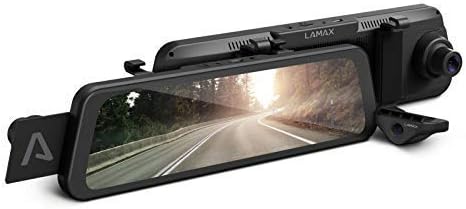
Image: The LAMAX S9 Dual Mirror Dash Cam, designed to clip over your existing rearview glas.
- Konekte pouvwa:
Connect the power cable to the dash cam and plug the other end into your vehicle's cigarette lighter socket. Route the cable neatly to avoid interference with driving.
- Enstale Kamera Dèyè a:
Mount the rear camera to the rear window of your vehicle. Connect the rear camera cable to the main mirror unit. Use the provided cable clips to secure the cable along the vehicle's interior trim.
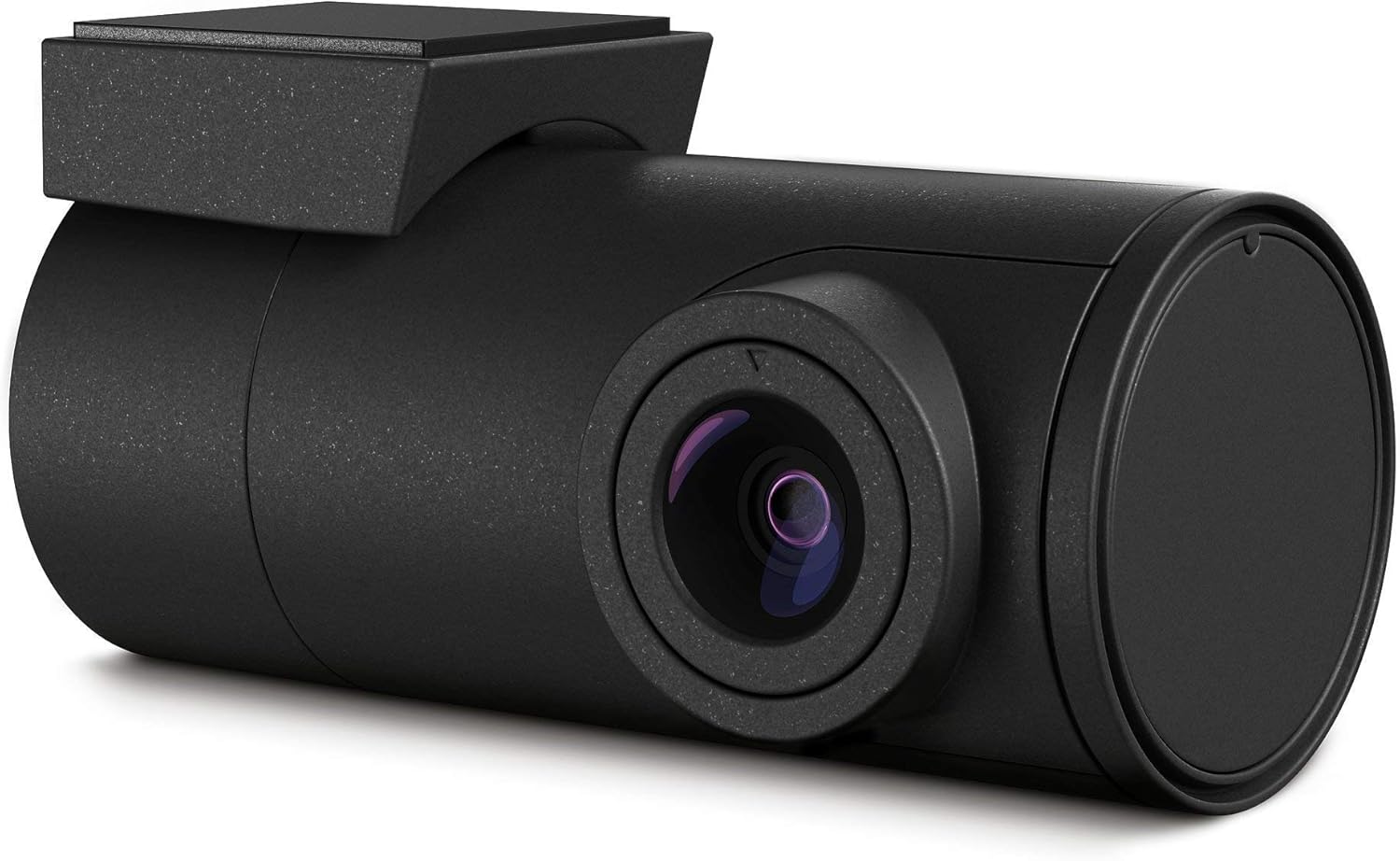
Image: The compact rear camera module for the LAMAX S9 Dual.
- Installing the GPS Module:
Attach the external GPS module to a suitable location on your dashboard or windshield, ensuring it has a clear view of the sky for optimal signal reception. Connect it to the main unit.

Image: The LAMAX S9 Dual system showing the main mirror unit, rear camera, and GPS module.
- Mete kat MicroSD:
Insert a compatible MicroSD card (up to 64GB) into the designated slot on the dash cam. Ensure it is formatted correctly before first use.
Enstriksyon Operasyon
The LAMAX S9 Dual is designed for easy operation. Here's how to use its main functions:
- Limen/Etenyen: The device will automatically power on and begin recording when your vehicle starts, and power off when the ignition is turned off.
- Ekspozisyon Touchscreen:
The 9.66-inch IPS touchscreen provides a clear view of the road ahead or behind. You can switch between front, rear, or split-screen views by swiping on the screen. The screen can be turned off to function as a regular rearview mirror while recording continues in the background.
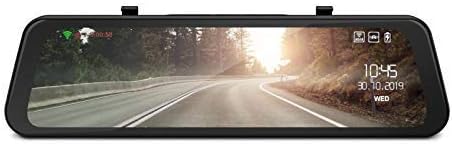
Image: The LAMAX S9 Dual's 9.66-inch IPS screen showing a live road view with overlaid information like time and date.
- Anrejistreman videyo:
Both front and rear cameras record in Full HD (1920x1080) at 30 frames per second. The system uses loop recording, automatically overwriting the oldest files when the memory card is full. Important footage can be protected from overwriting by the G-sensor or manual lock.
- Kontwòl vwa:
The LAMAX S9 Dual supports 12 voice commands for hands-free operation. Refer to the included voice command list for available commands (e.g., "Start recording," "Take photo," "Lock video").
- Radar Warning System:
Utilizing an extensive database, the device provides audible and visual warnings for approaching speed cameras and traffic light cameras in over 37 European countries. This feature helps you maintain safe driving speeds.
- Mòd pakin:
When parking mode is enabled, the dash cam will automatically start recording if it detects a collision or significant movement while the vehicle is parked. This requires a continuous power supply.
- Koneksyon Wi-Fi ak kontwòl aplikasyon:
Connect the dash cam to your smartphone via Wi-Fi using the dedicated LAMAX app. This allows you to view viv footage, download recordings, change settings, and update firmware directly from your phone.
- Night Recording:
Equipped with an innovative optical sensor and advanced technology, the rear camera ensures high-quality video recording even in low-light conditions or at night, capturing crucial details like license plates.
Antretyen
Proper maintenance ensures the longevity and optimal performance of your LAMAX S9 Dual:
- Netwayaj: Use the provided microfiber cloth to gently wipe the screen and camera lenses. Avoid using abrasive cleaners or solvents that could damage the surfaces.
- Kat MicroSD: Regularly format your MicroSD card (at least once a month) to prevent data corruption and ensure smooth recording. Back up any important videos before formatting.
- Mizajou mikrolojisyèl: Check the LAMAX website or the companion app periodically for firmware updates. Keeping your device's firmware up-to-date can improve performance and add new features.
- Depo: When not in use for extended periods, store the dash cam in a cool, dry place away from direct sunlight and extreme temperatures.
Depanaj
If you encounter issues with your LAMAX S9 Dual, refer to the following common problems and solutions:
| Pwoblèm | Kòz posib / Solisyon |
|---|---|
| Aparèy pa limen. | Check if the power cable is securely connected to both the dash cam and the cigarette lighter socket. Ensure the vehicle's ignition is on. Test the cigarette lighter with another device. |
| Anrejistreman an sispann oswa li bloke. | The MicroSD card may be full or corrupted. Format the card regularly. Ensure you are using a high-speed (Class 10 or U3) MicroSD card. |
| Move kalite videyo. | Clean the camera lenses. Ensure the protective film has been removed from the lenses. Check video resolution settings. Adjust exposure if necessary. |
| Siyal GPS pa jwenn. | Asire w ke modil GPS la konekte epi li gen yon vizyon klè. view of the sky (not obstructed by tinted windows or metal objects). Try moving the vehicle to an open area. |
| Kontwòl vwa a pa reponn. | Speak clearly and at a normal volume. Ensure the microphone is not obstructed. Refer to the voice command list for correct phrases. |
Espesifikasyon
| Karakteristik | Detay |
|---|---|
| Mak | LAMAX |
| Non modèl | S9 Dual |
| Koulè | Nwa |
| Gwosè ekran | 9.66 pous |
| Koneksyon Teknoloji | Wi-Fi |
| Karakteristik espesyal | Voice Control, GPS with Radar Detection, Full HD Rear Camera, Integrated Wi-Fi and App Control, Bright 9.66-inch IPS Screen, LDWS and FCWS Systems, High Quality Night Recording |
| Aparèy konpatib | Smartphone, Car |
| Konpozisyon batri | Lityòm-polymère |
| Batri rechargeable | Non |
| Rezolisyon anrejistreman videyo | 1080p (Full HD) |
| Jaden nan View | Front: 150 Degrees, Rear: 130 Degrees |
| Kalite aliye | Integrated (Clips over existing mirror) |
| Manifakti | LAMAX |
| Batri(yo) | 1 Lithium-polymer - included |
| Max Micro SD Card Support | Jiska 64 GB |
Garanti ak sipò
LAMAX products are designed for reliability and performance. For specific warranty details, please refer to the warranty card included in your product packaging or visit the official LAMAX websit.
For technical support, troubleshooting assistance, or inquiries regarding spare parts and software updates, please contact LAMAX customer service through their official websit la oswa enfòmasyon kontak yo bay nan dokimantasyon pwodwi ou a.
Note: Information regarding spare parts availability and guaranteed software updates was not explicitly provided in the product details. Please consult the manufacturer's official resources for the most current information.


