Entwodiksyon
Thank you for choosing the Dolphin Bluetooth Portable Speaker SPB-8X. This manual provides essential information for setting up, operating, and maintaining your speaker to ensure optimal performance and longevity. The SPB-8X is designed for portability and delivers high-definition sound with versatile connectivity options.
Karakteristik kle:
- Built-in phone holder for convenient device access.
- Wavesync Technology for immersive and crystal-clear audio performance.
- Hands-free call function for easy communication.
- Hi-Definition sound for precision and clarity in music playback.
- Batri ki dire lontan pou rekreyasyon pwolonje.
- Bluetooth and AUX connectivity.
- Integrated FM Radio.
Ki sa ki nan bwat la
- Dolphin Bluetooth Portable Speaker SPB-8X
- Chaje kab
Pwodwi souview
Familiarize yourself with the components and controls of your Dolphin SPB-8X speaker.

Figi 1: Devan view of the Dolphin SPB-8X Portable Speaker, showcasing the dual speaker grilles, central control panel, and integrated phone holder.

Figi 2: Dèyè view of the speaker, highlighting the USB and AUX input ports for wired connections.

Figure 3: The speaker with a smartphone securely placed in its integrated phone holder, demonstrating its convenience for media viewing.
Kontwòl Panel:
- M (Mòd) bouton: Press to switch between Bluetooth, FM Radio, and AUX modes.
- - (Volume Down) Button: Press to decrease volume. Hold to skip to the previous track.
- + (Volume Up) Button: Peze pou ogmante volim nan. Kenbe pou ale nan pwochen mizik la.
- Bouton jwe/poz: Press to play or pause audio. In call mode, press to answer or end a call.
Gid Enstalasyon
1. Chaje Oratè a:
- Konekte kab chaje ki vini ak aparèy la nan pò chaje oratè a.
- Konekte lòt bout kab la nan yon adaptè kouran USB konpatib (pa enkli) oubyen nan yon pò USB òdinatè.
- Limyè endikatè chaj la ap limen. Yon fwa li fin chaje nèt, limyè a ka chanje koulè oswa etenn.
- A full charge provides hours of playtime.
2. Limen/Etenyen:
- To power on, press and hold the Power button (usually integrated with the Mode button or a separate switch) until you hear an audible prompt.
- Pou etenn oratè a, peze epi kenbe bouton Power la ankò jiskaske li fèmen.
3. Pè Bluetooth:
- Ensure the speaker is powered on and in Bluetooth mode (indicated by an audible prompt or LED). If not, press the 'M' (Mode) button to switch to Bluetooth.
- Sou aparèy ou an (telefòn entelijan, tablèt, òdinatè), aktive Bluetooth epi chèche aparèy ki disponib yo.
- Select "Dolphin SPB-8X" from the list of devices.
- Once paired, you will hear a confirmation sound. The speaker is now ready to play audio wirelessly.
- The Bluetooth range is approximately 30 feet (9 meters).
4. Koneksyon AUX:
- Connect one end of a 3.5mm audio cable (not included) to the AUX input port on the speaker (refer to Figure 2).
- Connect the other end of the cable to the audio output jack of your device.
- The speaker will automatically switch to AUX mode, or you may need to press the 'M' (Mode) button to select AUX.
5. Operasyon Radyo FM:
- Peze bouton 'M' (Mòd) la pou chanje nan mòd Radyo FM.
- Pou eskane epi sove estasyon ki disponib yo otomatikman, peze epi kenbe bouton Lekti/Pòz la. Oratè a pral eskane epi sove estasyon yo otomatikman.
- Use the '-' and '+' buttons to navigate between saved stations.
6. Using the Phone Holder:
- The integrated phone holder is located on the top surface of the speaker.
- Simply place your smartphone or small tablet into the slot for convenient hands-free viewing while listening to audio.
7. Wavesync Technology (Pairing Two Speakers):
Wavesync Technology allows you to pair two Dolphin SPB-8X speakers together for a true stereo sound experience.

Figure 4: Two Dolphin SPB-8X speakers wirelessly connected using Wavesync Technology for enhanced audio.
- Ensure both SPB-8X speakers are powered on and not connected to any Bluetooth device.
- On one speaker (this will be the primary speaker), press and hold the 'M' (Mode) button for a few seconds until you hear a pairing tone, indicating it's searching for another speaker.
- The second speaker will automatically connect to the primary speaker. You will hear a confirmation tone once connected.
- Kounye a, konekte aparèy ou a ak oratè prensipal la atravè Bluetooth jan sa dekri nan etap 3. Odyo a ap jwe nan tou de oratè yo an stereo.
Operasyon
Kontwòl Volim:
- Peze bouton '+' la pou ogmante volim nan.
- Peze bouton '-' la pou diminye volim nan.
Track Navigasyon:
- Hold the '+' button to skip to the next track.
- Hold the '-' button to go back to the previous track.
Jwe/Poz:
- Press the Play/Pause button to pause the current audio playback. Press again to resume.
Apèl men lib:
When connected via Bluetooth, the speaker supports hands-free calling.
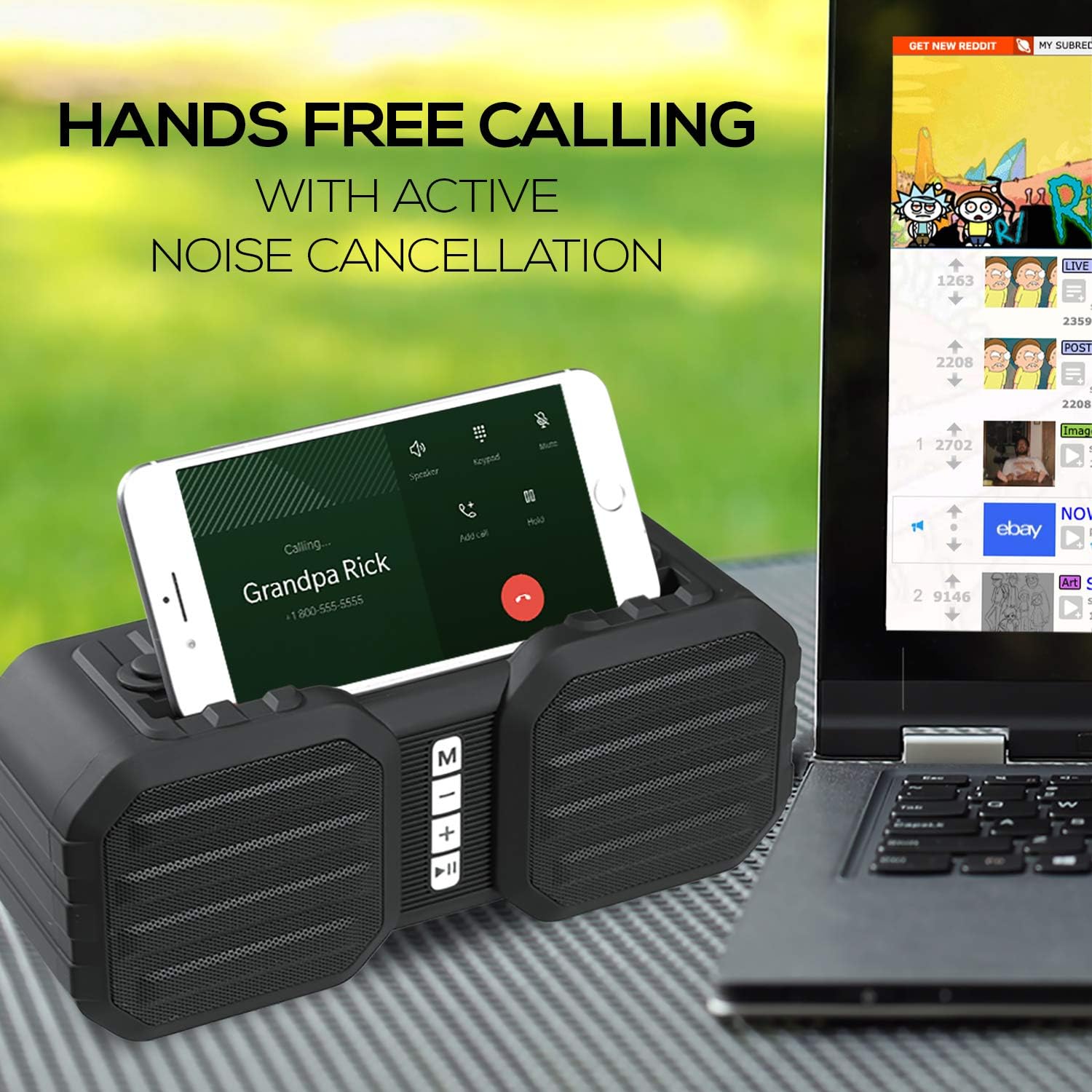
Figure 5: The speaker facilitating a hands-free call, demonstrating its built-in microphone capabilities.
- Reponn apèl: Press the Play/Pause button when an incoming call rings.
- Fini apèl: Press the Play/Pause button during a call to hang up.
- Rejte apèl: Press and hold the Play/Pause button when an incoming call rings.
Antretyen
- Netwayaj: Sèvi ak yon twal mou epi sèk pou netwaye deyò oratè a. Pa sèvi ak pwodui netwayaj abrazif oswa solvan.
- Rezistans dlo: The speaker has a water-resistant design, but it is NOT waterproof. Do not submerge it in water or expose it to heavy rain. Wipe off any splashes immediately.
- Depo: Sere oratè a nan yon kote ki fre epi sèk, lwen limyè solèy dirèk ak tanperati ekstrèm.
- Swen batri: To prolong battery life, fully charge the speaker before first use and recharge it regularly, even if not in frequent use. Avoid completely draining the battery.
Depanaj
| Pwoblèm | Solisyon posib |
|---|---|
| Oratè a pa limen. | Asire w batri a chaje. Konekte kab chaje a epi kite l chaje pou omwen 30 minit anvan ou eseye limen l ankò. |
| Pa gen son soti nan oratè la. | Check the volume level on both the speaker and your connected device. Ensure the speaker is in the correct mode (Bluetooth, AUX, FM). If using Bluetooth, ensure it's properly paired. |
| Bluetooth appariement echwe. | Ensure the speaker is in Bluetooth pairing mode. Turn off Bluetooth on your device and turn it back on. Forget "Dolphin SPB-8X" from your device's Bluetooth list and try pairing again. Move the speaker closer to your device. |
| Resepsyon radyo FM ki fèb. | Deplase oratè a nan yon zòn ki gen pi bon siyal. Ralonje nenpòt antèn entegre si genyen. |
| Wavesync pairing fails. | Ensure both speakers are SPB-8X models and are not connected to any other Bluetooth devices. Try resetting both speakers and repeating the Wavesync pairing process. |
Espesifikasyon
| Karakteristik | Detay |
|---|---|
| Non modèl | SPB-8X |
| Mak | Dolphin |
| Kalite Oratè | Pòtab Bluetooth Oratè |
| Koneksyon Teknoloji | Bluetooth, oksilyè |
| Teknoloji kominikasyon san fil | Bluetooth |
| Gamme Bluetooth | 30 pye |
| Audio Sòti Mode | Antouraj, Stereo |
| Oratè maksimòm pwodiksyon pouvwa | 10 Watts |
| Repons Frekans | 20 Hz |
| Sous pouvwa | Batri Powered |
| Pwa atik | 1.65 liv |
| Dimansyon pwodwi | 3.5"D x 9"W x 4"H |
| Koulè | Ble |
| Nivo rezistans dlo | Dlo rezistan |
| Konpozan ki enkli | Chaje kab |
| Kalite garanti | Limite |
| Manifakti | General Sounc Co. |
Garanti ak sipò
The Dolphin Bluetooth Portable Speaker SPB-8X comes with a Garanti limite. For specific details regarding warranty coverage, duration, and terms, please refer to the warranty card included with your product or contact Dolphin customer support.
For technical support, troubleshooting assistance, or any inquiries not covered in this manual, please contact Dolphin customer service through their official websit oswa enfòmasyon kontak yo bay ak acha w la.
Manifakti: General Sounc Co.




