Entwodiksyon
Mèsi pou acha aasing the WorkPro™ LED USB Desk Lamp with Wireless Charger. This manual provides detailed instructions for the safe and efficient use of your new desk lampTanpri li manyèl sa a byen anvan ou itilize li epi konsève li pou referans pita.
Enfòmasyon enpòtan sou sekirite
- Pa ekspoze lamp nan dlo oswa twòp imidite.
- Pa demonte oswa eseye repare l la.amp tèt ou. Refere tout sèvis yo bay pèsonèl ki kalifye.
- Asire sous pouvwa a matche ak lamp's requirements (e.g., 7 watts).
- Kenbe l laamp lwen sous chalè ak limyè solèy la dirèk.
- Use only the provided power adapter or a compatible one.
- Deploge lamp pandan tanpèt zèklè oswa lè yo pa itilize pou lontan.
Ki sa ki nan bwat la
Lè w ap ouvri pake a, tanpri verifye ke tout konpozan yo prezan epi yo pa domaje:
- Biwo USB WorkPro™ LED Lamp
- Adaptè pouvwa
- Kontwòl Remote
- Manyèl Itilizatè (dokiman sa a)
Enstalasyon ak Asanble
Debalaj Lamp
Retire tout konpozan yo nan anbalaj la avèk prekosyon. Kenbe anbalaj la pou depo oswa transpò pita.
Mete Lamp
Mete l laamp on a stable, flat surface, such as a desk or table. Ensure there is enough space around the lamp for proper ventilation and adjustment.

Image: The WorkPro LED USB Desk Lamp positioned on a desk, showcasing its sleek design and stable base.
Konekte pouvwa
Jwenn pò antre kouran an sou dèyè l la.amp base. Insert the power adapter cable firmly into the port. Plug the other end of the power adapter into a standard electrical outlet.

Imaj: Yon gwo plan view nan l laamp's base, highlighting the USB charging ports and the power input connection point.
Enstriksyon Operasyon
Lamp Controls (Touch Control)
L laamp features touch controls integrated into its base for easy operation.
- Limen/Etenyen: Lightly touch the power icon on the base to turn the lamp sou oswa koupe.
- Ajisteman klète: Touch the brightness control area to cycle through 5 brightness levels.
- Ajisteman Tanperati Koulè: Touch the color temperature control area to cycle through 5 color modes (3000K-6000K).
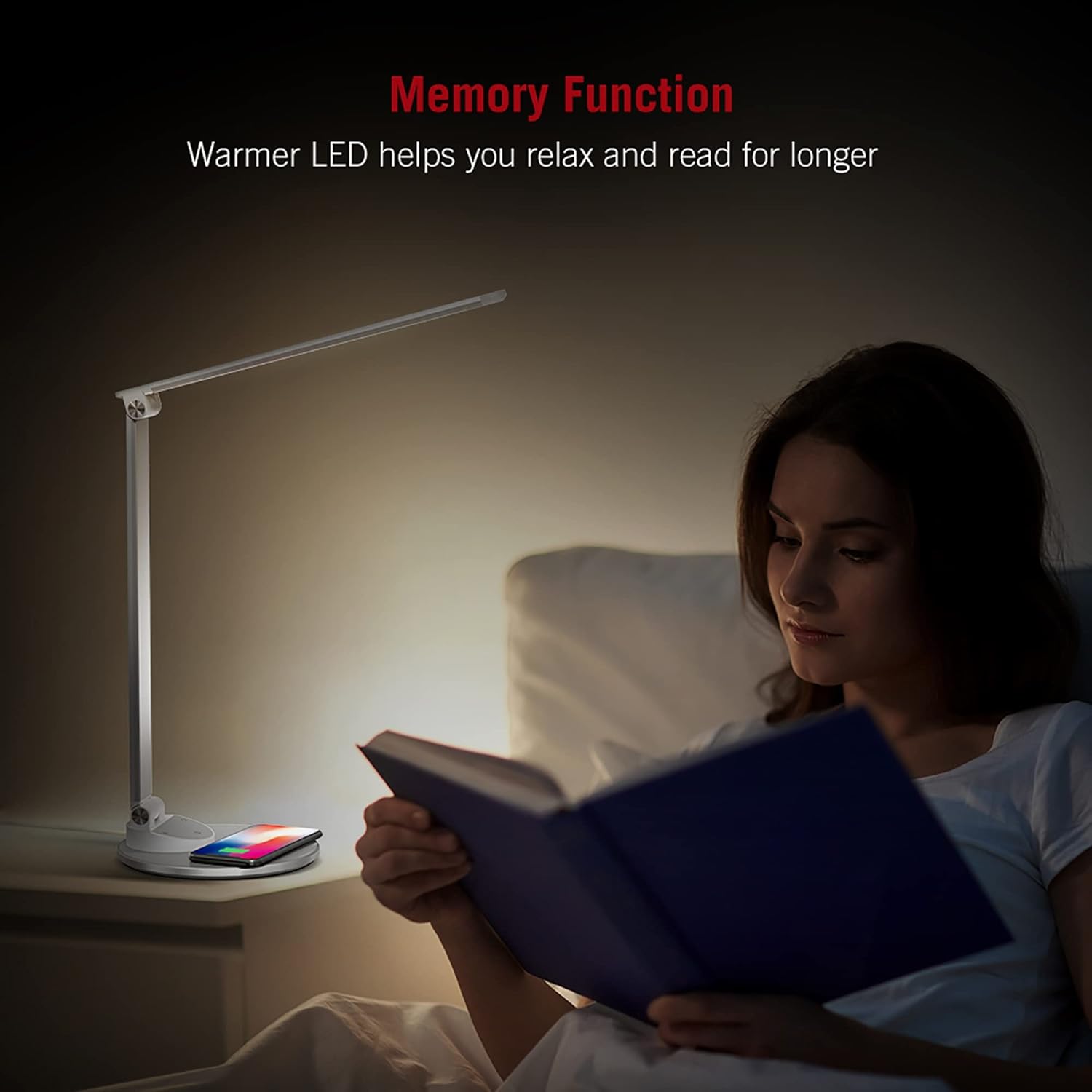
Image: An illustration demonstrating the five available color temperature modes (from warm to cool white) and five brightness levels of the WorkPro desk lamp.
Ajiste Lamp Bra
L laamp features an adjustable arm for multi-angle lighting. Gently adjust the arm and head to your desired position. The lamp arm can be adjusted up to 135 degrees and the base arm up to 145 degrees.

Image: A diagram illustrating the adjustable angles of the lamp's arm (135 degrees) and its base (145 degrees), allowing for flexible positioning.
Fonksyon chaje san fil
L laamp base includes a built-in wireless charging pad. To use, place your Qi-compatible device (e.g., smartphone) centered on the charging pad. The device should begin charging automatically.
- Asire w aparèy ou an sipòte chaj san fil Qi.
- Remove any thick cases that might interfere with charging.
- A charging indicator (if present on your device) will confirm charging status.

Image: The WorkPro desk lamp with a smartphone resting on its integrated wireless charging pad, demonstrating the charging feature.
USB chaje pò
L laamp also features USB ports for wired charging of other devices. Connect your device's USB cable to the port on the lamp baz.
Imaj: Yon gwo plan view nan l laamp's base, highlighting the USB charging ports and the power input connection point.
Fonksyon memwa
L laamp is equipped with a memory function that recalls your last used brightness and color temperature settings when turned back on.

Image: A person reading in bed, illuminated by the WorkPro lamp, demonstrating how the warmer LED settings can aid relaxation and extended reading.
Antretyen ak Swen
- Netwayaj: Dekonekte lamp from power before cleaning. Use a soft, dry cloth to wipe the lamp's surfaces. Do not use abrasive cleaners, solvents, or harsh chemicals.
- Depo: Si sere lamp for an extended period, unplug it and store it in a cool, dry place, preferably in its original packaging.
- Limyè ki ap dirije: The LED lights are integrated and not user-replaceable. Do not attempt to replace them.
Depanaj
| Pwoblèm | Kòz posib | Solisyon |
|---|---|---|
| Lamp pa limen. | Not plugged in; power outlet not working; power adapter faulty. | Ensure power adapter is securely plugged into lamp and outlet. Test outlet with another device. Try a different compatible power adapter. |
| Chaje san fil la pa fonksyone. | Device not Qi-compatible; device not properly aligned; thick phone case; foreign objects on pad. | Verify device supports Qi charging. Re-position device on the center of the pad. Remove phone case. Remove any metal objects or cards from the pad. |
| Lamp flickers or light is unstable. | Unstable power supply; faulty lamp. | Try plugging into a different outlet. If problem persists, contact customer support. |
Espesifikasyon pwodwi
| Karakteristik | Detay |
|---|---|
| Nimewo Modèl | WP2000S |
| Mak | WorkPro |
| Kalite sous limyè | dirije |
| Wattage | 7 wat |
| Mòd koulè | 5 (3000K-6000K) |
| Nivo klète | 5 |
| Metòd kontwòl | Manyen |
| Karakteristik espesyal | Adjustable Arm, Energy Efficient, Wireless Charging, USB Charging Ports, Memory Function |
| Materyèl | Metal, Porcelain |
| Dimansyon pwodwi | 17.75 x 8.5 x 3 pous |
| Pwa atik | 3.49 liv (1.59 kilogram) |
| Sous pouvwa | Fil elektrik |
| Koneksyon Teknoloji | USB |
| UPC | 735854860363 |
Enfòmasyon sou Garanti
Specific warranty details are typically provided with your purchase documentation or on the manufacturer's official website. Please refer to the warranty card included in your product packaging or visit the WorkPro official websit la pou jwenn règleman garanti ki pi ajou a.
Sipò pou Kliyan
For technical assistance, troubleshooting beyond this manual, or warranty claims, please contact WorkPro customer support:
- WorkPro Store on Amazon: Visit WorkPro Store
- Refer to your product packaging for direct contact information (phone number, email address) if available.


