1. Entwodiksyon
This manual provides detailed instructions for the installation, operation, and maintenance of your SONOFF Zigbee Smart Plug S31 Lite. Please read this manual thoroughly before using the product to ensure proper function and safety.
Karakteristik kle:
- Simple Setup and Use: Easy pairing with a compatible Zigbee hub.
- Smart kontwòl: Control connected appliances via smartphone app and set schedules.
- Kontwòl vwa: Konpatib ak Amazon Alexa ak Google Home pou operasyon men lib.
- Zigbee Repeater Function: Extends your Zigbee network range.
- ETL sètifye: Asire sekirite ak kalite pwodwi a.
- Konsepsyon kontra enfòmèl ant: Does not obstruct adjacent outlets.

Image 1.1: The SONOFF S31 Lite Zigbee Smart Plug in a standard wall outlet.

Imaj 1.2: Detaye view of the SONOFF S31 Lite Smart Plug, showing its components and safety features.
2. Enstriksyon Enstalasyon
The SONOFF S31 Lite Zigbee Smart Plug requires a compatible Zigbee hub (e.g., SmartThings, Amazon Echo Plus) for smart functionality.
2.1 Koneksyon ak yon Zigbee Hub
- Plug the SONOFF S31 Lite Smart Plug into a standard wall outlet.
- Asire w ke sant Zigbee ou a limen epi li nan mòd koneksyon. Gade manyèl sant ou a pou enstriksyon espesifik sou kijan pou aktive mòd koneksyon an.
- Louvri aplikasyon eWeLink la sou telefòn entelijan ou.
- Tap the "+" icon in the upper right corner to add a new device.
- Follow the on-screen instructions to discover and add the SONOFF S31 Lite Smart Plug to your network. This typically involves selecting the Zigbee device type and confirming the pairing process.
- Once successfully paired, the device will appear in your eWeLink App and be controllable through your Zigbee hub.

Image 2.1: Visual guide for adding a device using the eWeLink app.
2.2 Hub Compatibility
The SONOFF S31 Lite is designed to work with various Zigbee hubs, including:
- SmartThings Hub
- Amazon Echo Plus
- Amazon Echo Show (2nd Gen)
- Amazon Echo Studio

Image 2.2: Compatibility diagram for the SONOFF Zigbee Smart Plug.
3. Operasyon Enstriksyon
3.1 Kontwòl App
Once paired, you can control the smart plug and connected devices through the eWeLink app:
- On/Off kontwòl: Tap the power icon in the app to toggle the connected appliance on or off.
- Orè: Set custom schedules, timers, or countdowns for automatic operation.
- Siveyans pouvwa: View real-time power consumption (if supported by your specific model and app version).

Image 3.1: Controlling a device via the eWeLink app interface.

Imaj 3.2: Egzanpample of setting a schedule for an appliance.
3.2 Kontwòl vwa
Integrate your SONOFF S31 Lite with Amazon Alexa or Google Home for convenient voice commands. Ensure your Zigbee hub is linked to your voice assistant account.
- Amazon Alexa: After linking your eWeLink or SmartThings account to Alexa, you can use commands like "Alexa, turn on the [device name]" or "Alexa, turn off the [device name]."
- Google Kay: Similar integration allows commands such as "Hey Google, turn on the [device name]."
Video 3.1: Demonstration of controlling SONOFF devices using Alexa voice commands.
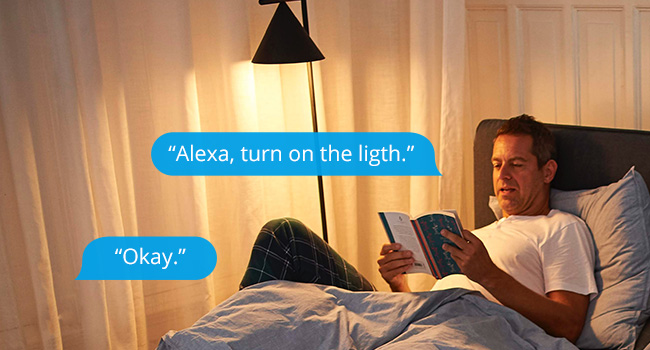
Imaj 3.3: Egzanpample of using Alexa to control a light connected to the smart plug.
3.3 Manyèl Kontwòl
The smart plug features a physical button on its side. Press this button to manually toggle the power of the connected appliance on or off. This action will also update the status in your app.

Image 3.4: The SONOFF S31 Lite Smart Plug used with a lamp, illustrating its versatility.
4. Antretyen
To ensure the longevity and optimal performance of your SONOFF Zigbee Smart Plug S31 Lite:
- Kenbe aparèy la pwòp epi san pousyè. Sèvi ak yon twal sèk epi mou pou netwaye.
- Evite ekspoze aparèy la nan imidite twòp oswa tanperati ekstrèm.
- Pa eseye demonte oswa repare aparèy la tèt ou. Kontakte sipò kliyan pou asistans.
- Ensure the connected appliance's power consumption does not exceed the smart plug's maximum rating (15 Amps).
NAN. Depanaj
If you encounter issues with your SONOFF Zigbee Smart Plug S31 Lite, consider the following:
- Aparèy pa reponn:
- Check if the smart plug is properly plugged into the outlet and receiving power.
- Verify that your Zigbee hub is online and functioning correctly.
- Ensure the smart plug is within range of your Zigbee hub or another Zigbee repeater.
- Try re-pairing the device with your Zigbee hub.
- Pwoblèm koneksyon aplikasyon an:
- Confirm your smartphone has a stable internet connection.
- Restart the eWeLink app.
- Tcheke pou mizajou aplikasyon an.
- Kontwòl Vwa a pa fonksyone:
- Ensure your Zigbee hub is correctly linked to your voice assistant (Alexa/Google Home) account.
- Verify the device name used in voice commands matches the name in your app.
- Check your voice assistant's settings for any connectivity issues.
If problems persist, please refer to the official SONOFF support resources or contact customer service.
6. Espesifikasyon
| Karakteristik | Detay |
|---|---|
| Nimewo Modèl | S31 Lite zb |
| Dimansyon pwodwi | 1.57 x 3 x 1.3 pous |
| Pwa atik | 3.21 ons |
| Rating aktyèl | 15 Amps |
| Materyèl | Copper (internal components), PC V0 (shell) |
| Koneksyon | Zigbee Protocol (Hub Required) |
| Konpatibilite | SmartThings, Amazon Echo Plus, Alexa, Google Home |
| Kalite aliye | Ploge nan mòn |
7. Garanti ak sipò
Pou enfòmasyon sou garanti, sipò teknik, oswa plis asistans, tanpri vizite sit ofisyèl SONOFF la. website or contact their customer service department. Details can typically be found on the product packaging or the SONOFF official websit.


