1. Entwodiksyon
Thank you for choosing the Soundcore Ace A1 Portable Bluetooth Speaker. This manual provides essential information for setting up, operating, and maintaining your device. Please read it carefully before use and retain it for future reference.
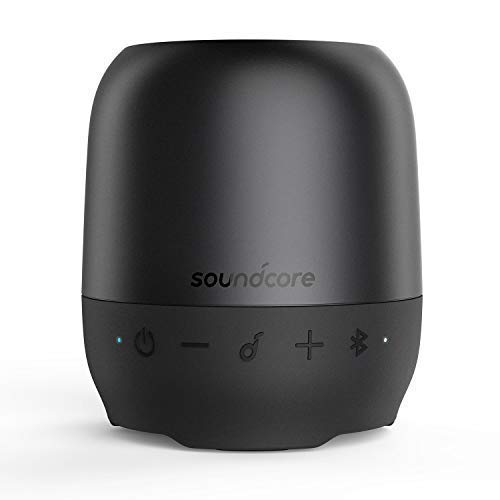
Imaj 1.1: Devan view of the Soundcore Ace A1 Portable Bluetooth Speaker, showcasing konsepsyon kontra enfòmèl ant li yo ak bouton kontwòl li yo.
2. Pake kontni
Asire w tout atik yo prezan nan pakè w la:
- Soundcore Ace A1 Portable Bluetooth Speaker
- USB Chaje Kab
- Detachable Lanyard/Strap
- Manyèl Itilizatè (dokiman sa a)
3. Kontwòl ak Endikatè
Familiarize yourself with the speaker's buttons and LED indicators:
- Bouton pouvwa (⏻): Press and hold to power on/off.
- Bouton Dawonn Volim (−): Press to decrease volume. Hold to skip to previous track.
- Multi-fonksyon bouton (🎵): Press to play/pause. Press twice for next track. Press once to answer/end call. Hold to reject call.
- Volim moute bouton (+): Press to increase volume. Hold to skip to next track.
- Bouton Bluetooth (🔂): Press to enter Bluetooth pairing mode.
- Endikatè ki ap dirije: Shows power, charging, and Bluetooth status.
- Mikwo-USB chaje Port: Pou chaje oratè a.
- Pò Antre AUX: For wired audio connection.
- Plas pou kat Micro-SD: For playing music directly from a Micro-SD card.
4. Enstalasyon
4.1 Chaje Oratè a
Before first use, fully charge the speaker. Connect the provided USB charging cable to the Micro-USB port on the speaker and the other end to a USB power adapter (not included) or a computer's USB port.
- The LED indicator will be solid red during charging.
- The LED indicator will turn off when fully charged.
- Yon chaj konplè pran apeprè 2-3 èdtan anjeneral.
4.2 Limen/Etenyen
- To power on: Press and hold the Power button for 2 seconds. The LED indicator will flash blue.
- To power off: Press and hold the Power button for 2 seconds. The LED indicator will turn off.
5. Itilizasyon Oratè a
5.1 Bluetooth Koneksyon
The Soundcore Ace A1 can connect wirelessly to your device via Bluetooth.
- Power on the speaker. The LED indicator will flash blue, indicating it's in pairing mode.
- Aktive Bluetooth sou aparèy ou an (telefòn entelijan, tablèt, elatriye).
- Chèche pou "Soundcore Ace A1" in your device's Bluetooth list and select it to connect.
- Yon fwa konekte, endikatè ki ap dirije a ap vire solid ble.
- Si yo mande w yon modpas, antre "0000".
Note: The speaker will automatically attempt to reconnect to the last paired device when powered on. If connection fails, repeat the pairing steps.
5.2 Lekti Odyo
Once connected via Bluetooth, AUX, or Micro-SD card, you can control audio playback:
- Jwe/Poz: Press the Multi-function button (🎵).
- Pwochen Track: Peze epi kenbe bouton pou ogmante volim nan (+) pou 2 segonn.
- Track Previous: Peze epi kenbe bouton Diminye Volim nan (−) pou 2 segonn.
- Volim moute: Peze bouton pou ogmante volim nan (+).
- Volim desann: Peze bouton Diminye Volim nan (−).
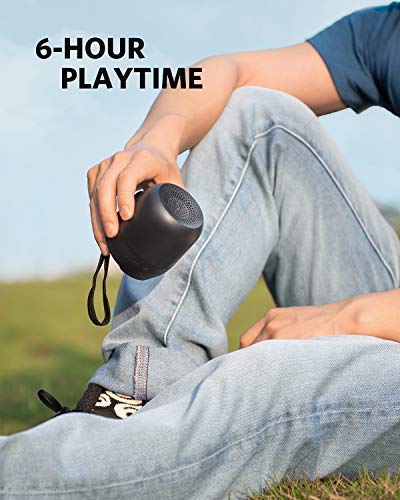
Image 5.1: The Soundcore Ace A1 is designed for portability, offering up to 6 hours of continuous music playback.
5.3 Using the AUX Input
Connect an audio device directly to the speaker using a 3.5mm AUX cable (not included).
- Plug one end of the AUX cable into the speaker's AUX port.
- Plug the other end into the headphone jack of your audio device.
- Oratè a ap chanje otomatikman nan mòd AUX.
5.4 Sèvi ak yon kat Micro-SD
Insert a Micro-SD card (up to 32GB, formatted to FAT32) with audio files into the Micro-SD card slot. The speaker will automatically detect and play music from the card.
- Supported audio formats typically include MP3, WMA, WAV.
5.5 Apèl nan telefòn
Mikwofòn entegre a pèmèt ou fè apèl men lib lè w konekte via Bluetooth.
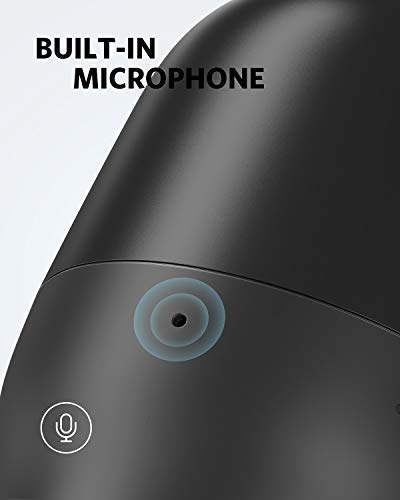
Image 5.2: The Soundcore Ace A1 features a built-in microphone for clear hands-free calls.
- Reponn apèl: Press the Multi-function button (🎵) yon fwa.
- Fini apèl: Press the Multi-function button (🎵) yon fwa pandan yon apèl.
- Rejte apèl: Press and hold the Multi-function button (🎵) pou 2 segonn.
- Switch between speaker and phone: During a call, press and hold the Multi-function button (🎵) pou 2 segonn.
6. Antretyen ak Swen
- Netwaye oratè a ak yon mou, damp twal. Pa sèvi ak pwodui netwayaj abrazif oswa solvang.
- Avoid exposing the speaker to extreme temperatures, direct sunlight, or excessive moisture.
- Sere oratè a nan yon kote ki fre, sèk lè li pa itilize.
- Pa eseye demonte oswa repare oratè a tèt ou. Sa ap anile garanti a.
NAN. Depanaj
| Pwoblèm | Solisyon |
|---|---|
| Oratè a pa limen. | Asire w ke oratè a chaje. Konekte l nan yon sous kouran epi eseye ankò. |
| Pa ka asosye ak aparèy Bluetooth. |
|
| Pa gen son. |
|
| Bon kalite son pòv yo. |
|
| Mikwofòn nan pa fonksyone pandan apèl yo. |
|
8. Espesifikasyon
| Karakteristik | Detay |
|---|---|
| Non modèl | Soundcore Ace A1 (A3151) |
| Koneksyon Teknoloji | Bluetooth, Auxiliary, Micro-SD |
| Kominikasyon san fil | Bluetooth |
| Sous pouvwa | Battery Powered (Built-in Li-on) |
| Playtime | Jiska 6 èdtan |
| Karakteristik espesyal | Built-in Microphone, Micro-SD Card Slot |
| Metòd kontwòl | Touche bouton |
| Ki enpèmeyab | Wi |
| Koulè | Nwa |
| Manifakti | Anker |
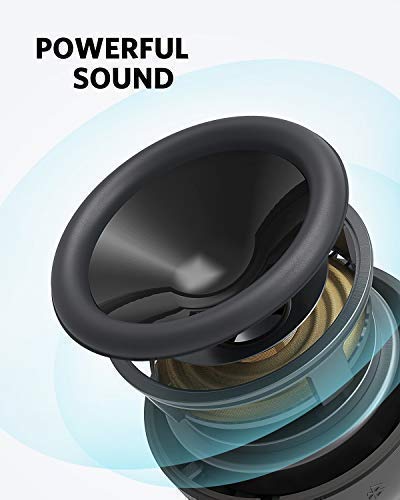
Image 8.1: Internal components of the Soundcore Ace A1, illustrating its powerful sound architecture.
9. Garanti ak Sipò Kliyan
Soundcore provides an 18-mwa garanti apati dat acha a. Garanti sa a kouvri domaj fabrikasyon epi li asire pwodwi ou a fonksyone jan li dwe ye nan itilizasyon nòmal.
For technical support, warranty claims, or other inquiries, please contact Soundcore customer service through their official website or the retailer where the product was purchased. Please have your proof of purchase and product model number (Ace A1 / A3151) ready.
You can visit the official Soundcore store for more information: Soundcore Store


