1. Entwodiksyon
This manual provides essential instructions for the safe and effective use of your Unitech MS652 800mAh rechargeable battery. Please read this manual thoroughly before using the battery to ensure proper operation and to prevent damage or injury.
2. Pwodwi souview
The Unitech MS652 800mAh battery is a genuine replacement or spare battery designed specifically for the Unitech MS652 ring scanner. It provides reliable power to ensure continuous operation of your device.
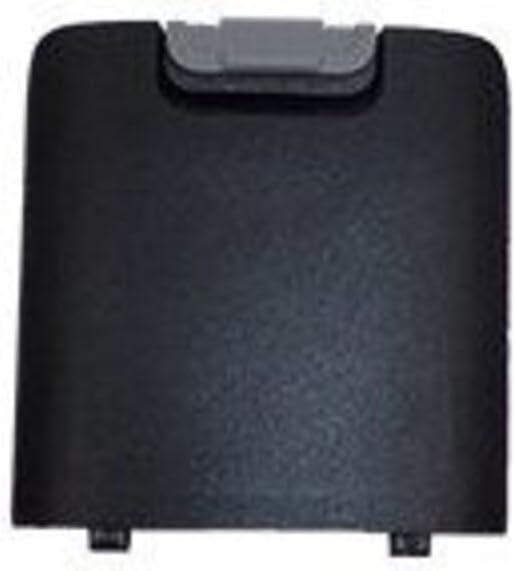
Figi 1: Unitech MS652 800mAh Battery. This image shows the black rectangular battery pack with a grey latch mechanism at the top, designed to fit into the Unitech MS652 ring scanner.
3. Enstalasyon ak Enstalasyon
Follow these steps to install the battery into your Unitech MS652 ring scanner:
- Aparèy koupe pouvwa: Ensure your Unitech MS652 ring scanner is completely powered off before attempting battery installation or removal.
- Chèche lòj batri: Identify the battery compartment on your MS652 scanner. Refer to your scanner's user manual for exact location if unsure.
- Konpatiman Ouvè: Carefully open the battery compartment cover. This may involve sliding a latch or unscrewing a small screw, depending on the scanner model.
- Mete batri: Align the battery with the contacts inside the compartment. Gently push the battery into place until it clicks or sits securely. Ensure the grey latch mechanism on the battery aligns with the scanner's locking mechanism.
- Fèmen konpatiman: Ranplase kouvèti lòj batri a epi an sekirite li.
- Inisyal chaj: For optimal performance, fully charge the battery before its first use.
4. Operasyon Enstriksyon
The Unitech MS652 800mAh battery is designed for seamless integration with your MS652 ring scanner.
- Chaje: Use only the charger supplied or approved by Unitech for the MS652 scanner. Connect the scanner with the installed battery to the charger. The charging indicator on the scanner will typically show the charging status.
- Premye Itilizasyon: It is recommended to fully charge the battery before its initial use to calibrate the battery meter and ensure maximum capacity.
- Itilizasyon nòmal: The battery will power your MS652 scanner during operation. Monitor the battery level indicator on your scanner to determine when recharging is necessary.
- Lavi batri: Battery life varies depending on usage patterns, scanner settings, and environmental conditions.
5. Antretyen
Bon antretyen ka pwolonje lavi batri ou a:
- Chaj regilye: Avoid completely draining the battery frequently. Recharge it when the device indicates low power.
- Depo: If storing the battery for an extended period, charge it to approximately 50% and store it in a cool, dry place (between 0°C and 25°C or 32°F and 77°F). Avoid extreme temperatures.
- Netwayaj: Keep battery contacts clean. Use a dry, soft cloth to wipe away any dust or debris.
- Evite domaj fizik: Pa lage, twou, oswa demonte batri a.
NAN. Depanaj
Si ou rankontre pwoblèm ak batri ou a, konsidere bagay sa yo:
- Batri pa chaje:
- Ensure the charger is properly connected to both the power source and the scanner.
- Verify that the charger is the correct one for your Unitech MS652 scanner.
- Tcheke pou wè si gen nenpòt domaj vizib sou batri a oswa chajè a.
- Clean the battery contacts on both the battery and the scanner.
- Kout lavi batri:
- Asire w ke batri a konplètman chaje anvan w itilize.
- Reduce screen brightness or disable unnecessary features on the scanner to conserve power.
- If the battery is old, its capacity may have degraded over time. Consider replacing it.
- Aparèy pa limen:
- Confirm the battery is correctly installed and fully charged.
- Try a different, known-good battery if available.
If problems persist, contact Unitech customer support for assistance.
7. Espesifikasyon
| Karakteristik | Detay |
|---|---|
| Mak | Unitech |
| Konpatibilite modèl | Unitech MS652 Ring Scanner |
| Kalite batri | Rechargeable |
| Kapasite | 800 mAh (Miliamp Orè) |
| Nimewo Pati | 1400-900050G |
| Pwa atik | Apeprè 3.92 ons |
| Konte inite | 1 Konte |
8. Enfòmasyon sou Sekirite
Obsève prekosyon sekirite sa yo pou evite blesi oswa domaj:
- Sèvi ak chajè apwouve: Only use chargers specifically designed and approved for the Unitech MS652 scanner and its battery. Using incompatible chargers can cause fire, explosion, or other hazards.
- Evite tanperati ekstrèm: Do not expose the battery to extreme heat (e.g., direct sunlight, near heaters) or cold. High temperatures can cause the battery to overheat, swell, or explode. Low temperatures can significantly reduce battery performance.
- Pa demonte: Never attempt to disassemble, puncture, or modify the battery. This can lead to short circuits, fire, or exposure to hazardous materials.
- Bon jete: Do not dispose of batteries in household waste. Follow local regulations for proper disposal of rechargeable batteries. Many retailers and recycling centers offer battery recycling programs.
- Kenbe lwen dlo: Do not immerse the battery in water or expose it to excessive moisture.
- Kenbe lwen timoun yo: Sere pil yo pa rive jwenn timoun yo.
- Manyen ak Swen: Evite lage batri a oswa sibi gwo chòk.
9. Garanti ak sipò
For warranty information or technical support regarding your Unitech MS652 800mAh battery or compatible device, please refer to the documentation provided with your Unitech MS652 ring scanner or visit the official Unitech website. You may also contact Unitech customer service directly for assistance.
Unitech Official Websit: www.unitech.com


