Entwodiksyon
This manual provides instructions for the assembly, operation, and maintenance of your suptek MST004 Monitor Stand Riser. Designed to elevate your computer monitor, laptop, or printer, this stand helps create a more ergonomic workspace and offers additional storage. Please read these instructions carefully before use.

Image: The suptek MST004 Monitor Stand Riser in use, elevating a computer monitor.
Enfòmasyon sou Sekirite
- Pa depase kapasite chaj maksimòm 20 kg (44.1 lbs).
- Asire w ke kanpe a mete sou yon sifas ki plat e ki estab pou anpeche l chavire.
- Kenbe ti pati yo lwen timoun yo pou evite danje toufe.
- Regularly check all connections to ensure they remain secure.
Kontni pake
Verifye ke tout konpozan yo prezan anvan ou kòmanse asanblaj la.
- 1 x suptek Metal Vented Monitor Stand Riser (Platform)
- 2 x U-Shaped Base Legs
- Screws and Assembly Tool (Wrench)
Espesifikasyon
| Karakteristik | Detay |
|---|---|
| Nimewo Modèl | MST004 |
| Materyèl | Alloy Steel |
| Koulè | Nwa |
| Platform Dimensions (L x W) | 370 mm x 235 mm (14.6 pous x 9.25 pous) |
| Height (Underneath Storage) | 100 mm (4 pous) |
| Kapasite chaj maksimòm | 20 kg (44.1 liv) |
| Pwa atik | 1.3 kg (2.86 liv) |
| Karakteristik espesyal | Vented Metal Platform, Ergonomic Design, Organizational Benefits |

Image: Detailed product dimensions of the MST004 stand.
Enstalasyon ak Asanble
The suptek MST004 Monitor Stand Riser requires minimal assembly. Follow these steps:
- Depake tout konpozan yo epi verifye yo avèk lis "Kontni pake a".
- Align the U-shaped base legs with the pre-drilled holes on the underside of the metal platform.
- Insert the provided screws through the holes and tighten them securely using the included wrench. Do not overtighten.
- Ensure the non-slip pads on the bottom of the legs are intact and properly positioned for stability.

Image: Assembly process showing the attachment of legs to the platform.
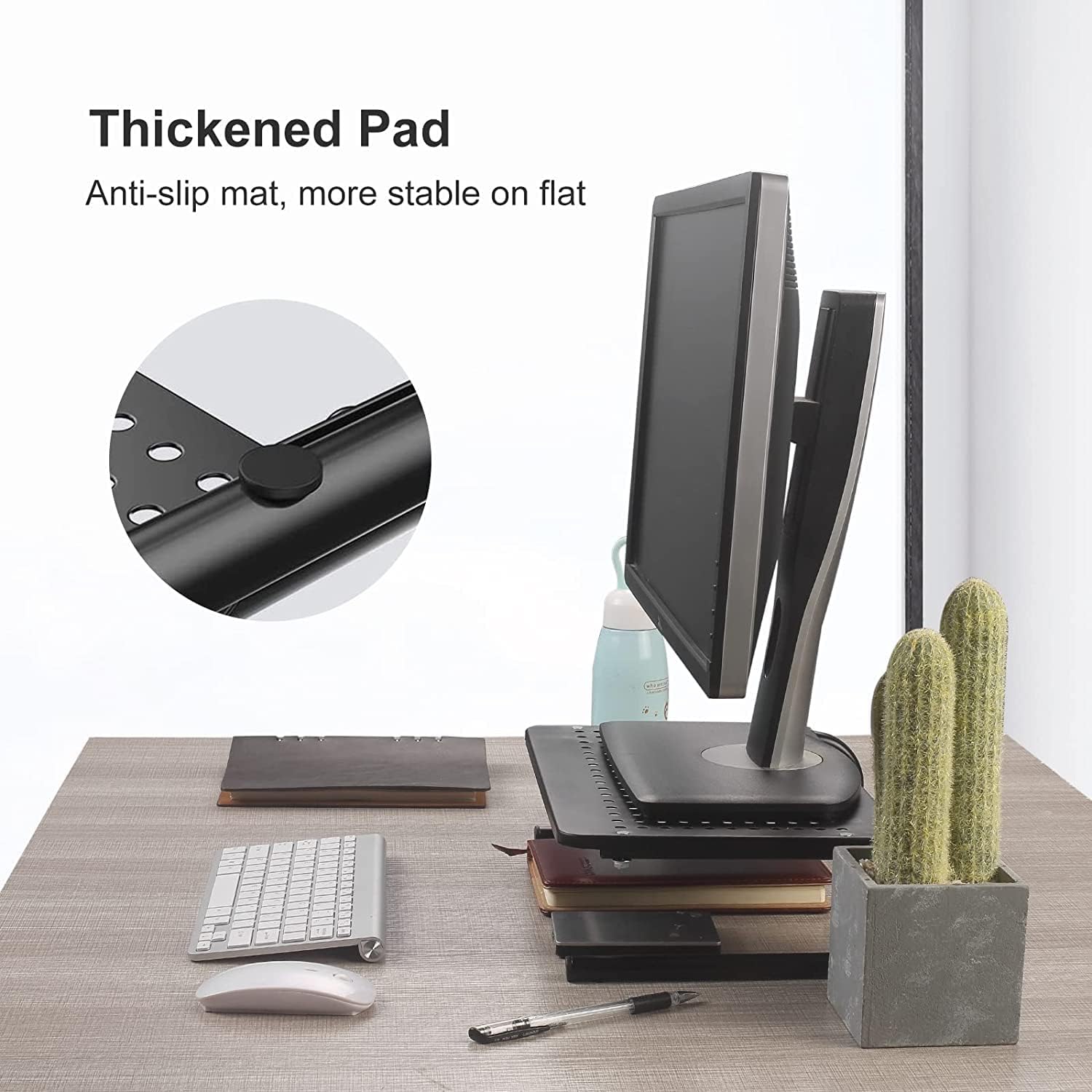
Image: Detail of the non-slip pad for enhanced stability.
Enstriksyon Operasyon
The MST004 stand is designed for versatile use to improve your workspace ergonomics and organization.
Pozisyon Ergonomik
Place your monitor, laptop, or printer on the stand's platform. The 100mm (4-inch) elevation helps raise your screen to a comfortable viewing height, reducing strain on your neck and back.

Image: Achieving an ergonomic viewing angle with the monitor stand.
Vantilasyon
The platform features a vented metal surface. This design promotes airflow, helping to dissipate heat from your devices (laptops, printers, etc.) and prevent overheating.

Image: Vented surface design for optimal airflow and device cooling.
Desk Organization
Utilize the 4 inches of space underneath the stand to store keyboards, mice, notebooks, planners, or other office supplies, keeping your desk tidy and clutter-free.

Image: Versatile use of the stand for various devices and storage.

Image: The stand effectively frees up desk space.
Videyo pwodwi ofisyèl yo
Videyo: Finiview of the suptek Monitor Stand Riser for Computer.
Video: Demonstration of the suptek Monitor Stand Riser for Computer and Laptop.
Antretyen
- Netwayaj: Siye kanpe a ak yon twal mou,amp twal. Evite pwodui netwayaj abrazif oswa pwodui chimik ki ka domaje fini an.
- Enspeksyon: Periodically check all screws and connections to ensure they are tight and the stand remains stable.
Depanaj
Kanpe a santi l enstab:
- Asire w ke tout vis yo sere byen.
- Asire w ke kanpe a byen plase sou yon sifas plat e nivo.
- Check that the weight of the device on the stand does not exceed the maximum load capacity of 20 kg (44.1 lbs).
Aparèy surchof:
- While the stand provides ventilation, ensure that the device's own cooling vents are not obstructed.
- Confirm that the vented holes on the stand's platform are clear of debris.
Garanti ak sipò
For warranty information or technical support, please refer to the suptek official websit la oubyen kontakte sèvis kliyan yo dirèkteman. Kenbe resi acha ou a pou nenpòt reklamasyon garanti.
Manifakti: suptek


