1. Entwodiksyon
The Lenco CD-011 is a compact and practical portable CD player designed for on-the-go music enjoyment. It comes equipped with earphones and a micro-USB charging cable, making it an ideal companion for travel or daily commutes.
Featuring a clear LCD display and easily accessible buttons, the CD-011 offers straightforward operation, allowing you to enjoy your favorite music without complex settings. Its flexible power options include standard batteries or rechargeable batteries (not included), with a convenient battery charging function for maximum versatility.
To conserve energy, the Lenco CD-011 includes an intelligent power-saving function that automatically switches off the device if no music is played for more than 30 seconds, extending battery life for longer listening sessions.

Imaj: Anlè view of the Lenco CD-011 Portable CD Player in blue, showing the Lenco logo and playback controls.
2. Ki sa ki nan bwat la
Please check the package contents carefully. The following items should be included:
- Lenco CD-011 Portable CD Player
- Ekoutè
- Mikwo-USB Chaje Kab
- Manyèl itilizatè

Image: Included in-ear headphones.
3. Enstalasyon
3.1 Alimente Aparèy la
The Lenco CD-011 can be powered by either standard AA batteries or rechargeable AA batteries (not included).
- Open the battery compartment cover on the underside of the CD player.
- Mete 2 pil AA, asire w polarite ki kòrèk la (+/-).
- Fèmen kouvèti lòj batri a byen.
3.2 Charging Rechargeable Batteries
If using rechargeable AA batteries, you can charge them directly within the CD player using the supplied micro-USB cable.
- Ensure rechargeable batteries are inserted correctly.
- Connect the micro-USB cable to the charging port on the CD player.
- Connect the other end of the USB cable to a compatible USB power adapter (e.g., a smartphone charger) or a computer's USB port.
- The device will indicate charging status on the LCD.
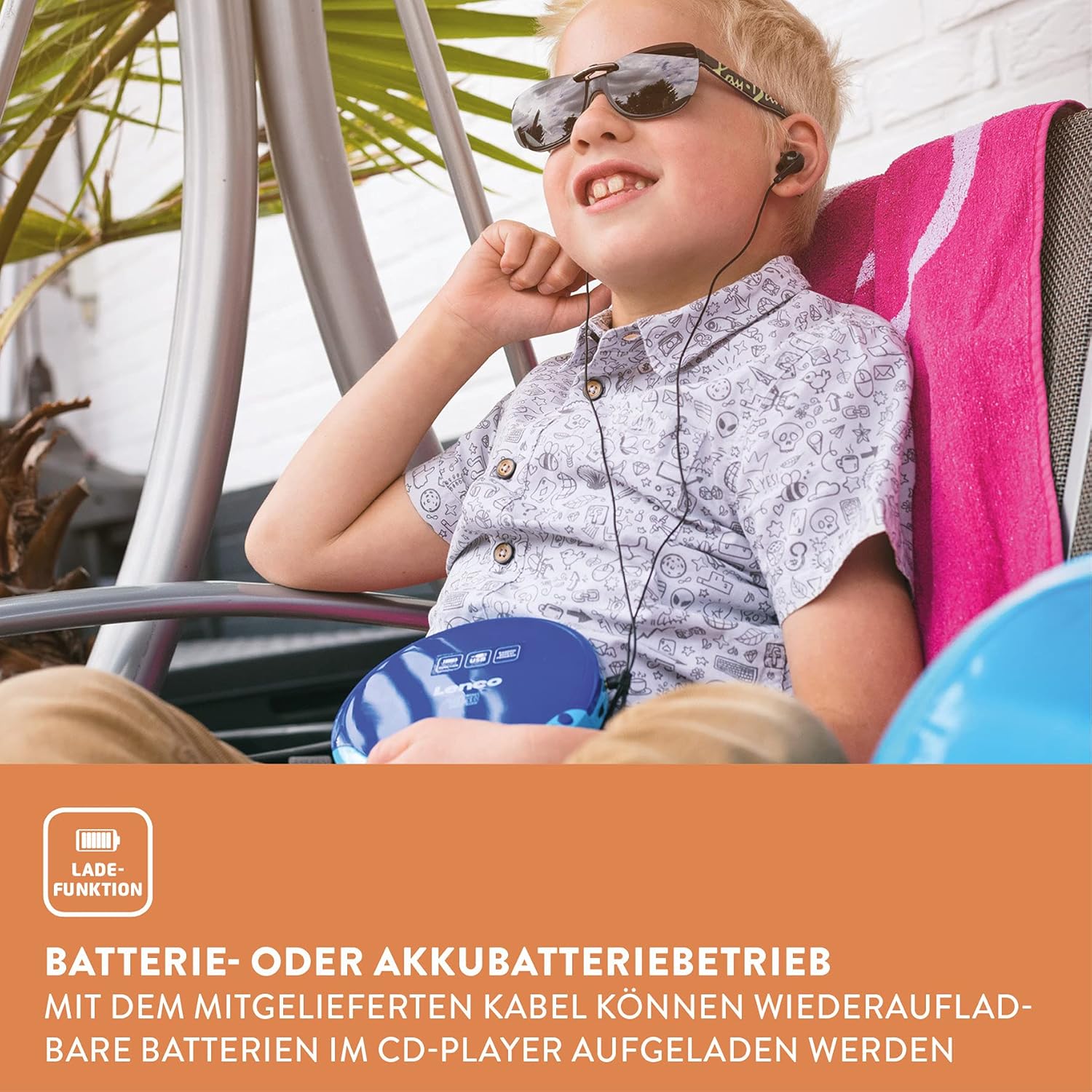
Image: The CD player supports battery operation for portability.
3.3 Konekte ekoutè yo
Plug the included earphones into the 3.5mm headphone jack on the side of the CD player.
4. Operating the CD Player
4.1 Mete yon CD
- Gently press the 'OPEN' button or slide the lid to open the CD compartment.
- Place a CD (CD, CD-R/RW, or MP3 CD) onto the spindle with the label side facing up.
- Peze CD a dousman jiskaske li fè yon klik pou antre nan plas li.
- Fèmen kouvèti konpatiman CD a byen fèm jiskaske li fème ak yon klik.

Image: Inserting a CD into the player.
4.2 Kontwòl debaz pou lèktur
The Lenco CD-011 features intuitive controls for managing your music playback:
- Play/Pause (►⏸): Press to start playback or pause the current track.
- Rete (■): Peze pou sispann lekti.
- Skip Forward (►►): Press once to skip to the next track. Hold to fast-forward within a track.
- Skip Backward (◄◄): Press once to skip to the beginning of the current track. Press twice to skip to the previous track. Hold to fast-rewind within a track.
- Volim (+/-): Adjust the listening volume using the dedicated volume buttons or dial.
- Mòd (M): Cycle through playback modes such as Repeat One, Repeat All, Random (Shuffle), and Program Play.

Image: Close-up of the control buttons and LCD display.
4.3 Using the AUX Output
You can connect the Lenco CD-011 to an external speaker or Hi-Fi system using an AUX cable (not included).
- Connect one end of a 3.5mm AUX cable to the AUX output port on the CD player.
- Connect the other end of the AUX cable to the AUX input of your external audio device.
- Ensure the external audio device is set to the correct input source.

Image: Connecting the CD player to an external speaker via AUX.
5. Antretyen
5.1 Netwaye Aparèy la
- Toujou dekonekte kab kouran an anvan ou netwaye li.
- Use a soft, dry cloth to wipe the exterior of the CD player.
- Pa sèvi ak pwodui netwayaj abrazif, sir, oswa solvan paske yo ka domaje fini an.
- For the lens, use a specialized CD lens cleaner if necessary. Avoid touching the lens directly.
5.2 Swen Disk
- Manyen CD yo nan kwen yo pou evite mak anprent sou sifas kote y ap jwe yo.
- Keep CDs in their cases when not in use to prevent scratches and dust accumulation.
- Netwaye CD sal yo ak yon twal mou ki pa gen pousyè, siye dousman soti nan sant la pou rive deyò.
NAN. Depanaj
If you encounter issues with your Lenco CD-011, please refer to the following common problems and solutions:
| Pwoblèm | Kòz posib | Solisyon |
|---|---|---|
| Aparèy pa limen. | Pil yo mouri oswa yo pa byen mete. | Replace batteries or ensure correct polarity. Charge rechargeable batteries. |
| Pa gen son nan kas ekoutè yo. | Earphones not fully plugged in; volume too low; faulty earphones. | Ensure earphones are fully inserted. Increase volume. Test with another pair of earphones. |
| CD a sote oswa li pa jwe. | CD is dirty, scratched, or inserted incorrectly; lens is dirty. | Clean the CD. Ensure the CD is placed correctly. Clean the CD player's lens. |
| Display shows "NO DISC". | No CD inserted or CD not recognized. | Insert a CD. Ensure the CD is compatible (CD, CD-R/RW, MP3 CD). Try a different CD. |
| Lavi batri a kout. | Old batteries; frequent use of high volume; power-saving feature not active. | Use fresh batteries. Reduce volume. Ensure the automatic power-off feature is functioning. |
7. Espesifikasyon
| Karakteristik | Detay |
|---|---|
| Mak | Lenco |
| Non modèl | CD-011 |
| Dimansyon pwodwi | 13.7 x 14.8 x 2.4 cm |
| Pwa atik | 280 gram |
| Batri obligatwa | 2 AA (pa enkli) |
| Sipòte fòma odyo | MP3 |
| Koneksyon Teknoloji | Oksilyè, USB |
| Karakteristik espesyal | Pòtab |
| Konpozan ki enkli | Earphones, USB charging cable, User Manual |
| Koulè | Ble |
| First Available Date (Amazon.it) | 26 septanm 2019 |
8. Garanti ak sipò
For warranty information, technical support, or further assistance with your Lenco CD-011, please refer to the official Lenco websit la oubyen kontakte sèvis kliyan yo dirèkteman.
You can visit the official Lenco store on Amazon for more information and products: Lenco Store


