Entwodiksyon
This manual provides essential information for the setup, operation, and maintenance of your OREI Sony UBP-X800M2 Region Free 4K UHD Blu-ray Player. This player is designed for worldwide use, supporting all Blu-ray disc zones (A/B/C) and DVD regions (0-8), with a built-in NTSC↔PAL 4K HD converter. Enjoy stunning 4K UHD visuals, high-resolution audio including Dolby Atmos and DTS:X, and seamless access to streaming services via Wi-Fi or Ethernet.

Figi 1: Devan view of the OREI Sony UBP-X800M2 4K UHD Blu-ray Player.
Enstalasyon
1. Debalaj ak Plasman
- Ak anpil atansyon retire tout eleman nan anbalaj la.
- Place the player on a stable, level surface with adequate ventilation.
- Ensure no objects block the ventilation openings.
2. Konekte ak televizyon ou
Connect the player to your TV using an HDMI cable for optimal 4K UHD video and audio.
- Konekte yon bout kab HDMI a nan HDMI SOTI pò ki sitiye dèyè lektè Blu-ray la.
- Konekte lòt bout kab HDMI a nan yon opinyon HDMI sou televizyon ou.
- If using an audio receiver, connect the player's HDMI OUT to the receiver's HDMI IN, then the receiver's HDMI OUT to the TV's HDMI IN.

Figure 2: Rear panel connections, showing HDMI, LAN, and audio outputs.
3. Koneksyon pouvwa
- Connect the AC power cord to the player's power input and then to a suitable electrical outlet.
4. Koneksyon Rezo (Si ou vle)
For streaming services and firmware updates, connect the player to your home network.
- Koneksyon filaire: Connect an Ethernet cable from the player's LAN (100) port to your router or modem.
- Koneksyon san fil: Navigate to the network settings in the player's menu to connect to your Wi-Fi network.
5. Region Changing Instructions
This player supports all DVD regions (0-8) automatically. Blu-ray regions (A, B, C) are changed manually using the remote control.
- Turn the player ON epi OPEN THE DISC TRAY.
- Once the tray is completely open, press the corresponding colored button on the remote to select the desired Blu-ray region:
- Zòn A: Peze a BOUTON JÒN sou kontwòl remote la.
- Zòn B: Peze a BOUTON BLE sou kontwòl remote la.
- Zòn C: Peze a BOUTON Wouj sou kontwòl remote la.
- You can now put your disc in the tray and then close the tray.

Figure 3: Remote control with colored buttons for region selection.
Enstriksyon Operasyon
1. Lekti Disk
The player supports a wide range of disc formats, including 4K UHD Blu-ray, standard Blu-ray, Blu-ray 3D, DVD, CD, and Super Audio CD (SACD).
- Peze a Louvri/FÈMEN bouton sou lektè a oswa sou telekòmand lan pou ouvri plato disk la.
- Mete disk la dousman sou plato a ak bò etikèt la anlè.
- Peze a Louvri/FÈMEN bouton ankò pou fèmen plato a.
- The player will automatically begin playback or display a disc menu.

Figi 4: Devan view of the player with the disc tray open, ready for disc insertion.
2. Sèvis difizyon
Access popular streaming services like Netflix and YouTube directly from the player's home menu.
- Ensure the player is connected to the internet (Wi-Fi or Ethernet).
- From the home screen, select the desired streaming application.
- Log in with your account credentials to begin streaming.
3. Lekti Medya USB
Jwe medya files (audio, video, photos) from a USB storage device.
- Insert your USB device into the front USB port.
- Select the USB option from the player's home menu to browse and play your media.
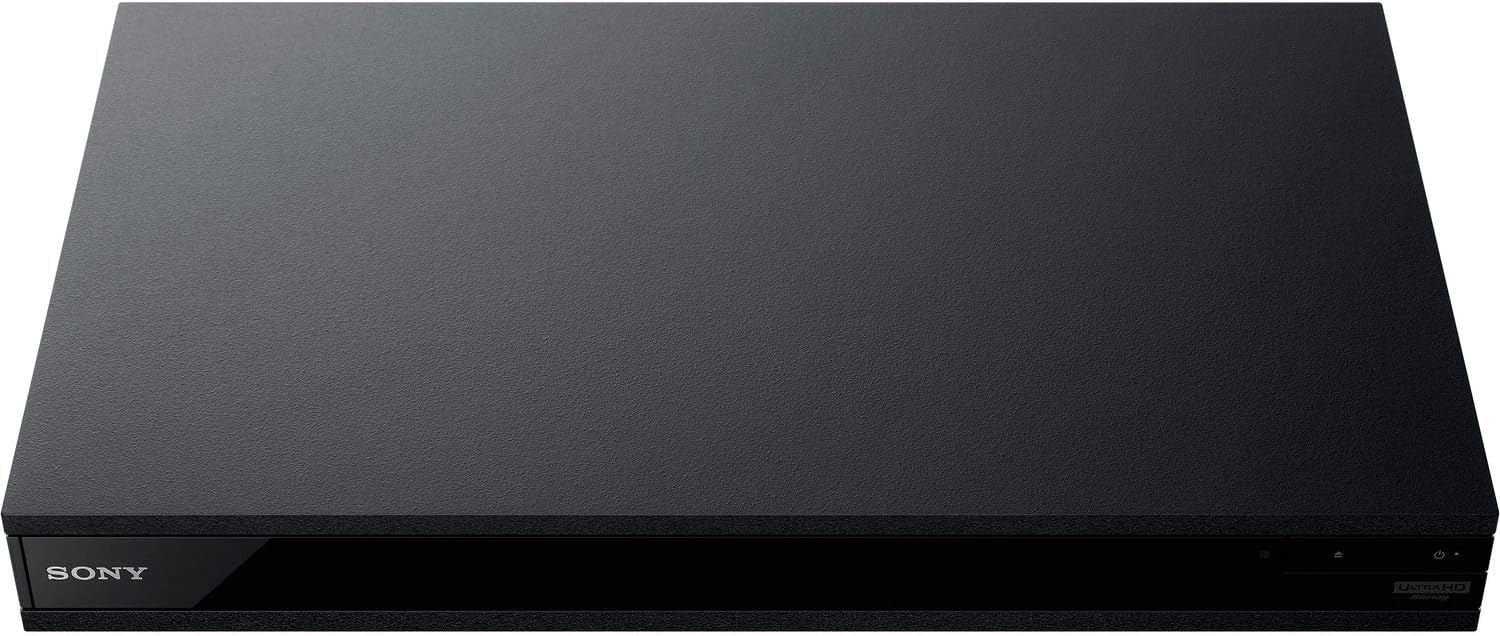
Figi 5: Devan view of the player with a USB drive inserted into the front port.
Antretyen
1. Netwaye jwè a
- Siye deyò jwè a ak yon twal mou epi sèk.
- Pa sèvi ak pwodui netwayaj abrazif, sir, oswa solvan.
- Asire w ouvèti vantilasyon yo rete pwòp san pousyè ak debri.
2. Swen Disk
- Manyen disk yo nan kwen yo pou evite anprent dwèt ak reyur.
- Netwaye disk yo ak yon twal mou ki pa gen pousyè, siye yo soti nan sant la pou rive deyò.
- Store discs in their cases away from direct sunlight and extreme temperatures.
3. Mizajou Firmware
Firmware updates can be done via the internet to ensure optimal performance and access to the latest features.
- Go to the home menu, then setup menu, and then to Software Update.
- Click on "Update Via Internet". If a new firmware is available, the player will automatically update.
- PA FÈ turn off the player while it is updating.
- PA FÈ perform firmware updates by USB unless instructed by OREI support.
Depanaj
Pwoblèm komen
- Pa gen imaj/son:
- Check all HDMI and audio cable connections.
- Asire w ke antre televizyon an configuré sou pò HDMI ki kòrèk la.
- Verify the player is powered on.
- Disk la pa jwe:
- Asire w ke disk la pwòp epi li pa gen reyur.
- Verify the disc is inserted correctly (label side up).
- For Blu-ray discs, confirm the player's region setting matches the disc's region (refer to "Region Changing Instructions" in the Setup section).
- Open the tray again and leave the disc in the tray. Once fully open, press the color button to select the region. Then close the tray.
- Region Code Error Message:
If you put in a disc before changing regions, you may get an error message indicating the wrong region. The player remembers this message. To remove that error, you need to reset the player.
- Peze a LAKAY button on the remote with no disc inside to go to the home screen.
- Use arrow buttons on the remote to go to the upper right corner where it says Enstalasyon ak peze ANTRE.
- Scroll desann nan Reyajiste on the bottom of the menu.
- Chwazi Reyajiste nan paramèt default faktori yo.
- Scroll desann epi chwazi TOUT paramèt ak peze ANTRE -> Peze Kòmanse Antre -> Close ANTRE.
- Turn the player off and then on again after 30 seconds.
- Select Language English and then select quick start mode OFF. You may need to activate network settings again.
- If you prefer not to connect the player to the internet, you may press the LAKAY button and go to the home screen. Now start from step 1 under "Region Changing Instructions" to change regions.
Espesifikasyon
| Mak | OREI |
| Non modèl | Sony X800M2 (UBP-X800M2) |
| Dimansyon pwodwi | 19 x 14.1 x 3.8 pous |
| Pwa atik | 8.82 liv (4000 gram) |
| Kalite Medya | Blu-Ray Disc, DVD, 4K UHD Blu-ray, Blu-ray 3D, CD, Super Audio CD |
| Rezolisyon | 3840x2160 (4K UHD) |
| Koneksyon Teknoloji | Ethernet, HDMI, USB, Wi-Fi |
| Kalite Connector | HDMI |
| Audio Sòti Mode | Surround (Dolby Atmos, DTS:X, High-Resolution Audio) |
| Koulè | Nwa |
| Batri | 2 pil AAA obligatwa (pou aleka) |
| Karakteristik espesyal | Region Free (Blu-ray Zones A/B/C, DVD Regions 0-8), Built-in NTSC↔PAL 4K HD Converter |
Garanti ak sipò
Enfòmasyon sou Garanti
For specific warranty details, please refer to the warranty card included with your product or visit the official OREI websit la. Kenbe resi acha ou kòm prèv acha.
Sipò pou Kliyan
If you encounter any issues or have questions regarding your OREI Sony UBP-X800M2 Blu-ray Player, please contact OREI customer support.
- Sipò sou entènèt: Vizite la OREI Store on Amazon pou FAQ ak resous sipò.
- Asistans teknik: Contact OREI directly for technical support. (Specific contact details not provided in source data, please refer to product packaging or official websit).


