Entwodiksyon
Welcome to the user manual for your Soundcore Anker Liberty Neo True Wireless Earbuds. These earbuds are designed to provide a high-quality audio experience with features tailored for active lifestyles. This manual will guide you through the setup, operation, maintenance, and troubleshooting of your device to ensure optimal performance.

Figure 1: Soundcore Anker Liberty Neo True Wireless Earbuds in their charging case.
Ki sa ki nan bwat la
Your Soundcore Anker Liberty Neo True Wireless Earbuds package includes the following items:
- Ka chaje
- Manyèl Itilizatè (dokiman sa a)
- USB Chaje Kab
- Multiple sizes of EarTips and WingTips for a secure fit

Figure 2: Included accessories with the Soundcore Anker Liberty Neo Earbuds.
Enstalasyon
1. Chaje ekoutè ou yo ak bwat la
Anvan premye itilizasyon an, chaje ekoutè yo ak bwat chaje a nèt.
- Place the earbuds into the charging case. Ensure they are correctly seated; the LED indicators on the earbuds will light up to confirm charging.
- Connect the provided USB charging cable to the charging port on the case and to a power source. The LED indicators on the charging case will show the charging status.
- Once fully charged, the LED indicators will turn solid or off, depending on the model.

Figi 3: Ekoutè yo mete nan bwat chaje a.
2. Konekte ak aparèy ou an
The Liberty Neo earbuds feature one-step pairing for convenience.
- Open the charging case. The earbuds will automatically enter pairing mode, and their LED indicators will flash white.
- Sou aparèy ou an (telefòn entelijan, tablèt, elatriye), aktive Bluetooth.
- Chèche pou "Soundcore Liberty Neo" in the list of available Bluetooth devices and select it to connect.
- Once connected, the LED indicators on the earbuds will turn solid white or off, indicating successful pairing.
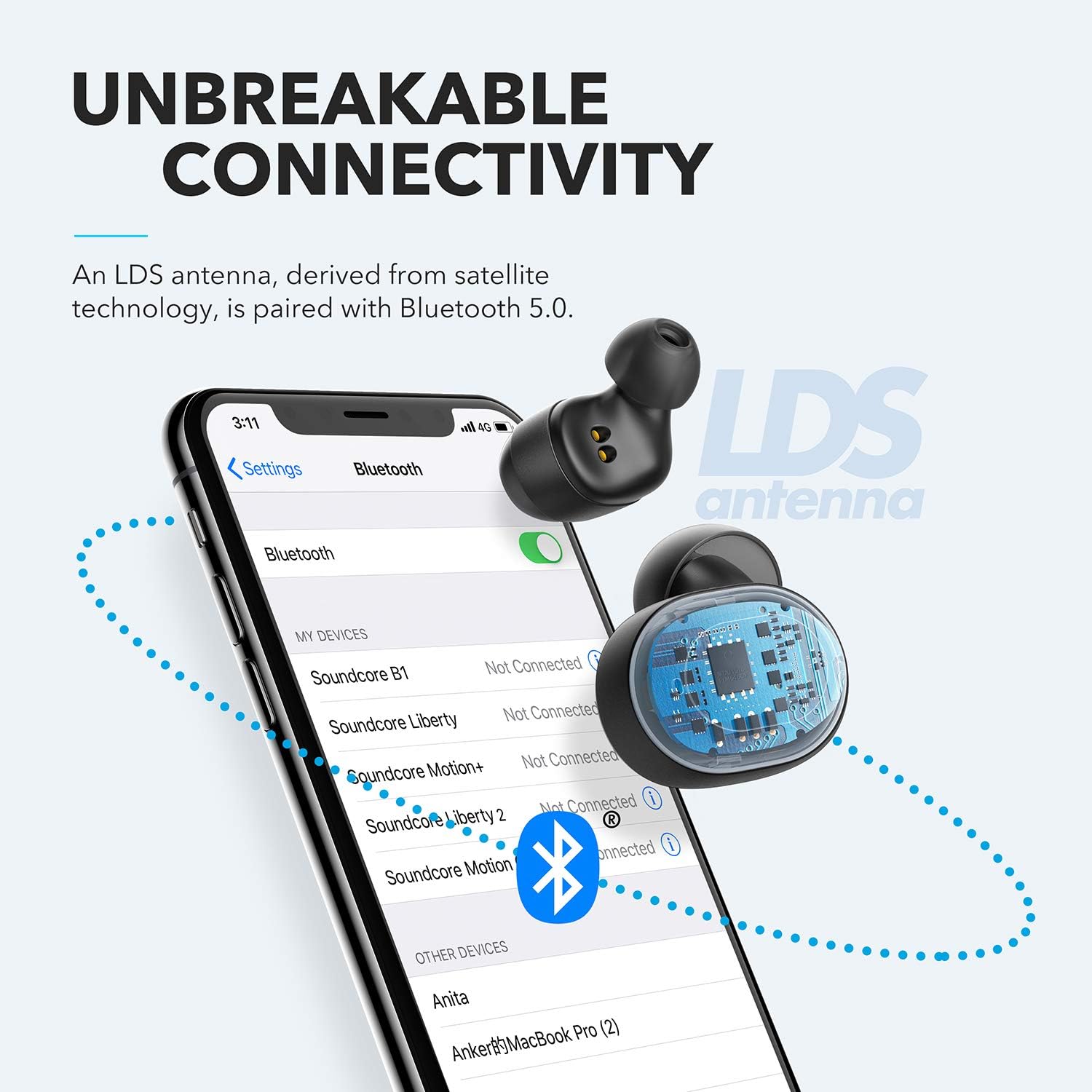
Figure 4: Bluetooth pairing process on a smartphone.
Kijan pou w itilize ekoutè w yo
1. Mete ekoutè yo
For optimal sound quality and a secure fit, choose the correct size of EarTips and WingTips. Insert the earbuds into your ears and twist them gently until they feel snug and comfortable.

Figure 5: Proper wearing of the earbuds for a secure fit.
2. Kontwòl
The Liberty Neo earbuds feature intuitive touch controls:
- Jwe/Poz: Tap the multi-function button on either earbud once.
- Pwochen Track: Double-tap the multi-function button on the right earbud.
- Track Previous: Double-tap the multi-function button on the left earbud.
- Reponn/Fen Apèl: Tap the multi-function button on either earbud once.
- Rejte apèl: Peze epi kenbe bouton milti-fonksyon an sou nenpòt ekoutè pandan 2 segonn.
- Aktive Asistan Vwa: Press and hold the multi-function button on either earbud for 1 second.
3. Mòd son
While the Liberty Neo earbuds offer excellent passive noise isolation, they do not feature Active Noise Cancellation (ANC) or Transparency modes. They are designed to provide a rich audio experience with Soundcore's signature sound and BassUp technology.
Antretyen
Pou asire ekoutè ou yo dire lontan epi yo gen yon pèfòmans optimal:
- Kenbe ekoutè yo ak bwat chaje a pwòp epi sèk. Sèvi ak yon twal mou epi sèk pou siye yo.
- Evite tanperati ekstrèm.
- Pa sèvi ak pwodui netwayaj korozif.
- The earbuds are IPX7 waterproof, meaning they can withstand sweat and rain. However, the charging case is not waterproof. Ensure earbuds are dry before placing them back in the case.

Figure 6: Earbuds demonstrating IPX7 waterproof rating.
Depanaj
If you encounter any issues with your earbuds, refer to the following common solutions:
| Pwoblèm | Solisyon |
|---|---|
| Ekoutè pa asosye | Ensure earbuds are charged. Turn off Bluetooth on your device, then turn it back on. Try resetting the earbuds (refer to Soundcore support for specific reset instructions). |
| Se yon sèl ekoutè k ap jwe odyo | Place both earbuds back into the charging case, close the lid, then open it again. Ensure both earbuds are connected to your device. |
| Move son kalite | Ensure earbuds are clean and free of debris. Try different sized EarTips for a better seal. Check your device's audio settings. |
| Ekoutè k ap tonbe | Experiment with different sizes of EarTips and WingTips to find the most secure and comfortable fit for your ears. |
Espesifikasyon
| Karakteristik | Detay |
|---|---|
| Non modèl | Libète Neo |
| Nimewo Modèl | A3911 |
| Koneksyon Teknoloji | San fil (Bluetooth 5.0) |
| Nivo rezistans dlo | IPX7 (koutè sèlman) |
| Lavi batri | 8 Hours (Earbuds), 40 Hours with Charging Case |
| Kalite chofè odyo | Dynamic Driver (Graphene-enhanced) |
| Metòd kontwòl | Manyen |
| Pwa atik | 1.76 ons |
| Dimansyon pwodwi | 2.95 x 1.38 x 1.18 pous |
Garanti ak sipò
For warranty information and customer support, please refer to the official Soundcore websit la oubyen kontakte sèvis kliyan yo dirèkteman. Kenbe resi acha w la pou reklamasyon garanti.
Sipò sou entènèt: Vizite www.soundcore.com pou FAQ, gid depanaj, ak enfòmasyon pou kontakte yo.


