1. Enstriksyon Sekirite Enpòtan
Before beginning any exercise program, consult with your physician. This is especially important for individuals over the age of 35 or those with pre-existing health conditions. Read all instructions carefully before using the exercise bike.
- Kenbe timoun ak bèt kay lwen ekipman an.
- Mete bisiklèt egzèsis la sou yon sifas plat epi ki estab. Sèvi ak yon tapi pwoteksyon si sa nesesè.
- Asire w ke tout boulon ak nwa yo byen sere anvan chak itilizasyon.
- Mete rad ak soulye espò ki apwopriye. Evite rad lach ki ka kole nan pati k ap deplase yo.
- Pa depase pwa maksimòm itilizatè a nan 120 kg.
- Si ou santi vètij, kè plen, doulè nan pwatrin, oswa nenpòt lòt sentòm anòmal, sispann antrennman ou imedyatman epi konsilte yon doktè.
- Perform regular maintenance as described in this manual.
2. Pake kontni
Carefully unpack all components and verify that you have received all parts listed below. If any parts are missing or damaged, contact customer support.
- Prensipal ankadreman
- Estabilizatè devan ak dèyè
- Pedal (gòch ak dwa)
- Tij Syèj ak Syèj
- Poto gidon ak gidon
- Monitor/Display Console
- Water Bottle Holder and Water Bottle
- Materyèl asanblaj (boulon, rondelle, nwa, zouti)
- Manyèl itilizatè
3. Enstriksyon Asanble
Follow these steps to assemble your Physionics Indoor Exercise Bike. It is recommended to have two people for assembly.
- Mete estabilizatè yo: Sèvi ak boulon ak rondelle yo bay yo pou byen fikse estabilizatè devan ak dèyè yo sou ankadreman prensipal la. Asire w ke yo byen tache pou estabilite.
- Enstale pedal: Identify the left (L) and right (R) pedals. The left pedal screws counter-clockwise, and the right pedal screws clockwise. Ensure they are fully tightened to prevent stripping.
- Mount Seat and Handlebars: Insert the seat post into the main frame and secure it at your desired height. Attach the seat to the seat post. Similarly, insert the handlebar post and attach the handlebars.
- Konekte Monitè a: Connect the sensor wires from the main frame to the monitor console. Mount the monitor onto the handlebar post. Insert batteries (not included) into the monitor.
- Tache Pwodwi pou Telefòn: Install the water bottle holder and any other accessories.

Figure 3.1: Fully assembled Physionics Indoor Exercise Bike. This image shows the complete structure including the frame, seat, handlebars, pedals, and display console.
4. Operasyon Enstriksyon
4.1. Using the Display Console
The display console tracks your workout data. Insert two AAA batteries (not supplied) into the battery compartment on the back of the monitor.

Figure 4.1: Close-up of the display console showing various metrics. The display shows Time, Speed, Calories, Distance, Odometer, and Pulse.
- Bouton MODE: Press to cycle through different display functions (Time, Speed, Distance, Calories, Odometer, Pulse). Press and hold to reset values.
- ESKANYE: Otomatikman sikile nan tout fonksyon yo chak kèk segond.
- TAN: Montre dire antrennman ou an.
- VITESSE: Montre vitès ou ye kounye a.
- DISTANS: Displays the distance covered during your current workout.
- KALORI: Estime kalori ou boule pandan w ap fè egzèsis.
- ODOMETER: Montre distans total akimile.
- PULS: Shows your heart rate when holding the pulse sensors on the handlebars.
4.2. Ajisteman Rezistans lan
The exercise bike features an adjustable resistance system to vary your workout intensity.

Figure 4.2: Diagram illustrating the resistance and brake system. Turning the red knob controls the resistance level, while pressing it activates the emergency brake.
- Ogmante rezistans: Turn the resistance knob clockwise to increase the workout intensity.
- Diminye rezistans: Turn the resistance knob counter-clockwise to decrease the workout intensity.
- Fren ijans: Press down firmly on the resistance knob to engage the emergency brake and stop the flywheel immediately.
4.3. Karakteristik espesyal

Figi 4.3: Plis paseview of additional features including the phone holder, water bottle, and foot straps. These features enhance user convenience during workouts.
- Detantè telefòn: A convenient holder is integrated into the handlebars to secure your smartphone or tablet during your workout.
- Detantè boutèy dlo: A dedicated holder keeps your water bottle within easy reach for hydration.
- Espageti pou pye: Adjustable foot straps on the pedals ensure your feet remain securely in place during intense cycling.
5. Ajisteman
Bon ajisteman chèz la ak gidon an enpòtan anpil pou konfò ak pou fè egzèsis efikas.

Figure 5.1: Illustration showing the adjustable seat and handlebars. The seat can be adjusted horizontally and vertically, and the handlebars vertically.
- Wotè chèz: Desere bouton ajisteman ki sou tij chèz la. Leve oswa bese chèz la jiskaske janm ou pliye yon ti kras nan jenou an lè pedal la nan pwen ki pi ba li. Sere bouton an byen sere.
- Seat Horizontal Position: Loosen the adjustment knob under the seat. Slide the seat forward or backward to find a comfortable position relative to the handlebars. Tighten the knob securely.
- Wotè gidon: Loosen the adjustment knob on the handlebar post. Raise or lower the handlebars to a comfortable height that allows for a relaxed upper body posture. Tighten the knob securely.
6. Antretyen
Antretyen regilye asire lonjevite ak operasyon an sekirite nan bisiklèt egzèsis ou a.
- Netwayaj: Siye bisiklèt la ak anonsamp Siye twal la apre chak itilizasyon pou retire swe ak pousyè. Evite pwodui netwayaj abrazif.
- Tcheke Koneksyon: Periodically check all bolts, nuts, and screws to ensure they are tight. Tighten any loose connections.
- Lubrifikasyon: Apply a small amount of silicone-based lubricant to moving parts (e.g., pedal axles, resistance mechanism) if you notice squeaking or stiffness.
- Depo: Sere bisiklèt la nan yon kote ki sèk epi fre, lwen limyè solèy dirèk ak tanperati ekstrèm.

Figure 6.1: Image showing the transport wheels located at the front stabilizer. These wheels allow for easy relocation of the exercise bike.
To move the bike, tilt it forward onto the transport wheels and roll it to the desired location. Ensure the area is clear before moving.
NAN. Depanaj
| Pwoblèm | Kòz posib | Solisyon |
|---|---|---|
| Montre pa travay | Pil mouri, koneksyon ki lach | Replace batteries, check monitor cable connection. |
| Bri k ap kriye pandan w ap itilize li | Loose parts, lack of lubrication | Check and tighten all bolts. Apply lubricant to moving parts. |
| Rezistans pa chanje | Resistance knob mechanism issue | Ensure the resistance knob is properly engaged. Contact customer support if the issue persists. |
| Bisiklèt la santi l enstab | Uneven surface, loose stabilizers | Place on a flat surface. Check and tighten stabilizer bolts. |
8. Espesifikasyon
- Mak: Fizik
- Non modèl: Vélo d'Appartement
- Dimansyon (L x W x H): Apeprè 105 cm x 46 cm x 100 cm
- Pwa atik: 27.65 Kilogram
- Pwa maksimòm itilizatè: 120 Kilogram
- Pwa Volan: 10 kg
- Materyèl: Steel frame; Other: ABS plastic, PU leather, and foam
- Mekanis rezistans: Air
- Sous pouvwa (Ekspozisyon): Battery powered (batteries not included)
- Koulè: Nwa, Wouj

Figure 8.1: Diagram showing the dimensions of the exercise bike (105cm length, 47cm width, 100cm height) and highlighting the steel frame construction.
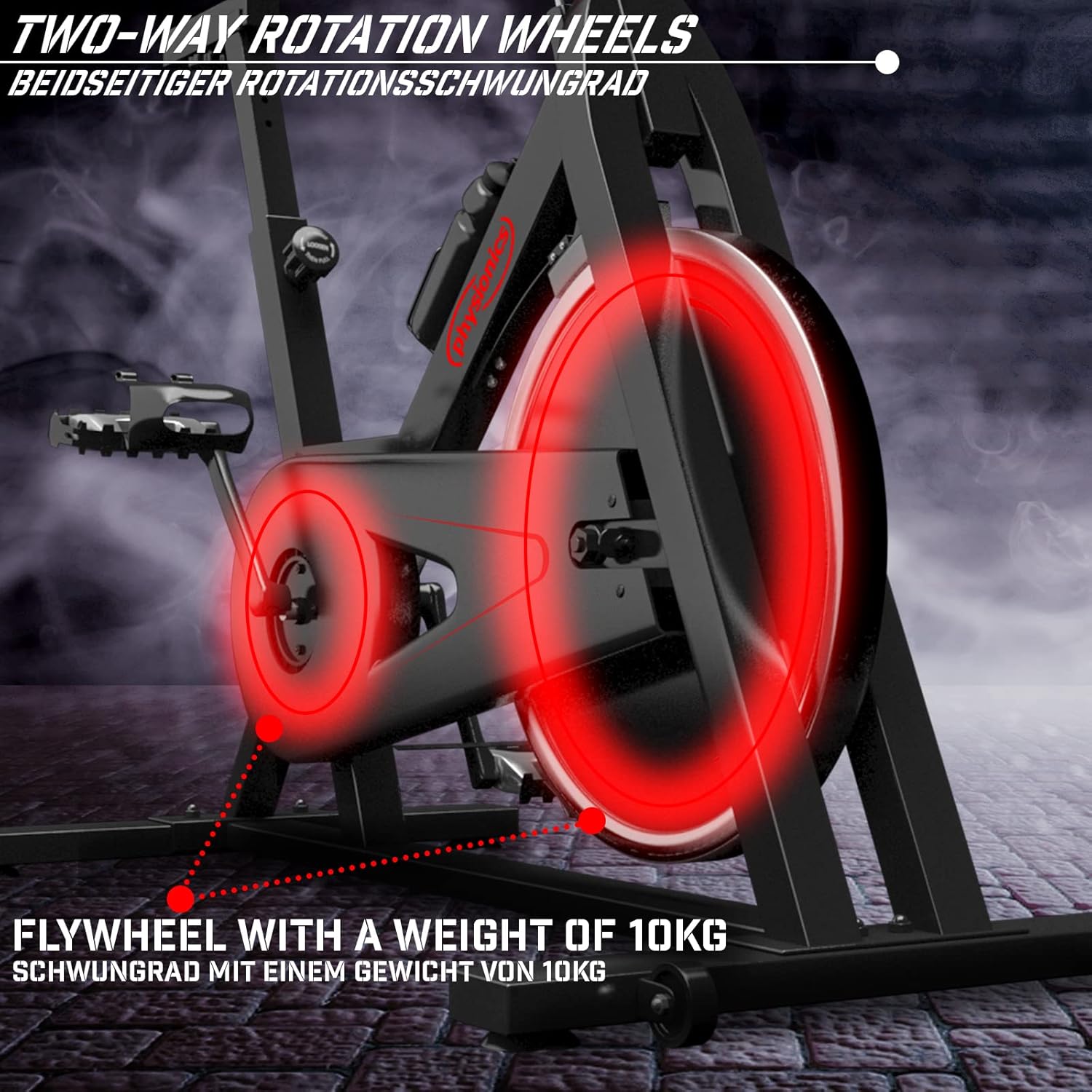
Figure 8.2: Close-up of the 10kg flywheel, indicating its two-way rotation capability.
9. Garanti ak sipò
For warranty information or technical support, please refer to the documentation included with your purchase or contact Physionics customer service. Keep your proof of purchase for warranty claims.
For further assistance, please visit the official Physionics websit la oubyen kontakte chanèl sèvis kliyan yo.


