Entwodiksyon
This manual provides detailed instructions for the Superior Electronics Ready5 Smart Universal Remote Control, Model SUPTRB019. This remote is designed for immediate use with a wide range of LG, Samsung, Sony, Philips, and Panasonic televisions, eliminating the need for complex programming.
Karakteristik kle yo enkli:
- Universal compatibility with major TV brands (LG, Samsung, Sony, Philips, Panasonic).
- Ready-to-use functionality; no programming required.
- Full Smart TV compatibility for enhanced control.
- Dedicated quick access buttons for popular streaming services like Netflix and Prime Video.
- Ergonomic design with intuitive button layout for comfortable and immediate operation.
- Konstwi soti nan materyèl dirab pou pèfòmans ki dire lontan.

Image: The Superior Electronics Ready5 Smart Universal Remote Control shown in its retail packaging, highlighting its "Ready to Use" feature and compatibility with various TV brands.
Enstalasyon
1. Mete pil
The remote control requires two (2) AAA batteries (not included). Follow these steps to insert them correctly:
- Jwenn kouvèti lòj batri a sou do kontwòl remote la.
- Glise kouvèti a anba oubyen peze lokèt la (si genyen) pou ouvri konpatiman an.
- Insert two AAA batteries, ensuring that the positive (+) and negative (-) terminals align with the indicators inside the compartment. Incorrect polarity can prevent the remote from functioning.
- Glise kouvèti konpatiman batri a tounen nan plas li jiskaske li fè yon klik byen fèm.

Imaj: Dèyè view of the remote control, illustrating the location of the battery compartment for easy access and battery insertion.
2. Premye Itilizasyon
The Superior Electronics Ready5 Smart remote control is designed for immediate use with compatible LG, Samsung, Sony, Philips, and Panasonic TVs. Once the batteries are correctly inserted, the remote is ready to operate your television without any additional programming or setup. Simply point the remote at your TV and begin using its functions.
Enstriksyon Operasyon
This section details the primary functions of the buttons on your Ready5 Smart remote control.

Imaj: Devan view of the Superior Electronics Ready5 Smart remote control, displaying all buttons and their layout for easy identification.
Fonksyon bouton yo souview
| Bouton | Fonksyon |
|---|---|
| Pouvwa (●) | Limen oswa etenn televizyon an. |
| Antre | Chwazi sous antre a (HDMI, AV, elatriye). |
| Smart Video / NET.TV | Direct access to Smart TV features or specific streaming apps. |
| 3D | Aktive oswa dezaktive mòd 3D a (si televizyon an sipòte li). |
| Gid | Montre gid pwogram elektwonik la. |
| Menu | Ouvri meni prensipal televizyon an. |
| Subt. | Aktive oubyen dezaktive sous-titres yo. |
| Fav | Aksè nan lis chanèl pi renmen yo. |
| Info | Montre enfòmasyon sou pwogram oswa antre aktyèl la. |
| Navigasyon (Anwo, Anba, Agoch, Adwat, OK) | Navige nan meni yo epi konfime seleksyon yo. |
| Retounen | Retounen nan ekran oswa meni anvan an. |
| Sòti | Kite meni oswa aplikasyon aktyèl la. |
| Vol +/- | Ajiste volim nan monte oswa desann. |
| bèbè | Aktive oubyen dezaktive son televizyon an. |
| Ch +/- | Chanje kanal la monte oswa desann. |
| Nimewo Pad (0-9) | Directly enters channel numbers or numerical inputs. |
| Lis | Montre yon lis chanèl oswa medya. |
| Netflix | Directly launches the Netflix application. |
| Premye Videyo | Directly launches the Amazon Prime Video application. |
| Bouton koulè (wouj, vèt, jòn, ble) | Functions vary depending on the TV model and current menu/application. |
| Media Control (Play, Pause, Stop, Rewind, Fast Forward, Record) | Controls media playback (e.g., USB, streaming apps). |
Smart TV and Streaming Access
The Ready5 Smart remote is designed to seamlessly integrate with your Smart TV's functionalities. Use the navigation buttons to browse Smart TV menus and applications. The dedicated Netflix and Prime Video buttons provide instant access to these popular streaming platforms, allowing you to start watching your favorite content with a single press.
Antretyen
Netwaye kontwòl remote la
To ensure optimal performance and longevity of your remote control, follow these cleaning guidelines:
- Toujou retire pil yo anvan ou netwaye.
- Sèvi ak yon twal mou epi sèk pou siye sifas telekòmand lan.
- Pou pousyè tè ki difisil pou retire, yon ti kras dampRense twal la avèk dlo oswa yon pwodui netwayaj dou ki pa abrazif. Evite imidite twòp.
- Pa sèvi ak pwodui chimik ki fò, pwodui netwayaj abrazif, oswa solvan, paske sa yo ka domaje fini telekòmand lan oswa konpozan entèn yo.
- Ensure the remote is completely dry before reinserting batteries.
Swen ak Ranplasman Batri
Replace batteries when the remote's response becomes sluggish or it stops functioning. Always replace both batteries at the same time with new AAA batteries. Do not mix old and new batteries, or different types of batteries. Dispose of used batteries responsibly according to local regulations.
Depanaj
If you encounter issues with your Ready5 Smart remote control, refer to the following common problems and solutions:
Remote pa reponn
- Tcheke batri yo: Asire w pil yo byen mete ak polarite ki kòrèk la (+/-) epi yo pa fin itilize. Ranplase yo ak pil AAA nèf si sa nesesè.
- Liy Vizyon: Asire w pa gen okenn obstak ant kontwòl remote la ak reseptè enfrawouj televizyon an. Dirije kontwòl remote la dirèkteman nan direksyon televizyon an.
- Distans: Ensure you are within the effective operating range (up to 10 meters).
- Pouvwa televizyon: Confirm that your TV is powered on and not in standby mode.
Bouton espesifik ki pa fonksyone
- Fonksyon Jeneral: If most buttons work but a few do not, it might indicate a specific TV model's lack of support for that particular function via universal remote, or a dirty contact under the button.
- Smart TV/Streaming Buttons: Ensure your TV is a Smart TV and has the respective applications (Netflix, Prime Video) installed and updated.
Pwoblèm konpatibilite
The Ready5 Smart remote is pre-programmed for LG, Samsung, Sony, Philips, and Panasonic TVs manufactured from 2000 onwards. If your TV is from a different brand or an older model, full functionality may not be guaranteed. No programming is required for the listed compatible brands.
Espesifikasyon
| Karakteristik | Detay |
|---|---|
| Non modèl | Ready5 Smart |
| Nimewo Modèl | SIPTRB019 |
| Mak | Superior Electronics |
| Aparèy konpatib | LG, Samsung, Sony, Philips, Panasonic Televisions (models from 2000 onwards) |
| Koneksyon Teknoloji | Enfrawouj (IR) |
| Sous pouvwa | 2 x AAA pil (pa enkli) |
| Maksimòm Range | 10 mèt (apeprè 33 pye) |
| Dimansyon pwodwi | 5 x 1.5 x 19 cm (apeprè 1.97 x 0.59 x 7.48 pous) |
| Pwa | 100 gram (apeprè 3.53 ons) |
| Koulè | Nwa |
| Karakteristik espesyal | Universal, immediately ready for use (no programming) |
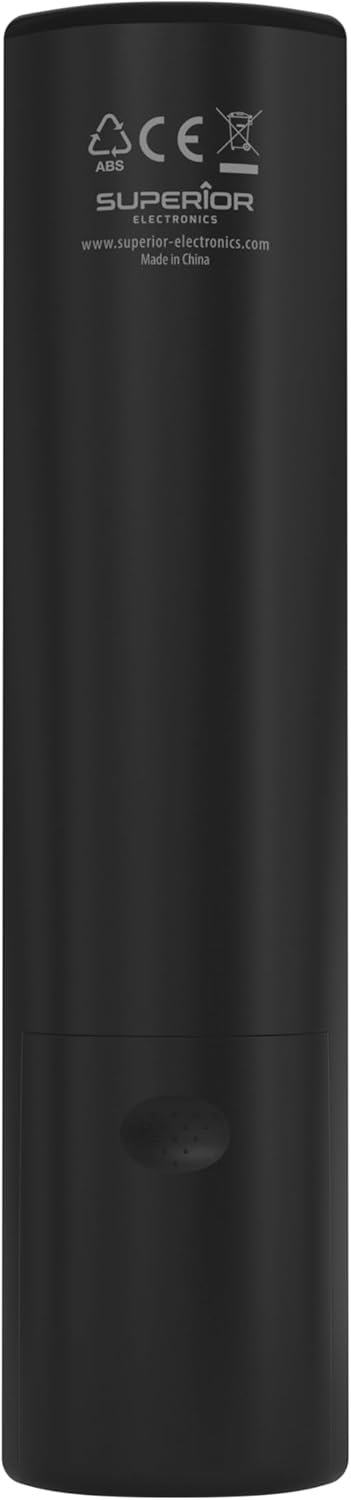
Image: The remote control with its approximate dimensions (4.8 cm width, 19.5 cm length) highlighted for reference.
Enfòmasyon sou Garanti
Specific warranty details for the Superior Electronics Ready5 Smart Universal Remote Control are typically provided with your purchase documentation or can be found on the official Superior Electronics website. Please refer to these resources for comprehensive information regarding warranty coverage, terms, and conditions.
Sipò
For further assistance, technical support, or additional product information, please visit the official Superior Electronics website or contact their customer service department. Contact details are usually available on the product packaging or the manufacturer's websit.
Manufacturer: Superior Electronics
Pou plis enfòmasyon, ou ka vizite Superior Electronics Store on Amazon.


