Entwodiksyon
Mèsi pou acha aasing the Acctim Digital Alarm Clock. This manual provides detailed instructions for setting up, operating, and maintaining your new alarm clock. Please read this manual thoroughly before use to ensure proper functionality and to maximize your experience with the product.
The Acctim Digital Alarm Clock features a reflection display technology for a higher definition display, dual crescendo alarm, indoor temperature display, and calendar display.
Pwodwi souview
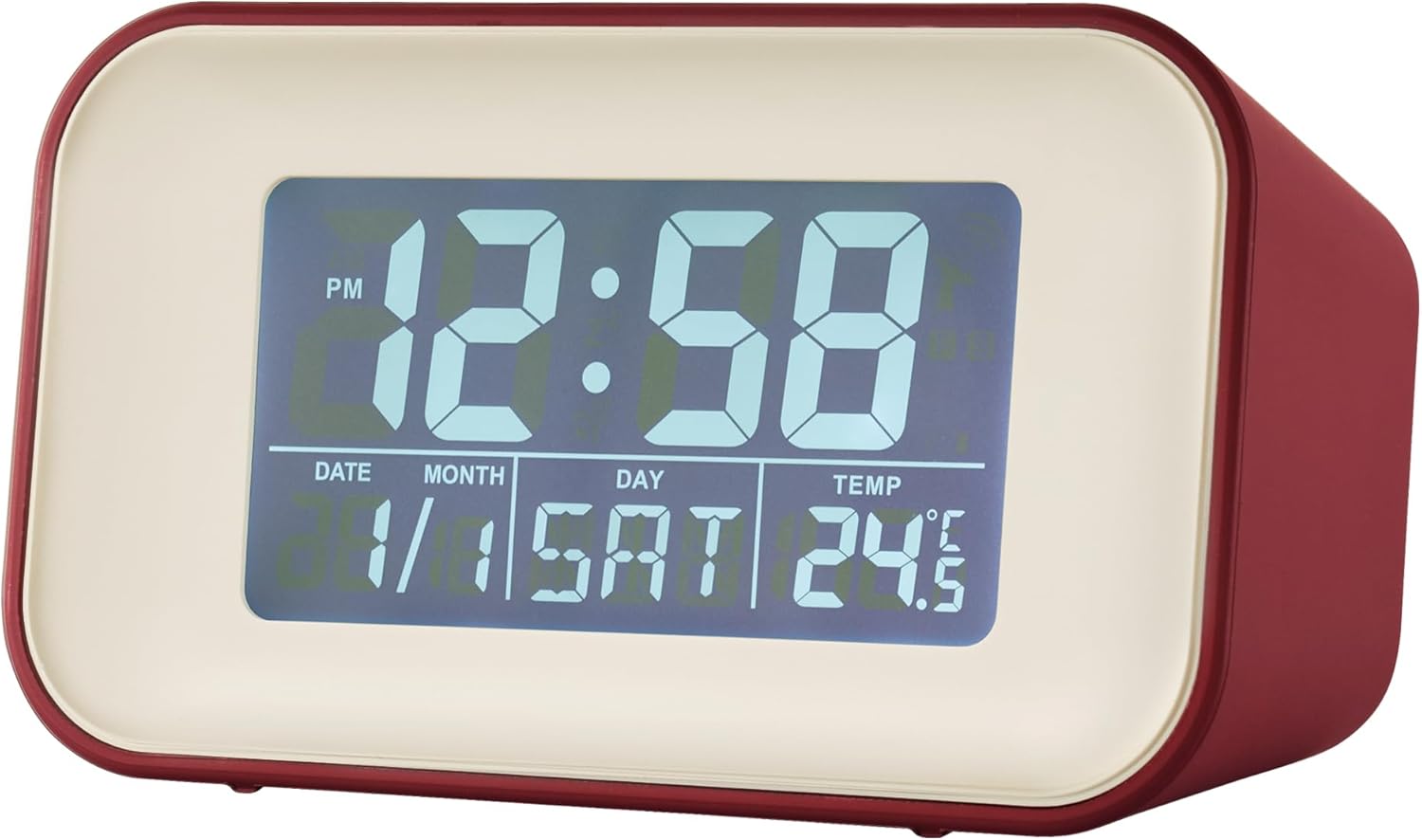
Figi 1: Devan view of the Acctim Digital Alarm Clock. This image shows the clock's reflection display technology, clearly showing the time, date, day, and indoor temperature. The display is illuminated, providing clear visibility.

Figi 2: Alternate front view of the Acctim Digital Alarm Clock. This image provides another perspective of the display, showing different time and date settings, highlighting the clarity of the digital readout.
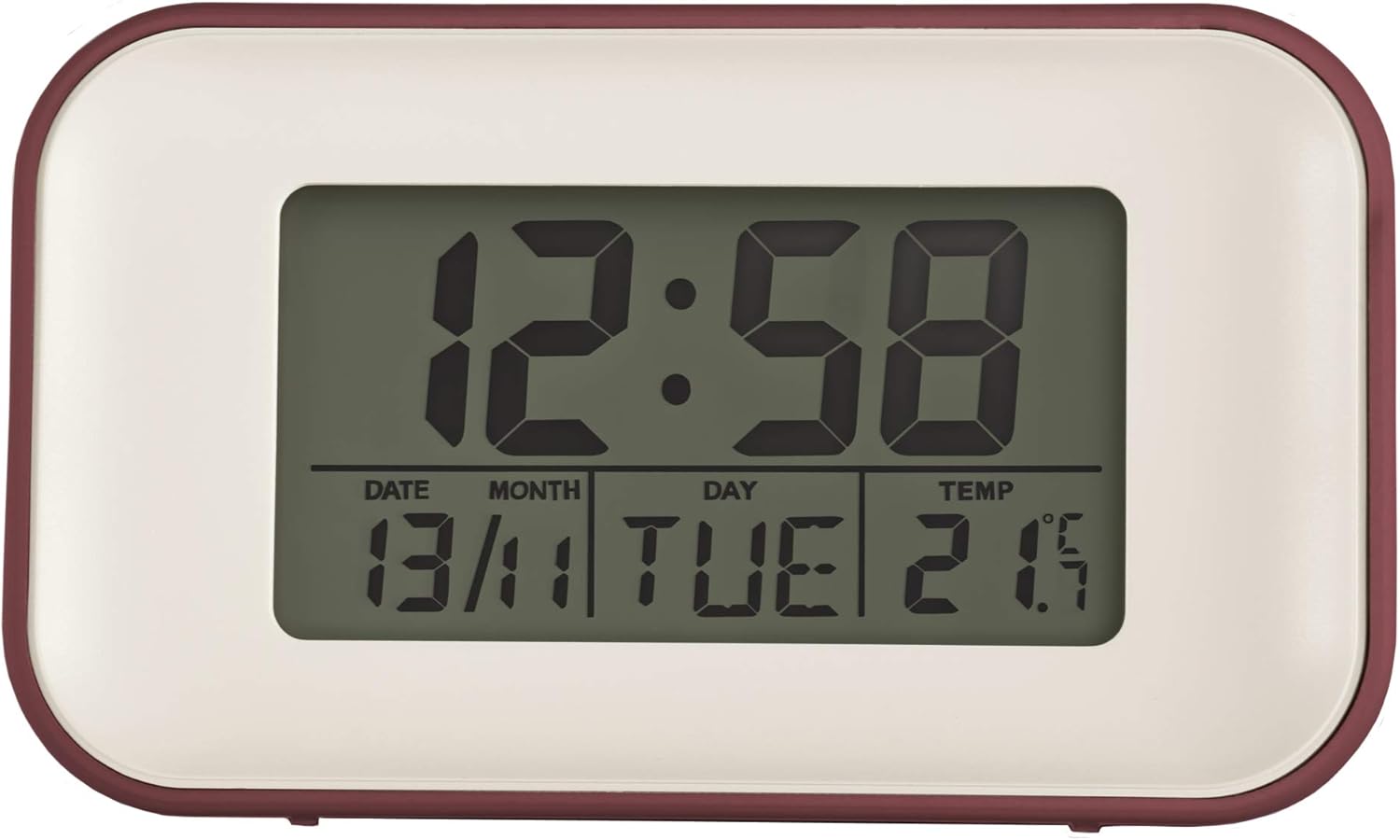
Figi 3: Devan view of the Acctim Digital Alarm Clock with a less illuminated display. This view demonstrates the display's appearance under different lighting conditions or settings, still maintaining readability.
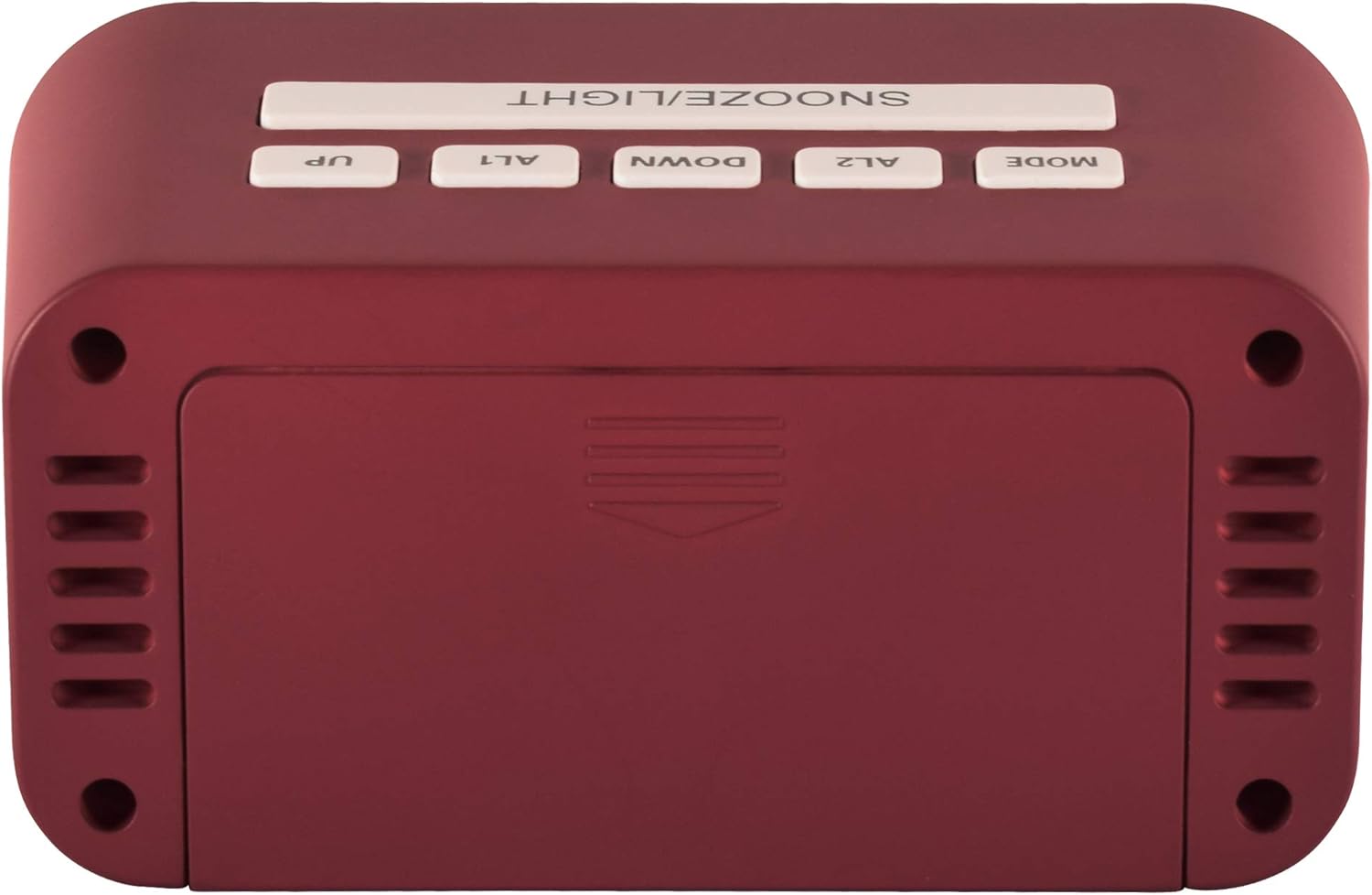
Figi 4: Top view of the Acctim Digital Alarm Clock, showing the control buttons. From left to right, these include SNOOZE/LIGHT, UP, ALT (Alarm 1), DOWN, AL2 (Alarm 2), and MODE. These buttons are used for setting time, alarms, and other functions.

Figi 5: Side view of the Acctim Digital Alarm Clock. This image highlights the compact design and the red casing of the clock, providing a perspective on its overall dimensions and aesthetic.
Enstalasyon
1. Enstalasyon batri
The Acctim Digital Alarm Clock requires 2 x AA batteries (not included) for operation. Ensure the batteries are inserted with the correct polarity (+/-) as indicated inside the battery compartment.
- Jwenn kouvèti konpatiman pil la sou dèyè revèy la.
- Glise kouvèti a louvri.
- Insert two new AA batteries, observing the polarity markings.
- Fèmen kouvèti lòj batri a byen.
Nòt: Retire pil yo si ou pa pral itilize revèy la pou yon peryòd tan pwolonje pou anpeche li koule.
Enstriksyon Operasyon
Mete tan ak dat
- Peze a MÒD button repeatedly until the time display starts flashing.
- Sèvi ak la UP epi DESANN bouton pou ajiste lè a.
- Peze MÒD ankò pou ale nan minit, answit itilize UP epi DESANN pou ajiste.
- Kontinye peze MÒD pou chanje paramèt ane, mwa ak jou, epi ajiste chak ak UP epi DESANN.
- Peze MÒD yon dènye fwa pou sòti nan mòd paramèt.
Anviwònman Alam (AL1 ak AL2)
The clock features dual crescendo alarms.
- Peze a AL1 or AL2 button to select the desired alarm. The alarm time will flash.
- Sèvi ak la UP epi DESANN bouton yo pou mete lè alam lan.
- Press the selected alarm button (AL1 or AL2) again to move to minutes, then adjust with UP epi DESANN.
- Press the alarm button one more time to confirm and activate the alarm. An alarm icon will appear on the display.
- To deactivate an alarm, press the corresponding alarm button until the alarm icon disappears.
Sèvi ak Fonksyon Snooze/Limyè
- Lè alam lan sonnen, peze gwo bouton an SNOOZE / limyè button on top of the clock to activate the snooze function. The alarm will temporarily stop and sound again after a few minutes (typically 5-10 minutes).
- Peze a SNOOZE / limyè button at any time to illuminate the display for a few seconds. This is useful for checking the time in low light conditions.
Display Tanperati
The clock automatically displays the indoor temperature. The unit of temperature (Celsius or Fahrenheit) can usually be toggled by pressing the UP or DESANN button while in normal time display mode, or by a dedicated switch/button on the back (refer to specific model details if available).
Antretyen
- Netwayaj: Wipe the clock with a soft, dry cloth. Do not use abrasive cleaners or solvents, as they may damage the casing oswa ekspozisyon.
- Ranplasman batri: Replace batteries when the display dims or the clock functions become erratic. Always replace both batteries at the same time.
- Depo: If storing the clock for an extended period, remove the batteries to prevent corrosion.
Depanaj
| Pwoblèm | Kòz posib | Solisyon |
|---|---|---|
| Ekran an fèb oswa vid. | Batri ki ba oswa ki mouri. | Replace with new AA batteries. Ensure correct polarity. |
| Alam lan pa sonnen. | Alam lan pa aktive oswa li pa byen configuré. | Verify alarm time and ensure the alarm icon is displayed. Check battery level. |
| Lè/dat ki pa kòrèk. | Time/date not set correctly after battery installation or power interruption. | Swiv enstriksyon "Mete Dat ak Lè" yo pou retabli. |
| Lekti tanperati a sanble pa egzak. | Clock placed near heat sources, direct sunlight, or drafts. | Relocate the clock to a stable room temperature environment. Allow time for the sensor to adjust. |
Espesifikasyon
- Modèl: 15864
- Dimansyon (H x W x P): 5.8 x 10 x 4.7 santimèt (2.32" x 3.94" x 1.85")
- Sous pouvwa: 2 x AA pil (pa enkli)
- Kalite ekspozisyon: Digital, Reflection Luminous Display
- Karakteristik: Dual Crescendo Alarm, Indoor Temperature Display, Calendar Display, Snooze/Light Function
- Materyèl: Plastik
- Koulè: Wouj
Enfòmasyon sou Garanti
Acctim products are manufactured to high-quality standards. For specific warranty details, please refer to the warranty card included with your purchase or visit the official Acctim websit la. Kenbe prèv acha ou a pou nenpòt reklamasyon garanti.
Sipò pou Kliyan
For further assistance, technical support, or inquiries regarding your Acctim Digital Alarm Clock, please contact Acctim customer service. Contact information can typically be found on the product packaging or the official Acctim websit.
Ou ka vizite tou Acctim Brand Store on Amazon pou plis enfòmasyon pwodwi.


